

Savefrom Helper
Savefrom Helper is an Android downloader that lets you grab videos, music, and images from popular websites and save them directly to your phone or tablet.
By pasting a content URL into the app, you can choose from available video and audio qualities and download media for offline playback in a few simple steps.
People love to get different types of collections on their devices, which they can access at any time. Android Downloader to get content from the web is popular on ntDown and Savefrom. Hence, get information related to a similar tool here.
The official APK file for Savefrom Helper is available on our website, so you can download the latest version safely and install it on any compatible Android device.
Rate this app
App details
- App name
- Savefrom Helper
- Category
- Tools
- Version
- v2.3.31
- Size
- 27.53 MB
- Requirements
- 5.1 and Above
- Package name
- com.savefrom.gp
- Publisher
- Download Helper
- Price
- Free
- Mod
- No
- Downloads
- 110,023
- Rating
- 4.8 / 5
- Rating count
- 55,340
- Play Store
- No
- Requires root
- No
- Offline support
- Yes
- Contains ads
- Yes
- In-app purchases
- No
- Updated
- May 13, 2026
- Age rating
- Rated for 7+
Table of contents
What is Savefrom Helper APK
Savefrom Helper APK is a media downloader for Android that helps you save online videos and audio files to your device storage. It is designed for users who want to keep clips, songs, and short videos locally instead of streaming them every time.
The app works by processing the URL of the content you want to save. After you paste a link from a supported website, Savefrom Helper detects the available formats and resolutions and offers direct download options. You can then store the file on your device and play it with any compatible media player.
According to the original app description, Savefrom Helper can handle links from several major platforms such as YouTube, Facebook, VK, Odnoklassniki, Instagram, Twitter, and others, depending on technical and policy limitations over time. Support for individual services may change, so actual compatibility can vary.
The interface focuses on simplicity. You copy a link, paste it into the app, select the quality, and start the download. This makes it accessible even for users who do not have much technical experience but still want to manage their own offline media collection.
Why Download Savefrom Helper for Android
Many users prefer to save videos and music locally so they can watch or listen without buffering, data charges, or unstable connections. Savefrom Helper gives you a straightforward way to build this offline library from links you already have.
Instead of relying only on streaming, you can pick specific clips, reels, or songs and download them in a format that works best for your device. The app offers multiple quality options when available, which helps you balance file size and playback quality.
Another reason people install Savefrom Helper is convenience. You do not need to visit multiple websites to convert or download files. You can paste your URL directly into one app and manage all downloads from a single place on your Android phone or tablet.
How Savefrom Helper Is Useful
Savefrom Helper is useful for users who frequently consume online media and want more control over how and when they access it. By downloading content, you can watch videos during travel, in low-signal areas, or when you want to save mobile data.
The app can help you organize study material, tutorials, music tracks, or entertainment clips into playlists inside your device gallery or media player. Because the files are stored locally, you can replay them as often as you like without needing an internet connection.
It also simplifies the technical side of media downloading. You do not have to handle complex conversion tools or browser extensions. The app presents the available formats in a user-friendly way, so you only choose the option that suits your storage space and playback needs.
How to Download and Install Savefrom Helper APK
You can get the official Savefrom Helper APK file directly from our website. Follow these steps to download and install it on your Android device:
Scroll to the download section on this page and tap the Savefrom Helper APK download button.
Wait for your browser to finish downloading the APK file to your device.
Open your phone settings and enable installation from unknown or external sources if it is not already allowed.
Locate the downloaded APK in your Downloads folder or notifications panel and tap it.
Review the installation prompts and confirm to install Savefrom Helper.
Once installation completes, open the app, paste a supported URL, choose quality, and start downloading media.
Whenever a new version becomes available on our website, you can repeat the same process to update the app by installing the latest APK over the existing one.
Features
Simple URL based downloads
Paste a media URL into the app to detect and download available video or audio files without complex settings.
Support for multiple platforms
Works with links from several popular video and social platforms, subject to technical and policy limitations that can change over time.
Multiple quality options
Choose from different resolutions and audio qualities when available, allowing you to control file size and playback clarity.
Offline playback
Downloaded files are stored on your device so you can play them anytime without an active internet connection.
User friendly interface
Clean and straightforward layout that guides you through copying, pasting, and downloading media links with minimal steps.
Separate video and audio downloads
In many cases you can download only audio or complete video depending on what you need.
Playlist friendly files
Saved media can be organized into playlists inside your preferred media player or file manager.
Free to use
The core downloading functionality is offered without purchase, making it accessible to most Android users.
Screenshots
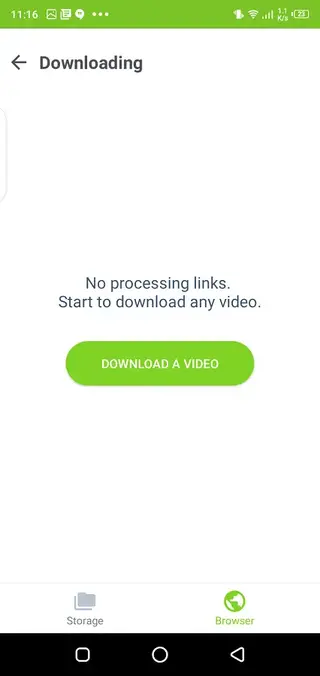
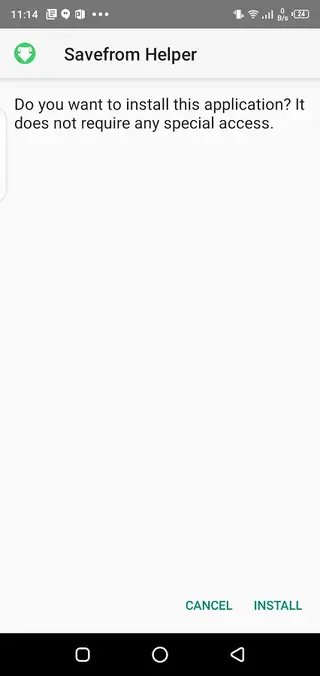
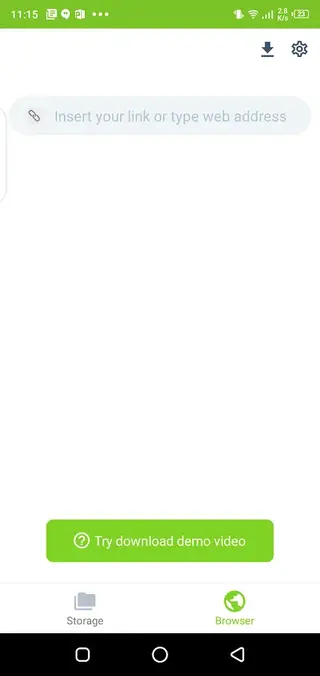
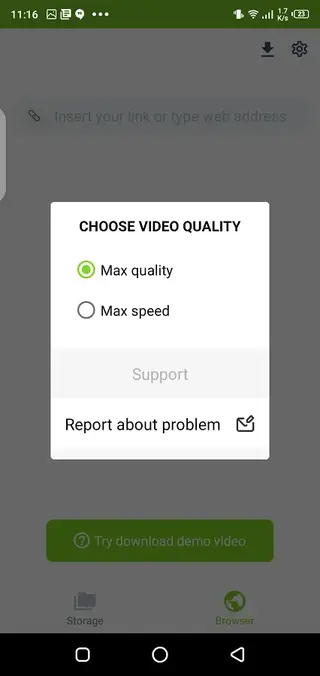
How to Use Savefrom Helper to Download Media
Using Savefrom Helper is straightforward once you have installed the APK. The app is built around a simple paste and download workflow that most users can follow without instructions.
To start, open the platform where your video or audio is hosted and copy the URL of the content you want to save. Then launch Savefrom Helper and paste this link into the main input field. After you confirm, the app analyzes the link and lists the available formats and qualities.
Select the video or audio quality that fits your device storage and playback needs. When you tap download, the file begins saving directly to your device. You can track progress from inside the app and access completed files through your gallery, downloads folder, or media player.
Device Compatibility and Requirements
Savefrom Helper is designed for Android smartphones and tablets that meet the minimum system requirements. According to the original APK data, the app targets devices running Android 5.1 and above.
Because it does not need root privileges, you can install it on most standard consumer devices. Performance will depend on your hardware specs, available storage, and network speed. For large or high resolution downloads, a stable connection and sufficient free space are recommended.
Safety and Legal Considerations
Downloading media from online services can be subject to copyright laws, terms of service, and regional regulations. Before you download any content with Savefrom Helper, make sure you have the right to save and use that material offline.
Always respect the intellectual property of creators and platforms. Use the app for personal, lawful purposes, such as saving content that is free to distribute, in the public domain, or explicitly allowed for offline use by the owner.
FAQs
Pros
- Simple URL based downloading that most users can handle easily
- Supports multiple popular video and social platforms for media downloads
- Provides several quality and format options when available for each link
- Enables offline playback of saved videos and audio files
- Free core functionality without mandatory subscription or purchase
Cons
- Compatibility with some websites may change or stop working over time
- Contains advertising inside the app which may distract some users
- Not available on the official Google Play Store for many regions
- Large or multiple downloads can consume significant storage space
Conclusion
Savefrom Helper offers a straightforward way to turn media links into offline videos and audio files on Android. If you often save tutorials, clips, or songs for later, downloading the official APK from our website gives you a simple tool to manage that content directly on your phone or tablet.




Comments
No approved comments yet.