

Sirekap
SiRekap is an official election support app developed for use in Indonesian elections. It helps authorized officers record, upload, and verify vote data directly from polling stations using an Android device.
With SiRekap APK installed, officers can capture form images, input vote counts, and transmit results to the central system in a structured and transparent way. The app is designed to reduce manual errors and speed up tabulation.
You can download the original SiRekap APK file directly from our website and install it on compatible Android phones and tablets that meet the basic system requirements.
Rate this app
App details
- App name
- Sirekap
- Category
- Tools
- Version
- v1.9.5
- Size
- 24.4 MB
- Requirements
- 5.0 and Above
- Package name
- id.go.kpu.sirekap
- Publisher
- KPU Sirekap
- Price
- Free
- Mod
- No
- Downloads
- 97,451
- Rating
- 4.6 / 5
- Rating count
- 37,299
- Play Store
- Yes
- Requires root
- No
- Offline support
- No
- Contains ads
- No
- In-app purchases
- No
- Updated
- May 9, 2026
- Age rating
- Rated for 12+
Table of contents
What is SiRekap App
SiRekap is an Android application provided by the Indonesian General Elections Commission (KPU) to support the digital recapitulation of election results. Instead of relying only on manual paperwork, authorized users can use the app to capture images of official forms, input vote data, and send that information to the election system for verification.
The app is intended for use by trained polling station officials and election staff, not for general public voting. SiRekap focuses on secure data collection and reporting so that the vote-counting process becomes faster, more accurate, and easier to audit when needed.
In earlier phases, the app was introduced during the pandemic to help minimize crowding and reduce the need for physical handling of documents. Over time, it has evolved into a key tool for strengthening transparency and efficiency in Indonesian elections.
Why download SiRekap APK from our website
Downloading the SiRekap APK from our website gives election officers and support staff direct access to the installation file when they need to set up devices quickly. This is especially helpful in regions with limited access to app stores or unstable network connections.
Our download page keeps the package name, version information, and core technical details aligned with the official release. You can check the version before installing, then deploy the APK on compatible Android phones and tablets used at polling stations.
By having the installer ready on your device or local storage, you reduce setup delays and ensure that officers can focus on their main tasks: documenting vote data accurately and submitting it on time.
How SiRekap is useful in the election process
SiRekap helps streamline several critical steps in the Indonesian election workflow. Instead of writing results on paper and waiting for manual aggregation, officers can immediately take photos of official forms, enter the numbers, and send the information to the central system.
This approach supports quicker preliminary recapitulation, easier cross-checking between scanned forms and entered data, and better traceability. Supervisors can review uploaded images and numbers to detect inconsistencies or potential errors more efficiently.
For citizens and institutions that value transparent elections, the wider use of tools like SiRekap can improve confidence in the process by reducing opportunities for miscalculation and by creating a clearer digital trail of recorded results.
How to download and install SiRekap APK
You can get the SiRekap APK file directly from our website and install it on compatible Android phones and tablets. Follow these basic steps to complete the process:
Scroll to the download area on this page and tap the APK download button for SiRekap.
Wait until the APK file finishes downloading to your Android device.
Open your device settings and enable installation from unknown sources if it is disabled.
Locate the downloaded SiRekap APK in your Downloads folder and tap it.
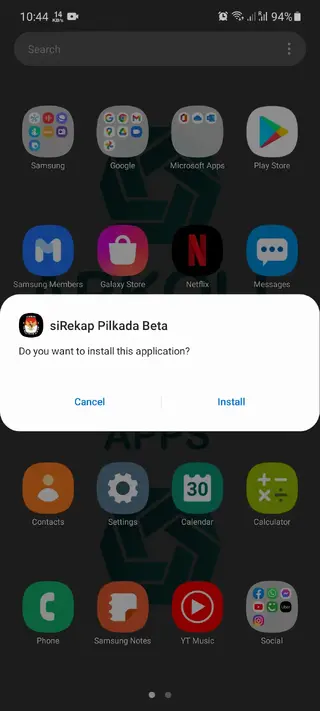
Review the permissions shown on screen, then tap Install to start the setup.
Once installation is complete, open the app and sign in or register if you have official credentials.
Only users who receive access details from the relevant election authorities should log in and use the operational features of the app.
Features
Official election support tool
Developed for the Indonesian General Elections Commission to assist in digital recapitulation of vote counts.
Digital form capture
Allows officers to capture images of official election forms directly from the polling station using the phone camera.
Structured data entry
Provides input fields for entering vote counts and related information in a consistent format.
Secure user access
Requires user registration or credentials so that only authorized officers can access sensitive election features.
Data validation checks
Includes basic checks and prompts that help reduce entry mistakes before data is submitted.
Centralized submission
Sends captured data and images to central servers for aggregation, verification, and monitoring.
Transparent workflow
Creates a digital record that can be reviewed alongside scanned documents for auditing purposes.
User friendly interface
Designed to be understandable for trained officers, with simple menus and clear action buttons.
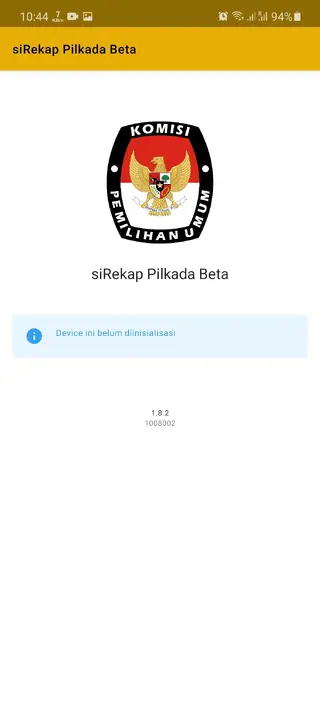
Screenshots
App compatibility and requirements
SiRekap is built for Android smartphones and tablets that meet at least the stated minimum system requirements. For smoother performance, it is recommended to use relatively recent devices with a stable camera, sufficient storage, and reliable network connectivity.
Before installation, make sure your device has free space for the app, cached photos of forms, and any additional data generated during use. Keeping the operating system updated can also help reduce compatibility issues and improve overall stability during critical election periods.
Best practices for using SiRekap in the field
When SiRekap is used at polling stations, device preparation and workflow planning are important. Ensure batteries are fully charged, carry backup power sources if possible, and test the camera for clear image capture before polling begins.
Train officers on how to position forms for readable photos, how to double-check numerical entries before submission, and how to confirm that data uploads are completed. These simple habits can significantly improve the quality and reliability of the information transmitted through the app.
Security and data protection
SiRekap focuses on controlled access and structured data handling to support secure election operations. Users should protect their login credentials, avoid sharing devices with unauthorized people, and lock the device screen when not in use.
It is good practice to install the APK only from trusted official channels, keep devices physically secure, and follow any specific security guidelines provided by the election authority. These measures help safeguard sensitive information and maintain trust in the overall election process.
FAQs
Pros
- Official tool that aligns with Indonesian election procedures
- Helps digitalize vote recapitulation and reduce manual errors
- Supports image capture of forms for better traceability
- Provides controlled access for authorized officers only
- Available as an APK download for flexible device setup
Cons
- Intended for election staff, not general public use
- Requires stable connectivity for data upload in many scenarios
- May not work on very old or unsupported Android devices
- Functionality depends on central servers and official infrastructure
Conclusion
SiRekap is a specialized Android application that supports Indonesian election officers in recording and transmitting vote data more efficiently. If you need to set up authorized devices for election work, you can download the SiRekap APK from our website and install it on compatible Android phones and tablets, then use the app according to official guidelines and credentials provided by the election authorities.
If you have any queries about this app, then you visit the official website of this application. You can also use the comment section of Apkoll below to share your problem with us. We will make sure to solve all your problems as fast as possible.




Comments
No approved comments yet.