

Smart Panel Turbo
Smart Panel Turbo is a personalization app from Smart Launcher Team that replaces your default home screen with a clean, card-style layout. It focuses on quick access to apps, widgets, and information panels in a simple and organized way.
With categorized app drawers, customizable widgets, themes, and wallpapers, it helps you declutter your phone and reach what you need faster. You can download the official Smart Panel Turbo APK directly from our website and start personalizing your Android in minutes.
The launcher is designed for smooth everyday use, so even first-time users can set it up quickly and tweak layouts, colors, and shortcuts without complex settings.
Rate this app
App details
- App name
- Smart Panel Turbo
- Category
- Personalization
- Version
- v6.6 build 010
- Size
- 14.72 MB
- Requirements
- 7 and Up
- Package name
- ginlemon.flowerfree
- Publisher
- Smart Launcher Team
- Price
- Free
- Mod
- No
- Downloads
- 113,015
- Rating
- 4.6 / 5
- Rating count
- 33,001
- Play Store
- Yes
- Requires root
- No
- Offline support
- Yes
- Contains ads
- Yes
- In-app purchases
- Yes
- Updated
- Jun 4, 2026
- Age rating
- Rated for 3+
Table of contents
What is Smart Panel Turbo APK?
Smart Panel Turbo is an Android launcher and personalization app that replaces the standard home screen with a structured, panel-based interface. Developed by Smart Launcher Team, it focuses on giving you a visually clear layout with separate areas for time, weather, widgets, and app categories.
Smart Panel Turbo App like Osakana and NU Display for Android Personalization. This Apk is specially developed to customize the Home Screen. So, use this app to customize Screens, Widgets, Categorization of Apps, and much more customization available. Additionally, this App provides a variety of wallpapers and themes. Get attractive and creative display screens.
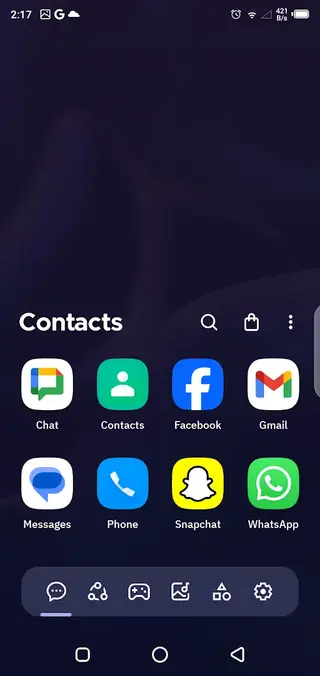
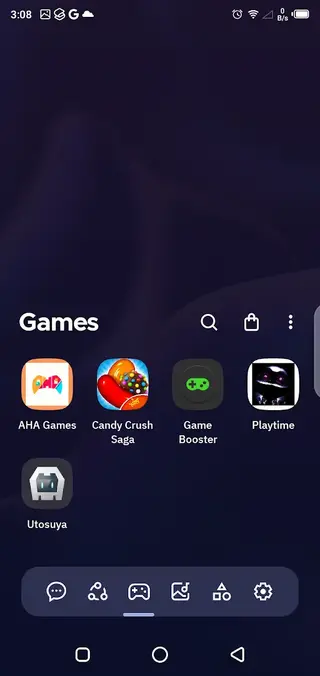
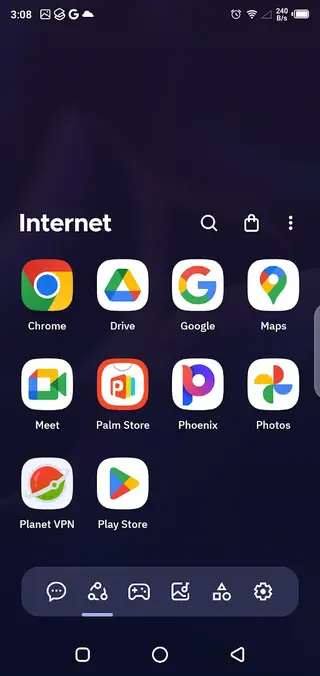
The app lets you customize your home screen, app grid, and widgets with different themes, wallpapers, and layouts. Apps are grouped automatically into categories like Contacts, Internet, Games, Media, Utilities, and Settings, so you spend less time searching and more time using your favorite tools.
Instead of a cluttered desktop full of icons, Smart Panel Turbo presents information in panels and cards. You can quickly glance at the clock, weather, notifications, and news, then swipe into well-organized app sections whenever you need to open something.
Why Download Smart Panel Turbo APK from Our Site?
Downloading the Smart Panel Turbo APK from our website lets you get the official installer file directly, without extra steps or sign-ups. You can keep it stored on your device, share it with other devices, and reinstall it whenever you need.
Our download page focuses on the Android APK, so you do not have to navigate multiple menus. Just open the page, tap the download button, and install the file on your phone or tablet to start using the launcher right away.
If Google Play access is limited on your device or you prefer to manage apps manually, having the APK from our site gives you more control over installation and updates.
How Is Smart Panel Turbo Useful?
Smart Panel Turbo is useful for anyone who wants a cleaner, more efficient Android home screen. Instead of hunting through multiple pages of icons, you get a structured layout with smart categories and widgets.
The launcher helps you:
Reduce clutter by grouping apps into logical sections like Games, Media, and Utilities.
Access key information such as time, date, weather, and alarms right on the main panel.
Use side widgets to follow news, tech updates, photos, and your favorite apps.
Refresh your device look with built-in themes and wallpaper collections.
This combination of organization and visual customization makes it especially helpful for users who want both style and practicality in their daily Android use.
How to Download and Install Smart Panel Turbo APK
You can download the official Smart Panel Turbo APK file directly from our website and install it manually on your Android device. Follow these steps to get started.
Scroll to the download section on this page.
Tap the download button to save the Smart Panel Turbo APK file to your device.
On your Android phone or tablet, open the Downloads app or your file manager and find the APK file.
If prompted, enable installation from unknown sources in your device security settings.
Tap the APK file, choose Install, and wait for the process to complete.
Press the Home button, select Smart Panel Turbo as your launcher, and set it as default.
After installation, you can customize the home screen, widgets, and themes directly from the launcher settings.
Features
Custom home screen layout
Replace the default Android home screen with a clean, panel-based layout that highlights time, date, weather, and key shortcuts.
Organized app categories
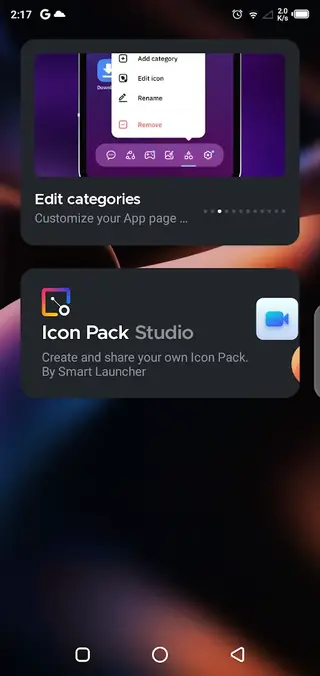
Apps are grouped into categories such as Contacts, Internet, Games, Media, Utilities, and Settings for faster access.
Configurable widgets
Place and customize widgets on left and right panels for news, apps, pictures, and other quick information.
Themes and wallpapers
Apply multiple themes and high quality wallpapers to match your mood and style without complex setup.
Smart search
Use integrated search to quickly find installed apps or settings without scrolling through long lists.
Simple navigation
Enjoy a straightforward interface with minimal clutter, designed so new users can navigate it easily.
No mandatory registration
Start using the launcher without creating an account or completing a long sign up process.
Optimized for phones and tablets
Works on both Android phones and tablets, adapting layouts to different screen sizes.
Screenshots
Home Screen Panels and Layout
The core of Smart Panel Turbo is its home screen panel system. The main panel usually shows time, date, weather, and alarms at the top, followed by shortcuts and cards tailored to your everyday use.
You can adjust what appears on the main screen, choose which shortcuts to pin, and decide how dense or minimal the layout should look. This helps you keep only the most important tools in front of you while everything else stays organized in the app drawer.
Widgets and Side Panels
Smart Panel Turbo extends the home screen with left and right panels dedicated to widgets. The left panel often focuses on information such as top stories, news, or technology updates. The right panel can be customized for apps, photos, and other quick access sections.
You can add, remove, or resize widgets based on your needs. Long press on a widget to edit it, move it around, or replace it with another widget from your device.
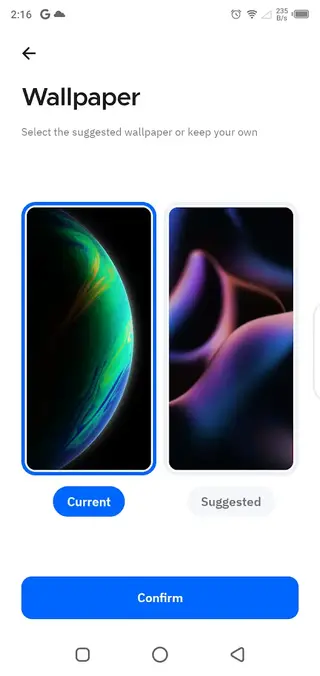
Themes, Colors, and Wallpapers
The launcher includes support for themes, accent colors, and wallpaper customization. You can switch between light and dark looks, pick color accents that match your wallpaper, and browse a collection of backgrounds designed to fit the panel layout.
These options allow you to refresh the entire look of your device in a few taps without changing your underlying apps or data.
Tips for Getting Started
When you first install Smart Panel Turbo, spend a few minutes tuning the layout so it fits your routine.
Place your most used apps on the main panel for one tap access.
Enable app categories to automatically sort new installs.
Add a news or weather widget to a side panel if you like glanceable information.
Try different themes and wallpapers until you find a combination that feels comfortable for daily use.
Once configured, the launcher requires very little maintenance and continues to organize new apps as you install them.
FAQs
Pros
- Clean and structured home screen layout
- Automatic app categorization for faster access
- Customizable widgets on side panels
- Built in themes and wallpaper options
- Easy to use interface suitable for beginners
- Available as an APK directly from our website
Cons
- May show ads in the free version
- Some advanced options may require in app purchases
- Not all users like replacing the default launcher
- Performance can vary on very low end devices
Conclusion
Smart Panel Turbo gives Android users a neat, panel based launcher with organized apps, handy widgets, and visual customization. Download the APK from our website to quickly replace your default home screen with a cleaner and more efficient layout.




Comments
No approved comments yet.