

Supermarket Simulator
Supermarket Simulator is a casual simulation game where you run different roles inside a busy grocery store. You help customers shop, manage the checkout, and keep the store moving smoothly in short, task-based levels.
The Android version offers simple tap and swipe controls, bright visuals, and missions that reward coins and items as you complete your shift. You can download the official Supermarket Simulator APK directly from our website and start playing on compatible Android devices.
Whether you enjoy time-management games or want a relaxed simulation for kids and families, this title focuses on everyday supermarket tasks, friendly graphics, and quick sessions that you can play online or offline.
https://apkoll.com/supermarket-simulator-apk/
Rate this app
App details
- App name
- Supermarket Simulator
- Category
- Simulation
- Version
- v2.3
- Size
- 36.81 MB
- Requirements
- 5.0 and Above
- Package name
- com.beansprites.supermarketsimulator
- Publisher
- Beansprites LLC
- Price
- Free
- Mod
- No
- Downloads
- 81,748
- Rating
- 4.7 / 5
- Rating count
- 21,847
- Play Store
- No
- Requires root
- No
- Offline support
- Yes
- Contains ads
- Yes
- In-app purchases
- Yes
- Updated
- Jun 5, 2026
- Age rating
- Rated for 3+
Table of contents
What is Supermarket Simulator?
Supermarket Simulator is an Android simulation game developed by Beansprites LLC in which you work inside a supermarket and handle different jobs. Instead of running a whole tycoon-style store, you focus on hands-on tasks such as packing bags, picking items, and working at the checkout.
The game breaks supermarket work into short missions. Each mission gives you clear objectives, such as collecting the right products, placing them on the belt, scanning items, or completing payments. When you finish tasks correctly, you earn coins and unlock new activities and roles.
Because the controls rely on simple taps and swipes, the game suits younger players and anyone who wants a light, low-pressure simulator. You get colorful 3D environments, cartoon-style characters, and sound effects that make the supermarket feel lively without being overwhelming.
Supermarket Simulator Android is the first mobile gaming platform providing Management-based gameplay. Therefore, multiple missions are available with different rewards. Additionally, the rewards can be used to unlock higher-level missions. So, get the most unique collection of gaming services on Android. Get details related to this newly available mobile gaming app. Get more unique simulation experience with the 100 Years Life Simulator Mod.
The official Android APK is available for devices running Android 5.0 and above, and you can install it manually using the download file provided on our website.
Why download Supermarket Simulator for Android?
Supermarket Simulator offers a different angle on simulation games by focusing on everyday store work instead of complex management screens. If you like time-management titles or casual jobs simulators, this game gives you bite-sized levels that are easy to understand and quick to complete.
Players progress from simple helper tasks to more responsible roles, which keeps the gameplay fresh for longer. The clear goals in each mission make it easy for kids to follow, while adults can still enjoy improving their speed and accuracy to earn more coins.
Downloading the APK directly from our website lets you install the latest available version on any compatible Android device, even if it is not listed in major app stores for your region. You can keep a local copy of the APK, reinstall it when needed, and share the game across your phones and tablets in your household.
Who will find Supermarket Simulator useful and fun?
Supermarket Simulator is especially useful for parents and casual gamers who want a simple, safe-feeling game centered on everyday activities. The gameplay shows basic shopping and checkout routines in an interactive way, which can help younger players understand how supermarkets work.
Because sessions are short and controls are intuitive, the game works well for quick breaks or for keeping kids entertained without requiring deep game knowledge. The mix of missions, rewards, and unlockable roles also gives players a sense of progression without complex systems.
For fans of simulation and role-play games, Supermarket Simulator adds variety to a collection of job-based titles. It can be a relaxing alternative to more intense strategy or action games, and its offline-friendly design makes it a practical option during travel or when you have limited connectivity.
How to download and install Supermarket Simulator APK
You can get the official Supermarket Simulator APK file directly from our website and install it manually on your Android device. Follow these steps to complete the process safely and correctly.
Scroll to the download section on this page.
Tap the APK download button for Supermarket Simulator.
Wait for the APK file (version 2.3) to finish downloading to your device.
Open your device's Settings and go to Security or Privacy.
Enable the option that allows installation from unknown or external sources, if it is not already enabled.
Open your file manager and navigate to the Downloads folder.
Tap the Supermarket Simulator APK file to start the installation.
Confirm the prompts on screen and wait until the installation completes.
Launch Supermarket Simulator from your app drawer and grant any basic permissions it requests.
After installation, you can open the game instantly and start playing without any additional files. If a newer version becomes available later, simply download the updated APK from our website and install it over the existing one.
Features
Supermarket job simulation
Work inside a virtual supermarket and experience different store roles such as helper, bagger, and cashier across multiple missions.
Mission-based progression
Play short, structured levels with clear objectives and earn coins and rewards for completing tasks efficiently and accurately.
Bag Boy role
Help customers by collecting requested products, placing them into the cart, lining them on the conveyor belt, and assisting with checkout.
Cash counter gameplay
Unlock the cashier role to scan products, calculate totals, and process card payments while keeping the checkout line moving.
Simple tap and swipe controls
Use intuitive touch controls that make it easy for kids and casual players to pick up and enjoy the game quickly.
Colorful 3D graphics
Enjoy bright, cartoon-style visuals and well-modeled supermarket items that make the store environment feel lively and engaging.
Sound effects and background audio
Listen to checkout sounds, item scans, and ambient audio that add atmosphere and make tasks feel more realistic.
Rewards and coins system
Earn coins from missions and daily rewards, then use them to unlock new jobs, levels, and additional in-game content.
Screenshots

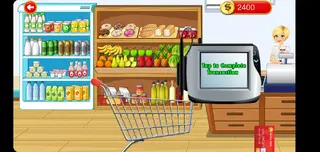
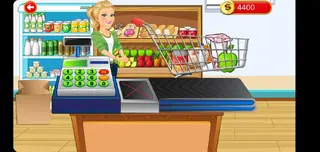
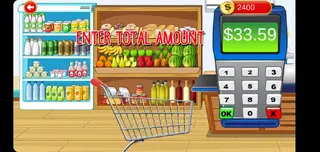

Detailed look at Bag Boy missions
The Bag Boy role introduces you to the core mechanics of Supermarket Simulator. You start by reading the customer’s shopping list, then move through the aisles to find the correct products. Accuracy matters, because picking the wrong items can reduce your rewards.
Once the cart is ready, you guide it to the checkout belt and arrange products in a line. This step teaches players basic organization and sequencing. Finally, you assist with payment, often using a debit card animation that shows how the transaction completes, and then receive coins for successfully finishing the mission.
Playing as a supermarket cashier
After you complete a set number of Bag Boy missions, the cashier job unlocks. This part of the game focuses on scanning and payment. You need to pick up each item, move it across the scanner, and watch the running total on the screen.
When all items are scanned, you finalize the bill and process the payment. The game may ask you to confirm card insertion or PIN entry through simple prompts. This creates an easy-to-understand version of real-life checkout work, without complex math or pressure.
Graphics, performance, and controls
Supermarket Simulator uses bright, cartoon-like 3D graphics tailored to mobile devices. Character animations and product models are simple but clear, helping children recognize items and understand what is happening on screen.
The app is designed to run on Android 5.0 and above, which means it supports a wide range of phones and tablets. Performance is generally smooth on mid-range devices because the game does not rely on heavy visual effects. Tap and swipe controls keep the learning curve very low, so even first-time players can complete missions after a short introduction.
Tips to progress faster and earn more coins
To progress efficiently in Supermarket Simulator, focus on completing missions accurately rather than rushing. Avoid grabbing wrong items and double-check lists before heading to the checkout. This improves your score and coin rewards.
You can also take advantage of daily reward options, where available, to collect extra coins without playing long sessions. Saving coins for unlocking new roles or levels often gives more long-term value than spending them on minor boosts. With steady play, you will gradually unlock all the main jobs and enjoy the full set of supermarket tasks.
FAQs
Pros
- Simple and kid-friendly supermarket simulation gameplay
- Short missions that work well for quick play sessions
- Multiple roles such as bag boy and cashier keep it varied
- Colorful graphics and clear sound effects enhance immersion
- Can be played offline once installed on the device
- Lightweight app that runs on older Android versions
Cons
- Gameplay can feel repetitive over longer sessions
- Limited depth compared to full management or tycoon sims
- Graphics and mechanics may seem too basic for advanced players
- Requires manual APK installation instead of store-based updates
Conclusion
Supermarket Simulator delivers a light, accessible supermarket job experience that suits kids, families, and casual players. With simple missions, colorful visuals, and offline-friendly design, it works well as a quick, low-stress simulation you can install directly via the APK from our website.




Comments
No approved comments yet.