

Swing Lite VPN
Swing Lite VPN is a lightweight VPN app for Android that helps you browse the internet with extra privacy and simple one-tap protection. It routes your traffic through secure servers and hides your real IP address.
With multiple proxy locations, fast connections, and an easy interface, the app is designed for everyday users who want a straightforward VPN without complex setup. You can install the official APK directly from our website and start using it in minutes.
Whether you browse on public WiFi or just want more control over your online identity, Swing Lite VPN offers a practical way to encrypt your data and keep your connection more private on your phone or tablet.
We have more similar tools available here, which you can also try. So, if you want to get more free VPN Proxy Apps, then the best suggestions are Argo VPN and NIC VPN Beta. Both of these are quite popular available free VPN Apps, which you can have on your mobile.
Rate this app
App details
- App name
- Swing Lite VPN
- Category
- Tools
- Version
- v1.8.4.b
- Size
- 32.5 MB
- Requirements
- 5.0 and Above
- Package name
- com.switchvpn.app
- Publisher
- Limestone Software Solutions
- Price
- Free
- Mod
- No
- Downloads
- 75,304
- Rating
- 4.7 / 5
- Rating count
- 25,605
- Play Store
- No
- Requires root
- No
- Offline support
- No
- Contains ads
- Yes
- In-app purchases
- Yes
- Updated
- May 18, 2026
- Age rating
- Rated for 7+
Table of contents
What is Swing Lite VPN?
Swing Lite VPN is an Android VPN client that creates an encrypted tunnel between your device and remote virtual private servers. By routing your traffic through these servers, the app masks your original IP address and helps reduce the amount of data that can be linked directly to your real location and device.
The app focuses on simplicity. You tap once to connect, select a server location if you want, and the VPN starts running in the background. It works with most Android phones and tablets running Android 5.0 or later and is suitable for day-to-day private browsing, using social apps, or checking sensitive accounts over public networks.
Swing Lite VPN is available as a free download, and the official Android APK file can be obtained directly from our website so you can install it even if you do not have access to Google Play.
Why download Swing Lite VPN APK from our website?
Downloading the Swing Lite VPN APK from our website lets you install the official app file directly on your Android device. This is helpful if Google Play is not available on your phone, if the app is not listed in your region, or if you simply prefer to manage APK files yourself.
Our download page provides the current version information, package name, and basic technical details so you know exactly which build you are installing. Once the APK is saved on your device, you can install it manually and update it later by returning to the same page for the latest release.
By keeping the file on your device, you can also reinstall Swing Lite VPN quickly after a reset or when switching between Android devices, without needing to search for the app again.
How is Swing Lite VPN useful?
Swing Lite VPN is useful for anyone who wants a quick way to add an extra layer of privacy to their everyday browsing. When you connect, the app encrypts your traffic and replaces your visible IP with that of the VPN server, which can help reduce tracking and exposure of your real location.
The app includes multiple servers across different countries, letting you switch locations with a single tap. This can help you reach websites and services that are more accessible from other regions, while also giving you more control over how your connection appears online.
Because it is simple to operate, Swing Lite VPN suits non-technical users who only need on/off protection instead of complex configuration. It is especially practical when you join public WiFi in cafes, hotels, airports, or shared networks where you prefer not to expose unencrypted traffic.
How to download and install Swing Lite VPN APK
You can download the official Swing Lite VPN APK file directly from our website and install it manually on your Android device. Follow the steps below to complete the process safely and smoothly.
Open this page on your Android phone or tablet.
Tap the download button for the Swing Lite VPN APK shown on our website.
Wait until the APK file finishes downloading to your device.
On Android, go to Settings and enable installation from unknown sources or allow your browser/file manager to install apps.
Open your Downloads folder or file manager and tap the Swing Lite VPN APK file.
Confirm the installation prompt and wait for the setup to complete.
Once installed, open Swing Lite VPN, grant the required VPN permissions, choose a server, and tap connect.
Whenever a new version is released, you can return to this page, download the updated APK from our website, and install it over the existing app to keep Swing Lite VPN current.
Features
One-tap VPN connection
Connect and disconnect the VPN with a single tap without complex configuration screens.
Multiple proxy server locations
Choose from various VPN servers in different countries to change your visible IP address.
Encrypted data tunnel
Uses encryption to protect your traffic between your device and the VPN server for added privacy.
Fast and responsive servers
Designed to provide relatively fast and stable connections suitable for regular browsing and streaming.
Hotspot protection
Helps secure your connection when you use public WiFi hotspots and shared networks.
No root required
Works on standard Android devices with no need for root access or system-level changes.
Simple, lightweight interface
Clean layout that makes it easy for new users to select a server and start the VPN quickly.
Multi-country VPN support
Offers servers across many regions so you can select the location that best fits your needs.
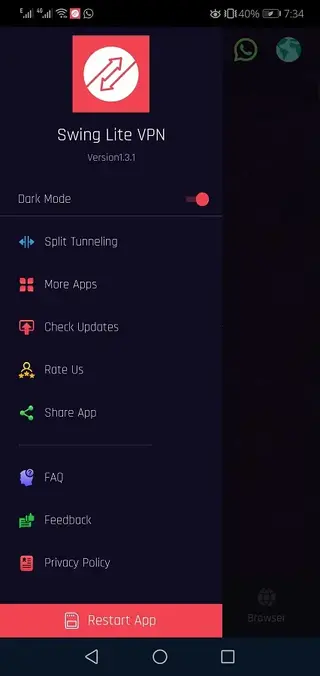
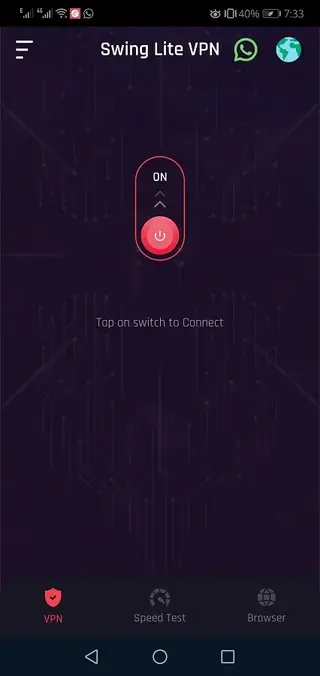
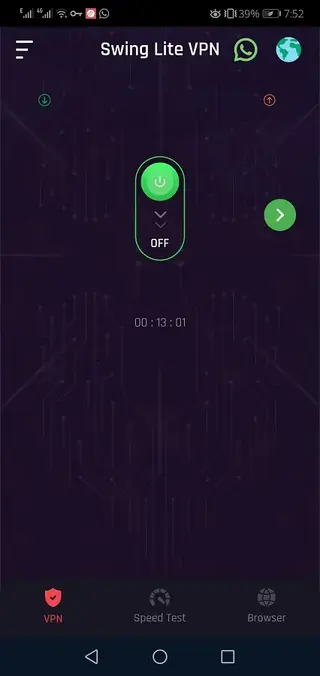
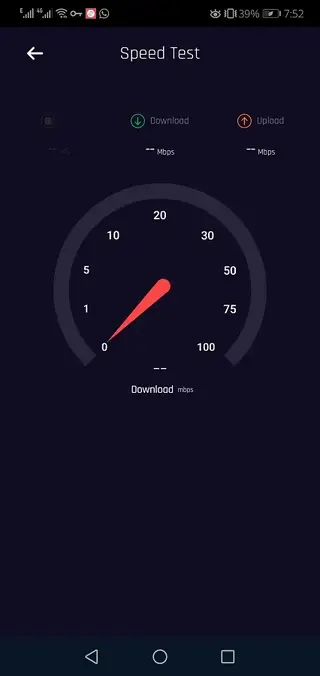
Screenshots
Privacy and responsible use
Using a VPN can improve your privacy by obscuring your IP address and encrypting your traffic, but it does not make you completely anonymous. Websites, apps, and online services may still log activity through accounts, cookies, and other identifiers.
Use Swing Lite VPN as a tool to add an extra privacy layer, especially on public networks, and always follow the laws and terms of service that apply in your region. Avoid using any VPN to engage in harmful or illegal behavior.
Device compatibility and performance tips
Swing Lite VPN is designed for Android 5.0 and above, so it should run on most modern phones and tablets. For the best experience, keep your operating system updated and close unused apps before starting a VPN session.
If you notice slow speeds, try switching to a different server location, moving to a stronger WiFi or mobile data signal, or reconnecting the VPN. VPN traffic can be heavier than normal browsing, so monitor your data plan and battery usage when staying connected for long periods.
FAQs
Pros
- Free to download and start using on Android devices
- Simple one-tap connection suitable for beginners
- Multiple VPN server locations across different countries
- Encrypts traffic to add an extra layer of privacy
- Works without root access on most modern Android phones
- Lightweight interface that is easy to navigate
Cons
- Performance and speed can vary depending on server load and network conditions
- Free usage may include ads within the app
- May not bypass all regional restrictions or advanced filters
- Continuous VPN use can increase data usage and battery consumption
Conclusion
Swing Lite VPN provides a straightforward way to add VPN protection to your Android phone or tablet with one-tap operation and multiple server locations. If you need an easy tool for more private browsing on WiFi and mobile networks, you can download the official Swing Lite VPN APK directly from our website and start using it within minutes.




Comments
No approved comments yet.