

Taichi
Taichi is an Android framework tool that lets you run Xposed-style modules on selected apps without installing a traditional system-wide framework. It focuses on app-level modification instead of changing the whole OS.
With support for non-root and Magisk modes, Taichi gives advanced users more control while trying to keep the system stable. You can clone apps, attach modules, and test custom tweaks directly from one interface.
You can download the official Taichi APK latest version directly from our website and install it on compatible Android phones and tablets running Android 5.0 or above.
Rate this app
App details
- App name
- Taichi
- Category
- Tools
- Version
- v10.3.2.03081021
- Size
- 9.61 MB
- Requirements
- 5.0 and Up
- Package name
- me.weishu.exp
- Publisher
- WEISHU
- Price
- Free
- Mod
- No
- Downloads
- 200,039
- Rating
- 4.6 / 5
- Rating count
- 70,000
- Play Store
- No
- Requires root
- No
- Offline support
- Yes
- Contains ads
- No
- In-app purchases
- No
- Updated
- May 21, 2026
- Age rating
- Rated for 3+
Table of contents
What is Taichi Android App
Taichi is an Android modification tool that provides an Xposed-style framework inside a virtual environment. Instead of installing a full Xposed framework on the system partition, Taichi creates an isolated space where you can load supported modules and apply them to specific apps.
The app is developed by WEISHU and targets users who want to customize behavior of their apps, experiment with hooks, or enable extra features, but who prefer to avoid deep system changes. Taichi can work in non-root mode for many use cases, and it also supports Magisk mode for rooted power users.
Within its interface, you can import installed apps, bind modules to those apps, manage permissions, and control which modules are allowed to run. This approach aims to reduce system-level risk compared with classic Xposed while still giving access to powerful customization options.
Why Download Taichi APK from Our Website
Downloading Taichi APK from our website gives you direct access to the latest available version in a single file. You do not need to search multiple sources or rely on bundled installers. The APK is listed with its version name, package ID, and Android requirement so you know exactly what you are installing.
Once installed, Taichi lets you attach modules to selected apps, control hooks, and configure behavior without flashing system images. For users who test tweaks often, having the official installer file stored locally from our website also makes it easier to reinstall or move the tool between devices.
If you enjoy learning about Android internals, privacy controls, and app-level customization, Taichi offers a flexible playground. You remain in charge of which modules are enabled and when they run, thanks to its whitelist-style control and per-app configuration pages.
How Taichi Can Be Useful
Taichi is useful for advanced Android users who want fine-grained app customization without committing to permanent system modifications. By virtualizing the framework, it allows you to experiment with modules on specific apps, then roll back changes simply by disabling or removing the module.
The modules whitelist system helps you control what runs on your device. Modules only become active after you explicitly allow them, which can reduce the risk of unexpected behavior or unapproved data access. This is especially valuable if you test many different modules or use your device for both personal and experimental purposes.
Because Taichi supports both rooted and non-rooted setups, it fits a wide range of devices. Non-root users can still explore enhancement modules inside the supported scope, while rooted users with Magisk can unlock deeper integrations. In both cases, Taichi centralizes management of modules, hooks, and target apps in one consistent interface.
How to Download and Install Taichi APK
You can get the Taichi APK file directly from our website. Make sure your device runs Android 5.0 or higher before you start the installation.
Follow these steps to download and install Taichi on your Android device:
Scroll to the download section on this page.
Tap the APK download button to start downloading the latest Taichi version from our website.
Wait until the file finishes downloading on your phone or tablet.
Open your device settings, go to security or app installation settings, and enable installation from unknown sources if needed.
Locate the downloaded Taichi APK in your downloads folder and tap it.
Confirm the installation prompts and wait for the setup to finish.
Launch Taichi, follow the on-screen guidelines, and configure modules and target apps as required.
After installation, you can keep the APK file from our website as a backup so that you can reinstall the tool whenever you need.
Features
Xposed-style framework without full system install
Run compatible modules in a virtual framework instead of installing a classic system-wide Xposed environment.
Per-app module binding
Choose exactly which installed apps should be affected by each module and keep other apps untouched.
Non-root and Magisk support
Use Taichi on non-rooted devices where possible, or switch to Magisk mode on rooted phones for deeper integration.
Modules whitelist control
Approve modules before they become active so they cannot run tasks or access data until you explicitly allow them.
No changes to original app libraries
Modify behavior at runtime while keeping the underlying APK libraries and files of the target apps unchanged.
Built-in FAQ and guidance
Read in-app documentation and frequently asked questions to understand configuration, errors, and typical workflows.
Clean, user-friendly interface
Manage apps, modules, and settings through a straightforward dashboard designed for quick navigation.
Supports multiple Android versions
Works on many modern devices running Android 5.0 and above, depending on module compatibility.
Screenshots
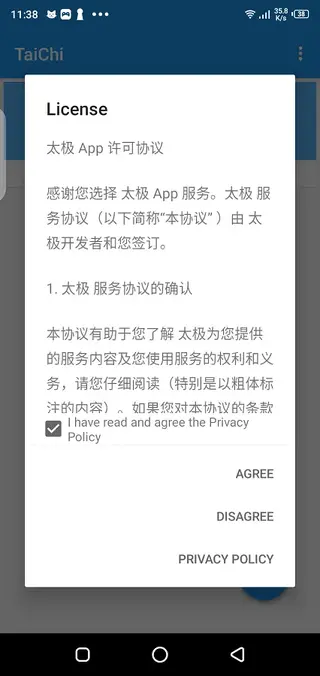
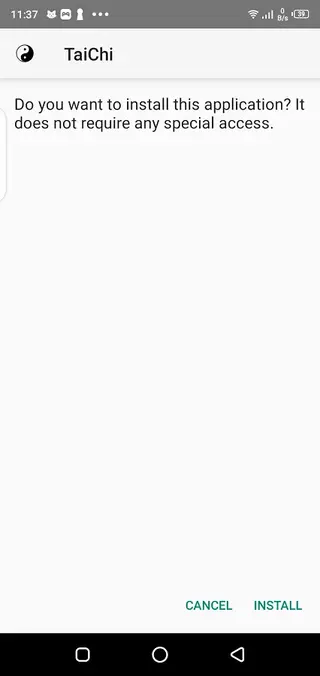

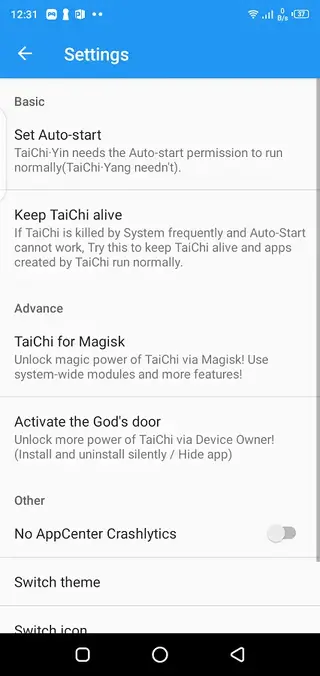

Safety, Privacy, and Whitelist Control
Taichi includes a modules whitelist system designed to give you more control over how extensions behave. After you install and configure the tool, modules do not automatically perform tasks or access data. Instead, you review each module and add it to the whitelist before it becomes active.
This model means you can test modules gradually and observe how they affect your apps. If something behaves unexpectedly, you can simply remove it from the whitelist or uninstall it. Because any modification framework can influence how apps work, it is important to review module permissions, read documentation, and proceed carefully.
The developers also provide guidance and FAQ content inside the app, along with contact details, so you can seek clarification about behavior, compatibility, or known issues. Even with these safeguards, you should always use modules responsibly and avoid enabling modules you do not fully trust.
Supported Devices and Compatibility Notes
Taichi is designed for Android devices running version 5.0 and above. Actual compatibility can vary based on your specific device model, ROM, security patches, and the modules you choose. Some modules may be written for particular Android versions and may not function correctly on others.
Non-root users can typically use a subset of modules that operate within the virtual framework, while rooted users with Magisk can often access more advanced hooks. If a module does not behave as expected, check its documentation for compatibility notes and consider testing it on a secondary device before relying on it for daily use.
Because Taichi interacts with apps at a low level, system updates or changes to target apps may also impact behavior. If you notice issues after an update, try disabling specific modules in Taichi, restarting the device, and then re-enabling them one by one to see which component is responsible.
Tips for Getting Started with Taichi
If you are new to Taichi and module-based customization, start with a simple setup. Install the app from our website, open it, and read through the built-in FAQ to understand the basic concepts. Then, add only one or two trusted modules to see how they interact with a test app.
A good practice is to avoid applying multiple new modules to your most important apps at once. Instead, test modules on less critical apps first, observe performance and stability, and then gradually expand usage. Always keep backups of your important data and consider creating restore points on rooted devices.
By moving slowly and using the whitelist system thoughtfully, you can turn Taichi into a powerful customization environment while still keeping your main apps and personal data under control.
FAQs
Pros
- Provides Xposed-style module support without full system framework installation
- Works on many non-rooted devices as well as rooted phones with Magisk
- Offers a modules whitelist system that gives users more control over what runs
- Uses a per-app approach so only selected apps are affected by modules
- Includes built-in FAQ and help content for easier setup and troubleshooting
Cons
- Configuration can be complex for beginners who are new to modules and hooks
- Not all Xposed modules are fully compatible with Taichi or with every Android version
- Advanced features may still work best on rooted devices, limiting some options for non-root users
- Improper module use can cause app instability or unexpected behavior
Conclusion
Taichi is a powerful tool for Android users who want Xposed-style customization focused on specific apps instead of the entire system. By downloading the official APK from our website, you can explore modules, manage hooks with a whitelist approach, and experiment with advanced tweaks while keeping control over what runs on your device.
If you have any problem with using this application, then feel free to contact us through the comment section below. We will help you in every possible way. So, keep visiting our website for more amazing apps and hacks.




Comments
ابوالفضل
نصب نمی شه رسیدگی کنید