

Technocare
Technocare is an Android tools app that is commonly discussed for FRP-related support, Google account setup issues, and Android device recovery situations.
With this APK, users can explore account management support, device setup assistance, Google service access, and recovery-related options on compatible Android phones and tablets.
You can download Technocare APK directly from our website and install it on compatible Android devices, but it should only be used on devices you personally own or have clear permission to service.
In this article, the purpose is to share all of the things you may have heard about this tool similar to the Easy FRP Bypass and Remote 1. Stay with us for a while and learn more about it. If you have any questions about this application, then please feel free to get in touch with us.
Rate this app
App details
- App name
- Technocare
- Category
- Tools
- Version
- v14.30
- Size
- 28.47 MB
- Requirements
- 7.0 and Above
- Package name
- com.google.android.gmt
- Publisher
- GMT
- Price
- Free
- Mod
- No
- Downloads
- 412,873
- Rating
- 4.5 / 5
- Rating count
- 15,567
- Play Store
- No
- Requires root
- No
- Offline support
- Yes
- Contains ads
- No
- In-app purchases
- No
- Updated
- Jun 9, 2026
- Age rating
- Rated for 16+
Table of contents
What is Technocare APK
Technocare APK is an Android tools application linked with Android account recovery and device setup support. It is mostly searched by users who face problems after resetting their own Android device and cannot complete the normal Google account verification process.
Factory Reset Protection, also known as FRP, is a built-in Android security feature that helps protect a device after a factory reset. When a Google account is added to a phone, Android may ask for that account again after reset to confirm the device belongs to the right owner.
Technocare is often used as a support tool in situations where users need help with Android setup, Google account manager access, or device recovery checks. It is important to understand that FRP exists to stop unauthorized access to lost or stolen phones.
Because Technocare uses the package name com.google.android.gmt, it may interact with Android setup or account-related services on supported devices. This app should only be used for lawful recovery on your own device or with the owner’s permission.
Why download Technocare
Users usually look for Technocare when they are facing Android setup or account verification problems after a factory reset. If a device is owned by the user but the old Google account cannot be accessed, recovery tools and account support apps may become useful.
By installing the APK from our website, users can explore Android account recovery support, Google service access, device setup assistance, and compatibility options for supported devices. It can be helpful when normal setup is interrupted by account-related errors.
The app may also be useful for technicians who repair Android devices and need account-related support tools for customer-owned phones. In such cases, proof of ownership and customer permission should always come first.
However, using any FRP-related tool on a device that is not yours can be illegal and unethical. Users should always try official Google account recovery, manufacturer support, or authorized service centers before using third-party tools.
How Technocare can be useful
Technocare can be useful for Android users who need help with account recovery and device setup after a reset. When a phone asks for a previously synced Google account, users may need extra support if they forgot their login details.
The app can also be useful for learning about FRP-related Android behavior. It helps users understand why Google verification appears after reset and why account ownership matters for device security.
For repair technicians, Technocare may be part of a larger toolkit used for legitimate device servicing. It can help during recovery workflows when the device owner has given permission and the device is not stolen or locked unlawfully.
Because FRP protects personal data, users should avoid using this tool for unauthorized access. The safest path is always to recover the original Google account, contact the phone brand’s support team, or visit an official service center.
How to download and install Technocare APK
You can get the Technocare APK file directly from our website. Follow these general steps to download and install it on your Android device:
Scroll to the download area on this page and tap the APK download button for Technocare.
Wait until the APK file is fully downloaded to your Android phone or tablet.
Open your phone settings, go to the security or app installation section, and allow installation from unknown sources if it is not already enabled.
Use your browser download list or file manager to locate the downloaded APK file.
Tap the APK file and select Install.
Wait until Android completes the installation process.
Once installed, open Technocare and review the available options carefully.
Use the app only on a device you own or have permission to repair.
If you are locked out of your own phone, first try official Google account recovery or contact the device manufacturer for verified support.
If the app does not install, check your Android version, storage space, unknown source permission, and device compatibility.
Features
Android recovery support
Provides account and setup-related support for users facing recovery issues on compatible Android devices.
FRP information support
Helps users understand Factory Reset Protection and why Google verification appears after a reset.
Google account manager access
Includes account-related support features for compatible Android versions and device setups.
Device setup assistance
Can help users explore setup-related options when normal Android configuration is interrupted.
Technician-friendly tool
Useful for repair technicians handling customer-owned devices with proper permission.
Lightweight APK
Comes with a moderate file size that can be installed on supported Android devices.
Simple interface
Provides a basic layout that makes available options easier to access and understand.
No ads
Offers a cleaner tool experience without unwanted advertising interruptions.
Screenshots
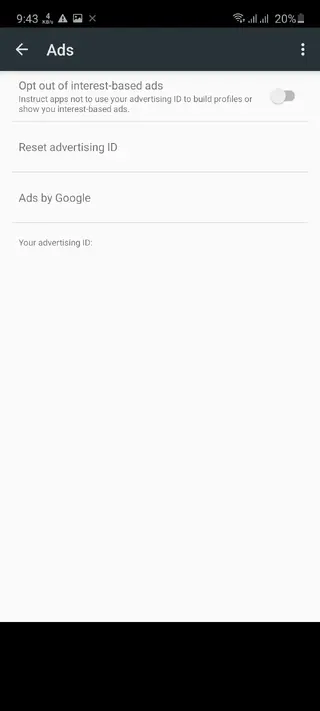
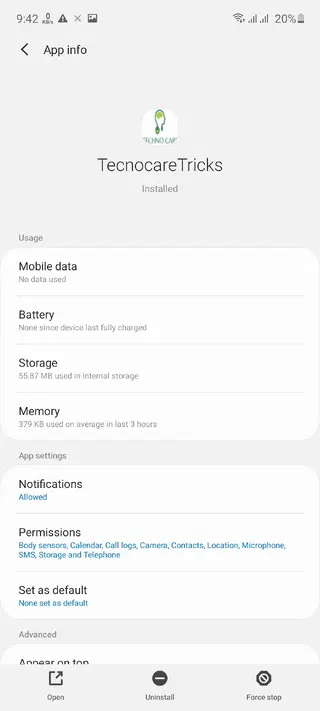
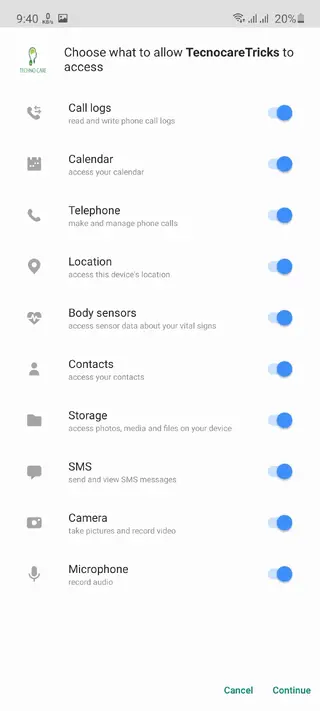
Android account recovery experience with Technocare
After installation, Technocare provides Android users with access to account and setup-related support features. It is mainly useful in situations where users are dealing with device setup issues after a reset.
The app is commonly searched by people who are stuck on Google account verification. This verification exists because Android uses FRP to protect devices from unauthorized access after reset.
Technocare should only be used in legitimate recovery situations. If the device belongs to you, official Google account recovery and manufacturer support should be tried first. If you are repairing someone else’s device, permission and ownership proof should be confirmed before using any recovery tool.
Compatibility and device requirements
Technocare APK is designed for Android 7.0 and above, which makes it compatible with many modern Android phones and tablets. The APK size is around 28.47 MB, so users should make sure enough storage space is available before downloading.
Compatibility can depend on Android version, device brand, security patch level, and system restrictions. Some newer devices may block account-related tools because Android security is updated regularly.
Since this app is related to Android account recovery, users should handle it carefully. Using it incorrectly may cause setup errors, app crashes, or account-related issues. Always use it responsibly and only on devices you are authorized to access.
FAQs
Pros
- Can help users understand Android FRP and account recovery issues
- Useful for legitimate device setup and recovery support
- Lightweight APK size makes it easy to download
- Simple interface is easy for beginners to understand
- Can be useful for technicians with owner permission
Cons
- Should only be used on owned or authorized devices
- May not work on all Android versions or security patch levels
- Incorrect use can cause account or setup problems
- Not available as an official app on the Google Play Store
- Official Google recovery or manufacturer support may still be required
Conclusion
Technocare is an Android tools APK related to account recovery, FRP information, Google account setup support, and device recovery assistance. It can be useful for users who are trying to regain access to their own device or technicians working with proper permission. Because FRP is a security feature, this app should be used carefully, responsibly, and only on authorized devices.




Comments
No approved comments yet.