

Tiger Arcade
Tiger Arcade is a lightweight Android emulator that lets you play classic 90s arcade and console titles directly on your phone or tablet. It focuses on speed, simplicity, and smooth gameplay.
With support for popular systems like Neo Geo and SNES, you can load compatible ROMs and enjoy favorites such as Metal Slug, King of Fighters, and many more using responsive on-screen controls.
So, we are here with different emulators like Choox Sega and Skyline Emulator, through which users can have the best collection. There are tons of amazing features available in this game, which are waiting for you, but before you start to download this app. We recommend you to know about it a little, to do that just stay with us and get all the information.
You can download the official Tiger Arcade APK latest version directly from our website and start turning your device into a portable retro gaming machine in just a few minutes.
Rate this app
App details
- App name
- Tiger Arcade
- Category
- Tools
- Version
- v3.1.3
- Size
- 3.84 MB
- Requirements
- 5.0 and Above
- Package name
- com.tiger.game.arcade2
- Publisher
- TIGERARCADE
- Price
- Free
- Mod
- No
- Downloads
- 79,174
- Rating
- 4.7 / 5
- Rating count
- 31,092
- Play Store
- No
- Requires root
- No
- Offline support
- Yes
- Contains ads
- No
- In-app purchases
- No
- Updated
- May 11, 2026
- Age rating
- Rated for 7+
Table of contents
What is Tiger Arcade APK
Tiger Arcade is an Android arcade emulator designed to run a wide range of classic 2D games from the 80s and 90s on modern mobile devices. Instead of playing a single built-in game, you use the app to load your own compatible ROM files and emulate original arcade and console hardware.
The emulator is best known for handling Neo Geo and SNES style titles, including action platformers, fighting games, and run-and-gun shooters. Popular examples played through Tiger Arcade include Super Mario style platformers, The King of Fighters series, Metal Slug 3, Samurai Shodown 2, Bomberman, Street Fighter, Contra, Disney’s Aladdin, Dragon Quest, and many other classics.
Tiger Arcade focuses on a simple, user-friendly interface with virtual buttons on the screen, customizable layouts, and performance options. Once you place your legally obtained ROMs on the device and point the emulator to the correct folder, you can browse, launch, and manage your games from one place.
The app is offered as a free APK, and you can download the official file directly from our website for compatible Android devices.
Why Download Tiger Arcade for Android
Many players grew up with arcade machines and early consoles and now want that same experience on their phones. Tiger Arcade gives you a compact way to relive those games without needing extra hardware.
Instead of juggling several different emulators, you can rely on Tiger Arcade to handle a broad range of classic titles with smooth performance on even older Android versions. The emulator is lightweight, quick to configure, and focuses on responsive controls so games feel close to how they did originally.
Because the official Tiger Arcade APK is available for direct download on our website, you can keep a backup of the installer and reinstall it whenever you change or reset your device.
How Tiger Arcade is Useful
Tiger Arcade is useful for anyone who wants a portable retro gaming setup without complex configuration. Once installed, it scans your storage for compatible ROMs and presents them in a clean list so you can jump into games quickly.
The emulator offers customizable on-screen controls, so you can adjust button layout and size to match your preferred grip and screen size. This is especially important for fighting games and shooters that require fast inputs.
Because most supported games are classic 2D titles, they generally run well on a wide range of Android devices, including older phones. You can pause, resume, and switch games easily, making it convenient for short play sessions during breaks or commutes.
For retro fans and curious new players alike, Tiger Arcade provides an accessible way to explore a huge library of classic arcade-style games in one app.
How to Download and Install Tiger Arcade APK
You can get the official Tiger Arcade APK file directly from our website. Follow these steps to download and install it on your Android device:
Scroll to the download section on this page and tap the Tiger Arcade APK download button.
Confirm the download in your browser and wait for the APK file to finish downloading.
Open your device settings and enable installation from unknown apps for your browser if it is not already allowed.
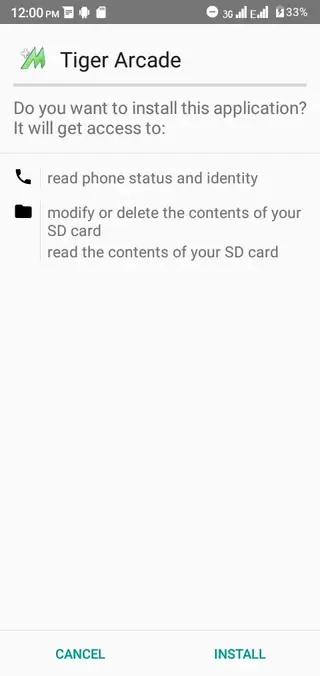
Locate the downloaded APK in your Downloads folder and tap it to start the installation process.
Follow the on screen prompts to complete installation.
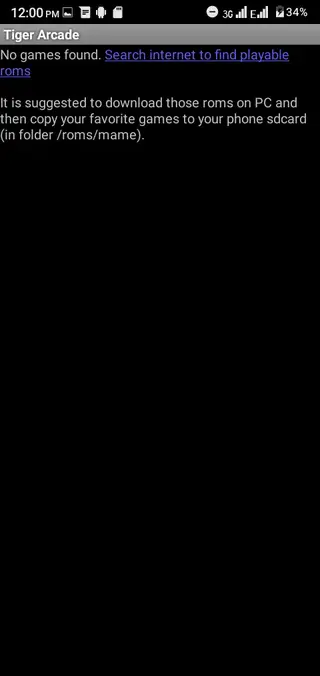
Open Tiger Arcade, set your ROM folder path, and start loading your classic games.
After installation, you can return to this page whenever you need to download the APK again for a new or reset device.
Features
Wide classic game support
Play many well known arcade and console style titles including fighters, platformers, and run and gun games when you load compatible ROMs.
Focus on Neo Geo and SNES era
Optimized for popular systems from the 90s such as Neo Geo and SNES, known for series like Metal Slug and The King of Fighters.
Lightweight and fast
Small install size and efficient emulation help games load quickly and run smoothly on a range of Android devices.
Customizable on screen controls
Adjust button positions, sizes, and layout to make controls more comfortable for your device and preferred grip.
Simple game library management
Scan folders, list available ROMs, and launch games from a straightforward interface without complex menus.
2D graphics with clear visuals
Preserves original 2D visuals with sharp sprites and animations suitable for modern screens.
Offline gameplay
Play your installed classic titles without an active internet connection once the emulator and ROMs are stored on your device.
Free to use
Install and use the core emulator features without paying a subscription or purchase fee.
Screenshots

Gameplay and performance experience
Tiger Arcade targets 2D arcade style experiences, so games generally launch quickly and run at stable frame rates on supported devices. This focus on 2D titles means less strain on your hardware compared to modern 3D games, which is ideal if you are using an older phone or want to save battery.
Many users prefer Tiger Arcade for fast paced action games such as fighting titles and run and gun shooters. The emulator emphasizes responsive input, and with a carefully arranged control layout, you can perform combos, quick jumps, and precise shots similar to the original machines.
Best practices for ROM organization
To keep your library easy to manage inside Tiger Arcade, it helps to organize ROMs in clearly labeled folders. For example, you can group files by system or by genre, then set the primary folder path inside the emulator settings.
After you define the ROM directory, Tiger Arcade can scan the folder and show a list of available games. Using consistent file names and folder structures makes it simpler to find what you want to play, especially if you maintain a large collection of titles.
Device compatibility and requirements
Tiger Arcade was originally designed to run on older Android versions such as Android 2.3 and above, which makes it a flexible option for a wide range of phones and tablets. On more recent Android versions, it generally works through the standard APK side loading process.
Because the emulator mainly runs 2D games, you do not need high end hardware. However, performance can still vary depending on your chipset, available RAM, and background apps. Closing unnecessary apps before playing can help improve stability and responsiveness.
FAQs
Pros
- Runs many classic 2D arcade and console style games on Android
- Lightweight emulator that works on older Android versions
- Customizable on screen controls for better comfort and precision
- Simple interface for browsing and launching ROMs
- Works offline once the emulator and ROMs are stored locally
- Free to download and use from our website
Cons
- Requires users to provide their own legally obtained ROM files
- Interface and features are more basic than some modern multi system emulators
- Not optimized for 3D or modern high end games
- Touch controls may feel less precise than using a physical controller
Conclusion
Tiger Arcade is a straightforward Android emulator built for fans of classic 90s arcade and console style games. It prioritizes speed, simple controls, and offline play, making it a practical choice if you want to turn your phone into a small retro gaming handheld. You can download the official Tiger Arcade APK from our website, install it, point it to your ROM folder, and quickly start revisiting your favorite titles.




Comments
No approved comments yet.