

Tnsed School
Tnsed School is the official Android app of the Tamil Nadu School Education Department designed for students, teachers, and school administrators across the state. It connects daily classroom activities with digital tools in one place.
With this app, users can manage attendance, view academic information, access training content, and receive important announcements from the department. You can download the official Tnsed School APK directly from our website and install it on any compatible Android device.
As you know, there are various types of education Apps available to Android users like Punjab Educare App and Guru Notes. You can find these different apps, through which anyone can easily have fun. Get all related information about the application on this page and have unlimited fun.
The app focuses on making teaching, learning, and school administration more streamlined, so both students and teachers can spend more time on actual learning and less on paperwork.
Rate this app
App details
- App name
- Tnsed School
- Category
- Educational
- Version
- v0.4.0
- Size
- 39.31 MB
- Requirements
- 5.0 and Up
- Package name
- in.gov.tnschools.tnemis
- Publisher
- CELL
- Price
- Free
- Mod
- No
- Downloads
- 500,000
- Rating
- 4.7 / 5
- Rating count
- 120,000
- Play Store
- Yes
- Requires root
- No
- Offline support
- No
- Contains ads
- No
- In-app purchases
- No
- Updated
- May 19, 2026
- Age rating
- Rated for 3+
Table of contents
What is Tnsed School App
Tnsed School is an educational and school-management app developed by CELL for the Tamil Nadu School Education Department. It supports the state’s EMIS (Education Management Information System) and brings important school-related services to Android phones and tablets.
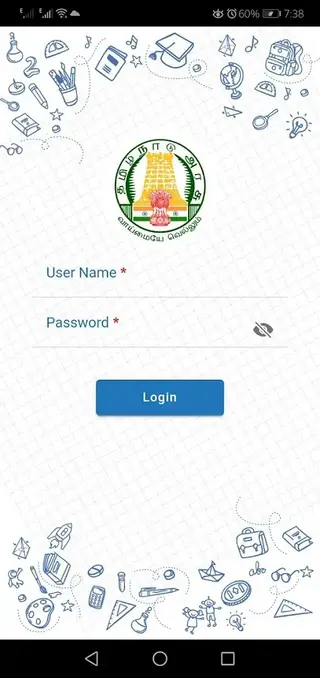
The app is primarily meant for users linked to recognised schools in Tamil Nadu, including students, teachers, headmasters, and education officials. After logging in with valid credentials, users can access key EMIS data, classroom information, and communication tools from a single dashboard.
Instead of relying only on paper records, schools can use Tnsed School to capture attendance, track student details, view academic status, and stay updated with government circulars. Teachers also get access to training modules and support material that help them improve classroom teaching practices.
Because it is built around the state education system, many services work only for registered Tamil Nadu schools and users. People from other states can normally open the app, but they will not be able to use most features without valid Tamil Nadu EMIS credentials.
Why download the Tnsed School APK from our website
Downloading the Tnsed School APK from our website gives you quick access to the latest available version for compatible Android devices. You do not need to search multiple pages or stores to find the installation file.
Once you download and install the app, you can sign in with your official credentials and start using available services for your role, such as student data, staff information, or training content. Having the APK file stored locally also makes it easier to install the app on multiple school devices when needed.
For users who face issues with slow connectivity or delayed updates through other channels, keeping the APK from our website can be a practical way to deploy or update the app across school phones and tablets.
How Tnsed School is useful for students and teachers
Tnsed School brings different parts of the Tamil Nadu school system into one mobile app, which saves time for both students and teachers. Students can see key information such as basic profile details, school information, and academic-related updates shared through the system.
For teachers, the app can support classroom management and professional growth. It provides access to teacher training programs, reference material, and digital tools that help plan lessons and monitor student progress more efficiently.
Administrators and headmasters can use the app to keep track of school-level data, attendance, and compliance with department guidelines. This improves transparency and makes it easier to keep records updated without depending only on desktop systems.
Because it is linked with the official EMIS framework, information entered through the app can feed into wider education dashboards. That helps the department understand what is happening in schools and design better policies and support for learners and teachers.
How to download and install Tnsed School APK
You can download the official Tnsed School APK file directly from our website and then install it on your Android device. Follow these basic steps to complete the process smoothly.
Scroll to the download section on this page and tap the Tnsed School APK download button.
Wait for the APK file to finish downloading to your phone or tablet.
Open your device settings and allow installation from unknown apps for your browser if prompted.
Locate the downloaded file in your Downloads folder and tap it to start installation.
Review the permissions shown on screen and proceed to install the app.
After installation, open Tnsed School, enter your registered login details, and start using the available services.
If you are installing the app on multiple school devices, you can copy the same APK file and repeat these steps on each device.
Features
Official Tamil Nadu education app
Developed for the Tamil Nadu School Education Department to support EMIS and school management tasks.
Role based access
Students, teachers, headmasters, and officials get features tailored to their role after secure login.
Student information access
View core student details, enrollment data, and academic related records where enabled.
Teacher training programs
Access training modules and professional development content designed for teachers.
Communication between school and users
Supports communication channels that help connect students, teachers, and institutions more easily.
Attendance and school data capture
Helps schools capture and update attendance and institutional data digitally instead of only on paper.
Well organised interface
Content and options are grouped clearly so users can find main functions without confusion.
Simple Android installation
Works on most modern Android devices that meet the minimum version requirement, with a straightforward setup process.
Screenshots
App compatibility and system requirements
Tnsed School is designed for Android phones and tablets that meet the minimum version requirement of Android 5.0 or higher. For best performance, it is advisable to use the app on devices with adequate RAM, storage space, and a stable internet connection.
Because the app syncs data with online EMIS servers, you should ensure mobile data or Wi Fi is available during login, data entry, and updates. Schools deploying the app across multiple devices should also maintain consistent connectivity to avoid incomplete sync or outdated records.
Who should use the Tnsed School app
Tnsed School is suitable for different stakeholders inside the Tamil Nadu school ecosystem. Teachers can use it to track class details, access training modules, and stay informed about departmental instructions. Students and their guardians can view key student and school information when such access is enabled.
Headmasters and administrators can rely on the app to check school level data and support compliance with education department processes. District and block level officials can also use it to review information from multiple schools, depending on their assigned role and permissions.
Safety and login best practices
Because Tnsed School works with official education data, it is important to keep your login details private. Do not share your username or password with others, and avoid logging in on shared devices unless you can sign out securely after use.
Always download the APK from reliable official channels such as this page and follow your department or school’s guidelines regarding device use, data entry, and account security. Keeping your device updated and protected will help maintain the integrity of the information you access through the app.
FAQs
Pros
- Official app for Tamil Nadu School Education Department and EMIS
- Supports role based access for students, teachers, and administrators
- Provides access to teacher training and professional development content
- Helps digitise attendance and school data management
- Clean and simple interface that is easy to navigate on mobile devices
Cons
- Most services are limited to users from Tamil Nadu schools with valid credentials
- Requires stable internet for login and syncing data
- Features may feel restrictive for general users outside the school system
- Performance can vary on older or low end Android devices
Conclusion
Tnsed School is a focused education and school-management app for the Tamil Nadu School Education Department, bringing EMIS services, student data, and teacher support tools to Android devices. If you are part of a recognised Tamil Nadu school and have valid credentials, you can download the official Tnsed School APK from our website, install it, and use it to handle day to day academic and administrative work more efficiently.




Comments
No approved comments yet.