

Transactional
Transactional is a government services app that helps citizens request and manage official documents directly from an Android phone. Instead of visiting multiple offices, you can submit applications and track paperwork in one place.
The app focuses on everyday documentation such as student records, estate papers, civil registry files, and more. It centralizes services in a simple interface so you can follow the required steps, pay official fees, and wait for your documents to be processed.
You can download the official Transactional APK directly from our website and install it on compatible Android devices without any extra tools or root access.
Rate this app
App details
- App name
- Transactional
- Category
- Business
- Version
- v1.1
- Size
- 19.14 MB
- Requirements
- 4.2 and Above
- Package name
- org.stesy.csce
- Publisher
- Technowave
- Price
- Free
- Mod
- No
- Downloads
- 663,256
- Rating
- 4.1 / 5
- Rating count
- 2,875
- Play Store
- No
- Requires root
- No
- Offline support
- No
- Contains ads
- No
- In-app purchases
- No
- Updated
- May 16, 2026
- Age rating
- Rated for 3+
Table of contents
What is Transactional App
Transactional is an Android business and government services application that allows citizens to apply for a wide range of official documents from their phones. Instead of searching across different offices and websites, you use one app to submit requests and manage required paperwork.
The app connects you with government documentation services such as student certificates, property and estate records, criminal and civil registry information, and other common documents. You start by creating an account, entering your basic personal details, and then selecting the service you need from clear categories.
After registration, Transactional guides you through the application steps, including filling forms, attaching required details, and paying official fees using supported digital payment methods. You do not browse citizen data directly inside the app. Instead, you submit a request, and the responsible authority processes and delivers the documents through the official channel.
This structured approach helps reduce in-person visits, long queues, and repeated follow-ups across different government departments.
Why download Transactional APK from our website
Downloading the Transactional APK from our website gives you quick access to the latest available version of the app without searching across multiple platforms. The file is ready to install on supported Android devices, so you can start requesting documents immediately after setup.
With Transactional installed, you organize many government-related tasks in one place. You select the document type, submit the required information, and complete payments using mobile banking apps, e-wallets, or other available digital channels. This makes the whole process simpler than visiting several offices or filling paper forms.
Our website provides the direct APK download link, along with key details such as version, package name, requirements, and basic feature overview, so you know exactly what you are installing.
How Transactional app is useful for citizens
Transactional is useful for anyone who frequently needs official documents for education, property management, legal procedures, or everyday identification tasks. Instead of navigating separate systems for each document, you open a single app and choose from organized service categories.
The application reduces travel time and in-person visits by moving major steps online. You register once, reuse your profile details, and handle new requests from the same account. This is especially practical for families, students, business owners, and people managing estates or legal cases.
Digital payment support also adds convenience. You pay the required government fees through supported mobile banking or e-wallet services and then wait for processing, rather than handling cash payments at multiple counters. For users who want a more structured and trackable way to deal with bureaucracy, Transactional can significantly streamline the experience.
We have more similar apps available here, which you can also try. So, if you want to get more similar apps, then try Jio Beat Planner and My Pertamina. These are quite popular available apps.
How to download and install Transactional APK
You can download the official Transactional APK file directly from our website and install it manually on your Android device. Follow the steps below to get started.
Scroll to the download section on this page and tap the Transactional APK download button.
Wait until the APK file finishes downloading to your device.
Open your phone settings and enable installation from unknown sources for your browser or file manager if it is not already allowed.
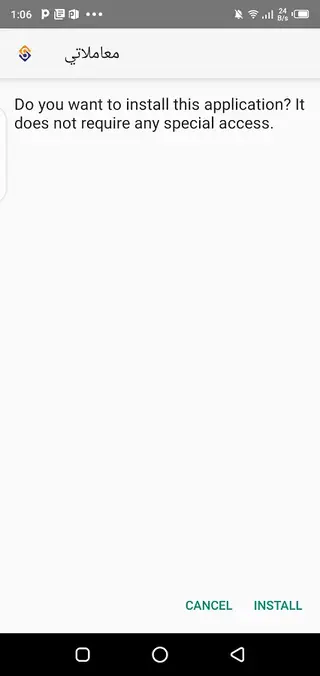
Locate the downloaded APK file in your Downloads folder and tap it to start installation.
Review the requested permissions and confirm to install the app.
Once installation completes, open Transactional, register or sign in, and start requesting your required documents.
No root access is required, and the app works on supported Android versions that meet the stated system requirements.
Features
Centralized government document requests
Submit applications for multiple types of official documents from a single Android app instead of visiting separate offices.
Support for key document categories
Access services for student papers, estate and property documents, criminal record requests, and civil registry files.
Simple registration process
Create an account with basic personal information and start using the available services without complex setup.
Clear service sections
Browse categorized sections that group related document types to make it easier to find the service you need.
Digital fee payment options
Pay official government charges using mobile banking apps, e-wallets, or other supported electronic payment methods.
Guided application flow
Follow step-by-step forms and instructions that help you complete document requests with fewer errors.
Ad-free experience
Use the app without in-app advertising so you can focus on forms and documentation tasks.
Official ownership and support
The app is presented as an official government-supported service for handling supported documentation requests.
Screenshots

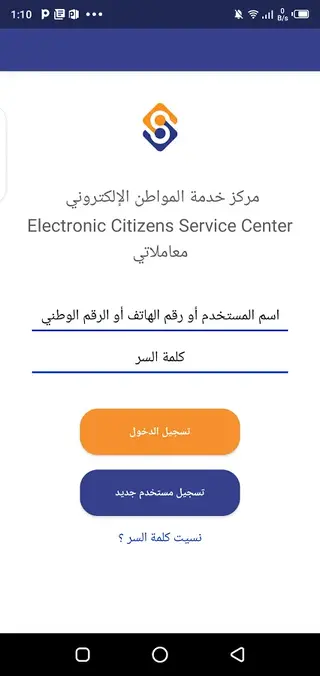

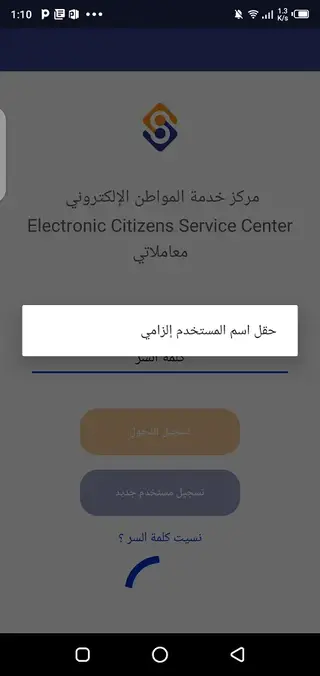
Registration and account setup
To start using Transactional, you first create a personal account. The registration form usually asks for your basic details, such as full name, ID or civil number, contact information, and a secure password. After submitting this information, you verify your account using the method provided in the app, which may include SMS or email confirmation.
Once your account is active, you can reuse your stored details for future requests. This reduces the time spent filling out forms repeatedly, especially if you often apply for different types of documents.
Managing different document categories
Transactional organizes its services into sections that reflect the most common types of government documents. For example, the student section focuses on academic-related certificates, enrollment documents, and similar educational paperwork. The estate section deals with property ownership and inheritance-related files.
Other sections cover criminal records and civil registry services, such as birth, marriage, or death-related documents, depending on what is supported. You select the relevant category, open the service you need, and follow the provided steps to complete your request.
Payments and processing time
Most government document requests involve official fees. Transactional integrates digital payment options so you can settle these charges within the process. You typically choose a payment method such as mobile banking or an e-wallet, confirm the amount, and submit the transaction.
After payment, your request is queued for processing by the responsible authority. The app helps you follow the status of your applications, but actual delivery times depend on government workflows, document type, and workload. Users should plan ahead and allow sufficient time for processing.
FAQs
Pros
- Centralizes multiple government documentation services in one app
- Simple registration and clear category-based navigation
- Supports common document types such as student, estate, and civil registry records
- Enables digital payment of official fees through supported channels
- Ad-free interface that keeps the focus on services and forms
- Reduces the need for in-person visits to government offices
Cons
- Requires a stable internet connection for most services
- Registration is mandatory before accessing features
- Availability of specific services may depend on regional implementation
- Users must wait for official processing; documents are not delivered instantly
Conclusion
Transactional brings many government documentation services into a single Android app, helping you request and track official papers with less effort. If you often deal with student, property, or civil records, downloading the Transactional APK from our website can make those tasks more organized and convenient.




Comments
No approved comments yet.