

Traze
Traze is a QR-based contact tracing app designed for use across the Philippines. It helps authorities and establishments log people’s movements and quickly identify possible exposure to COVID-19.
With a single Traze ID and personal QR code, you can check in to transport hubs, government offices, and private establishments using your Android phone. The app keeps your records in one place and streamlines manual contact tracing.
You can download the official Traze APK directly from our website and install it on compatible Android phones and tablets without any extra registration steps outside the app itself.
Rate this app
App details
- App name
- Traze
- Category
- Health & Fitness
- Version
- v3.5
- Size
- 8.85 MB
- Requirements
- 5.0 and Above
- Package name
- com.traze.contacttraze
- Publisher
- Cosmotech Philippines, Inc.
- Price
- Free
- Mod
- No
- Downloads
- 100,110
- Rating
- 4.7 / 5
- Rating count
- 53,921
- Play Store
- No
- Requires root
- No
- Offline support
- Yes
- Contains ads
- No
- In-app purchases
- No
- Updated
- May 11, 2026
- Age rating
- Rated for 7+
Table of contents
What is Traze APK
Traze APK is the Android installation file for the Traze contact tracing application, developed in partnership with Philippine government agencies and managed by Cosmotech Philippines, Inc. The app focuses on QR code check-ins to help trace people who may have been in contact with confirmed COVID-19 cases.
Each registered user receives a unique Traze ID and QR code. You show or scan this QR code when entering establishments, using public transport, or meeting other people who also use the app. These interactions generate digital logs that authorized personnel can review when they investigate possible exposure chains.
The APK available on our website lets you install Traze manually on supported Android devices. Once installed, you can register your profile, generate your QR code, scan other codes, and manage additional family accounts from a single device.
Why download Traze for Android
Installing Traze on your Android device makes QR-based contact tracing more convenient in locations where the system is still in use. Instead of writing your details on paper logbooks, you simply present your QR code or scan the code displayed at an establishment or vehicle.
The app centralizes your movements and contact logs, which can help health authorities notify you faster if you have been near a confirmed case. It also reduces repeated data entry at every checkpoint, saving time and limiting physical contact with shared pens and forms.
By downloading the Traze APK from our website, you gain direct access to the installer, which is useful if you experience issues with other distribution channels or want to keep a backup copy for offline installation.
How Traze is useful in everyday activities
Traze is most useful when you regularly visit public places that require QR check-ins. You can present your personal QR code for scanning at malls, transport terminals, offices, or other venues, making entry faster and more organized.
The app also helps families who share a single Android device. You can create multiple profiles inside the app and print QR codes for members who do not own smartphones. They can then carry the printed code and still participate in digital contact tracing.
For health workers and authorities, Traze’s structured log of visits and scanned codes can support contact tracing operations by providing time-stamped interactions. While it does not replace medical testing or professional advice, it adds another layer of traceability to public health responses.
Android users are already familiar with our website and are aware that we published plenty of pandemic-related Apps. These relative Apps are also free to download and install. Mobile users who are interested in exploring those alternative Apps should follow the links which are Bluezone and Hayat Eve Sığar. Remember these Apps are compatible with different regions.
How to download and install Traze APK
You can get the official Traze APK directly from our website and install it on your Android device. Follow these simple steps to complete the process.
Scroll to the download area on this page and tap the Traze APK download button.
Wait for your browser to finish downloading the APK file to your device.
Open your phone’s settings and enable installation from unknown sources for your browser or file manager if required.
Locate the downloaded APK in your downloads folder and tap it to start installation.
Follow the on screen prompts to install Traze, then open the app and complete the registration to get your Traze ID and QR code.
After installation, keep the APK stored if you want a backup, or visit this page again whenever you need to download the file for another device.
Features
QR code based contact tracing
Generates a personal QR code so you can check in and log visits at participating locations and services.
Dedicated QR code scanner
Includes an in-app scanner to read QR codes from establishments, transport vehicles, and other users.
Unique Traze ID for every user
Assigns a Traze ID to each registered profile, making it easier for authorities to identify and notify individuals.
Multiple user profiles on one device
Allows you to add family members or companions to a single phone and manage their QR codes from one app.
Printable QR codes
Supports printing of QR codes so people without smartphones can still be included in digital contact tracing.
Online and limited offline operation
Lets you scan and present QR codes even with unstable connectivity, then syncs data when the device goes online.
Simple registration process
Guides new users through basic data entry to create their Traze ID and generate their first QR code.
User friendly interface
Uses a straightforward layout so first time smartphone users can access main functions with minimal learning.
Screenshots
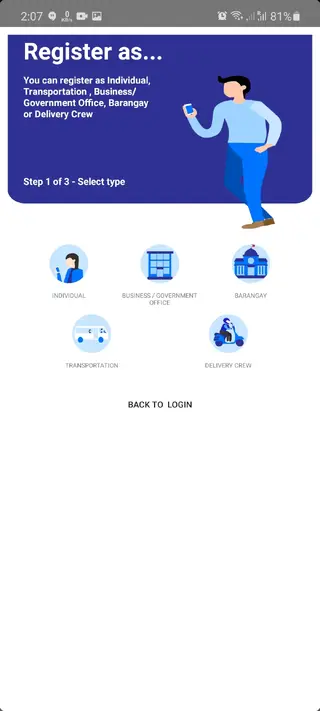
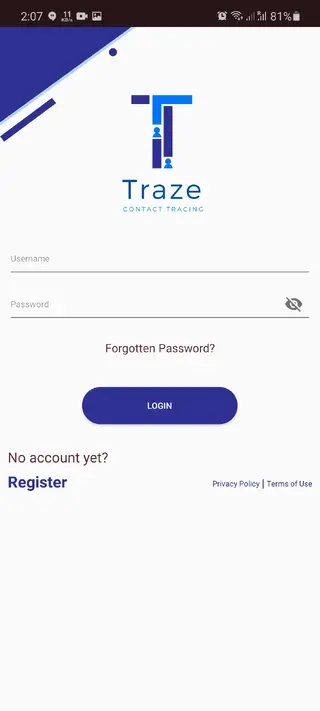
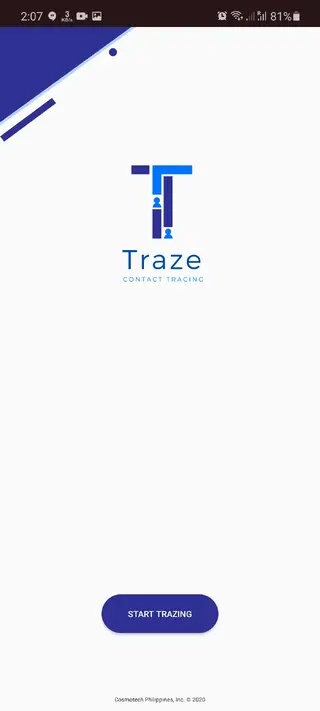
Getting started after installation
Once Traze is installed, open the app and start the registration process. You will be asked to provide basic information such as your name, contact details, and location. After confirming your details, the app generates your Traze ID and personal QR code.
From the home screen, you can access your QR code for others to scan, or open the scanner to read codes displayed by establishments, vehicles, or other users. Make a habit of scanning or presenting your QR code at every point of entry where Traze is implemented.
Privacy and data handling overview
Traze focuses on logging interactions between QR codes to support contact tracing. Information you provide during registration and check ins is primarily used to reconstruct possible exposure chains if a confirmed case appears in the system.
As with any contact tracing app, you should review the latest privacy policy and terms inside the application or on official channels. If you decide to use the app, keep your account secure, avoid sharing screenshots of your QR code publicly, and only scan codes from trusted establishments.
Tips for smoother QR check in experience
To make daily use easier, keep your device charged and your screen brightness high enough for scanners to recognize your QR code quickly. You can also bookmark the Traze app on your home screen for one tap access when entering buildings.
If you manage multiple family profiles, organize their QR codes clearly and consider printing physical copies for quick presentation. Regularly open the app while connected to the internet so your visit logs can sync in the background.
FAQs
Pros
- Official QR based contact tracing app used across many Philippine establishments
- Simple QR scanning flow for fast check ins at public places and transport hubs
- Supports multiple user accounts on a single device for families
- Option to print QR codes for people without smartphones
- Lightweight app that runs on older Android versions like 4.4 and above
- No in app advertisements to distract from the main purpose
Cons
- Usefulness depends on whether nearby establishments still support the Traze system
- Requires personal information during registration, which some users may find sensitive
- Needs periodic internet access to sync logs with the central system
- Limited purpose outside contact tracing and check in scenarios
Conclusion
Traze APK provides a straightforward QR based contact tracing solution for Android users in the Philippines. If you still visit places that use Traze, downloading the APK from our website lets you install or reinstall the app quickly, generate your Traze ID, manage family accounts, and handle check ins from a single device.




Comments
No approved comments yet.