

Unseen Online
Unseen Online APK is a VPN app for Android that helps you browse the internet with a virtual IP and encrypted tunnel. It focuses on quick one-tap connection so you can get online without complicated setup.
The app offers multiple servers in different regions, which can help you access restricted sites and apps, reduce tracking, and add an extra privacy layer to your daily browsing.
You can download the official Unseen Online APK file directly from our website and install it on compatible Android phones and tablets in a few simple steps.
Rate this app
App details
- App name
- Unseen Online
- Category
- Tools
- Version
- v2.0.2
- Size
- 17.17 MB
- Requirements
- 6.0 and Up
- Package name
- com.unseenonline
- Publisher
- Unseen Online - Unlimited VPN
- Price
- Free
- Mod
- No
- Downloads
- 57,005
- Rating
- 4.8 / 5
- Rating count
- 23,000
- Play Store
- Yes
- Requires root
- No
- Offline support
- No
- Contains ads
- Yes
- In-app purchases
- Yes
- Updated
- May 8, 2026
- Age rating
- Rated for 16+
Table of contents
What is Unseen Online APK
It is an Android VPN application, which offers the best Virtual Private Network services and features for the users. It provides servers all over the globe, in which users can easily connect and start web surfing safely. All the available services of this app, which includes VPN are free. So, don’t worry about paying issues just try this app or Argo VPN & 3x VPN.
Unseen Online is a Virtual Private Network (VPN) application for Android devices. It creates an encrypted connection between your phone and remote servers so that your real IP address is hidden and your traffic goes through a secure tunnel.
The app provides a list of VPN servers in various countries. You tap to connect, wait a few seconds, and then start browsing with a different IP address. This can help you bypass local restrictions, access region-locked sites, and add a layer of privacy on public Wi-Fi networks.
According to the original release information, Unseen Online focuses on simple controls, fast connection, and a free-to-use model with more than one hundred available servers. You do not need to create an account to start using the basic VPN connection.
Why download Unseen Online for Android
People download Unseen Online because they want an easy VPN that works without complex settings. The app is designed around one-tap connection, automatic server selection, and a clean interface, which makes it suitable even for first-time VPN users.
Another reason is its large server list. Having many servers can help you find one with better latency or less congestion. The app also lets you change your IP location quickly, which is useful when you want to reach blocked websites, apps, or content that is not normally available in your region.
If you prefer not to register or share extra personal details, Unseen Online can be attractive because its core features work without sign-up. You simply install the APK, open the app, choose a server, and connect.
How Unseen Online can be useful
Unseen Online can be useful in several everyday scenarios. When you connect to public Wi-Fi in places like cafes, hotels, or airports, sending traffic through a VPN adds an extra protection layer against simple snooping on the same network.
The app also helps when certain websites, streaming platforms, or apps are blocked in your area. By switching to a server in another country, you may be able to reach services that are normally unavailable or restricted on your local connection.
For users who care about basic privacy, masking the real IP address reduces the amount of information shared with websites and online services. While no VPN can guarantee complete anonymity, using a virtual IP and encrypted tunnel is a practical step toward more private browsing.
How to download and install Unseen Online APK
You can get the official Unseen Online APK file directly from our website. Follow these steps to download and install it on your Android device:
Scroll to the download section on this page and tap the download button for Unseen Online APK.
Wait for the APK file to finish downloading to your device.
Open your phone settings and enable installation from unknown sources or allow your browser/file manager to install unknown apps.
Locate the downloaded APK in your notifications or file manager and tap it.
Review the requested permissions, then tap Install.
After installation completes, open Unseen Online, choose a server, and tap Connect to start using the VPN.
If your device shows a security warning during installation, read the details carefully and proceed only if you are comfortable continuing with the APK from our website.
Features
One-tap VPN connection
Connect to VPN servers quickly with a single tap without complex configuration steps.
Large server list
Offers access to many servers in different regions, giving more options to find a stable and responsive connection.
No registration required
Lets you start using the VPN without creating an account or sharing extra personal details.
Unlimited basic usage
Designed for repeated connections and long sessions without strict daily time limits on basic use.
Low ping indicators
Shows connection quality or server load so you can pick options that tend to respond faster.
Bypass regional blocks
Helps you reach websites and apps that may be blocked or restricted in your current country or network.
Simple user interface
Clean layout with straightforward controls suitable for new VPN users.
Works on older Android versions
Supports Android 4.1 and above, allowing use on many older phones and tablets.
Screenshots
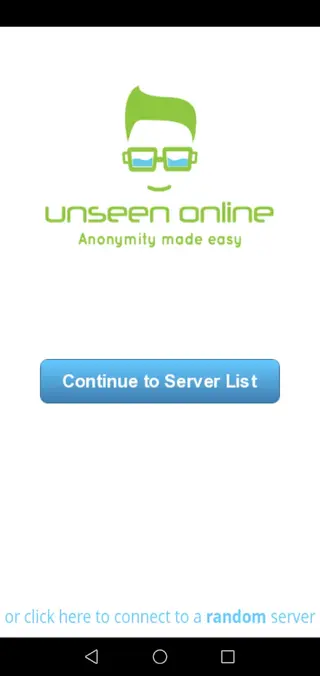
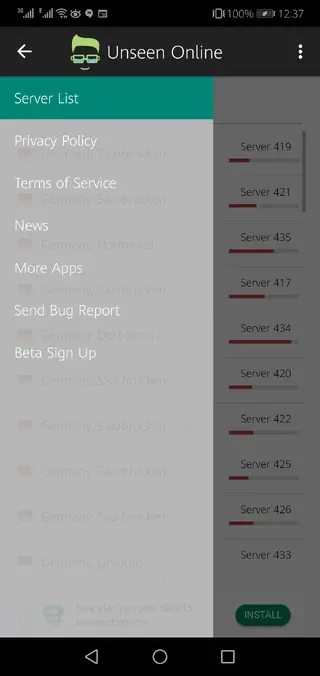
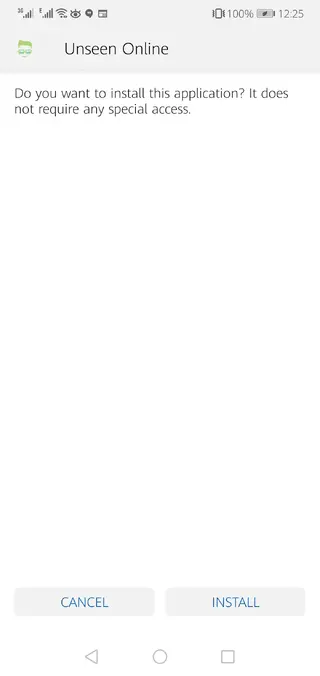
App details and compatibility
Unseen Online is available for Android smartphones and tablets running Android 4.1 and above. This wide compatibility means many older devices can still run the app without issues.
The app is listed on Google Play under the package name com.unseenonline. If you prefer manual installation or cannot access the Play Store, you can use the APK available on our website to install it directly.
Privacy and security considerations
Using a VPN like Unseen Online can improve privacy by hiding your IP address and encrypting data between your device and the VPN server. This is especially useful on unsecured Wi-Fi networks.
However, it is important to remember that no VPN is a full security solution. Your online accounts, passwords, and browsing habits still matter. Keep your apps updated, use strong unique passwords, and avoid sharing sensitive information on suspicious sites even when connected to the VPN.
Tips for better performance
If you experience slow speeds while using Unseen Online, try these simple adjustments:
Switch to a server that shows lower ping or lighter load inside the app.
Choose a server location that is geographically closer to you for better latency.
Close background apps that might be using bandwidth.
Disconnect and reconnect to refresh your route if a server feels unstable.
Experimenting with different servers is often the easiest way to find a smoother and more consistent connection.
FAQs
Pros
- Simple one-tap connection suitable for beginners
- No account or registration required for core VPN use
- Large number of available servers in different regions
- Helps bypass geo-restricted or blocked websites and apps
- Supports older Android versions starting from 4.1
- Lightweight app with a straightforward interface
Cons
- Free servers can become slow or crowded at busy times
- VPN speed and stability depend on your network and chosen server
- Contains advertising and may offer in-app purchases
- Like any VPN, it cannot guarantee complete anonymity or security
- Some streaming or banking apps may block VPN connections
Conclusion
Unseen Online APK is a straightforward Android VPN app for users who want quick, no-registration access to multiple servers around the world. You can download the official APK directly from our website, install it in a few steps, and start routing your traffic through a virtual IP to reach blocked sites and add a practical layer of privacy to your everyday browsing.




Comments
No approved comments yet.