

Whozi
Whozi is an Instagram analytics and account management tool that helps you understand who follows you, who unfollows you, and how people interact with your profile. It focuses on simple insights that regular users and creators can read at a glance.
With Whozi, you can track followers and non-followers, monitor recent changes, and review story viewers in more detail than the standard Instagram app. The APK is available to download directly from our website for Android phones and tablets.
This app is made for users who want more control over their account behavior without going through complex professional analytics platforms. You get a clean interface, quick loading sections, and easy-to-read reports about your Instagram profile.
Rate this app
App details
- App name
- Whozi
- Category
- Social
- Version
- v10.0.5
- Size
- 24.23 MB
- Requirements
- 5.0 and Up
- Package name
- com.bestwho.zi
- Publisher
- BestWhozi Inc.
- Price
- Free
- Mod
- No
- Downloads
- 54,021
- Rating
- 4.7 / 5
- Rating count
- 22,000
- Play Store
- No
- Requires root
- No
- Offline support
- No
- Contains ads
- Yes
- In-app purchases
- Yes
- Updated
- May 22, 2026
- Age rating
- Rated for 7+
Table of contents
What is Whozi App for Android
Whozi is an Android application designed as an Instagram analyzer and follower management tool. After you sign in with your Instagram account, it scans your profile data and presents it in organized sections such as followers, unfollowers, non-followers, and story viewers.
The app focuses on giving you a quick overview of how people interact with your account. You can see who you follow that does not follow you back, which accounts recently unfollowed you, and how your audience behaves over time. This helps you tidy up your following list and keep an eye on suspicious or inactive profiles.
Whozi is not an official Instagram product, and it works by connecting to your account through its own interface. Because of that, it is important to use it carefully and stay within Instagram’s terms of use. Many people choose to test apps like this with a secondary or dummy account first before deciding how to use them.
For users who want to compare Whozi with another Instagram analytics option, Ana.ly Pro is also a helpful tool for checking followers, engagement, and account activity in a simple way.
Why Download Whozi APK from Our Website
Downloading the Whozi APK directly from our website allows you to get the latest available version for your Android device without searching multiple pages. The app file is listed with its version number, package name, and other key details so you know exactly what you are installing.
Users who manage growing Instagram profiles often want better visibility into followers, unfollowers, and story interactions. Whozi gathers this information in one place and shows it through a simple layout that is easier to read than most built-in tools. You can install it on Android 5.0 and above, including many popular phones and tablets.
If you like to keep your following list clean, understand who regularly views your stories, or track sudden drops in followers, Whozi can be a practical companion app. You can download the official APK file from our download section and install it manually on your device.
How Whozi Can Be Useful for Instagram Users
Managing an active Instagram account can be time-consuming. Whozi simplifies some of this work by turning raw profile data into easy-to-understand lists and statistics. This helps you make small but informed decisions about who to follow, who to remove, and how engaged your audience really is.
Content creators and casual users can use Whozi to spot sudden changes, such as unusual unfollow spikes or inactive followers filling the list. When you see which accounts no longer interact or never followed you back, you can decide whether to keep or remove them.
The story viewing insights are especially helpful if you frequently post stories. Being able to monitor story viewers more closely lets you see which users show consistent interest over time. All of this can support your broader strategy for growing and maintaining a healthier Instagram presence.
How to Download and Install Whozi APK
You can download the official Whozi APK file for Android directly from our website. Follow these steps to complete the process safely and correctly on your device.
Scroll to the download section on this page where the Whozi APK file details are listed.
Tap the download button to start downloading the latest available version of the APK to your device.
Wait for the file to finish downloading, then open your phone’s Downloads folder or the browser download menu.
If this is your first time installing an APK, go to your device settings and enable installation from unknown sources for your browser or file manager.
Tap the Whozi APK file and select Install, then wait until the installation completes.
Once installed, open Whozi from your app drawer, sign in with your Instagram credentials, and configure the permissions as requested.
After installation, review the app’s options carefully and consider testing it with a secondary account first to see how it behaves with your Instagram data.
Features
Instagram account analyzer
Provides an overview of your followers, followings, and interaction metrics in a single place.
Followers and unfollowers tracking
Shows who recently followed or unfollowed you and highlights accounts you follow that do not follow you back.
Story viewer insights
Helps you review story viewers in more detail and monitor who frequently interacts with your content.
Non-followers list
Displays the accounts you follow that are not following you back so you can manage your following list.
Simple dashboard interface
Uses a clean and straightforward layout so users can navigate between analytics sections quickly.
Account cleanup support
Assists in identifying inactive or irrelevant accounts so you can refine your audience over time.
Multi-account testing possibility
Can be tried with a secondary or dummy account first so you can review behavior before using your main profile.
Works on Android 5.0 and above
Compatible with a wide range of Android smartphones and tablets running Android 5.0 or later.
Screenshots
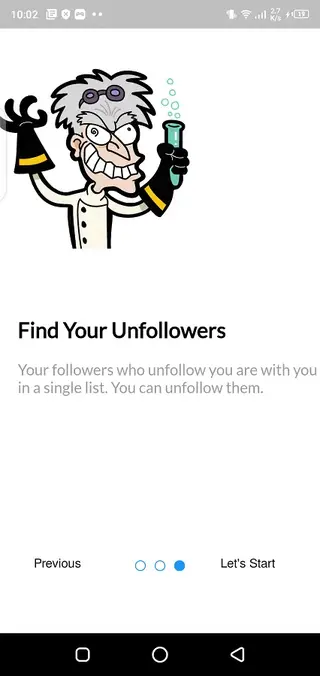
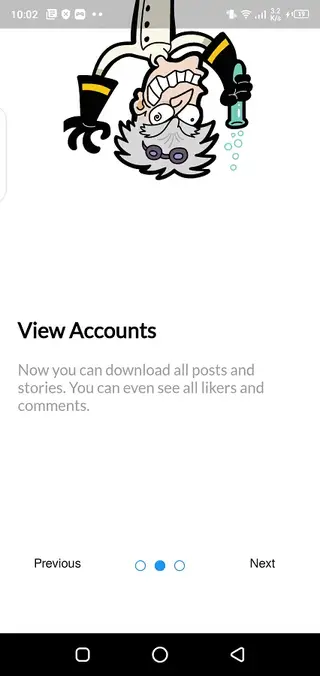
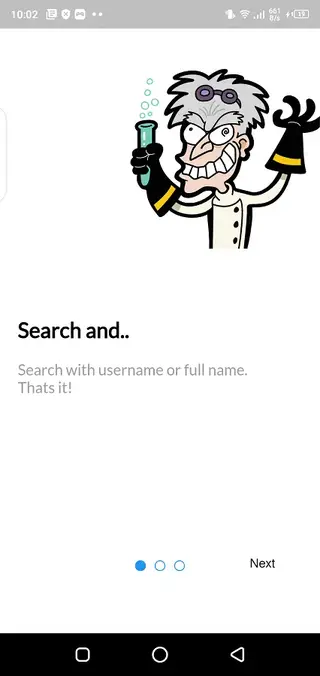
Account Safety And Responsible Use
Any third-party Instagram analyzer requires access to your account information, so it is important to use these tools thoughtfully. Whozi is not developed or endorsed by Instagram, and policies on automated or external access can change over time.
Many experienced users prefer to try apps like Whozi first with a separate or dummy account. This allows them to review how the app behaves, what data it requests, and whether the features match their needs before connecting their main profile.
Regularly review Instagram’s latest policies and keep your password secure. If at any point you feel uncomfortable with a third-party tool, you can change your Instagram password and revoke access from your account settings.
Tips For Getting Better Value From Whozi
To get the most out of Whozi, start by reviewing your non-followers list and deciding which accounts you still want to follow. Clean up your following list in small batches instead of making large changes all at once.
Next, examine the unfollow history and story viewer sections. Look for accounts that show consistent interest in your content and consider engaging with them through comments, replies, or direct messages to strengthen your audience relationship.
Use the app periodically instead of constantly. Checking analytics at regular intervals helps you see real trends over time rather than reacting to every small change from day to day.
FAQs
Pros
- Gives more detailed follower and unfollower insights than the default Instagram app
- Provides organized lists of non-followers and recent account changes
- Simple interface that most users can navigate without tutorials
- Supports Android 5.0 and above, covering many devices
- Available as a direct APK download from our website
Cons
- Requires logging in with your Instagram credentials to work
- Depends on an internet connection and Instagram availability
- Not an official Instagram app and may conflict with platform policies over time
- Some features appear to require payments or subscriptions
- Long-term reliability can change if Instagram updates its systems
Conclusion
Whozi is a focused Instagram analysis and follower management tool for Android users who want clearer insight into their audience. If you understand the risks of third-party login tools and prefer detailed follower lists in a simple interface, you can download the latest Whozi APK directly from our website and test it on your device.




Comments
No approved comments yet.