

Wicap Pro
Wicap Pro is a powerful packet capture tool for Android that lets you inspect and monitor traffic directly on your device. It combines mobile sniffer functions with a simple interface so you can see what passes through your network in real time.
With support for Wi‑Fi and LTE networks, Wicap Pro helps advanced users analyze connections, detect suspicious activity, and understand how apps communicate online. You can download the official Wicap Pro APK directly from our website and install it on compatible Android phones and tablets.
The app also supports VPN-based capturing and script configuration, giving you more control over how traffic is routed and inspected. This makes Wicap Pro useful for diagnostics, education, and security-focused monitoring.
Rate this app
App details
- App name
- Wicap Pro
- Category
- Tools
- Version
- v2.8.3
- Size
- 2.85 MB
- Requirements
- 5.0 and Above
- Package name
- com.evbadroid.wicap
- Publisher
- Evbadroid
- Price
- Free
- Mod
- No
- Downloads
- 68,232
- Rating
- 4.7 / 5
- Rating count
- 23,880
- Play Store
- No
- Requires root
- No
- Offline support
- No
- Contains ads
- No
- In-app purchases
- Yes
- Updated
- May 20, 2026
- Age rating
- Rated for 12+
Table of contents
What is Wicap Pro APK
Wicap Pro is an Android application from Evbadroid designed for network packet capture and analysis on mobile devices. It works as a mobile sniffer that records traffic on Wi‑Fi and cellular connections, then lets you review the captured data in detail.
The app creates a local capture environment, often using a VPN-based approach, so it can see which hosts, ports, and protocols your device uses. This helps you understand which apps consume bandwidth, what servers they connect to, and whether any unknown connections appear on your network.
Because Wicap Pro runs directly on Android, you can perform many monitoring and diagnostic tasks without a desktop PC. It is mainly intended for advanced users such as network enthusiasts, administrators, and security‑aware users who want more visibility into their own traffic.
Why download Wicap Pro for Android
People download Wicap Pro because it gives them detailed visibility into how their Android device communicates over the internet. Instead of guessing which app is connecting where, you can capture real packets and inspect them.
This visibility can help you troubleshoot slow connections, identify apps that send data in the background, or monitor the network activity on a shared device. Parents and power users may use it to keep a closer eye on browsing behavior and spot unwanted connections.
Another reason to install Wicap Pro is its script-based configuration and VPN-style tunneling. With the right setup, you can route and capture different types of traffic, making the tool flexible for experimentation, learning, and deeper analysis.
How Wicap Pro can be useful
Wicap Pro is useful whenever you need more than basic data usage statistics. By capturing real packets, you can see domains, protocols, and request patterns, which helps you understand what happens behind the scenes when you open an app or website.
For security-conscious users, Wicap Pro can support the early detection of suspicious or unfamiliar connections. For learners and professionals, it serves as a practical hands-on tool to study TCP/IP, HTTP, and other protocols directly on Android.
Combined with its support for Wi‑Fi and LTE, permissive capture modes, and virtual network tunneling, Wicap Pro turns your phone into a compact network lab that you can carry anywhere.
How to download and install Wicap Pro APK
You can download the official Wicap Pro APK file directly from our website and then install it manually on your Android device. Follow these simple steps:
Scroll to the download section on this page and tap the APK download button for Wicap Pro.
Wait until the APK file finishes downloading to your phone or tablet.
Open your device settings, go to the security or apps section, and enable installation from unknown sources if it is not already allowed.
Open your file manager, locate the downloaded Wicap Pro APK, and tap it to start the installation.
Confirm the prompts on screen and wait for the installation to complete.
Launch Wicap Pro from your app drawer and configure capture options according to your needs.
After installation, you can return to this page whenever you need to download the latest available version again.
Features
Packet capture on Wi‑Fi and LTE
Capture and analyze network packets from both wireless and mobile data connections on your Android device.
VPN-based capture mode
Uses a VPN-style tunnel to intercept and inspect traffic without needing complex system-level changes.
Script support for advanced control
Allows users to add and adjust scripts to customize how traffic is captured, filtered, or processed.
Real-time traffic monitoring
Shows active connections and data flows so you can follow what apps are doing on the network in real time.
External storage support
Saves capture files to external storage so you can keep logs or move them to other tools for further analysis.
Demo and helper materials
Includes demo content and examples that help new users understand the capture process more easily.
Remote control capabilities
Latest versions add options to interact with and control capture sessions more flexibly from within the app.
Mobile sniffer tools
Provides sniffer functions tailored for mobile devices, including Wi‑Fi connectivity and LTE mode handling.
Screenshots
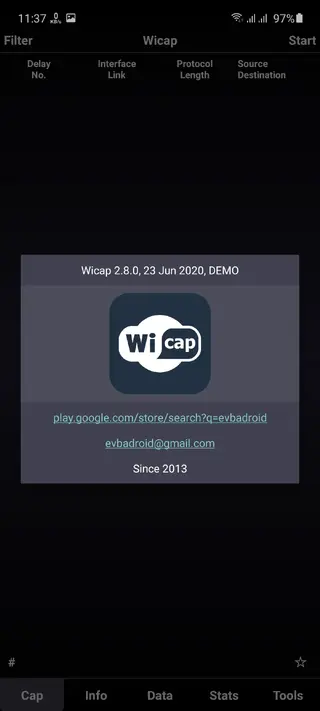
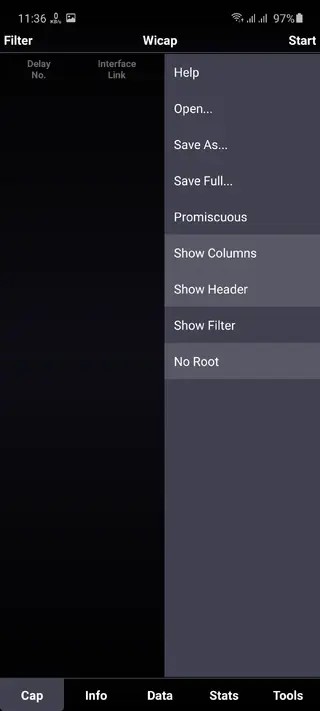
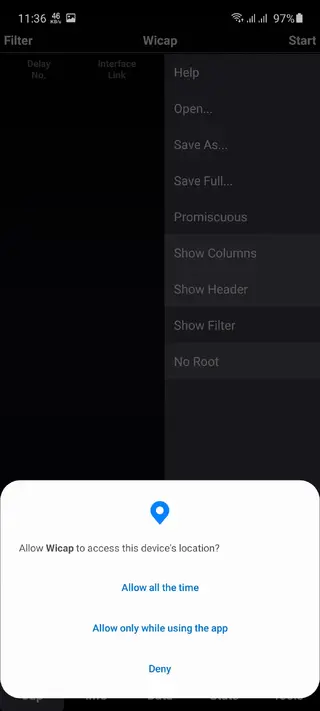
Safety and ethical use considerations
Network sniffing tools like Wicap Pro are powerful and should be used responsibly. You should only capture and analyze traffic on networks and devices that you own or have clear permission to monitor. Using packet capture tools for unauthorized surveillance or data interception can break local laws and terms of service.
Always focus on educational, diagnostic, or administrative use cases, such as troubleshooting your own apps, checking your home network, or learning more about protocols. Treat any captured data as sensitive and store it securely to protect your privacy and the privacy of others.
Tips for getting started with Wicap Pro
If you are new to packet capture, start with simple scenarios. Enable capture while you browse a single website or open a specific app, then stop the session and review the results. Look at domains, IPs, and ports to understand which services the app uses.
Gradually explore filters and scripts to narrow down traffic types, such as focusing on HTTP or HTTPS connections. Over time, you can compare captures from different apps, test how VPNs change visible traffic, and build a better understanding of your network behavior.
FAQs
Pros
- Provides detailed packet capture on Wi‑Fi and LTE networks
- Helps users see and analyze real network traffic on Android
- Supports VPN-style capture without complex manual setup
- Offers script support for more advanced configurations
- Lightweight tool focused on network monitoring functions
Cons
- Intended mainly for advanced users and can be complex for beginners
- Incorrect configuration may disrupt network connectivity temporarily
- Requires active internet access for meaningful packet capture
- Not available directly through Google Play in all regions
Conclusion
Wicap Pro is a specialist Android tool for users who want real visibility into their own network traffic. If you need a compact packet capture and analysis solution on mobile, downloading the Wicap Pro APK from our website gives you direct access to its latest available version and feature set. If you have any problem with using this application, then feel free to contact us through the comment section below. We will help you in every possible way. So, keep visiting our website for more amazing apps and hacks.




Comments
No approved comments yet.