

WSeen
WSeen is a WhatsApp online tracker that helps you monitor when selected numbers go online or offline, even if their last seen is hidden. It focuses on detailed status logs rather than reading messages.
Parents often use tools like WSeen to better understand their children’s late-night or excessive online activity on WhatsApp. The app turns raw status times into clear charts and reports that are easier to follow.
You can download the official WSeen APK directly from our website and install it on any compatible Android device to start tracking activity patterns in a few simple steps.
Rate this app
App details
- App name
- WSeen
- Category
- Tools
- Version
- v45
- Size
- 39.18 MB
- Requirements
- 5.0 and Above
- Package name
- com.basalapp.whatsonlinetracker
- Publisher
- Basalapp
- Price
- Free
- Mod
- No
- Downloads
- 58,542
- Rating
- 4.1 / 5
- Rating count
- 1,864
- Play Store
- No
- Requires root
- No
- Offline support
- No
- Contains ads
- Yes
- In-app purchases
- Yes
- Updated
- May 18, 2026
- Age rating
- Rated for 3+
Table of contents
What is WSeen APK
WSeen APK is an activity tracking tool for WhatsApp that records when a selected phone number is online or offline and turns that data into readable reports. Instead of offering messaging or chat features, it focuses only on connection times and session duration.
The app is mainly used for parental monitoring and time management. By following when a number connects to WhatsApp across the day, WSeen helps you see if children or family members stay online late at night, break screen-time rules, or use WhatsApp during study hours.
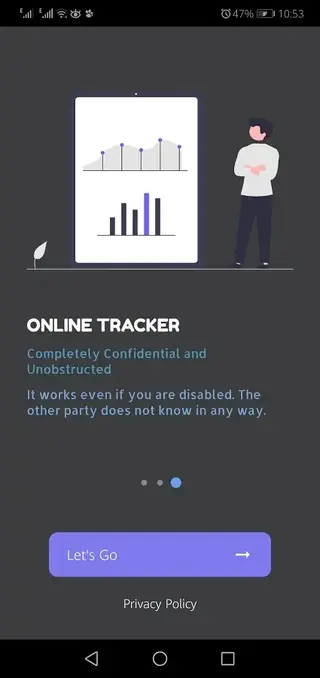
WSeen works on Android 5.0 and above and does not require root access. Once installed, you add the number you want to follow and WSeen starts logging that account’s online status and compiling reports automatically.
More similar applications are available here for the users, which you can also explore and have fun with. So, if you are willing to get more applications, then you should try WunSen and Pimaxneta. Both of these are some of the best available apps for tracking.
Always make sure you use this kind of tool responsibly and in line with local laws and platform policies. It is generally recommended to use it for your own numbers or with consent inside your family.
Why download WSeen for Android
People download WSeen because they want a simple way to see when specific WhatsApp numbers are online without constantly checking the app themselves. WSeen automates that process and sends alerts when the tracked number connects or disconnects.
Parents can use the reports to understand daily usage patterns, such as late-night chatting or frequent short sessions. Individuals can also use it to monitor their own screen time and reduce distraction by tracking how often they open WhatsApp.
The APK is available directly on our website, so you can get the current version in one download and start monitoring from a single dashboard instead of switching between multiple tools.
How WSeen can be useful
WSeen can be useful for anyone who needs structured information about WhatsApp usage rather than random observations. It turns online and offline events into timelines, daily charts, and summary statistics.
Parents may use this data to adjust screen-time rules, talk with their children about late-night chatting, or understand whether study-time restrictions are working. Users who monitor their own number can see how often they check WhatsApp and identify habits that affect productivity or sleep.
The notification system helps you avoid repeatedly opening WhatsApp to see if someone is online. Instead, you receive alerts and can decide when it is worth opening the chat, which can reduce unnecessary phone usage.
How to download and install WSeen APK
You can download the official WSeen APK file directly from our website and install it on any supported Android phone or tablet. Follow these steps to get started.
Scroll to the download section on this page and tap the WSeen APK download button.
Wait for your browser to finish downloading the APK file to your device.
On Android, open Settings and enable installation from unknown apps for your browser if it is not already allowed.
Locate the downloaded APK in your Downloads folder and tap it to start the installation process.
Read the on-screen prompts and tap Install to complete setup.
Open WSeen, grant the required permissions, and add the phone numbers you want to monitor.
After installation, WSeen will begin tracking status changes for the added numbers and start generating online activity reports automatically.
Features
WhatsApp online status tracking
Track when selected WhatsApp numbers go online and offline, even if their last seen is hidden on WhatsApp itself.
Real-time activity notifications
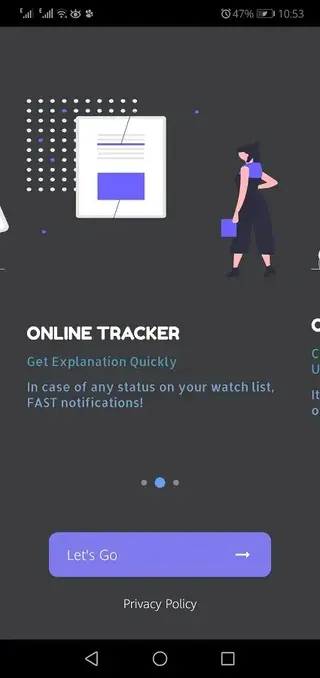
Receive alerts when a tracked number connects or disconnects so you do not have to check WhatsApp manually.
Detailed activity reports
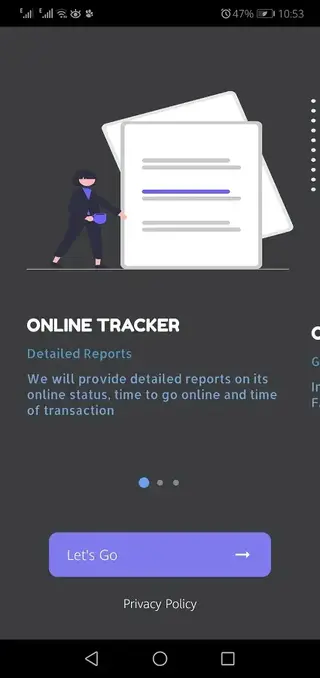
View daily, weekly, and monthly reports that summarize total online time, session count, and activity patterns.
Timeline and session history
Check exact login and logout times and see how long each WhatsApp session lasted during the day.
Multiple number monitoring
Add more than one phone number to follow and compare their activity from a single interface, depending on plan limits.
Usage charts and statistics
See visual charts that highlight peak usage hours and recurring late-night or early-morning activity.
Custom notification settings
Adjust which events trigger notifications and mute alerts during specific hours to reduce disturbance.
Simple, user-friendly interface
Use a clean layout that makes it easy to add numbers, read reports, and manage notifications without technical knowledge.
Screenshots
Safety, privacy, and responsible use
Any tool that monitors online activity must be used carefully. WSeen does not read messages or show chat content, but it does log connection times for the numbers you add. This information can still be sensitive.
Before tracking a number, consider local privacy laws, platform rules, and your relationship with the person involved. In many cases, it is better to use WSeen for your own numbers or with clear consent, especially within families.
For parents, combining WSeen data with open discussions about healthy device habits is usually more constructive than secret monitoring. Respectful communication and transparent rules help children understand why limits exist.
Tips for getting accurate activity reports
To ensure that WSeen records WhatsApp activity as accurately as possible, keep a few practical points in mind.
Maintain a stable internet connection on your device so WSeen can detect status changes in real time.
Avoid aggressive battery saver settings or background restrictions that may prevent WSeen from running properly.
Update the app whenever a new version becomes available, as WhatsApp and Android updates can change how status is reported.
Check the in-app logs from time to time to confirm that activity is being recorded as expected.
By keeping the app updated and allowed to run in the background, you help WSeen create more reliable daily and weekly tracking reports.
FAQs
Pros
- Simple way to track WhatsApp online and offline status for selected numbers
- Provides structured daily, weekly, and monthly activity reports
- Real-time notifications reduce the need to check WhatsApp manually
- User-friendly interface that is easy to configure
- Works on most modern Android devices without root access
Cons
- Requires continuous internet connection to log online activity accurately
- May include ads in the free version
- Some advanced features may require in-app purchases or subscriptions
- Tracking other people’s numbers can raise privacy and legal concerns
- Accuracy can be affected by device restrictions, connectivity, or app changes
Conclusion
WSeen offers a focused way to monitor WhatsApp online activity, turning status changes into clear reports and alerts. Used responsibly, it can help parents, families, and individuals better understand messaging habits and manage screen time from a single Android app.




Comments
No approved comments yet.