

XManage Spotify
XManager Spotify is an Android tool that helps you manage and install different modified builds of the Spotify app on your device. It focuses on giving users an easier way to access enhanced features in one place.
With this manager, you can install, update, downgrade, or remove supported Spotify mod variants without searching manually. Everything stays organized inside a single, simple interface designed for music lovers.
You can download the latest XManager Spotify APK directly from our website and start managing compatible Spotify versions on any supported Android phone or tablet.
We have more music applications and tools, which you might want to try. So, if you want to try more similar apps, then get Spotify Downloader and Play Premiado. Both of these are quite popular and available in different versions, which anyone can easily access and enjoy.
Rate this app
App details
- App name
- XManage Spotify
- Category
- Music & Audio
- Version
- v5.9
- Size
- 9.6 MB
- Requirements
- 5.0 and Above
- Package name
- com.xc3fff0e.xmanager
- Publisher
- xC3FFFOE, Sherlock Home, and Mr. Dude
- Price
- Free
- Mod
- No
- Downloads
- 614,319
- Rating
- 4.2 / 5
- Rating count
- 17,512
- Play Store
- No
- Requires root
- No
- Offline support
- Yes
- Contains ads
- No
- In-app purchases
- No
- Updated
- May 21, 2026
- Age rating
- Rated for 3+
Table of contents
What is XManager Spotify?
XManager Spotify is an unofficial Android utility that works as a version manager and installer for different modified Spotify builds. Instead of being a music player itself, it acts as a hub where you can choose which supported Spotify mod you want to install on your device.
The tool focuses on helping users access features that are normally available only with a premium subscription in the official Spotify app. Depending on the chosen build, these can include options like ad-free playback, unlimited skips, and more flexible playback controls.
Inside the app, you typically see several variants of Spotify (stable, beta, or specific mod flavors). XManager downloads and installs the selected version for you, and also lets you quickly upgrade or downgrade when a new build appears.
The application is developed by community developers such as xC3FFFOE, Sherlock Home, and Mr. Dude and targets Android 5.0 and above. It is not available on Google Play, so users rely on the APK, which you can get directly from our website.
Why download XManager Spotify APK from our website?
Downloading XManager Spotify APK from our website gives you direct access to the latest available build without digging through forums or file hosts. The download link on this page points straight to the current version listed in the app details, so you do not need to search elsewhere.
The app helps you manage compatible Spotify mod versions from a single place. You can switch between stable and other builds, quickly reinstall if something goes wrong, and stay up to date with new releases that the manager supports.
For users who regularly test or use Spotify mods, XManager saves time, reduces confusion, and simplifies the entire installation and update process.
How is XManager Spotify useful?
XManager Spotify is useful for anyone who wants fine control over which Spotify build runs on their device. Instead of manually downloading APK files and guessing which version works, you can browse curated options inside the manager and install them in a few taps.
Many compatible builds focus on features like fewer interruptions, more flexible track skipping, and interface tweaks that are popular among heavy Spotify users. XManager makes it easier to try these different experiences and roll back if a new release causes issues.
It also works as a handy troubleshooting tool. If Spotify starts behaving unexpectedly after an update, you can simply downgrade to a previous supported version through XManager, without hunting for old files online.
How to download and install XManager Spotify APK?
You can download the latest XManager Spotify APK directly from our website using the download button on this page. Follow these steps to complete the setup on your Android device.
Scroll to the download section and tap the APK download button.
Wait for the APK file to finish downloading on your phone or tablet.
Open your device settings and enable installation from unknown sources for your browser or file manager if needed.
Locate the downloaded APK in your Downloads folder and tap it.
Confirm the installation prompt and wait until the process finishes.
Launch XManager Spotify, review the available Spotify builds, and install the one you prefer.
Once installed, you can return to the app anytime to update, switch, or remove supported Spotify versions.
Features
Centralized Spotify mod management
Manage multiple supported Spotify mod variants from one place instead of tracking separate downloads.
Install and uninstall with one tap
Download, install, or remove compatible Spotify builds directly from the manager interface.
Upgrade and downgrade easily
Switch between newer and older supported versions if you face bugs or prefer a previous build.
Access premium-style features
Many supported mods aim to unlock or approximate premium-like features such as more flexible playback.
Ads and restriction controls
Some builds focus on reducing ads and lifting playback limitations, depending on the chosen variant.
Podcast download support
Certain versions let you download selected podcast episodes for offline listening within Spotify.
User-friendly layout
The interface is kept simple so even non-technical users can find, install, and update mods.
Stable and definitive builds
The manager usually highlights more stable or definitive mod versions for everyday use.
Screenshots
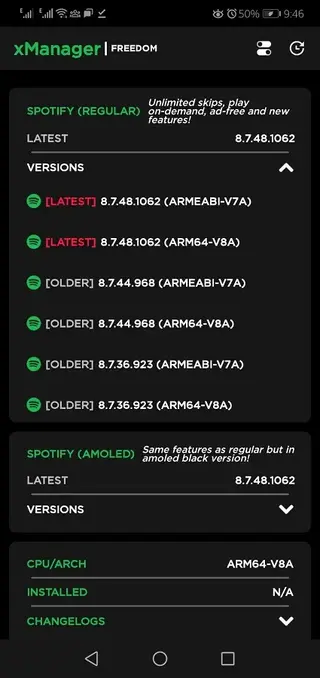
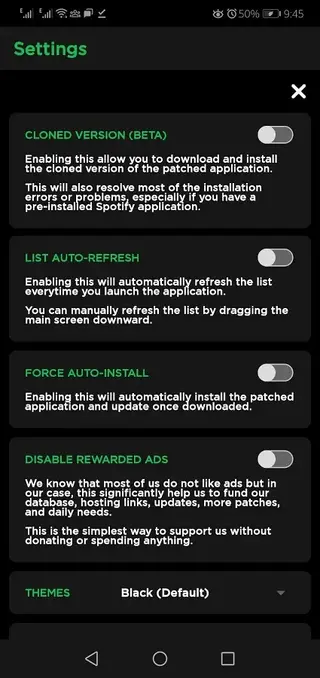
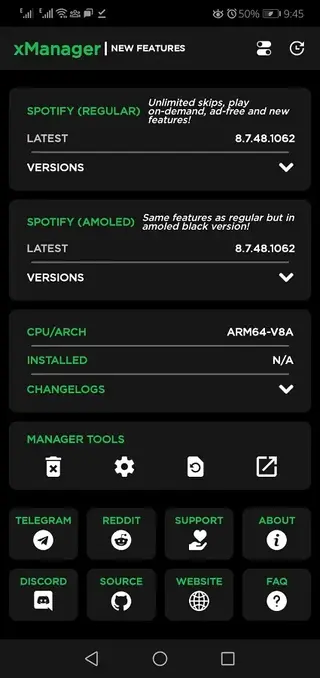
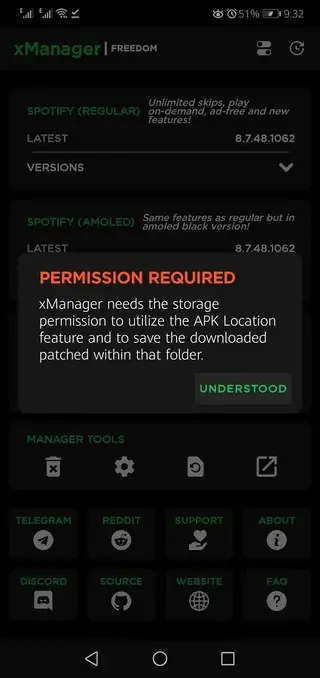
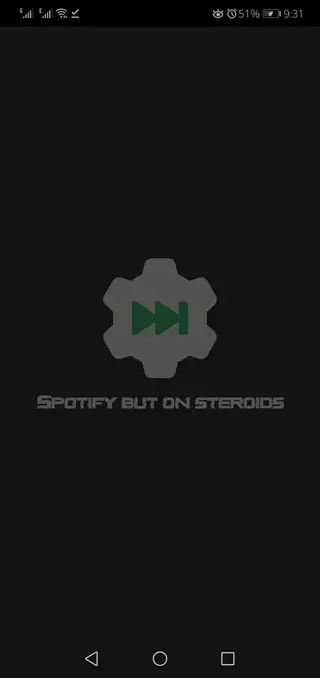
App details and compatibility
XManager Spotify APK version 5.7 targets Android 5.0 and above, which covers most modern smartphones and tablets. The app size is relatively small, so it runs comfortably on devices with limited storage.
Because this is a manager rather than a full streaming client, it mainly handles downloading and installing compatible Spotify builds. Performance depends more on the Spotify variant you select than on XManager itself, but the manager is lightweight and responsive on typical mid-range devices.
How XManager works with Spotify mods
When you open XManager Spotify, you normally see a list of supported Spotify variants. Each entry indicates the type of build, version number, and sometimes a short description of the focus, such as ad reduction or stability.
After choosing a build, XManager downloads the APK and triggers the Android installation flow. Once installed, the Spotify app appears in your app drawer like any other application, while XManager remains your control center for future updates, rollbacks, or uninstall actions.
Tips for everyday use
To get the most out of XManager Spotify, consider the following practical tips:
Start with the stable or recommended build before trying experimental variants.
If Spotify behaves oddly after an update, open XManager and downgrade to a previous version you know works well.
Check the manager periodically for new builds if you like staying close to the latest supported releases.
Keep some free storage space so both XManager and Spotify can download and update smoothly.
FAQs
Pros
- Centralizes different Spotify mod versions in one app
- Makes installing and updating supported builds much easier
- Allows quick upgrade and downgrade between versions
- Simple and beginner-friendly interface
- Includes variants that reduce ads and lift playback limits
- Useful for troubleshooting buggy Spotify updates
Cons
- Unofficial tool not available on Google Play
- Related Spotify mods may violate Spotify terms of service
- Features can break when Spotify changes its backend
- Requires manual APK installation and updates
- Not an actual music app by itself, only a manager
Conclusion
XManager Spotify is a practical Android version manager for users who rely on Spotify mods and want an easier way to install, update, and roll back different builds. You can download the current APK directly from our website and use it to manage compatible Spotify variants in one place.




Comments
No approved comments yet.