

XUM WALLET
XUM WALLET is a crypto wallet and exchange app for Android that helps you store, send, receive, and manage different digital currencies in one place. It focuses on providing simple tools so beginners and regular traders can handle their coins on mobile.
With XUM WALLET you can create and manage wallets, move funds between accounts, and follow the value of supported coins like Bitcoin, Ethereum, TRON, USDT, XUM, and others. The app is designed as a finance utility rather than a trading terminal with complex charts.
You can download the official XUM WALLET APK directly from our website and install it on your Android phone or tablet to start managing your crypto assets on the go.
Rate this app
App details
- App name
- XUM WALLET
- Category
- Finance
- Version
- v2.0.0
- Size
- 45.35 MB
- Requirements
- 5.0 and Above
- Package name
- com.xum.wallet
- Publisher
- XUM Exchange Ltd
- Price
- Free
- Mod
- No
- Downloads
- 9,386
- Rating
- 4.5 / 5
- Rating count
- 283
- Play Store
- No
- Requires root
- No
- Offline support
- No
- Contains ads
- No
- In-app purchases
- Yes
- Updated
- May 8, 2026
- Age rating
- Rated for 3+
Table of contents
What is XUM WALLET Android app?
XUM WALLET is a finance app for Android created by XUM Exchange Ltd to help users manage cryptocurrencies from their mobile devices. It acts as a multi-coin wallet where you can hold, send, and receive supported digital assets, and in some cases swap or buy coins through the integrated exchange services.
The app focuses on making crypto management accessible for new users. Instead of dealing with complicated desktop wallets, you can create a wallet on your phone, back up your keys, and start using coins for transfers and basic trading. The interface is kept clean and straightforward so you can view balances, track market changes, and perform transactions without extra clutter.
XUM WALLET supports popular assets such as Bitcoin, Ethereum, TRON, USDT, and the native XUM coin, along with other listed tokens available inside the app. It is mainly designed for online use because it needs to connect to blockchain networks and its own backend services to fetch balances, prices, and transaction history.
Nobitex App and MXC Pro are quite popular Crypto-managing platforms, which you can access using this app. So, if you want to get more similar apps, then you should try these too.
Why download XUM WALLET APK from our website?
Downloading the XUM WALLET APK from our website lets you install the app directly on your Android device without waiting for store updates. You get the version listed here along with basic information such as package name, Android requirements, and screenshots in one place.
Once installed, you can quickly create or import a wallet and start managing your coins. The app offers crypto storage, transfers between users, and access to supported markets in a mobile-friendly layout. If you want a single app to hold several common coins and the XUM currency, installing the APK from our site is a convenient starting point.
How XUM WALLET can be useful?
XUM WALLET can be useful for users who want a lightweight way to interact with cryptocurrencies on Android. Instead of handling different apps for each coin, you can keep multiple assets together and use one interface to check balances and perform transfers.
The app also supports referral-based earning, so you may receive rewards or points when people join the platform with your invitation code, depending on the current program terms inside the app. This can be attractive for users who share the service with friends and want an extra way to accumulate XUM or other rewards.
For people new to crypto, XUM WALLET provides a simpler entry point into holding and moving coins. For more experienced users, it can work as an additional wallet to separate trading funds from long-term holdings or to manage XUM-specific assets alongside larger networks like Bitcoin and Ethereum.
How to download and install XUM WALLET APK?
You can download the official XUM WALLET APK file directly from our website and install it on any compatible Android phone or tablet.
Follow these steps to get started:
Scroll to the download area on this page and tap the APK download button for XUM WALLET.
Wait until the APK file finishes downloading to your device.
Open your device settings and allow installation from unknown sources if it is not already enabled.
Locate the downloaded APK file in your downloads folder and tap it to start installation.
Follow the on-screen prompts to complete installation, then open XUM WALLET from your app drawer.
Create a new wallet or import an existing one, and securely back up any recovery phrases shown by the app.
After installation, keep your device connected to the internet so the app can sync balances, prices and transaction data correctly.
Features
Multi-coin wallet support
Store and manage several cryptocurrencies in one app, including Bitcoin, Ethereum, TRON, USDT, XUM and other supported tokens.
Send and receive crypto
Transfer coins to other wallets and receive funds using wallet addresses or in-app transfer options where available.
Basic buy and sell options
Access simple coin purchase and selling features through the app where services are supported by XUM Exchange Ltd.
Invite and earn program
Earn rewards or points by inviting other users to join the platform with your referral or invitation code, subject to in-app rules.
Portfolio overview
View your asset balances and monitor value changes for supported coins inside a unified portfolio screen.
User-friendly interface
Use a straightforward layout designed to help beginners navigate wallets, transfers and basic crypto operations.
Account and transaction history
Check recent transfers and other account activities inside the app to keep track of your crypto movements.
Free to download
Install and use the core wallet functions without an upfront purchase price, with possible optional paid services in-app.
Screenshots
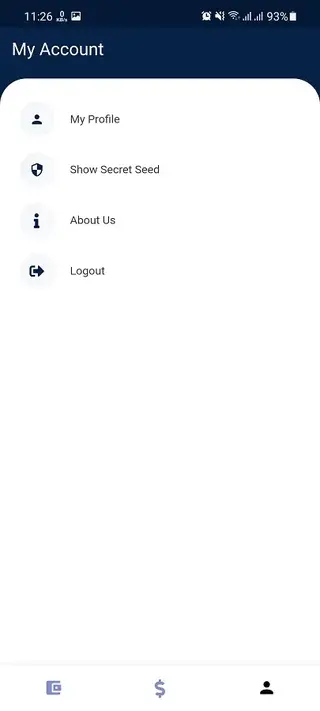
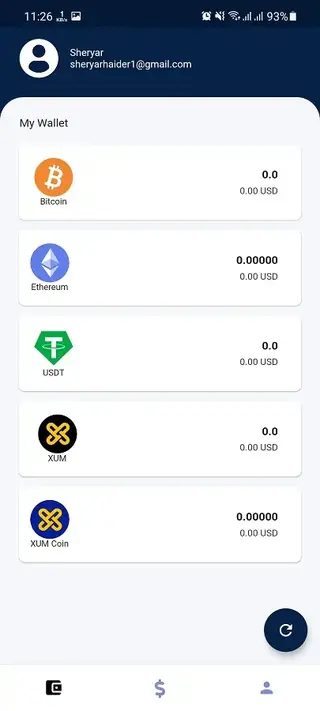
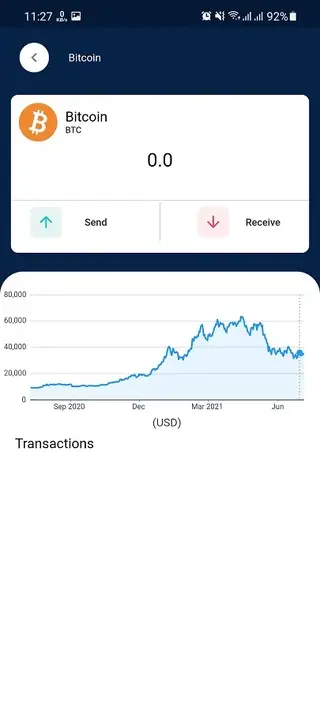
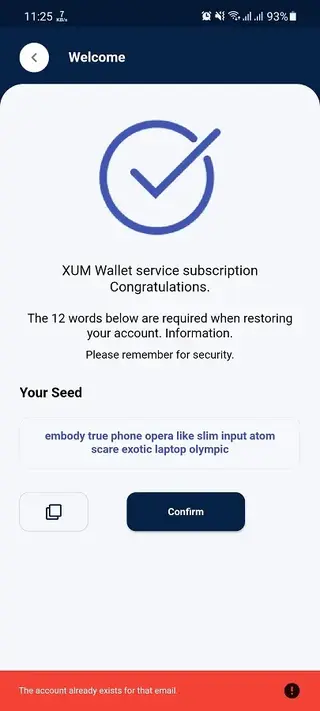

Supported cryptocurrencies and assets
XUM WALLET focuses on hosting several well known coins together with the XUM token. Inside the app you can typically work with assets such as Bitcoin, TRON, USDT, Ethereum, XUM and other coins listed by the service.
Support can change over time as networks are added or removed, so the exact list of available assets is determined by XUM Exchange Ltd and may update in newer versions of the app.
Security and wallet management basics
Like other crypto wallets, XUM WALLET expects you to keep control of your login details and any backup phrases or private keys. When you create a wallet, note any recovery phrases in a safe offline place. Avoid sharing them with anyone, because they can give full access to your funds.
For extra protection, it is recommended to use a screen lock, enable any security options the app offers, and keep your device’s operating system updated. Always review transactions carefully before confirming them, especially when sending coins to new addresses.
Tips for new crypto users using XUM WALLET
If you are new to cryptocurrencies, start by adding a small amount of funds to your wallet until you are comfortable with how transfers and confirmations work. Double check addresses when sending, because transactions on most blockchains cannot be reversed once confirmed.
Use XUM WALLET primarily as a practical tool to hold spending funds or actively used balances. For large, long term holdings, consider spreading risk across multiple wallets and services, and always keep backups of recovery data in a secure location.
FAQs
Pros
- Supports multiple cryptocurrencies in a single wallet
- Simple interface suitable for newer crypto users
- Includes send, receive and basic trading options
- Invite-and-earn program may provide extra rewards
- Free to download and install on Android
Cons
- Requires constant internet connection for most features
- Not suitable as a cold storage or offline wallet
- Availability of services may vary by region
- Relies on the platform’s own backend and policies
Conclusion
XUM WALLET offers Android users a practical way to manage several cryptocurrencies, handle transfers and explore basic earning options from one mobile app. If you want a straightforward crypto wallet that focuses on usability rather than advanced trading tools, installing the XUM WALLET APK from our website can be a convenient choice.




Comments
No approved comments yet.