
Youtube Shorts
Youtube Shorts brings short vertical video creation and viewing directly into the official YouTube app. Creators can record, edit, and publish quick clips using an intuitive camera and editing interface.
With tools like multi‑segment recording, music integration, and creative effects, it helps you share ideas in seconds instead of minutes. You can access the Shorts feed, discover trending content, and grow your channel right from your Android phone.
This app includes similar entertainment to TikTok All Region Unlocked and Taaki Taaki, but this app is a bit different. Instagram also began adding reels to its platform, nonetheless, it did not succeed. So YouTube came up with another amazing addition to its platform to reach Indian short video makers.
From this page you can download the Youtube Shorts APK for Android and install the official app version that includes the Shorts experience on compatible devices.
Rate this app
App details
- App name
- Youtube Shorts
- Category
- Video Players & Editors
- Version
- v21.22.165
- Size
- 102.12 MB
- Requirements
- 5.0 and Up
- Package name
- com.google.android.youtube
- Publisher
- Google LLC
- Price
- Free
- Mod
- No
- Downloads
- 139,062
- Rating
- 4.6 / 5
- Rating count
- 39,000
- Play Store
- Yes
- Requires root
- No
- Offline support
- No
- Contains ads
- Yes
- In-app purchases
- Yes
- Updated
- Jun 2, 2026
- Age rating
- Rated for 3+
Table of contents
What is Youtube Shorts for Android
Youtube Shorts is a short-form video experience available inside the official YouTube app for Android. It focuses on vertical videos of up to 60 seconds, designed for quick creation, casual viewing, and fast interaction through likes, comments, and subscriptions.
On Android, Shorts appears as a dedicated feed and recording mode. Using the built-in Shorts camera, you can capture multiple clips, adjust speed, add text, and synchronize footage with sounds from a large audio catalog. The same app also lets you watch an endless scroll of short videos from creators around the world.
Because Shorts is integrated with YouTube, every clip can contribute to your channel growth. Views, engagement, and subscribers generated from Shorts are tied to your main YouTube account, so you manage your content from a single place.
Why download Youtube Shorts APK from our site
Installing the Youtube Shorts APK on your Android device lets you access the latest Shorts features even if the update has not yet rolled out to you through other channels. You get the full YouTube experience with the added convenience of a dedicated short-video creation tool.
From our website you can download the current Android APK file directly and install it on compatible phones and tablets. This is especially useful if automatic updates are disabled, your device is not receiving timely updates, or you prefer to keep a backup installer.
Once installed, you can open YouTube, switch to the Shorts tab, and start watching or creating vertical clips without using any separate app.
How Youtube Shorts is useful for creators and viewers
Youtube Shorts is useful for both new and experienced creators who want to reach audiences quickly. Short vertical clips are easier to produce, require less equipment, and allow you to experiment with ideas without planning full-length videos.
Built-in editing tools, filters, and speed controls help you craft engaging content directly on your phone. You can combine multiple clips into a single Short, sync them to music, and share them with your subscribers in minutes.
For viewers, the Shorts feed offers quick entertainment in a swipeable vertical layout. The algorithm surfaces trending and relevant videos, making it simple to discover new creators, subscribe to channels, and interact with content without long watch times.
How to download and install Youtube Shorts APK
You can download the Youtube Shorts APK file for Android directly from our website and then install it manually on your device. Make sure your phone meets the minimum Android version stated on this page.
Follow these steps to get started:
Scroll to the download area on this page and tap the download button for the Youtube Shorts APK file.
Wait until the APK or XAPK file finishes downloading to your Android device.
Open your device Settings, go to Security or Apps, and allow installation from unknown sources if it is not already enabled.
Locate the downloaded file in your Downloads folder or file manager and tap it to start the installation.
Follow the on screen prompts to complete installation, then open YouTube and access the Shorts section from the app interface.
After installation you can disable the unknown sources option again if you prefer tighter security on your device.
Features
Integrated with official YouTube app
Access Shorts creation and viewing directly inside the main YouTube app without installing a separate client.
Short vertical video format
Create and watch vertical videos up to 60 seconds, optimized for mobile screens and quick viewing sessions.
Multi segment recording
Record multiple clips in one session and combine them into a single Short for smoother storytelling.
Built in music and sound library
Choose from a large catalog of songs and sounds to add licensed audio tracks or reuse audio from other Shorts.
Filters and visual effects
Apply creative filters and effects to make clips more attractive and help them stand out in the feed.
Speed and timer controls
Adjust recording speed and use countdown timers to capture hands free shots and precise transitions.
Text and overlay tools
Add on screen text, captions, and overlays to explain your content or highlight key moments.
Shorts discovery feed
Browse an endless vertical feed of short videos personalized to your interests and watch trends in real time.
Screenshots
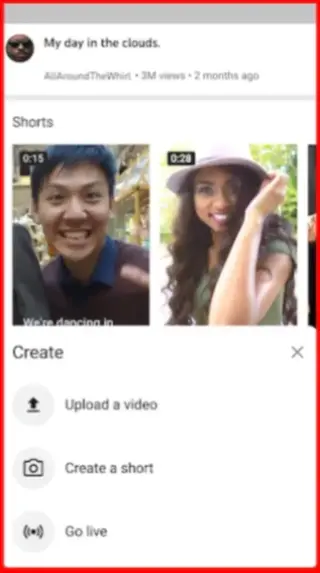
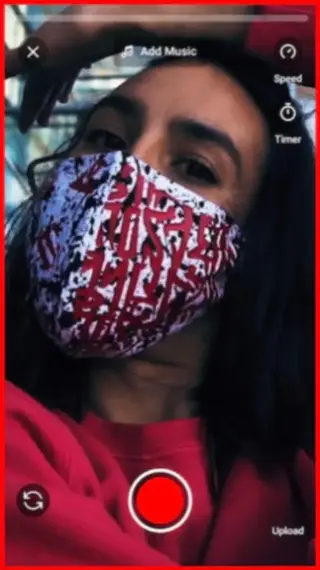
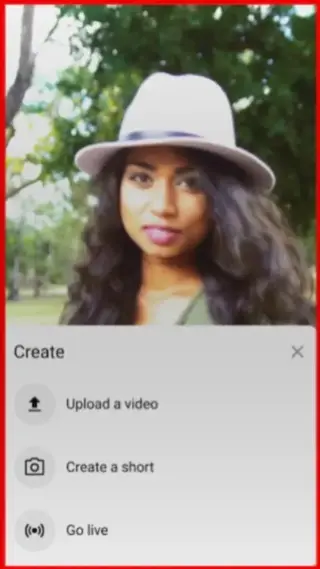
Shorts creation tools in detail
The Shorts camera on Android is designed for quick production. You can capture multiple scenes in one go, delete or redo segments, and align clips visually to keep transitions smooth. The app also supports basic color filters, lighting adjustments, and timer based hands free recording.
Adding music is straightforward. You can search the audio library by song, artist, or trend and preview how it fits before recording or after capturing your footage. Many creators also reuse sounds from existing Shorts to join trends and improve discoverability.
Channel growth and discoverability
Shorts can help new channels gain visibility without heavy editing or long scripts. Because Shorts appear in a dedicated feed and on channel pages, a single viral clip can bring significant traffic to your main content library.
You can use Shorts to test topics, interact with your audience between longer uploads, share behind the scenes moments, or summarize larger videos into quick highlights. Engagement from Shorts, such as likes and subscriptions, contributes to your overall YouTube presence.
Compatibility and performance tips
For the best experience with Youtube Shorts, keep your YouTube app updated and ensure that your device runs the minimum Android version listed on this page or higher. Using a stable internet connection will help with smooth playback and faster uploads.
If you notice performance issues, try lowering video resolution in playback settings, closing other background apps, or freeing up storage space before recording and editing new clips.
FAQs
Pros
- Integrated directly with the main YouTube app and channel system
- Easy short video recording and editing from an Android phone
- Large built in music and sound catalog for creative clips
- Endless Shorts feed for quick and personalized entertainment
- Helps new creators grow audiences quickly with low production effort
Cons
- Requires an internet connection for almost all features
- Contains ads similar to the main YouTube experience
- Some advanced features may not be available on older devices
- Short format may not suit longer or in depth content
Conclusion
Youtube Shorts on Android brings short-form creation and discovery into the familiar YouTube environment. By downloading the APK from our website, you can install the official app version that supports the Shorts experience, record vertical clips with built in tools, and reach viewers directly through your YouTube channel.




Comments
No approved comments yet.