

Zed VIP
Zed VIP is an Android virtual space utility that lets you clone apps and run multiple instances of games in an isolated environment on a single device. It is mainly used by mobile gamers who want to keep a separate game space and manage different accounts more flexibly.
With this tool you can create a parallel space for apps like Garena Free Fire and experiment with in-game settings or tools without touching your main installation. The APK file is available on our website, so you can download and install it directly on compatible Android phones and tablets.
The app focuses on a simple interface, light resource usage, and quick cloning, making it suitable for users who want a straightforward virtual space solution without complex configuration.
Rate this app
App details
- App name
- Zed VIP
- Category
- Tools
- Version
- v4.5
- Size
- 41.34 KB
- Requirements
- 4.3 and Above
- Package name
- com.ludashi.superboost.addon.arm32
- Publisher
- LUDASHI
- Price
- Free
- Mod
- No
- Downloads
- 568,548
- Rating
- 4.4 / 5
- Rating count
- 5,654
- Play Store
- No
- Requires root
- No
- Offline support
- Yes
- Contains ads
- No
- In-app purchases
- No
- Updated
- May 20, 2026
- Age rating
- Rated for 3+
Table of contents
What is Zed VIP APK
Zed VIP APK is a third-party virtual space application for Android. It creates a separate environment on your device where you can clone supported apps and run them independently from the originals. This approach is popular among gamers who want to keep different profiles or test tools away from their primary game setup.
Inside the virtual space, you can install or clone selected apps and then launch them as if they were running on a different device. This helps separate game data, login sessions, and certain cache files, which is useful when you want to maintain more than one account or keep experimental setups away from your main profile.
Actually, this tool like Reward FF that lets you unlock free diamonds and inject mods. It allows users to access other player accounts, through which they can easily have access to play from the hacked account. It also offers other hacking features, through which users can use paid features for free.
The app targets Android 4.3 and above and is distributed as a standalone APK. It is not available on Google Play, so users who want to try it can download the installation file directly from our website.
Why download Zed VIP for Android
Many Android gamers prefer a virtual space app instead of constantly logging in and out of accounts or using multiple devices. Zed VIP offers a lightweight way to clone specific games and utilities and keep them inside a dedicated sandbox.
By separating your cloned apps from the main system space, you can reduce the risk of mixing accounts or game progress. It also lets you test different layouts, control settings, or companion tools while keeping your original installation unchanged.
If you regularly manage more than one profile in the same game, or you simply want a dedicated gaming space, Zed VIP can streamline that workflow. The APK is provided on our website, so you can get the latest available build and install it manually.
How Zed VIP can be useful
Zed VIP is useful for users who want extra flexibility in how they run apps and games. Instead of relying on a single installation, you can create a cloned version and use it independently, which is especially handy when you handle separate accounts.
Because the cloned apps live inside a virtual container, you can uninstall or reset that space without affecting the original apps outside it. This makes it easier to clean up test setups, temporary accounts, or experimental configurations.
The app also keeps things simple for less technical users. You do not need root access, complex scripts, or advanced configuration. You install the APK, open the interface, add the apps you want to clone, and start using the parallel environment.
How to download and install Zed VIP APK
You can download the official Zed VIP APK file directly from our website. Follow these basic steps to get it onto your Android device and start using the virtual space environment.
Scroll to the download area on this page and tap the Zed VIP download button.
Wait for the APK file to finish downloading to your Android phone or tablet.
Open your device Settings and enable installation from unknown sources if it is disabled.
Locate the downloaded APK in your Downloads folder and tap it to start installation.
Follow the on-screen prompts to complete the install process.
Launch Zed VIP, grant the requested basic permissions, and add the apps you want to clone into the virtual space.
Once installed, you can return to our website whenever you need to update the app by downloading the newer APK version and installing it over the existing one.
Features
Virtual space environment
Create a separate container on your device where you can run cloned apps independently from the originals.
App and game cloning
Clone supported Android apps, including games, so you can keep multiple instances or accounts on a single device.
No root requirement
Use the virtual space and cloning features on standard Android devices without root access.
Lightweight and simple UI
Navigate a straightforward interface designed to make adding and managing cloned apps easy for most users.
Support for older Android versions
Works on Android 4.3 and above, making it suitable for many legacy phones and tablets.
Isolated app data
Keep the data of cloned apps inside the virtual space, separate from your main app installations.
Quick setup process
Install the APK, select apps to clone, and start using the parallel space with only a few basic steps.
Free to use
Use the core virtual space and cloning features without a purchase requirement.
Screenshots
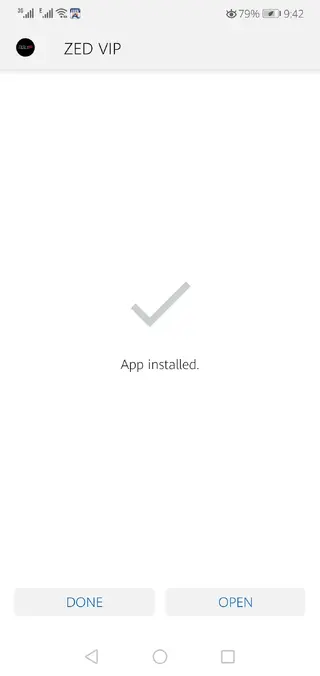
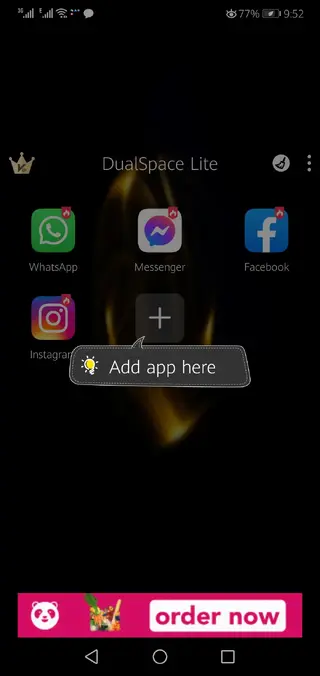
Getting started with Zed VIP
After installing Zed VIP, you start by opening the app and reviewing the basic permissions it asks for, such as storage access. Granting these allows the tool to manage cloned apps and related data inside its container.
Next, you add apps to the virtual space. Zed VIP typically displays a list of installed apps that can be cloned. Select the ones you want, wait for the cloning process to complete, and then launch the cloned versions directly from the Zed VIP interface.
Tips for better performance
Virtual space apps add an extra layer between the operating system and your cloned apps. To keep things smooth, try closing unused apps in the background and ensure you have enough free storage available before cloning large games.
If you notice slowdowns, reduce the number of cloned apps running at the same time, and restart Zed VIP periodically. Keeping your device firmware updated and clearing old cache files can also help maintain more stable performance over time.
FAQs
Pros
- Creates a separate virtual space for cloned apps and games
- Does not require root access on the device
- Simple interface that is easy to understand for most users
- Supports older Android versions starting from 4.3
- Useful for managing multiple game or app accounts on one phone
- Free to download as an APK from our website
Cons
- Not available on the Google Play Store
- Third-party virtual space apps may raise stability or compatibility concerns
- Some modern games or apps may detect or restrict virtual space usage
- Performance depends on device hardware and available memory
Conclusion
Zed VIP is a lightweight Android virtual space app that focuses on cloning and isolating apps in a separate environment. It is aimed at users who want more flexibility in handling multiple game or app instances on one device without root access. You can download the current APK version directly from our website and try it on a compatible Android phone or tablet to see whether its virtual space features match your needs.




Comments
No approved comments yet.