

Zee5 Hipi
Zee5 Hipi is a short video platform from ZEE that lives inside the official ZEE5 ecosystem. It focuses on quick, vertical clips created by everyday users and popular influencers.
Therefore zee5 is an entertainment application, that offers to add the latest features known as Hipi Apk just like the Tooter App or GoLike. It is the best tool to make short videos. Tons of features are similar to TikTok, but there are lots of different and new features.
With Zee5 Hipi you can record, edit and share creative videos using filters, effects and music, all from your Android phone. You can download the official Zee5 Hipi APK directly from our website and start exploring trending content in minutes.
Rate this app
App details
- App name
- Zee5 Hipi
- Category
- Social
- Version
- v2.0.1
- Size
- 103.35 MB
- Requirements
- 5.0 and Above
- Package name
- com.zee5.hipi
- Publisher
- Z5X Global FZ LLC
- Price
- Free
- Mod
- No
- Downloads
- 73,000
- Rating
- 4.3 / 5
- Rating count
- 23,000
- Play Store
- No
- Requires root
- No
- Offline support
- No
- Contains ads
- Yes
- In-app purchases
- Yes
- Updated
- May 9, 2026
- Age rating
- Rated for 3+
Table of contents
What is Zee5 Hipi for Android
Zee5 Hipi is a short-form video experience offered by Z5X Global FZ LLC as part of the wider ZEE5 entertainment platform. It gives users a dedicated space to create and watch vertical clips similar to other micro-video apps, but closely integrated with ZEE5 shows, music and celebrities.
Inside Hipi you can shoot videos directly from the camera, apply filters, AR effects and stickers, add background music, and publish your clips on your profile. Viewers can scroll through a personalized feed of short videos, like and comment on posts, and follow their favorite creators.
The service targets users who want an Indian-focused short video community with local languages, regional trends and content tied to ZEE TV and ZEE5 properties. Access to premium ZEE5 content requires a subscription, but installing and using the Hipi section itself does not require a separate fee.
Why download the Zee5 Hipi APK
Installing the Zee5 Hipi APK on your Android device lets you jump into a short-video community that is tightly connected to ZEE5. You can explore clips inspired by popular TV shows, music videos and movies, and also build your own audience.
The APK available on our website makes it easy to get the app on compatible Android phones, even if you prefer manual installation. Once installed, you can sign in with your ZEE5 account, start recording short clips, join challenges and follow trending creators from across India.
How Zee5 Hipi is useful
Zee5 Hipi is useful for both viewers and creators who enjoy quick, snackable videos. For viewers, the personalized feed helps discover new clips based on your interactions, language preferences and followed accounts. You can quickly browse entertainment, comedy, dance, lip-sync, beauty, lifestyle and many other categories.
For creators, Hipi offers built-in editing tools that remove the need for separate video editing apps. You can trim clips, adjust speed, use filters, apply effects and add licensed audio, helping you publish polished content faster. Integration with ZEE5 also increases chances of visibility around big shows and events, which can help you grow your following.
How to download and install Zee5 Hipi APK
You can download the official Zee5 Hipi APK file directly from our website and install it manually on your Android device. Follow these simple steps:
Scroll to the download area on this page and tap the Zee5 Hipi APK download button.
Confirm the download in your browser and wait until the APK file is saved on your device.
Open your phone settings, go to security or privacy, and allow installation from unknown apps for your browser if needed.
Locate the downloaded APK in your downloads folder and tap it to start the installation process.
Follow the on screen instructions to complete installation, then open Zee5 Hipi and sign in or create an account.
After installation you can access Hipi, start watching trending short videos and use the camera and editor to create your own clips.
Features
Short video sharing platform
Create and publish vertical short videos and share them with a public or private audience inside the Hipi community.
Built in video editor
Record, trim and enhance videos directly in the app using editing controls without needing external editing tools.
Filters, effects and stickers
Apply visual filters, AR effects, stickers and more to make videos more engaging and visually appealing.
Music and sound library
Add background tracks and sounds from a catalog so you can sync dance, lip sync or reaction videos to audio.
Personalized content feed
Scroll through an endless feed of recommended short videos based on your interests and viewing behaviour.
Creator profiles and following
Create a profile, follow other creators, and build your own follower base within the Hipi ecosystem.
Engagement tools
Like, comment and share videos to interact with creators and participate in the wider Hipi community.
ZEE5 ecosystem integration
Access Hipi from within the broader ZEE5 experience, benefiting from synergies with ZEE shows and music.
Screenshots
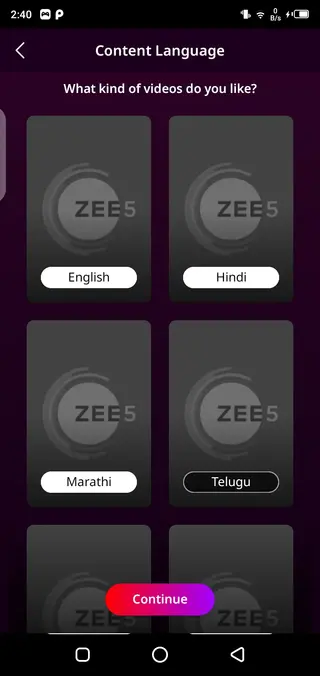
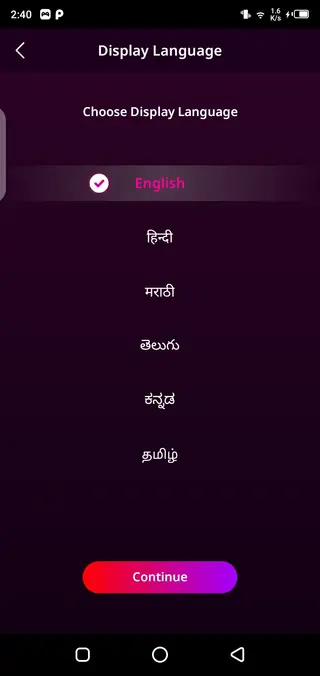

Account setup and getting started
After installing Zee5 Hipi, you can sign in with your existing ZEE5 account or create a new one using your email address or mobile number. Setting up a profile lets you upload a profile picture, add a bio and choose your preferred languages.
Once your account is ready, you can start exploring the home feed, follow creators you like and save videos to watch again. The app gradually learns from your activity and refines the recommendations to match your interests.
Creating and publishing your first video
To create a video, open the camera inside Hipi and choose between different recording modes. You can record multiple clips, control playback speed, use timers and align tools to make transitions smoother.
After recording, apply filters, stickers and effects, then add music from the sound library. When you are satisfied with the result, add a caption, choose visibility options, select hashtags and publish. Your video will appear on your profile and can reach viewers through the main feed and discovery sections.
Privacy and safety options
Zee5 Hipi provides standard social app controls to manage your privacy. You can adjust who can interact with your content, control comments, report inappropriate videos and block users if necessary.
It is recommended to regularly review your privacy settings, especially if younger users access the app, and share personal information carefully in your public profile and videos.
FAQs
Pros
- Integrated with the wider ZEE5 entertainment ecosystem
- Built in video editor with filters, effects and stickers
- Good for quick short form content consumption
- Helps creators reach an Indian focused audience
- Free to download and use with optional premium ZEE5 subscription
Cons
- Requires stable internet connection for smooth playback
- Some features and content may sit behind ZEE5 subscription
- Contains in app promotions and ads in certain areas
- Availability and features can vary by region
Conclusion
Zee5 Hipi gives Android users an Indian focused short video experience built around the ZEE5 platform. With built in editing tools, filters and social features, it suits both casual viewers and creators who want to experiment with quick vertical clips and grow a local audience.




Comments
No approved comments yet.