

Almighty Volume Keys
Almighty Volume Keys is a smart key-mapping tool that lets you turn your phone’s volume buttons into powerful shortcuts. You can quickly trigger system toggles, apps, automation tasks, and more with custom press patterns.
Instead of using the volume keys only for audio control, this app allows you to assign actions to single, double, and long presses on both volume up and down. It gives you faster access to everyday tasks without unlocking menus or searching through settings.
You can download the official Almighty Volume Keys APK directly from our website and start customizing your hardware keys within minutes on your Android phone or tablet.
Rate this app
App details
- App name
- Almighty Volume Keys
- Category
- Tools
- Version
- v4.1.2
- Size
- 9.06 MB
- Requirements
- 8.0 and Above
- Package name
- com.masel.almightyvolumekeys
- Publisher
- Martin Sellergren
- Price
- Free
- Mod
- No
- Downloads
- 63,254
- Rating
- 4.1 / 5
- Rating count
- 18,563
- Play Store
- Yes
- Requires root
- No
- Offline support
- Yes
- Contains ads
- No
- In-app purchases
- Yes
- Updated
- May 12, 2026
- Age rating
- Rated for 3+
Table of contents
What is Almighty Volume Keys App?
Almighty Volume Keys is an Android customization tool that remaps the hardware volume buttons on your device. Instead of limiting the keys to increasing or decreasing sound, the app lets you assign different actions to various press patterns.
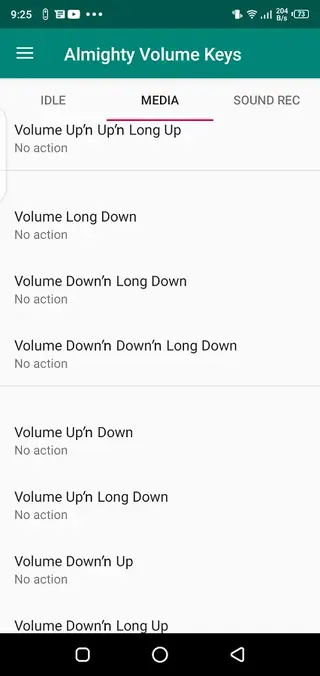
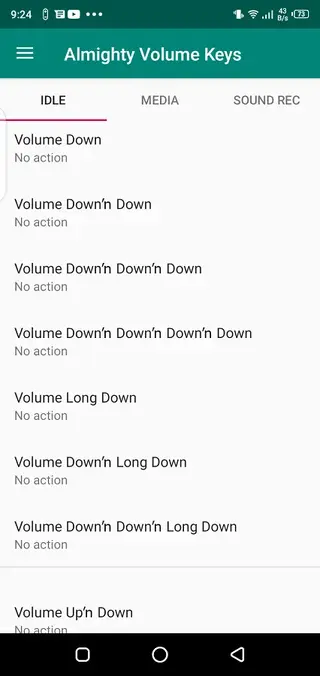
You can configure single press, double press, and long press events separately for both the volume up and volume down keys. Each event can trigger a wide range of actions such as toggling features, launching apps, controlling media, or running automation tasks.
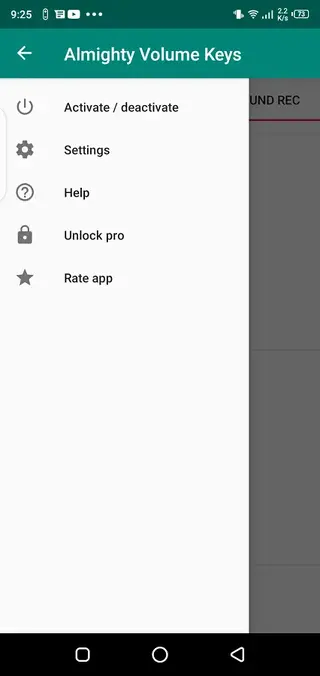
The app focuses on simplicity and control. You get a clean interface where you pick the key, choose the press type, and then assign the action you want. Once configured, the actions run directly from your volume keys, even when you are inside other apps.
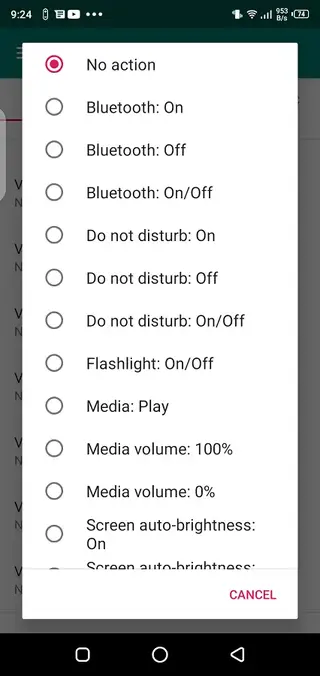
Typical actions you can assign include:
Bluetooth on or off
Do Not Disturb on or off
Flashlight toggle
Media play or pause
Adjust media volume
Screen rotation control
Screen brightness control
Start sound recording
Speak the current time aloud
And many other useful shortcuts
The app runs on modern Android phones and tablets and is designed to work without root access, so most users can set it up quickly.
If you want to get more similar tools, through which you can customize your Android device, then we got some options for you. You guys can try Dafont and Among Us Lockscreen, which are quite popular apps, that also offer quite similar services.
Why Download Almighty Volume Keys APK from Our Site?
Downloading Almighty Volume Keys APK from our website lets you get the official installation file quickly and conveniently. You can keep a copy of the app, install it on multiple devices, or reinstall it whenever needed without relying only on store access.
Our download page provides the version information, Android requirements, and basic details you need before installing. Once you save the APK to your device, you can install it manually and start configuring your volume buttons right away.
Because the file is directly available on our website, you do not have to search around different sources. You simply visit this page, download the APK, install it, and begin using the available key-mapping features.
How Almighty Volume Keys Is Useful
Almighty Volume Keys is useful for anyone who wants faster control over their phone and more efficient daily usage. By turning simple hardware keys into shortcuts, it reduces the time you spend digging through menus and quick settings.
Power users can assign different actions to multiple press patterns and build a small control hub around the volume keys. For example, you can toggle Bluetooth before driving, launch the flashlight in the dark, or start a voice recording instantly, all with key presses.
It also helps with one-handed use. When your other hand is busy, it is easier to press a side key than to reach the notification shade or open settings. Over time, these shortcuts can save effort and make your Android device feel more responsive to how you actually use it.
How to Download and Install Almighty Volume Keys APK
You can download the Almighty Volume Keys APK file directly from our website and install it on your Android device in a few simple steps.
Follow these steps to get started:
Scroll to the download section on this page.
Tap the download button for the Almighty Volume Keys APK file.
Wait until the APK file finishes downloading to your device.
Open your device settings and enable installation from unknown or external sources if it is not already allowed.
Locate the downloaded APK in your downloads folder and tap it.
Confirm the installation prompts and wait for the process to complete.
Open Almighty Volume Keys, grant the requested permissions, and begin configuring your volume key actions.
After installation, you can return to this page whenever you need to download the APK again or update to a newer version when it becomes available.
Features
Volume key remapping
Assign custom actions to your hardware volume up and volume down buttons instead of using them only for audio control.
Multiple press patterns
Configure single press, double press, and long press for each volume key, giving you several shortcuts from just two buttons.
Quick system toggles
Toggle Bluetooth, Do Not Disturb, flashlight, rotation, and other system settings directly through key presses.
Media control options
Control media playback and media volume with mapped actions such as play, pause, or adjust volume precisely.
Screen and brightness control
Change screen rotation or adjust brightness without opening quick settings or separate apps.
Sound recording shortcut
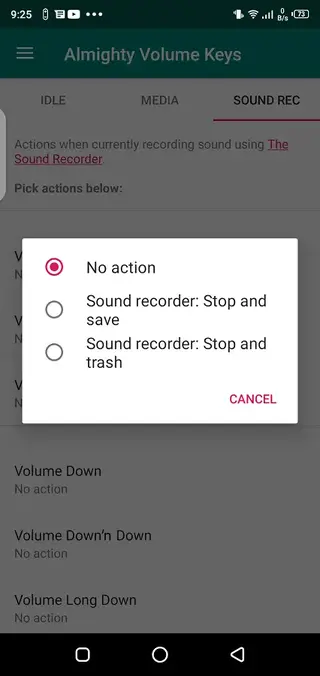
Start a sound recorder quickly with a chosen key pattern so you can capture audio on the spot.
Time announcement
Set an action that speaks the current time aloud, useful when you cannot look at your screen.
Customizable behavior
Choose exactly which actions run on each key event and adjust them at any time from a simple interface.
Screenshots
Compatibility and Requirements
Almighty Volume Keys is built for modern Android phones and tablets. The APK information indicates that it targets at least Android 6.0 and above, and it works more reliably on newer versions. Some advanced actions may depend on specific Android APIs or permissions, so behavior can differ slightly between devices.
To function correctly, the app may ask for permissions such as accessibility access or notification access, depending on which actions you enable. Granting only the permissions you actually need is a good way to balance functionality and privacy.
Tips for Setting Up Key Actions
When you first configure Almighty Volume Keys, it helps to start with a small number of actions and build up gradually. Assign the most important shortcuts to the easiest press patterns, such as a single long press on volume down for the flashlight or a double press on volume up for media play or pause.
Avoid assigning many complex actions that you are unlikely to remember. Instead, focus on tasks you perform several times a day. If something feels inconvenient or you trigger it by accident, you can return to the app and adjust the key mapping until it matches your habits comfortably.
Privacy and Permission Considerations
Because Almighty Volume Keys controls system functions and interacts with other apps, it may request permissions related to accessibility, system settings, or media control. These permissions allow it to perform actions when you press the volume keys.
Before enabling any permission, review what it does and decide whether you are comfortable granting it. You can usually disable permissions later in Android settings or turn off specific actions inside the app if you no longer need them.
FAQs
Pros
- Does not require root access for key remapping
- Supports multiple press patterns for each volume key
- Provides quick access to common system toggles
- Offers media control, brightness, and rotation shortcuts
- Lightweight tool focused on a single clear purpose
Cons
- Requires modern Android versions for best compatibility
- May conflict with default volume behavior if misconfigured
- Needs accessibility and related permissions to work properly
- Limited only to functions supported by your device and Android version
Conclusion
Almighty Volume Keys is a focused Android customization tool that turns your volume buttons into practical shortcuts for everyday actions. If you want faster access to key functions and prefer using hardware keys for control, downloading the APK from our website gives you an easy way to set it up and start tailoring your device to your routine.




Comments
No approved comments yet.