

Andwobble
Andwobble is a lightweight photo effects app that lets you turn any still picture into a fun, wobbly 3D-style animation with a few simple touches. You mark the wobble area, shake or tilt your device, and watch the image come to life.
This entertainment app focuses on one thing and does it well: adding realistic jiggle effects to photos and wallpapers without complex editing tools. It is easy enough for beginners yet entertaining for anyone who enjoys playful visual effects.
You can download the official Andwobble APK directly from our website, install it on your Android phone or tablet, and start creating eye-catching animated images in minutes.
Rate this app
App details
- App name
- Andwobble
- Category
- Entertainment
- Version
- v2.8.18
- Size
- 5.15 MB
- Requirements
- 4.0 and Up
- Package name
- com.geteit.andwobble
- Publisher
- kinzby
- Price
- Free
- Mod
- No
- Downloads
- 54,001
- Rating
- 4.8 / 5
- Rating count
- 26,000
- Play Store
- No
- Requires root
- No
- Offline support
- Yes
- Contains ads
- Yes
- In-app purchases
- Yes
- Updated
- May 29, 2026
- Age rating
- Rated for 3+
Table of contents
What is Andwobble App
Andwobble is an Android entertainment and photo editing app that adds interactive wobble or jiggle effects to any picture. Instead of using heavy editors or complex timelines, you simply choose a photo, mark the area that should move, and adjust how strong and flexible the movement feels.
People love to try new and unique editing methods to store their memories. So, if you are frustrated with trying similar methods of editing, then don’t worry about it. We are here with a new and unique new method for you. Also, MotionLeap and InstaMark are two other good options to make your images more attractive.
The app then reacts to your device movement and touch, making the selected area bounce when you shake, tilt, or tap the screen. This creates a simple 3D-like effect that makes static images feel more alive.
Andwobble is designed as a casual, fun tool. It does not try to replace full-featured editors. Instead, it focuses on quick, playful edits that you can turn into animated wallpapers, shareable images, or just use for your own amusement.
Why Download Andwobble APK from Our Site
Downloading the Andwobble APK from our website lets you install the current Android version even though it is no longer listed on Google Play for many users. You get direct access to the installer file without needing any extra stores or accounts.
The APK available on our site matches the details shown on this page, including the app name, package name, and version. Once installed, you can immediately start adding wobble effects, customizing intensity, and experimenting with different photos and wallpapers.
If you enjoy lightweight, focused tools that do one thing well, Andwobble is a good option to keep on your device for quick, entertaining edits.
How Andwobble Can Be Useful
Andwobble is mainly a fun app, but it can still be quite useful if you like creative visuals. You can quickly turn ordinary pictures into eye-catching animated images that stand out in chats or social feeds. Because the workflow is so simple, you can experiment without any editing experience.
It can also help you create more engaging wallpapers. By applying wobble to a specific part of a picture, your home screen feels more dynamic whenever you move your phone. For casual creators, meme makers, or anyone who likes playful content, it offers a fast way to add personality to images.
The app includes optional ways to remove ads or unlock extras using Google Play balance in versions that support it, which can be handy if you already collect credits from other apps or promotions.
How to Download and Install Andwobble APK
You can get the Andwobble APK directly from our website and install it manually on your Android device. Follow these steps to complete the process smoothly.
Scroll to the download section on this page and tap the Andwobble APK download button.
Wait for the APK file to finish downloading to your device.
Open your phone settings and enable installation from unknown or external sources if it is not already allowed.
Locate the downloaded APK file in your notifications panel or file manager and tap it.
Review the permissions shown on the installer screen and confirm to start installation.
Once installation completes, tap Open or find Andwobble in your app drawer to start using it.
After the first install, you can use Andwobble like any other app on your phone without repeating these steps, unless you update it with a newer APK from our site.
Features
Simple wobble tool
Select an area on your photo and turn it into a wobbling region with just a few taps.
3D-like motion effect
Simulates depth by making marked areas move in response to touch, shake or tilt.
Customizable intensity
Adjust wobble size, strength and flexibility to get subtle or exaggerated motion.
Photo and wallpaper support
Apply effects to regular images or use them as animated-style wallpapers on your device.
Lightweight and fast
Small app that runs smoothly on older Android devices with minimal resources.
Offline editing
Most editing functions work without an active internet connection after installation.
Ads with optional removal
Shows ads but offers options to reduce or remove them, often through purchases or credits.
Free to download
Core app features are available for free so you can start experimenting immediately.
Screenshots
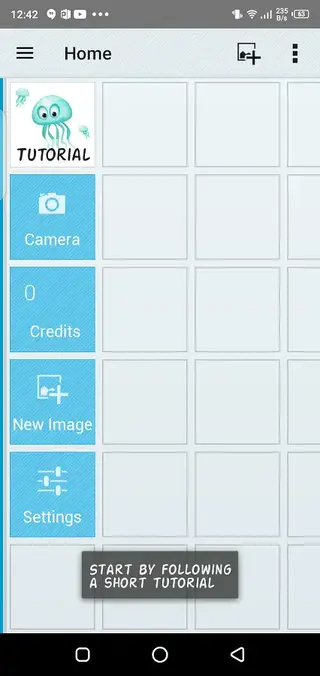
Getting Started With Your First Wobble
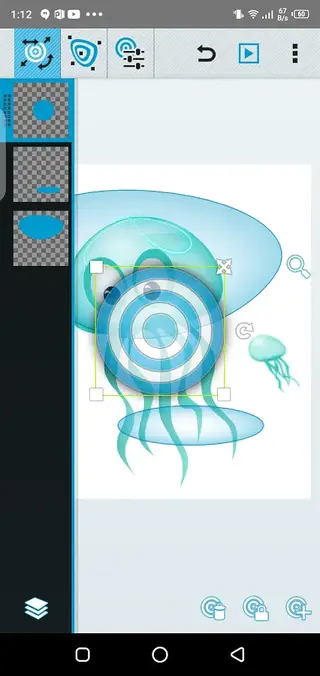
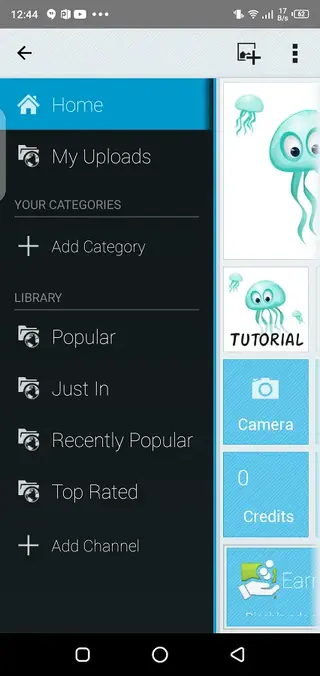
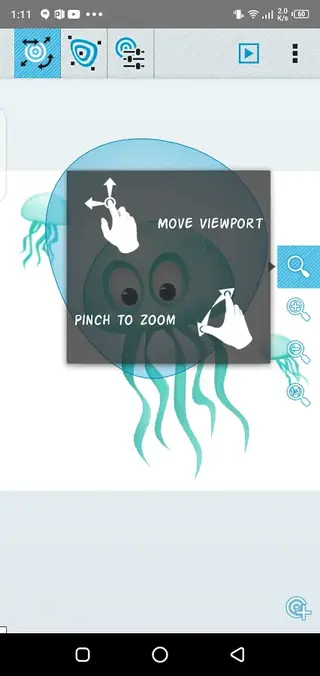
After installing Andwobble, creating your first wobbling image takes only a few steps. Open the app and pick a photo from your gallery. Use your finger to outline or tap the area you want to move, such as an object, face or any focal point in the image.
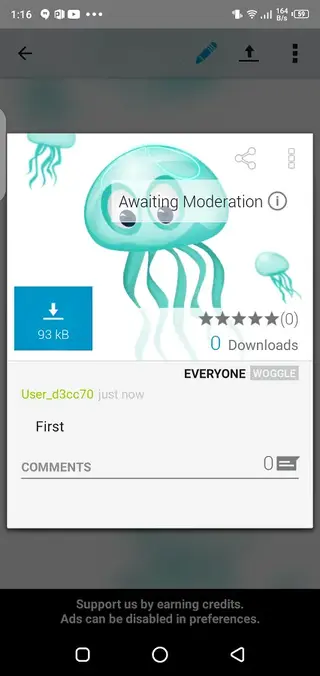
Next, adjust the size and strength of the wobble using the available sliders or controls. When you are ready, shake or tilt your phone to preview the effect. If it looks too strong or too weak, fine-tune the settings until you are satisfied, then save or set the result as a wallpaper where supported.
Tips for Better Wobble Effects
To get more natural-looking motion, avoid marking extremely large areas that cover most of the picture. Instead, focus on smaller elements, like a character, object or foreground detail. This creates a clearer contrast between the moving part and the still background.
Try different photos with strong subjects and simple backgrounds for the best results. Experiment gradually with intensity and stiffness rather than setting everything to maximum. A slightly subtle wobble often feels more realistic and entertaining over time.
FAQs
Pros
- Very easy to use even for beginners
- Creates fun wobble and jiggle effects in seconds
- Lightweight app that works on older Android versions
- Most features work fully offline after installation
- Free to download with optional extras
- Good for quick, playful edits and memes
Cons
- Removed from Google Play in many regions
- Contains advertisements during use
- Limited to a narrow set of effects compared to full editors
- Interface and design feel dated on modern devices
- No advanced layer or timeline editing
Conclusion
Andwobble is a small, focused entertainment app that turns static images into playful wobbling pictures with minimal effort. If you want a fast way to add fun motion effects to photos and wallpapers, you can download the Andwobble APK directly from our website and start experimenting on your Android device in minutes.




Comments
No approved comments yet.