

Anime Revival
Anime Revival is a dedicated Tagalog anime streaming app for Android that focuses on Filipino-dubbed shows, movies, and cartoons. It gathers a large library of popular Japanese animation in one simple mobile interface.
The app organizes content into categories like series, movies, and cartoons so you can quickly jump into long-running shows or short episodes. Many titles are available with Tagalog dubbing, making them easier to follow for Filipino viewers.
You can download the Anime Revival APK directly from our website and install it on supported Android phones and tablets to start watching anime in just a few minutes.
We have more similar apps available here. So, if you are willing to get more similar apps on your Android device, then try Anime Plus and Ukiku. These are quite popular available apps, which also offer some services for the users.
Rate this app
App details
- App name
- Anime Revival
- Category
- Entertainment
- Version
- v2.0
- Size
- 3.16 MB
- Requirements
- 4.4 and Above
- Package name
- com.tagalog.animerevival
- Publisher
- PINOY
- Price
- Free
- Mod
- No
- Downloads
- 663,620
- Rating
- 4.4 / 5
- Rating count
- 3,926
- Play Store
- No
- Requires root
- No
- Offline support
- No
- Contains ads
- No
- In-app purchases
- No
- Updated
- May 18, 2026
- Age rating
- Rated for 3+
Table of contents
What is Anime Revival APK
Anime Revival is an Android entertainment app that focuses on streaming Japanese animation with Tagalog audio. It brings together anime series, full-length movies, and short cartoon episodes so fans can watch everything from long-running shonen shows to family-friendly titles in one place.
The app removes the usual language barrier that comes with Japanese-only audio by providing a lot of content dubbed in Tagalog. This helps viewers in the Philippines and other Tagalog speakers enjoy stories, characters, and action without relying only on subtitles.
Anime Revival works as a free streaming platform. You can open the app, browse by category, and start playing episodes without creating an account. A built-in media player handles playback, while sections like Series, Movies, and Cartoons make it easier to jump straight into the type of content you want.
Why download Anime Revival for Android
Anime Revival targets viewers who want a simple way to watch anime in Tagalog on mobile. Many popular anime platforms either charge subscription fees or focus on English and Japanese content. This app provides an alternative route for Tagalog speakers who prefer dubbed audio.
By downloading the APK from our website, you get direct access to anime episodes, films, and shorts arranged inside a lightweight app. You do not need to sign in, remember passwords, or manage complicated profiles. Open the app, choose a category, and start streaming.
For fans of series like Naruto, Dragon Ball, and other mainstream titles, the app aims to offer easy access to episodes along with additional information about shows. If you value straightforward navigation and regional language support, Anime Revival can be a practical option to keep on your device.
How Anime Revival is useful for anime fans
Anime Revival is particularly useful for Filipino anime fans who prefer content in Tagalog instead of reading subtitles. Tagalog dubbing helps younger viewers, casual watchers, and families follow the storyline more comfortably.
The app separates anime into clear sections for series, movies, and cartoons. This structure makes it easier to decide what to watch depending on your free time. You can jump into long series when you have time for binge-watching or choose short cartoon episodes for quick breaks.
Because sign-in is not required, Anime Revival suits people who want instant access to shows without going through registration. Filter-based search options and categorization also help users quickly find specific titles, genres, or popular stories like titan-themed anime or classic boy-and-beast fiction.
How to download and install Anime Revival APK
You can get the official Anime Revival APK file directly from our website and install it manually on your Android phone or tablet. Follow these steps to complete the process safely and correctly.
Scroll to the download area on this page and tap the Anime Revival APK download button.
Wait for your browser to finish downloading the APK file to your device.
Open your phone's Settings, then go to Security or Privacy and enable the option to allow installation from unknown sources if it is not already turned on.
Open your file manager or downloads app and tap the Anime Revival APK file you just downloaded.
Confirm the installation prompt and wait until Android finishes installing the app.
Once installed, open Anime Revival from your app drawer, browse the categories, and start streaming anime.
If you ever download a newer version from our website, you can usually install it over the existing one to update the app while keeping your data.
Features
Tagalog dubbed anime focus
A large portion of the available anime content is dubbed in Tagalog, making it easier for Filipino viewers to follow stories without relying only on subtitles.
Separate sections for series, movies, and cartoons
Content is organized into clear categories so users can switch between long-running series, full-length films, and short cartoon episodes.
Free access without sign-up
The app allows users to start streaming right away without creating an account or going through a registration process.
Built-in media player
An integrated player lets you stream episodes and movies directly inside the app without requiring an external video player.
Filter-based search system
Filter options help narrow down the anime list based on user preferences, making it quicker to find specific shows or types of content.
Support for popular anime titles
The library aims to include well-known series and movies, including major franchises and fan-favorite stories.
User-friendly interface
The layout is kept simple and easy to navigate, which helps new users quickly understand how to browse and watch content.
Streaming from different locations
As long as your device has an active internet connection, you can open the app and stream anime from various regions.
Screenshots
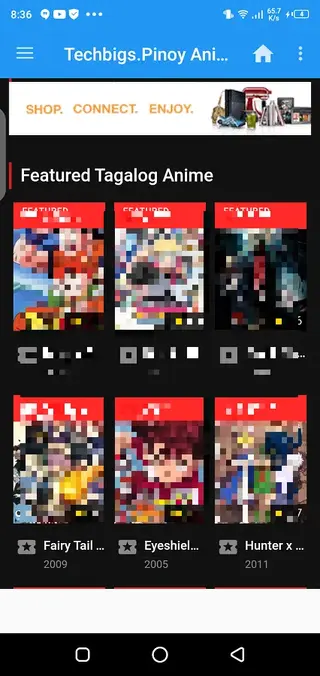
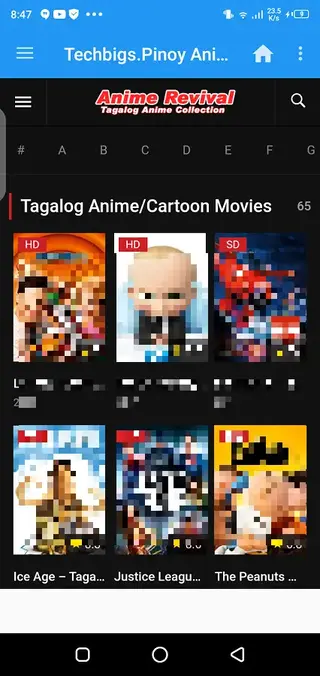
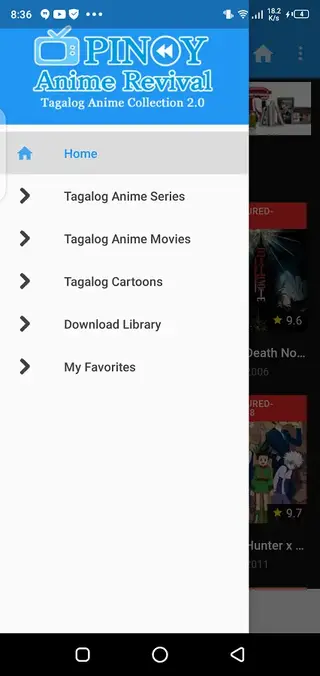
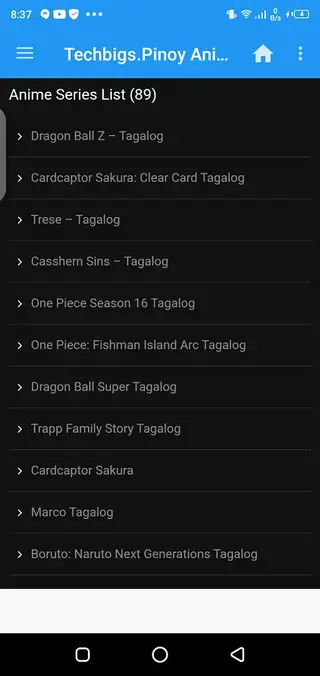

Content categories inside Anime Revival
Anime Revival splits its library into several main categories so users can quickly find what they want to watch. Each section highlights a different viewing style and episode length.
The Series section focuses on episodic anime. Here you can follow long story arcs, seasonal releases, and multi-episode sagas. The app aims to provide complete runs or ongoing episodes where available, allowing viewers to keep up with their favorite shows.
The Movies section is built around full-length animated films. It can include Japanese anime films as well as selected animated titles inspired by other regions. This section is suited for users who prefer feature-length stories instead of short episodes.
The Cartoons section gathers shorter content and lighter shows. These are useful when you only have a few minutes and want quick entertainment. It is also a good place for younger viewers and families who want less intense material.
Playback experience and performance
Anime Revival integrates its own media player so users do not have to switch to external apps for video playback. The built-in player typically offers basic controls like play, pause, seek, and full-screen view. This keeps the viewing experience consistent across different titles.
The app is designed to stream content using active servers that attempt to work even on slower connections. Actual performance depends heavily on your network speed, mobile data quality, and device capabilities. For smoother playback, a stable Wi-Fi or reliable mobile data connection is recommended.
Device compatibility and requirements
According to the available details, Anime Revival requires Android 4.4 or later. This covers a wide range of phones and tablets, including many older devices that still run supported versions of Android.
The APK size is relatively small compared to many modern streaming apps, which helps with storage-limited devices. However, you also need enough free space for app data and caching while streaming episodes and movies.
FAQs
Pros
- Focused on Tagalog dubbed anime content for Filipino viewers
- Free to download and use without mandatory registration
- Simple interface with separate sections for series, movies, and cartoons
- Built-in video player for direct streaming inside the app
- Filter-based search makes it easier to find specific anime titles
Cons
- Requires a stable internet connection for streaming
- Not available on the official Google Play Store
- Content library and availability can change over time
- Supports Tagalog language only, which limits language options for some users
Conclusion
Anime Revival is a focused anime streaming app for Android users who want Tagalog dubbed content in a simple, free package. If you enjoy Japanese animation and prefer watching in Tagalog on your phone or tablet, you can download the Anime Revival APK directly from our website and start exploring its library of series, movies, and cartoons.




Comments
No approved comments yet.