

AnyFace
AnyFace is a fun photo animation app that turns simple portraits into talking, moving clips. You can quickly bring any static face to life with expressions and voice.
The app combines basic photo editing with ready-made animation presets, so even beginners can create short, shareable videos in a few taps.
You can download the official AnyFace APK directly from our website and install it on compatible Android phones and tablets.
Rate this app
App details
- App name
- AnyFace
- Category
- Entertainment
- Version
- v1.0.22
- Size
- 201.07 MB
- Requirements
- 7.0 and Up
- Package name
- com.friendzy.Pereface
- Publisher
- Friendzy Limited
- Price
- Free
- Mod
- No
- Downloads
- 63,917
- Rating
- 4.7 / 5
- Rating count
- 28,515
- Play Store
- Yes
- Requires root
- No
- Offline support
- Yes
- Contains ads
- Yes
- In-app purchases
- Yes
- Updated
- May 11, 2026
- Age rating
- Rated for 3+
Table of contents
What is AnyFace APK
AnyFace is an entertainment-focused photo editor for Android that transforms still images into animated, talking portraits. You load a selfie or any clear face photo, apply built-in animation templates, and the app automatically adds facial movements and expressions.
The editor lets you fine-tune different facial parts such as eyes, mouth, eyebrows and more. You can record your own audio or use other sounds, then sync them with the animated face to create short, fun clips for social media.
There are more amazing features available for the users, which you can explore in this app. So, if you are willing to use this app, then download Any Face Apk on your Android and start exploring all the amazing features and services. If you want a powerful editor, then try Enlight Quickshot Pro.
AnyFace runs on Android 7.0 and up, supports both phones and tablets, and includes a mix of free tools and premium options that you can unlock through in-app purchases.
Why download AnyFace for Android
AnyFace gives you a simple way to stand out on social media without learning complex editing tools. Instead of posting static selfies, you can turn them into short animated reactions, greetings, or jokes that feel more personal and engaging.
The app includes ready-made face animation presets, filters, and effects, so you only need a clear photo to start. You can save the output to your device and share it on your favorite platforms directly from the app.
By downloading the AnyFace APK from our website, you get the installation file in one place and can keep it for quick reinstallation whenever you need it.
How AnyFace is useful
AnyFace is useful for anyone who wants fast, playful content without advanced editing skills. Creators can turn a simple portrait into a reaction meme, a birthday message, or a short story just by combining facial animations with custom audio.
Because the app focuses on faces, it is especially handy for profile content, avatars, and video intros. The filters and effects help polish the final result, so your clips look more refined before you publish or share them.
Casual users can use AnyFace to entertain friends, while influencers and small brands can use it to add personality to their posts and stories in a few minutes.
How to download and install AnyFace APK
You can get the AnyFace APK file directly from our website and install it manually on your Android device. Make sure your device runs Android 7.0 or higher before you start.
Follow these steps to download and install:
Scroll to the download section on this page and tap the AnyFace APK download button.
Wait until the APK file finishes downloading to your Android phone or tablet.
Open your device settings and allow installation from unknown apps for your browser or file manager if needed.
Locate the downloaded APK in your downloads folder and tap it to start installation.
Confirm the prompts on screen and wait for the installation to complete.
Launch AnyFace from your app drawer, grant the requested permissions, and start animating your photos.
After installation, you can keep the APK file from our website as a backup in case you want to reinstall it later.
Features
Face animation from still photos
Turn static selfies or portrait photos into moving, talking faces with simple animation presets.
Editable facial parts
Adjust or animate individual facial elements such as eyes, mouth, eyebrows and more for better expressions.
Custom audio recording
Record your own voice or sounds directly in the app and sync them with the animated face.
Photo filters and effects
Apply a wide range of filters and visual effects to enhance colors, contrast and overall look.
Built in social sharing
Export your creations and share them to social platforms and messaging apps right from the app.
User friendly interface
Use a clean, guided layout that helps beginners create animations in only a few steps.
In app purchases for extra content
Unlock additional templates, effects or premium options through optional in app purchases.
Offline editing support
Animate and edit photos without a constant internet connection once the app and assets are installed.
Screenshots
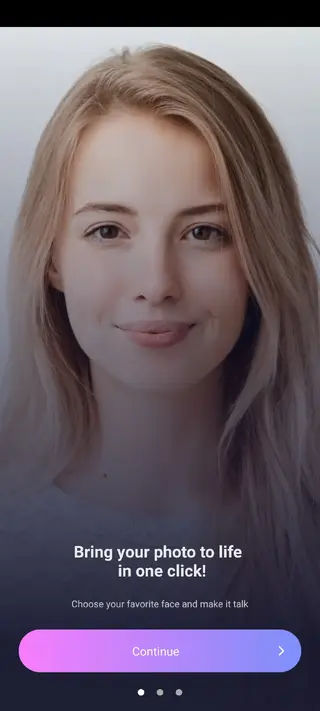

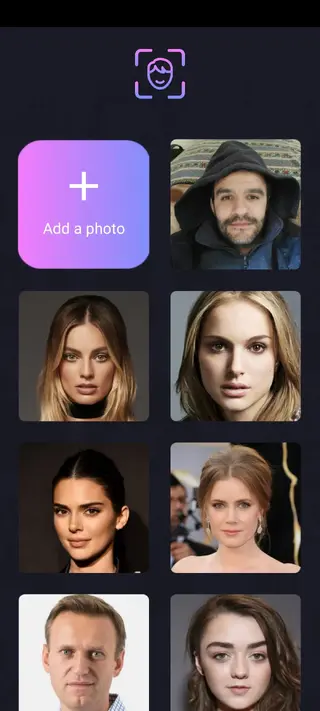
Getting started with your first animation
After installing AnyFace, start by selecting a clear, front facing photo from your gallery or by taking a new picture. The app will detect the face and suggest suitable animation templates.
Choose an animation style, then adjust the position of eyes and mouth markers if needed so movements look natural. Next, record or add audio and preview the result. When you are satisfied, export the clip and save it to your device or share it on social networks.
Tips for better results
To get smoother animations, use high quality photos with good lighting and a clearly visible face. Avoid heavy shadows, extreme angles, or faces that are too small in the frame.
Experiment with different filters and effects after you apply the animation. In many cases, a subtle color filter and a small contrast boost can make the animated portrait look more polished and ready for sharing.
FAQs
Pros
- Simple way to turn photos into animated, talking faces
- Beginner friendly interface with guided tools and presets
- Includes a variety of filters, effects and face elements
- Built in audio recording for personalized clips
- Works offline for most editing and animation tasks
Cons
- Some features and templates require in app purchases
- Contains ads in the free version
- Larger app size than many basic photo editors
- Requires a clear, front facing photo for best results
Conclusion
AnyFace offers an accessible way to bring portraits to life with expressive animations and custom audio. If you enjoy creating fun, shareable content, downloading the AnyFace APK from our website gives you everything you need to start experimenting on your Android device.




Comments
No approved comments yet.