

ADV Player
ADV Player is a lightweight IPTV and video player for Android that lets you open online streams using portal and MAC addresses. It focuses on simple controls and smooth playback instead of heavy extras.
With this app you can load your own IPTV portals, movie servers, or playlist sources and watch channels or videos directly on your phone or tablet. It acts as a flexible player for many types of online media libraries.
You can download the official ADV Player APK directly from our website and install the latest available version on any compatible Android device running Android 5.0 or higher.
On the internet, you can find different types of files and information. There are multiple platforms available for users, which offer entertainment services. Free TV Android apps such as Lynx IPTV and Pinguim TV are quite popular. Hence, try the available unique editions and have fun.
Rate this app
App details
- App name
- ADV Player
- Category
- Entertainment
- Version
- v1.1.0.12
- Size
- 23.28 MB
- Requirements
- 5.0 and Above
- Package name
- com.advanced.player
- Publisher
- GulsunApps
- Price
- Free
- Mod
- No
- Downloads
- 91,521
- Rating
- 4.1 / 5
- Rating count
- 8,712
- Play Store
- No
- Requires root
- No
- Offline support
- No
- Contains ads
- No
- In-app purchases
- No
- Updated
- May 13, 2026
- Age rating
- Rated for 3+
Table of contents
What is ADV Player on Android?
ADV Player is an Android video and IPTV player that lets you watch online TV channels, movies, and other media by connecting to external portals. Instead of shipping with built-in content, it works as a client that reads IPTV playlists and media libraries from URLs you provide.
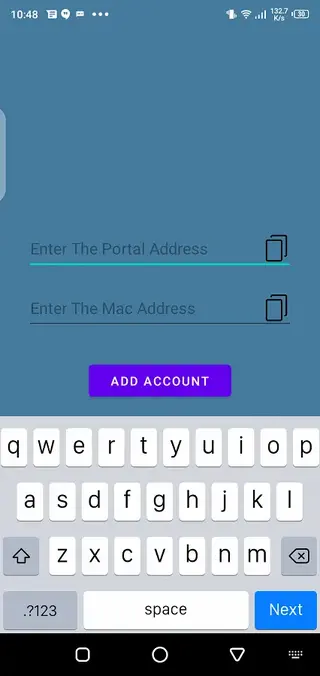
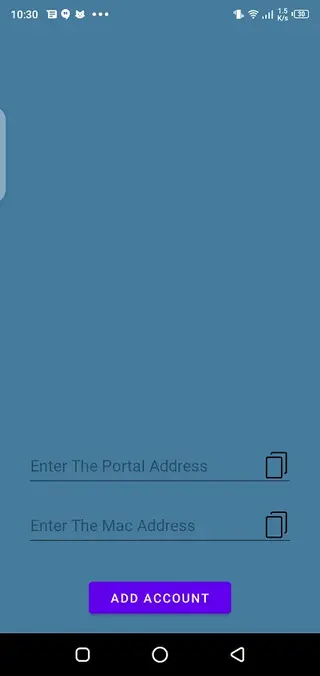
To start streaming, you usually add a portal address and a MAC address or similar credentials provided by your IPTV or content service. ADV Player then loads the channel list, VOD library, or other media tied to that source and plays it with its own built-in player.
The app is designed for people who already have access to IPTV or online media services and want a clean, responsive player on Android. It offers quick loading, simple navigation, and smart playback controls without unnecessary clutter.
Why download ADV Player APK from our site?
Downloading ADV Player APK from our website gives you quick access to the official Android installer without waiting on any other store. You can save the file to your device and install it manually whenever you want.
The app is free to use and focuses on IPTV-style streaming and online video playback. If you already use portal-based TV or movie services, ADV Player gives you an easy way to watch that content on your phone, tablet, or Android TV box.
Because it does not depend on a single built-in catalog, you can adapt it to different providers, custom playlists, or personal media servers. This makes it appealing for users who prefer flexible streaming setups over fixed, preloaded apps.
How ADV Player can be useful?
ADV Player is useful for anyone who wants more control over how they watch online media on Android. Instead of switching between different official apps for every service, you can point ADV Player at compatible portals and handle much of your viewing from one place.
Its portal and MAC-based login method also makes it suitable for set-top boxes and TV-style experiences. Once you configure your source, you can browse channels or libraries and use the on-screen controls to pause, seek, or switch content easily.
For users with limited device resources, the app’s relatively small footprint and streamlined interface can also help keep performance smooth during playback.
How to download and install ADV Player APK?
You can get the official ADV Player APK directly from our website and install it manually on your Android device. Follow these basic steps to start using the app.
Scroll to the download section on this page and tap the download button for ADV Player APK.
Wait until the APK file finishes downloading to your phone or tablet.
On your Android device, open Settings and enable installation from unknown apps for your browser or file manager if needed.
Open your Downloads folder or file manager and tap the ADV Player APK file.
Confirm the installation prompts and wait for the setup to complete.
Launch ADV Player from your app drawer, add your portal and MAC address, and start streaming content.
Once installed, you can update to newer versions later by downloading the latest APK from our website and installing it over the existing app.
Features
IPTV and online video playback
Play IPTV channels and online videos by connecting to compatible portals and media libraries.
Portal and MAC address support
Use portal URLs and MAC addresses or similar identifiers to load channel lists and on-demand catalogs.
Smart player controls
Control playback with simple, responsive actions such as play, pause, seek, and stream switching.
User friendly interface
Navigate channels, categories, and lists with a clean layout that is easy to understand for most users.
Fast content loading
The player aims to read and load media lists quickly so you can start watching with minimal waiting time.
IPTV and VOD compatibility
Use it with different IPTV portals and video on demand libraries, depending on the services you configure.
Free to use
Install and use the player without subscription fees or in-app purchases for the core playback features.
No built in content
Keep control of what you watch because the app does not ship with its own channels or media bundles.
Screenshots

Getting started with portals and MAC addresses
After installing ADV Player, the most important step is adding your content source. Many IPTV style services give you a portal URL and a MAC address or similar identifier. These details link your device to the provider’s channel list or video catalog.
Open ADV Player, go to the configuration or portal section, and enter the portal link and MAC address carefully. Once saved, the app should load your channels or media library and present them in a structured list for playback.
Playback experience and controls
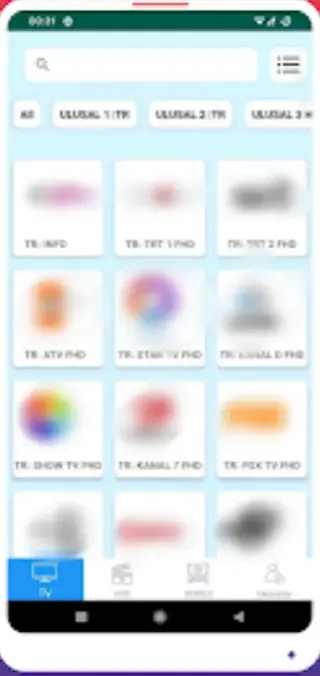
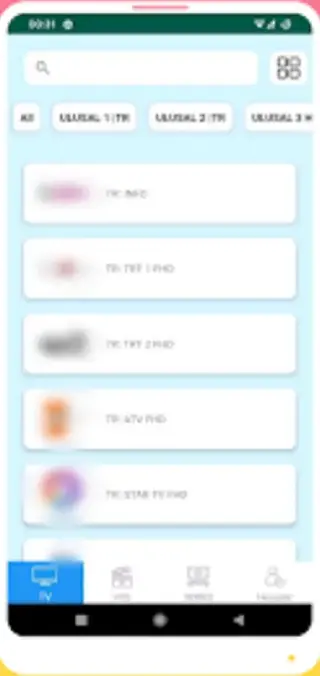
Once your channels or playlists load, you can browse categories, select a stream, and start playback. ADV Player focuses on responsive controls such as quick play and pause, timeline seeking where supported, and simple navigation between channels.
Depending on your device, you can use touch gestures, remote buttons, or navigation keys to move through the interface. This makes the app suitable not only for phones but also for tablets and compatible TV boxes.
Compatibility and system requirements
ADV Player is built for Android devices running Android 5.0 or higher. It generally works on smartphones, tablets, and many Android based TV boxes that allow APK installation.
For the best streaming experience, make sure you have a stable internet connection and enough free storage space for the app and its cache. Performance can also depend on your IPTV or media provider’s server quality.
FAQs
Pros
- Specialized IPTV and online video player for portal based streaming
- Supports portal and MAC address configuration for flexible content access
- Simple interface that is easy for most users to navigate
- Lightweight app that tends to work well on many Android devices
- Free to download and use without subscription fees for core features
Cons
- Does not provide its own channels or movies by default
- Requires users to find and configure their own IPTV or media sources
- Depends on an active internet connection for playback
- Some advanced settings may feel technical for beginners
Conclusion
ADV Player is a straightforward IPTV and video player for Android that connects to your own portals and media libraries. If you already use online TV or movie services that support portal and MAC access, downloading the ADV Player APK from our website gives you a simple way to watch that content on your phone, tablet, or TV box.




Comments
No approved comments yet.