

Game.tv
Game.tv is a mobile esports platform that helps you discover and join online tournaments for your favorite games on Android. Players, creators, and organizers use it to host events and compete in structured brackets.
With support for popular titles like PUBG Mobile, Free Fire, Mobile Legends, and more, the app brings guilds, custom lobbies, and prize tournaments into one place. You can follow communities, track schedules, and receive updates for upcoming matches in a few taps.
You can download the official Game.tv APK directly from our website and install it on compatible Android phones and tablets without needing any extra tools.
Rate this app
App details
- App name
- Game.tv
- Category
- Sports
- Version
- v3.0.0
- Size
- 111.2 MB
- Requirements
- 5.0 and Above
- Package name
- tv.game
- Publisher
- Game-tv
- Price
- Free
- Mod
- No
- Downloads
- 5,918,273
- Rating
- 4.1 / 5
- Rating count
- 655,981
- Play Store
- Yes
- Requires root
- No
- Offline support
- No
- Contains ads
- Yes
- In-app purchases
- Yes
- Updated
- May 9, 2026
- Age rating
- Rated for 3+
Table of contents
What is Game.tv APK?
Game.tv APK is the Android version of the Game.tv esports platform, designed to connect mobile gamers with tournaments, communities, and guilds around the world. It works as a central hub where you can discover events, register for matches, and follow your favorite games and creators.
The app supports a wide range of competitive mobile titles, including:
Garena Free Fire
Mobile Legends: Bang Bang
Call of Duty Mobile
And many other popular games
Inside the app, you can join existing guilds or create your own, participate in regular tournaments, and explore events tailored to your preferred games. Organizers and community leaders also use Game.tv to schedule brackets, manage registrations, and share event information with players.
Why download Game.tv for Android?
Installing Game.tv on your Android device gives you a dedicated space for competitive mobile gaming. Instead of searching social media or chat groups for tournaments, you can browse organized events directly inside the app.
The app helps you:
Find tournaments for games you already play
Get notifications for upcoming events so you do not miss registration deadlines
Join or build guilds and compete as a team
Track match information, rules, and prize details in one place
You can download the latest Game.tv APK from our website, keep it updated, and start exploring new events as soon as you install it.
How Game.tv is useful for gamers and organizers?
Game.tv is useful for casual players, competitive gamers, and event organizers who want a structured environment for mobile esports.
For players, it simplifies the process of discovering tournaments, signing up, and receiving reminders. You can add videos to your profile, highlight your gameplay style, and connect with other players or popular creators through guilds and communities.
For organizers, the app offers tools to create tournaments, set formats, define prizes, and manage participants. Automated brackets and event pages reduce manual work, while in-app notifications keep players informed about schedules and results.
Because everything is handled inside one app, both sides spend less time on coordination and more time actually playing and hosting matches.
How to download and install Game.tv APK?
You can get the official Game.tv APK directly from our website and install it manually on your Android device. Follow these simple steps:
Scroll to the download section on this page.
Tap the Game.tv APK download button on our website.
Wait for the APK file to finish downloading to your device.
On Android, open your Settings and allow installation from your browser or file manager if prompted.
Open your Downloads or file manager and tap the Game.tv APK file.
Confirm the installation and wait until the process completes.
Launch Game.tv from your app drawer and sign in or create an account to start joining tournaments.
Once installed, you can update to newer versions by downloading the latest APK from our website and installing it over the existing app.
Features
Central esports hub
Access tournaments, events, and guilds for multiple mobile games in a single app.
Support for popular games
Find events for titles like PUBG Mobile, Garena Free Fire, Mobile Legends, Brawl Stars, Call of Duty Mobile, and more.
Guilds and communities
Join or create guilds, build teams, and participate in coordinated matches and events.
Tournament creation tools
Organizers can set up tournaments, customize rules, manage brackets, and handle registrations from their phones.
Event notifications
Receive alerts about upcoming tournaments, start times, and registration deadlines based on the games you follow.
Player profiles and clips
Share gameplay videos and information on your profile so other players and organizers can learn more about you.
Rewards and prizes
Many events offer rewards or prizes for winners, depending on the organizer and region.
User-friendly interface
Clean, mobile-first design makes it easy to browse games, filter events, and track your registrations.
Screenshots

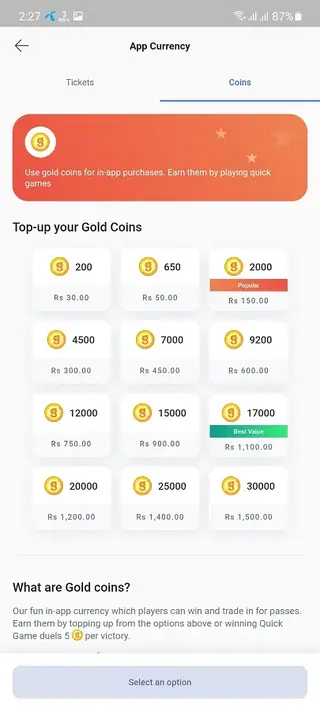
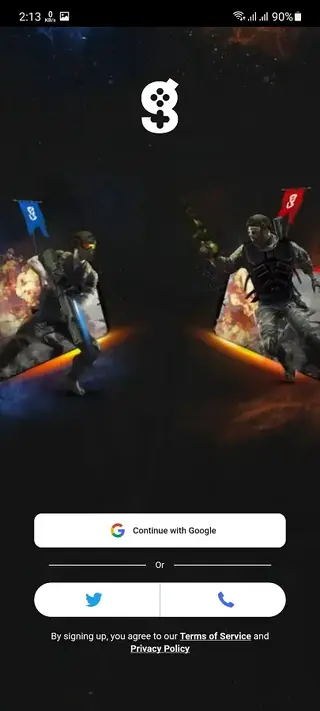
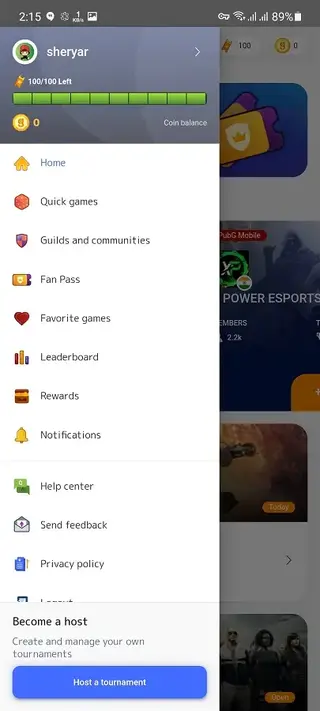
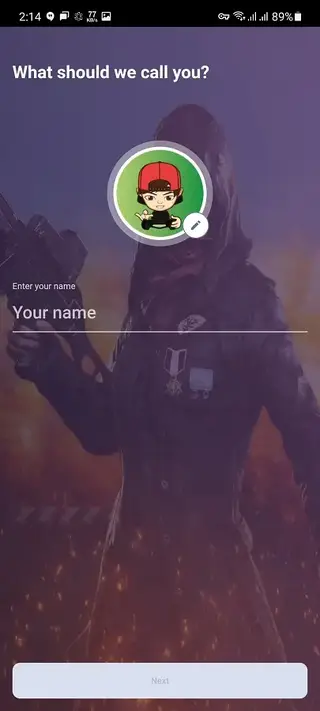
Getting started with tournaments
After installing Game.tv and signing in, you can start by choosing the games you play the most. The app then shows recommended tournaments and communities based on your selections. Each event page lists rules, format, start time, and registration requirements.
When you register for a tournament, you will see instructions for joining the lobby or custom room at match time. Results and standings are typically updated inside the app so you can track your progress across rounds.
Creating and managing your own guild
If you prefer team play, you can create your own guild in Game.tv. As a guild leader, you can invite friends, manage members, and register your team for suitable events. Some tournaments are built specifically for guilds, allowing you to compete against other organized teams.
This structure helps regular players evolve into stable teams, practice together, and build a long-term presence in their favorite games.
Tips for using Game.tv effectively
To get the most out of Game.tv, enable notifications for the games and communities you care about. This way, you will see alerts for new tournaments and last-minute changes. Keep your profile up to date and clearly mention your main roles or preferred heroes where relevant, as some organizers look for this information.
It is also a good idea to read each tournament rule set carefully before registering, especially regarding region locks, device requirements, and prize distribution. Following these basics helps you avoid disqualifications and ensures a smoother competitive experience.
FAQs
Pros
- Wide range of supported esports and mobile games
- Built-in tools for both players and tournament organizers
- Guild and community features for team-based play
- Event notifications help you avoid missing tournaments
- Clean interface that is easy to navigate on mobile
Cons
- Requires a stable internet connection for almost all features
- Tournament availability can vary by region and game
- Account creation and sign-in are required to use core features
Conclusion
Game.tv provides a structured esports environment for mobile gamers who want more than casual play. By combining tournaments, guilds, and event tools in a single Android app, it helps both players and organizers run and join matches more efficiently. If you enjoy competitive mobile games, downloading the Game.tv APK from our website is a straightforward way to access regular events and build your gaming community.




Comments
No approved comments yet.