

GT IPTV
GT IPTV is a Spanish-language IPTV app that lets you stream live TV channels on Android phones and tablets. It focuses on delivering a simple way to watch television directly on mobile devices.
With organized channel categories for news, sports, entertainment and more, users can quickly jump to their favorite TV networks. The app targets viewers who want an easy live TV experience without complex setup.
You can download the official GT IPTV APK file directly from our website and install it on compatible Android devices running Android 4.1 or above.
If you are having a problem with the language, then you can try Dora Tv and MHD TV World. Both of these are quite popular entertainment apps, which offer similar services.
Rate this app
App details
- App name
- GT IPTV
- Category
- Entertainment
- Version
- v8.0
- Size
- 19.43 MB
- Requirements
- 4.1 and Above
- Package name
- com.developed3.rep3
- Publisher
- REP3
- Price
- Free
- Mod
- No
- Downloads
- 996,631
- Rating
- 4.6 / 5
- Rating count
- 16,854
- Play Store
- No
- Requires root
- No
- Offline support
- No
- Contains ads
- Yes
- In-app purchases
- No
- Updated
- May 8, 2026
- Age rating
- Rated for 7+
Table of contents
What is GT IPTV?
GT IPTV is an Android entertainment application that aggregates IPTV channels and serves them through a clean and simple interface. The app focuses on Spanish-language content and offers access to a wide range of live TV networks.
Once installed, users can browse different channel categories such as news, entertainment, kids and sports. Each category lists various live TV channels that stream directly inside the app, so you do not need separate players or extra configuration.
The application is designed for everyday TV viewing on mobile, allowing you to turn your Android phone or tablet into a portable television. It is especially aimed at Spanish-speaking users who prefer a straightforward IPTV experience.
Why download GT IPTV APK from our website
Downloading the GT IPTV APK from our website allows you to get the version referenced here without searching multiple sources. The installation file for version 8.0 is available directly on our download page, so you can start watching live TV quickly.
Our listing provides key details such as package name, Android requirement and version information in one place. You can review the information, then download the APK to your device and install it manually.
Because the app is not listed on Google Play, getting the APK from our website is a practical option for users who want to try GT IPTV on their Android devices.
How GT IPTV can be useful
GT IPTV can be useful for viewers who want a simple way to watch television on mobile without set-top boxes or extra hardware. You just install the APK, open the app and pick a channel from the available categories.
The category-based layout makes it easier to jump between types of content. You can follow news updates, watch entertainment channels, keep kids busy with cartoons or tune into sports events from the same interface.
Because the app is focused on Spanish, it can be particularly handy for Spanish-speaking users who prefer TV channels and navigation in their own language.
How to download and install GT IPTV APK
You can get the GT IPTV APK file directly from our website. Follow these steps on your Android phone or tablet:
Scroll to the download section on this page and tap the GT IPTV APK download button.
Wait for the APK file to finish downloading to your device.
Open your device settings and enable installation from unknown sources if it is not already allowed.
Locate the downloaded APK file in your downloads folder and tap it.
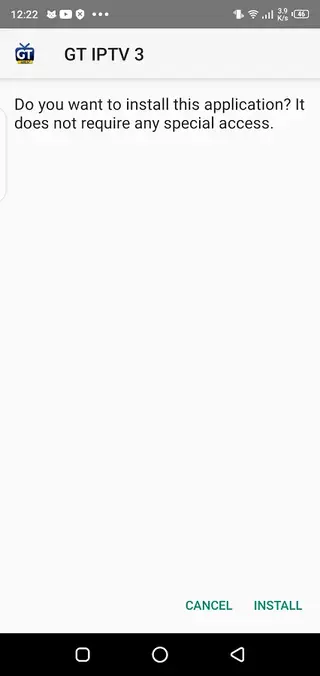
Confirm the installation prompts and wait until the app is installed.
Open GT IPTV from your app drawer and start browsing the available live TV channels.
After installing, you can launch the app any time from your home screen and use it as a regular TV streaming application.
Features
Spanish language interface
The app uses Spanish as its primary interface language, making it more comfortable for Spanish-speaking users.
Multiple live TV categories
Channels are organized into categories like news, entertainment, kids, sports and premium-style TV for quicker access.
Free-to-use IPTV access
The application aims to provide access to IPTV channels without a subscription inside the app itself.
Simple navigation
A straightforward layout and menu structure help users find channels quickly, even on smaller screens.
Kids-friendly channels
Dedicated kids and cartoon channels give parents an easy way to occupy children with age-appropriate content.
Sports channel availability
The app lists various sports-focused channels so users can follow different matches and events in one place.
Premium-style networks section
Some channels resemble premium TV networks, grouped under a premium TV style section in the app.
Lightweight Android requirement
GT IPTV works on Android 4.1 and above, so it can run on many older Android phones and tablets.
Screenshots
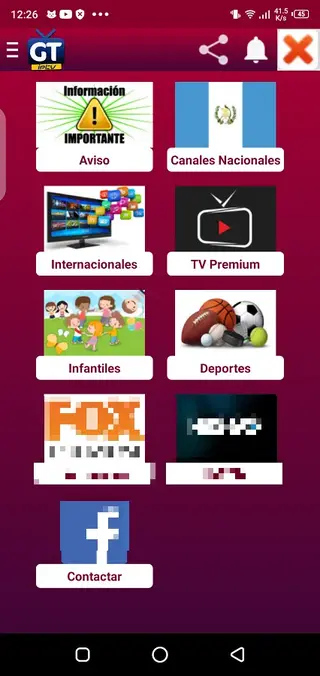
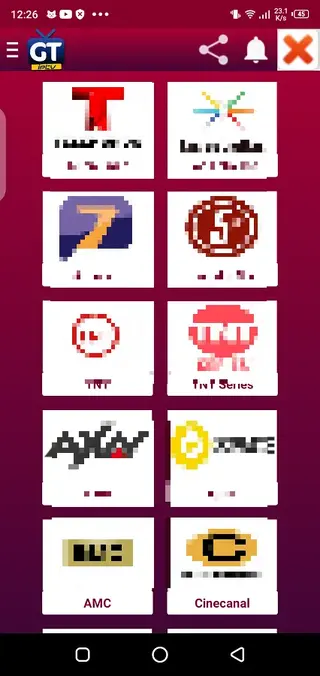
Channel categories available in GT IPTV
GT IPTV groups its live channels into several categories to make navigation easier on mobile screens. Some of the main categories users commonly see in the app include:
News: Channels that focus on national and international news coverage.
Entertainment: General entertainment networks with series, movies and variety shows.
Kids: Cartoon and children’s programming designed to keep younger viewers engaged.
Sports: Channels that cover football, other sports and live events.
Premium TV style channels: Networks that resemble premium television offerings grouped in a separate section.
These categories help users move quickly between different types of content without searching through a single long list of channels.
Device compatibility and requirements
GT IPTV targets Android users who want to watch live TV on their mobile devices. According to the available information for version 8.0, the app:
Supports Android 4.1 and above
Works on both phones and tablets
Does not require root access
As with any IPTV app, performance depends on your device hardware and internet connection. A stable broadband or mobile data connection is recommended for smoother streaming and fewer interruptions.
Tips for a better streaming experience
To get a smoother experience when using GT IPTV, consider the following tips:
Use a stable Wi-Fi or strong mobile data connection for higher quality streams.
Close other heavy apps running in the background to free up memory.
If a channel buffers frequently, try switching to another channel in the same category.
Keep your device’s Android system updated for better compatibility and performance.
Applying these basic practices can improve overall playback quality when watching live channels through the app.
FAQs
Pros
- Simple IPTV app focused on live TV channels
- Spanish interface suitable for Spanish-speaking users
- Organized categories for news, entertainment, sports and kids content
- Runs on older Android versions starting from Android 4.1
- Free to download and install from our website
Cons
- Only supports Spanish language, which limits usability for non-Spanish speakers
- Requires an active internet connection for streaming
- Not available on Google Play, so updates must be installed manually
- Channel availability and stability can change over time
Conclusion
GT IPTV is a straightforward IPTV application for Android that focuses on Spanish-language live TV channels. If you want an organized way to stream news, sports, entertainment and kids content on your phone or tablet, you can download the official GT IPTV APK from our website and test how it works on your device.




Comments
No approved comments yet.