
Stream India
Stream India is an Android live TV and video streaming app that brings movies, web series and TV channels together in one place. It focuses mainly on Indian and international entertainment.
With this app you can explore Bollywood and Hollywood titles, follow popular web series and stream live sports and TV channels from your phone or tablet. Everything is organized into simple sections so you can find something to watch quickly.
You can download the official Stream India APK directly from our website and install it on compatible Android devices without using Google Play.
Rate this app
App details
- App name
- Stream India
- Category
- Entertainment
- Version
- v1.1.3
- Size
- 15.17 MB
- Requirements
- 4.1 and Above
- Package name
- com.streamindia.app
- Publisher
- STREAM INDIA
- Price
- Free
- Mod
- No
- Downloads
- 63,000
- Rating
- 4.1 / 5
- Rating count
- 19,000
- Play Store
- No
- Requires root
- No
- Offline support
- No
- Contains ads
- Yes
- In-app purchases
- No
- Updated
- May 12, 2026
- Age rating
- Rated for 3+
Table of contents
What is Stream India app
Stream India is an unofficial Android entertainment and IPTV application that aggregates online video streams and live TV channels in a single interface. It is designed mainly for users who want quick access to movies, web series and sports channels on mobile without switching between multiple apps.
The app divides content into clear sections such as Home, Movies, TV Shows and TV Channels. The Home page highlights trending titles, newly added films and popular live channels so you can start watching with minimum browsing.
In the Movies section you find a mix of Bollywood and Hollywood films, while the TV Shows area focuses on serials and web series from various platforms. The TV Channels category provides IPTV style streams for news, entertainment and sports, including cricket coverage when available.
Stream India is not available on Google Play. Instead, you install it using the APK file, which you can download directly from our website for supported Android versions.
There are more related apps available on our website, which you can also try. So, if you are willing to get more similar apps, then try Dora TV and MHD TV World.
Why download Stream India APK
People download Stream India APK because it combines live TV and on-demand video in one lightweight app. Instead of maintaining separate apps for films, series and sports, this single interface offers quick access to a wide range of streams.
The app focuses heavily on Indian users by featuring Hindi and regional-language content along with popular international movies and series. Sports fans get dedicated live TV channels that often show cricket and other major events, which makes the app appealing during busy tournament seasons.
Another reason to install the APK is flexibility. Since it is not tied to a specific store, you can sideload it on many Android phones, tablets and some Android TV or TV box setups that accept APK files, as long as the device meets the minimum Android version requirement.
How Stream India is useful
Stream India can be useful if you regularly watch video on your phone and prefer a simple layout. The categorized structure helps you jump straight to movies, series or live channels instead of scrolling through long mixed feeds.
The built-in player means you usually do not need an external media app and can control quality, audio and playback from one place. For users with slower connections, being able to pick lower resolutions can make live sports and TV channels more stable.
Because the app focuses on South Asian entertainment and sports, it can serve as a convenient companion during cricket seasons or when you want to follow Hindi and regional content from one dashboard.
How to download and install Stream India APK
You can get the official Stream India APK file directly from our website and install it manually on your Android device. Follow the steps below to complete the process.
Scroll to the download area on this page and tap the Stream India APK download button.
Wait until your browser finishes downloading the APK file to your device.
Open your phone settings and enable installation from unknown or external sources if it is not already allowed.
Locate the downloaded file in your Downloads folder or notification panel and tap it to start installation.
Read the on-screen prompts and confirm the required permissions to complete the setup.
Once installed, open Stream India from your app drawer and start exploring movies, series and live TV channels.
If your device blocks the installation, double-check that you have granted permission to install apps from this source in your security settings and that your Android version meets the requirement.
Features
Live TV and IPTV channels
Access a wide range of TV channels including entertainment, news and sports through IPTV-style streaming.
Movies library
Browse and watch a collection of Bollywood and Hollywood films organized in a dedicated section.
Web series and TV shows
Stream popular web series and serials with multiple seasons and episodes available in order.
Home dashboard
Use the Home screen to discover trending titles, newly added content and featured live channels quickly.
Support for multiple languages
Find content in Hindi and other regional languages along with international English titles.
Built-in video player
Play streams directly inside the app with basic controls for pause, resume and quality adjustment.
Lightweight APK
Install a relatively small-sized APK that runs on older Android versions starting from Android 4.1.
Simple navigation
Move between Movies, TV Shows and TV Channels using a straightforward and user-friendly interface.
Screenshots
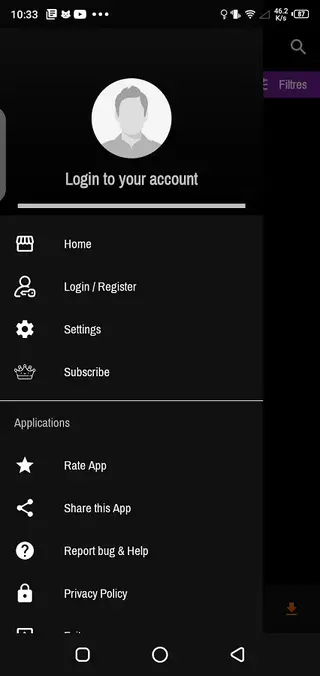
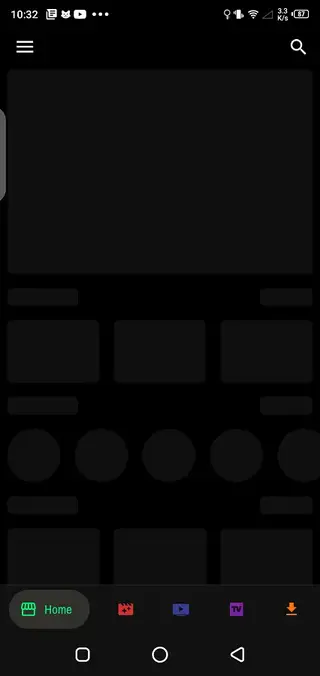
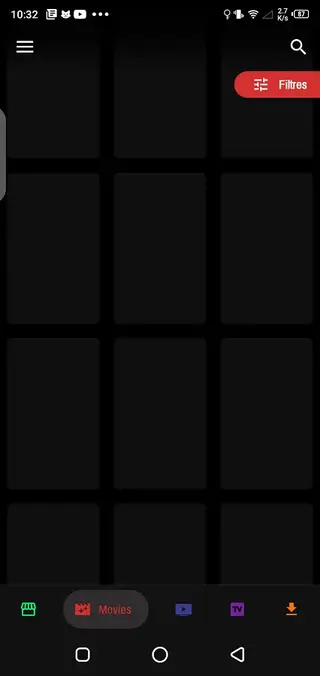

Streaming categories inside Stream India
Stream India organizes its catalog into several main categories so you can quickly reach the type of content you want to watch.
Home section
The Home section works as a discovery hub. It highlights featured films, trending series and widely watched TV channels. This is usually the fastest way to find something new without browsing every category manually.
Movies section
The Movies area focuses on full-length films. You can explore Hindi cinema, regional movies and a range of Hollywood titles. Items are typically grouped by language or style so users can filter based on preference.
TV Shows section
In the TV Shows section you find serials and web series with multiple episodes and complete seasons. This is useful if you like long-form storytelling and want to continue watching from where you left off.
TV Channels section
The TV Channels area collects live IPTV channels. Here you can browse entertainment, news and sports streams, including cricket and other events when available.
Tips for better streaming performance
To get a smoother experience with Stream India it helps to optimize your connection and settings.
Use a stable Wi-Fi or strong mobile data signal to reduce buffering and stream drops.
Lower the video quality inside the player if your connection is slow or unstable.
Close other heavy apps running in the background to free system resources.
Keep your Android system and the app updated to the latest available versions from our website.
Applying these simple steps can make live TV and long movies much more enjoyable on mid-range or older devices.
FAQs
Pros
- Combines movies, web series and live TV channels in one app
- Offers Bollywood, Hollywood and regional content for diverse tastes
- Simple interface that is easy to navigate for most users
- Built-in media player reduces need for extra video apps
- Lightweight APK compatible with older Android versions
Cons
- Streams require a stable internet connection and do not work offline
- Not available on Google Play and must be sideloaded manually
- Content availability and channel lists can change over time
- May show in-app advertisements during streaming
Conclusion
Stream India is a lightweight Android streaming app that brings together live TV, movies and web series in a simple interface. If you want quick access to Indian and international entertainment on mobile, you can download the official Stream India APK from our website and try its features on a compatible device.




Comments
No approved comments yet.