

Baby Go
Baby Go is an IPTV streaming app for Android that focuses on Spanish-language TV channels, movies, music, and live sports. It turns your phone, tablet, or TV box into a simple streaming hub.
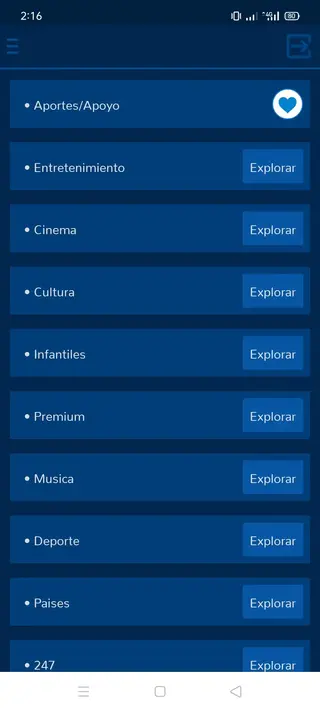
The app groups channels into clear categories like entertainment, cinema, sports, and more, so you can jump straight into live content with a few taps. Most sections are designed to work smoothly on both touch screens and TV remotes.
So, as always we brought you a free Android application, such as Merus TV, Illegal TV VIP, or more through which you can access unlimited TV channels. It is the best Android application to use your quality free time, streaming some of the best entertainment channels.
You can download the official Baby Go APK file directly from our website and install it on compatible Android phones, tablets, TV boxes, and Fire TV Stick devices that support apps from unknown sources.
Rate this app
App details
- App name
- Baby Go
- Category
- Entertainment
- Version
- v8.5
- Size
- 9.02 MB
- Requirements
- 4.4 and Above
- Package name
- dem.babydodo.most
- Publisher
- Baby Dodo
- Price
- Free
- Mod
- No
- Downloads
- 108,659
- Rating
- 4.7 / 5
- Rating count
- 47,496
- Play Store
- No
- Requires root
- No
- Offline support
- No
- Contains ads
- No
- In-app purchases
- No
- Updated
- Jun 1, 2026
- Age rating
- Rated for 7+
Table of contents
What is Baby Go APK?
Baby Go APK is an Android IPTV application that provides access to a wide range of live TV channels and streaming content, with a strong focus on Spanish-language networks. It includes channels for entertainment, cinema, sports, news, music, and more, all organized into simple categories.
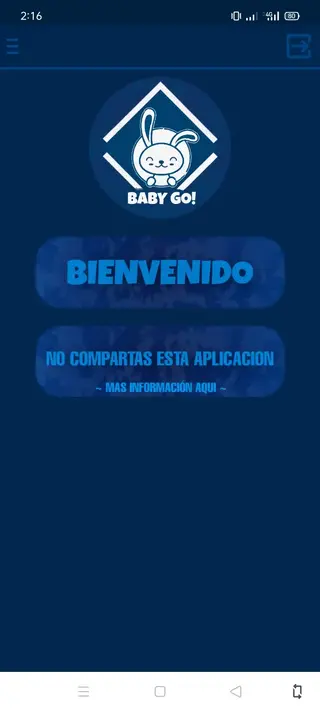
The app is designed mainly for Android phones, tablets, TV boxes, and Fire TV Stick devices. Once installed, you can browse channels by category, search by name, and start streaming with a single tap. A built-in media player handles playback directly inside the app, so you do not need to install a separate player.
The interface uses Spanish as the primary language, but the layout is straightforward enough that many users can navigate it by icons and categories even if they are not fluent in Spanish.
Why download Baby Go for Android?
People download Baby Go because it offers a large catalog of IPTV channels without complicated signup steps or monthly subscriptions. You can open the app, choose a category such as entertainment, cinema, or sports, and start watching within seconds.
The app also appeals to users who prefer watching content on big screens. It works with many Android TV boxes and Fire TV Stick devices, giving you a simple TV-like experience with remote-friendly navigation. Multiple server options help improve reliability if one stream is unstable.
Another reason many users choose Baby Go is its built-in player. You do not have to configure external players or playlists. The app tries to handle buffering and playback automatically, so you can focus on choosing channels instead of adjusting technical settings.
How is Baby Go useful?
Baby Go can be useful if you want quick access to live television and streaming content on Android without setting up complex IPTV lists. Its ready-made categories make it easier to discover channels for different moods, such as movies, live sports, kids content, or music.
For Spanish-speaking users, the interface and channel lineup can feel familiar and convenient. The app is also helpful for users who travel or live away from Spanish-speaking regions but still want to follow Spanish TV channels using only an internet connection and an Android device.
Because the app supports TV boxes and Fire TV Stick, it can serve as a lightweight alternative to traditional cable boxes on compatible hardware, as long as you have a stable internet connection.
How to download and install Baby Go APK
You can get the Baby Go APK file directly from our website. Make sure your device runs the required Android version and has enough free storage before you start.
Follow these steps to download and install Baby Go on your Android device:
Tap the download button for Baby Go APK on this page to start downloading the file from our website.
Wait until the APK file finishes downloading to your Android phone, tablet, or TV box.
Open your device settings and go to the security or apps section.
Enable the option that allows installation from unknown sources or allow your browser or file manager to install unknown apps.
Open your file manager, locate the Baby Go APK in the downloads folder, and tap it.
Confirm the installation prompt and wait for the process to complete.
Once installed, open Baby Go from your app drawer or home screen and start exploring the IPTV channels.
If you install it on a TV box or Fire TV Stick, use a compatible file manager or downloader application on that device to access the APK file from our website and follow similar steps.
Features
Large IPTV channel collection
Provides many live TV channels across categories such as entertainment, cinema, sports, music and news with a focus on Spanish content.
Free to download and use
The APK can be downloaded and installed without a purchase, and the app does not require a paid subscription inside the interface described.
Multiple content categories
Organizes channels into sections like entertainment, cinema, sports and more so users can quickly find the type of content they want.
Built in media player
Includes its own video player so users do not need to install or configure an external player for streaming.
Search function for channels
Offers a search bar that helps users quickly locate specific channels by name instead of browsing long lists.
Support for Android TV boxes
Optimized to work on many Android TV boxes and similar devices, providing a TV like experience on larger screens.
Compatible with Fire TV Stick
Can run on Fire TV Stick devices that allow installation of APK files, making it easier to watch channels on a television.
Smooth navigation controls
Provides simple navigation and channel switching controls that work well with both touch screens and TV remotes.
Screenshots
App version and compatibility
The Baby Go APK version referenced here is 8.5, packaged as dem.babydodo.most. According to the available information, it supports Android 4.4 and above, which covers most modern smartphones, tablets, and TV devices.
Performance can vary depending on your hardware and network speed. For smoother playback, a stable broadband or fiber connection is recommended, especially when watching high-definition channels on large screens.
Language and user interface
Baby Go primarily uses Spanish for menus and channel descriptions. Category names, prompts, and some labels appear in Spanish, which suits native speakers and learners of the language.
However, even users who do not speak Spanish may still navigate the app with a bit of practice, since icons, familiar channel logos, and a consistent layout make it easier to understand where entertainment, cinema, sports, and other sections are located.
Streaming quality and performance tips
Streaming quality in Baby Go depends heavily on your network connection and server load at a given time. If a channel buffers or fails to open, trying again after a short pause or switching to another channel in the same category can sometimes help.
For the best results, connect your device to a stable Wi-Fi or wired network, close background apps that may consume bandwidth, and avoid heavy downloads on other devices while you are streaming.
FAQs
Pros
- Large catalog of IPTV channels across multiple categories
- Free to download and use without subscription steps mentioned
- Built in player removes need for external media apps
- Works on many Android TV boxes and Fire TV Stick devices
- Simple, category based interface that is easy to navigate
- Search feature helps locate specific channels quickly
Cons
- Requires a stable internet connection for all content
- Main interface language is Spanish which may be difficult for some users
- Not available on Google Play Store
- Stream availability and stability can vary over time
Conclusion
Baby Go APK provides an easy way to watch a wide range of IPTV channels on Android devices, especially for Spanish-speaking users. If your device supports installing APK files and you have a reliable internet connection, you can download Baby Go directly from our website and explore live TV, movies, and sports in a simple, category-based interface.




Comments
No approved comments yet.