

BBVA
BBVA is the official mobile banking app from Banco Bilbao Vizcaya Argentaria that helps you manage most of your daily finances from your Android phone or tablet. It brings your accounts, cards and payments together in a single, easy to use dashboard.
With the BBVA APK installed, you can check balances, review transactions, send money and pay everyday bills without visiting a branch. The app focuses on speed, clear information and strong security so you stay in control of your money wherever you are.
You can download the official BBVA APK directly from our website and start using the latest available version on compatible Android devices.
Rate this app
App details
- App name
- BBVA
- Category
- Finance
- Version
- v24.70.10
- Size
- 185.66 MB
- Requirements
- 5.0 and Above
- Package name
- co.com.bbva.mb
- Publisher
- BBVA
- Price
- Free
- Mod
- No
- Downloads
- 695,238
- Rating
- 4.8 / 5
- Rating count
- 6,214
- Play Store
- Yes
- Requires root
- No
- Offline support
- No
- Contains ads
- No
- In-app purchases
- No
- Updated
- May 14, 2026
- Age rating
- Rated for 3+
Table of contents
What is BBVA Android App
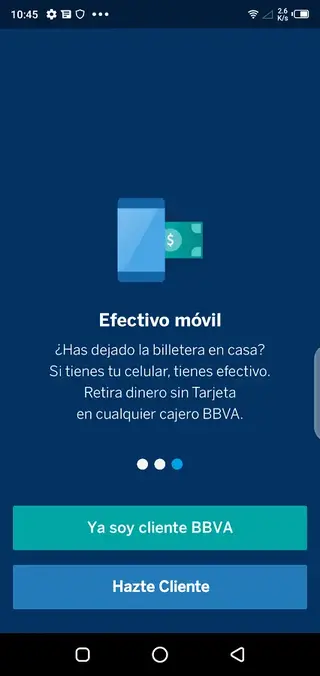
BBVA is a mobile banking application for Android that allows BBVA customers in supported countries to manage their money digitally. The app connects to your BBVA accounts so you can review balances, make transfers, pay merchants and keep track of your financial activity in real time.
Once you complete a simple registration and log in with your banking credentials, the app shows all linked accounts and cards in one place. From there you can send money between your own accounts, transfer to other bank accounts or e wallets, and pay for services or purchases through different digital payment options.
BBVA is designed for everyday banking on the go. It replaces many in branch operations with mobile actions, such as viewing statements, scheduling payments, managing debit or credit cards, and receiving instant alerts for each movement on your account.
Why download the BBVA APK from our website
Installing the BBVA APK on your Android device gives you quick access to your finances without relying only on physical branches or ATMs. You can handle most essential operations directly from your phone, which saves time and helps you react faster to any movement on your account.
By downloading the official BBVA APK file directly from our website, you can keep a backup installer, use it on devices without Google Play, or update manually when you prefer. The file we provide is based on the official release information, so you can install and start banking with the version that matches the details listed on this page.
The app is free to download and use for BBVA customers, and focuses on secure access, clear design and fast payment flows, which makes it a strong choice if you want to centralize your digital banking in one mobile app.
How BBVA app helps with daily money management
The BBVA app is useful because it turns your Android device into a complete banking tool. Instead of checking different websites or visiting branches, you can quickly see where your money is going and make decisions on the spot.
Binding multiple BBVA accounts in one place makes it easier to move funds between savings, current accounts and cards. Integrated transfers let you send money to other banks, e wallets or contacts using their account details or registered phone number, which is convenient for splitting bills or supporting family members.
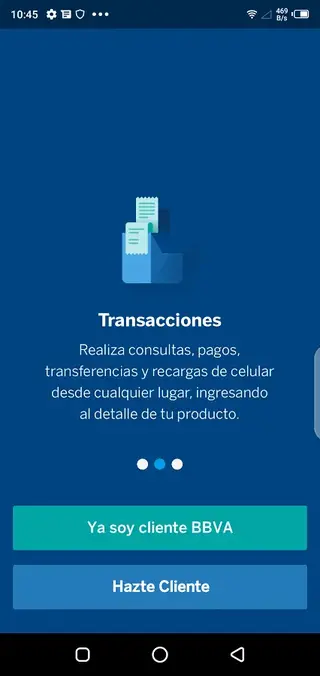
Payment options such as QR payments, online shopping support, tax payments and utility bill settlement reduce the need for separate apps or manual paperwork. Combined with notification alerts, transaction history and security controls, BBVA helps you keep a clear overview of your cash flow and reduces the chance of missing important charges or suspicious activity.
We have more similar applications available here for you all, which you can also play and have fun with. So, if you want to get more similar apps, then get Livin By Mandiri and NeoBank. Both of these are quite popular available apps, which also offer similar services.
How to download and install BBVA APK
You can download the latest available BBVA APK directly from our website and install it on any compatible Android device that meets the minimum system requirements.
Follow these steps to get started:
Scroll to the download area on this page and tap the main BBVA download button.
Confirm the download so the APK file is saved to your device.
On your phone, open the downloaded file from the notifications panel or your Downloads folder.
If prompted, allow installation from this source in your Android security settings.
Tap Install and wait until the process finishes.
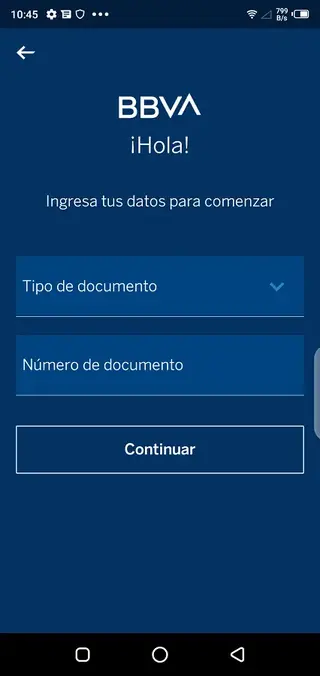
Open the BBVA app, register or log in with your BBVA credentials, and configure your security options.
Once installed, you can also download region specific editions such as BBVA Mexico or BBVA Net Cash from the additional links section on our website when they are available.
Features
Unified account overview
View all your BBVA accounts and cards in one dashboard with real time balance and movement details.
Multi account binding
Bind several eligible BBVA accounts to the same profile to manage them together and transfer funds quickly.
Domestic and international transfers
Send money between your own accounts or to other bank accounts and e wallets using supported transfer methods.
Payments for shopping and services
Pay for online shopping, services, taxes and utilities directly from the app using your linked accounts or cards.
QR code payments
Scan merchant QR codes to pay securely at supported physical and online points of sale.
Payments to phone numbers
Send money to contacts using their registered phone number where this feature is available.
Transaction history
Review detailed movement history for each account with date, amount and description of operations.
Security notifications
Receive instant alerts on your mobile whenever there is a login, purchase, transfer or other key activity.
Screenshots
Account and card management
Within the BBVA app you can manage your main accounts and cards without visiting a branch. The app lets you see available balances, review recent charges and, in supported countries, manage card settings such as activation, temporary blocks or purchase limits.
This type of control is especially useful if you need to react quickly to a lost card or suspicious purchase. Instead of calling support immediately, you can take basic protective actions from the app while you investigate the movement.
Security and privacy controls
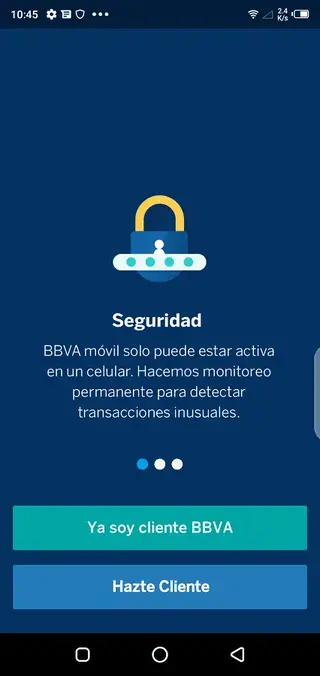
BBVA integrates several security layers to protect access to your banking data. Depending on your device and region, the app can use PIN codes, passwords, fingerprint or face unlock, and additional confirmation steps for sensitive operations.
Activity notifications act as an extra line of defense by informing you whenever money leaves your account or a new login occurs. Regularly checking these alerts and your movement history helps you spot potential problems early and request support from the bank if anything looks unusual.
Regional availability and versions
BBVA operates in multiple countries, and the mobile banking experience can change slightly between regions. Some versions, such as BBVA Mexico or other country specific editions, include localized features like national transfer systems, local billers or region specific payment schemes.
On our website you may find separate download links for these editions when they are available. Always choose the version that matches your BBVA country of registration so you can access the full set of services supported for your market.
FAQs
Pros
- Official mobile banking app from BBVA for supported regions
- Lets users manage multiple accounts and cards in one place
- Supports transfers, payments and bill settlement from mobile
- Free to download and use for BBVA customers
- Includes alerts and security features to monitor account activity
Cons
- Requires an active BBVA account to use most features
- Needs internet access for almost all operations
- Some features may vary or be limited by country or region
- Older devices may experience slower performance with newer versions
Conclusion
BBVA for Android brings most key banking functions into one secure mobile app, making it easier to manage accounts, transfers and payments from your phone. If you bank with BBVA and want convenient everyday control of your finances, downloading the BBVA APK from our website is a practical way to get started.




Comments
No approved comments yet.