

Cameratix
Cameratix is a photo editing app for Android that focuses on quick beauty retouching, body shaping, and creative filters. It gives you simple tools to turn casual photos into polished portraits in just a few taps.
With its built-in camera, filters, motion stickers, and retouch sliders, you can capture and edit selfies or full-body shots in one place. The latest version available on our website lets you install the official APK directly on your phone or tablet.
Whether you want smooth skin, brighter tones, or a more stylized look with artistic effects, Cameratix offers a wide range of controls so you can adjust every image to your style while keeping the workflow fast and easy.
There is more about this app, which we are going to share with you. If you want to use this application, then you should know a little bit about it. Just stay with us for a while, but if you still have any problems with accessing it. Feel free to contact us in the comment section. You can also try InstaMark or Galaxy Enhance X as other alternatives.
Rate this app
App details
- App name
- Cameratix
- Category
- Photography
- Version
- v1.0.14
- Size
- 32.81 MB
- Requirements
- 4.3 and Above
- Package name
- com.brutalapps.cameratix
- Publisher
- Voronova Yulia
- Price
- Free
- Mod
- No
- Downloads
- 90,663
- Rating
- 4.7 / 5
- Rating count
- 35,702
- Play Store
- No
- Requires root
- No
- Offline support
- Yes
- Contains ads
- Yes
- In-app purchases
- Yes
- Updated
- Jun 2, 2026
- Age rating
- Rated for 7+
Table of contents
What is Cameratix APK
Cameratix is a photography and photo editing application for Android devices designed around beauty enhancement and body editing. It combines a real-time camera with a full editor, so you can either shoot directly in the app or import photos from your gallery and apply effects afterward.
The app focuses on face retouching, skin smoothing, and body shape adjustments, but it also includes filters, backgrounds, effects, and motion stickers. Users can brighten skin, remove minor imperfections, adjust tone, and even modify body proportions with sliders instead of complex layer-based tools.
Cameratix is available as an APK file that you can download directly from our website and install manually on Android phones and tablets that meet the minimum system requirements.
Why Download Cameratix for Android
Cameratix appeals to users who want quick, ready-to-share photos without learning professional editing software. Instead of spending time on advanced tools, you can select a preset, adjust a few sliders, and see changes instantly.
The app offers a large collection of filters and beauty adjustments that help you control every detail of your look, from smoother skin to a slimmer silhouette. This makes it especially useful for selfies, social media posts, profile pictures, and portraits.
Downloading the Cameratix APK from our website gives you direct access to the official installer, so you can keep the file on your device, reinstall it when needed, or share it across your Android devices without relying on store availability.
How Cameratix is Useful
Cameratix is useful whenever you want to enhance photos quickly without moving them between multiple apps. The integrated camera, editor, and beauty tools keep everything in one place and reduce the time from capture to sharing.
Its skin retouch features help remove minor blemishes, dark spots, and wrinkles while preserving facial features. Body shaping tools make it possible to adjust waist, legs, or height in full-body photos, which many standard editors do not provide in a simple way.
On top of that, ready-made filters, backgrounds, and motion stickers allow you to change the mood of a scene with a single tap. This combination of beauty correction and creative effects makes Cameratix a practical companion for users who post regularly on Instagram, TikTok, Facebook, or other social platforms.
How to Download and Install Cameratix APK
You can download the official Cameratix APK file directly from our website and install it manually on your Android device. Make sure your phone meets the minimum Android version requirement before you start.
Follow these steps to get Cameratix on your device:
Scroll to the download section on this page and tap the Cameratix APK download button.
Wait until the APK file finishes downloading to your Android phone or tablet.
Open your device settings and enable app installation from unknown sources if it is not already allowed.
Locate the downloaded APK file in your Downloads or file manager and tap on it.
Confirm the installation prompt and wait for the process to complete.
Once installed, open Cameratix from your app drawer and start editing your photos.
After installation, you can keep the APK file from our website as a backup so you can reinstall the app later without downloading it again.
Features
Beauty skin retouch
Smooth skin, reduce dark spots, and soften wrinkles to create cleaner and brighter portraits.
Face enhancement tools
Adjust facial features such as tone and brightness while keeping the overall look natural.
Body shape editing
Change body shape and size with sliders to appear slimmer, taller, or more defined in full-body photos.
Built-in camera mode
Capture photos directly inside Cameratix and preview beauty effects and filters in real time.
Over 200 filters and effects
Apply a large selection of filters and photo effects to instantly change the mood and style of any image.
Unlocked backgrounds and overlays
Blend subjects with different backgrounds and overlays to create more creative compositions.
Motion stickers and decorations
Add cute motion stickers and decorative elements to selfies and portraits for a playful look.
Auto-correction option
Use automatic correction tools to quickly balance brightness, contrast, and color with one tap.
Screenshots


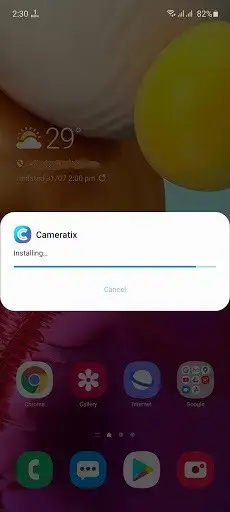
App Details and Compatibility
The Cameratix APK available on our website corresponds to version 1.0.14 with the package name com.brutalapps.cameratix. According to the provided details, it requires Android 4.3 or later, which covers a wide range of smartphones and tablets.
Once installed, the app runs on standard Android devices without root access. Performance will depend on your device hardware, especially when applying heavy filters or working with high-resolution photos.
Editing Workflow in Cameratix
Cameratix keeps the editing workflow simple. You can start with the camera to capture a new shot or import an existing photo from the gallery. After that, you typically:
Apply a beauty preset or filter to set the overall look.
Fine-tune skin retouch and brightness to match your tone.
Use body shaping tools on full-body photos if needed.
Add stickers, effects, or backgrounds for extra style.
Export the edited picture in standard image formats and share it on social platforms.
This step-by-step flow helps you get consistent results without deep technical knowledge of photo editing.
Safety and Responsible Use
Cameratix includes powerful beauty and body shaping tools, so it is important to use them responsibly. Over-editing can create unrealistic images and may affect how others perceive their own appearance. Consider using gentle adjustments that enhance, rather than completely change, your natural look.
Before installing any APK, always verify that you are downloading it from our official page and check your device permissions. Keep your Android system updated and review the permissions requested by the app during installation.
FAQs
Pros
- Straightforward interface that is easy to understand for beginners
- Offers dedicated tools for face retouching and body shaping
- Includes a built-in camera with real-time filters and effects
- Large set of filters, backgrounds, and motion stickers
- Editing workflow is fast, suitable for quick social media posts
- APK can be downloaded directly from our website for manual installation
Cons
- Focused heavily on beauty editing rather than advanced professional tools
- Body shaping features can be overused and may lead to unrealistic results
- Contains ads in the official version
- Some features may require or promote premium subscription plans
Conclusion
Cameratix is a practical choice for Android users who want simple yet powerful beauty and body editing tools in one app. With its real-time camera, filters, and retouch options, it helps you prepare social-ready photos quickly. You can download the latest official Cameratix APK directly from our website and start enhancing your pictures on any compatible Android phone or tablet.




Comments
No approved comments yet.