

Galaxy Enhance X
Galaxy Enhance X is Samsung’s AI-powered photo enhancement app designed to repair, retouch, and refine your images with a single tap. It focuses on automatic corrections while still giving you control over key details.
With tools for sharpening blurry shots, fixing low-light photos, and upscaling resolution, it helps you turn everyday captures into cleaner, more detailed images. You can download the official Galaxy Enhance X APK directly from our website and start editing on your compatible Android device.
The app runs locally on your phone, so you can enhance pictures even when you are offline, making it a practical companion for fast, on-device image improvement.
Rate this app
App details
- App name
- Galaxy Enhance X
- Category
- Photography
- Version
- v16.0.01.8
- Size
- 123.7 MB
- Requirements
- 10.0 and Above
- Package name
- com.samsung.android.imageenhancer
- Publisher
- Samsung Electronics Co.,Ltd
- Price
- Free
- Mod
- No
- Downloads
- 100,239
- Rating
- 4.8 / 5
- Rating count
- 46,805
- Play Store
- No
- Requires root
- No
- Offline support
- Yes
- Contains ads
- No
- In-app purchases
- No
- Updated
- May 15, 2026
- Age rating
- Rated for 7+
Table of contents
What is Galaxy Enhance X?
Galaxy Enhance X is an advanced photo enhancement app developed by Samsung Electronics for compatible Galaxy devices. It uses AI-based image processing to analyze your photos and automatically apply improvements such as sharpening, noise reduction, exposure correction, and upscaling.
The app focuses on single-tap fixes rather than complex manual editing. You select a photo, choose an enhancement mode, and Galaxy Enhance X generates an improved version while keeping the original image safe. This makes it suitable for users who want professional-looking results without learning a full editing suite.
Galaxy Enhance X includes dedicated tools for blurry photos, dark or low-light shots, and low-resolution images. It can also adjust textures, details, and overall clarity to make portraits and scenery look more polished. All of this happens directly on your device without requiring an active internet connection.
We have more similar applications available here for the users. So, if you want to have more similar apps, then get AnyFace and Awake Picture App. Both of these are quite popular available picture editors, which anyone can have on their Android.
You can get the latest Galaxy Enhance X APK directly from our website, install it on a supported Android device, and start enhancing your photos with its built-in AI tools.
Why download Galaxy Enhance X APK for Android?
Downloading the Galaxy Enhance X APK on your Android device gives you access to Samsung’s AI enhancement engine even if the app is not yet available in your region through other channels. You can install the file directly and start improving your photos right away.
The app is especially helpful if you often capture photos in challenging conditions, such as low light, moving subjects, or distant scenes. Instead of discarding imperfect images, you can repair blur, reduce noise, and boost detail with a few taps.
Galaxy Enhance X also simplifies your workflow. You do not need to juggle multiple editing apps for sharpness, brightness, and upscaling. The app groups these adjustments into clear modes so you can fix most issues from one place.
Because the APK is available on our website, you can download the latest version directly, keep it stored for offline installation, and update it whenever a newer build is released.
How is Galaxy Enhance X useful?
Galaxy Enhance X is useful for anyone who wants to rescue, refine, or upgrade their photos without spending a lot of time on manual editing. Its AI models quickly detect blur, low detail, and poor lighting, then suggest or apply targeted corrections.
For everyday users, this means you can fix soft or grainy shots taken in dim rooms, events, or night streets. For social media sharing, you can upscale and sharpen images so they look clearer when posted or cropped.
The app also helps you maintain a cleaner gallery. Instead of keeping multiple failed attempts, you can enhance one photo, save a high-quality version, and safely keep the original untouched. This combination of automation and control makes Galaxy Enhance X a practical tool for both casual users and photo enthusiasts.
How to download and install Galaxy Enhance X APK
You can download the official Galaxy Enhance X APK file directly from our website and install it on your compatible Android device. Follow these steps to get started:
Scroll to the download area on this page.
Tap the APK download button for Galaxy Enhance X.
Wait for the APK file to finish downloading to your device.
Open your device settings and enable installation from unknown sources if prompted.
Locate the downloaded APK in your downloads folder and tap it.
Confirm the installation prompts and wait for the process to complete.
Once installed, open Galaxy Enhance X from your app drawer and grant the required permissions to start editing photos.
After installation, you can use Galaxy Enhance X offline and revisit this page whenever you want to download the latest available version.
Features
AI-powered photo enhancement
Automatically analyzes each image and applies smart adjustments to clarity, sharpness, exposure, and noise levels.
Blur repair and sharpening
Helps reduce motion blur and soft focus in photos, improving edges and detail to make images look clearer.
Low-light and night photo fixing
Brightens dark images, improves visibility, and reduces noise in photos captured in low-light or night conditions.
Resolution upscaling
Upscales the resolution of supported photos to make them appear more detailed and suitable for larger displays or crops.
One-tap enhancement modes
Offers simple enhancement presets so users can improve a photo with a single tap instead of complex manual edits.
Side-by-side comparison
Lets you compare original and enhanced versions so you can decide which result you prefer before saving.
Non-destructive editing
Saves enhanced photos as new files, keeping your original images intact for future use or re-editing.
Offline processing on device
Performs enhancements directly on your phone so you can use the app without a constant internet connection.
Screenshots
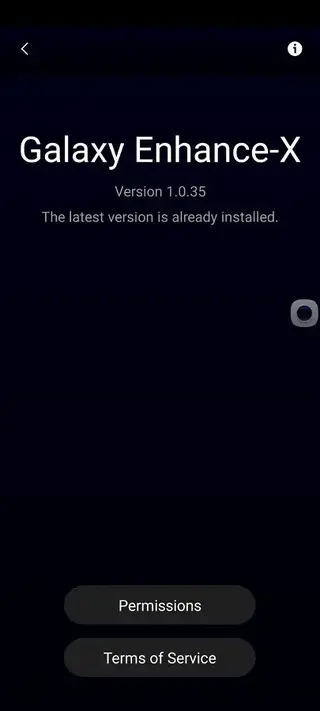


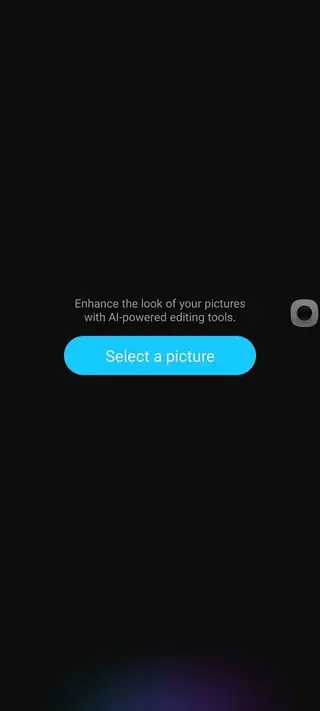

Device compatibility and system requirements
Galaxy Enhance X is designed primarily for selected Samsung Galaxy devices running Android 10.0 or later. Certain features may depend on your phone’s chipset and available AI hardware, so performance and options can vary between models.
Before installing, ensure your device meets the minimum Android version requirement and has enough storage space for both the app and the enhanced images it creates. Keeping sufficient free storage also helps the app run more smoothly during processing.
Tips for getting better results with Galaxy Enhance X
To get the most out of Galaxy Enhance X, start with the highest quality version of your photo available. Even though the app can upscale resolution and fix issues, cleaner source images usually produce better final results.
Avoid heavily compressed screenshots or already edited images when possible.
Use the blur fix and low-light tools on separate copies of important photos so you can try different settings.
Compare the before-and-after versions carefully and keep the version that best matches your preferred look.
Combine Galaxy Enhance X with your regular gallery or editor app if you need additional color filters or creative effects.
By treating Galaxy Enhance X as a first-step enhancement tool, you can quickly clean up your photos and then fine-tune them in any other app you like.
FAQs
Pros
- AI enhancements make photo fixing fast and simple
- Repairs blur and low-light issues in many everyday photos
- Upscales resolution to improve detail in supported images
- Runs locally and can be used without an internet connection
- Keeps original photos intact by saving edits as new files
Cons
- Available mainly for selected Samsung Galaxy devices
- Not designed for advanced layer-based or pro-level manual editing
- Cannot create or edit videos, it focuses only on photos
- Performance and speed may vary depending on device hardware
Conclusion
Galaxy Enhance X is a focused AI photo enhancer that helps you repair blur, improve low-light shots, and upscale image quality with minimal effort. If you use a compatible Android device and want quick one-tap improvements instead of complex editing, downloading the Galaxy Enhance X APK from our website is a practical way to upgrade your photo toolbox.




Comments
No approved comments yet.