

CarTube
CarTube is an Android Auto app that brings a car-friendly YouTube experience to your vehicle’s head unit. It mirrors YouTube-style playback controls in a layout that is easier to use from the driver and passenger seats.
With CarTube installed on your phone and connected to Android Auto, you can browse channels, open recommendations, and play videos directly on the car screen. It focuses on simple navigation, quick search, and a clean player so passengers can enjoy content during long drives.
You can download the CarTube APK directly from our website and install it on compatible Android 8.0 and above devices, then connect your phone to your car to start using it with Android Auto.
Rate this app
App details
- App name
- CarTube
- Category
- Video Players & Editors
- Version
- v0.3.2.1
- Size
- 3.66 MB
- Requirements
- 8.0 and Above
- Package name
- as4.fff.croporwi.cacacaca
- Publisher
- Croporwi
- Price
- Free
- Mod
- No
- Downloads
- 734,884
- Rating
- 4.3 / 5
- Rating count
- 2,654
- Play Store
- No
- Requires root
- No
- Offline support
- No
- Contains ads
- Yes
- In-app purchases
- Yes
- Updated
- May 18, 2026
- Age rating
- Rated for 3+
Table of contents
What is CarTube Android App
CarTube is an unofficial YouTube client designed to work with Android Auto. Once you install the APK on your Android device and connect it to your car, the app appears in the Android Auto interface and lets you access YouTube-style content from your dashboard screen.
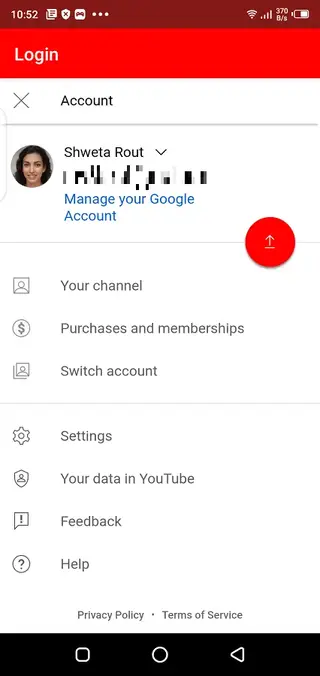
The app uses a simple sign-in flow where you enter your email and password to unlock your personalized feed, subscriptions, and recommended videos. After sign-in, CarTube organizes content into familiar sections so you can quickly find channels, new uploads, and trending clips that match your interests and region.
CarTube includes a built-in player optimized for car displays. Playback quality can adjust automatically based on your network connection, or you can set resolution manually if you want a specific quality level. If you have an active YouTube Premium subscription on your Google account, CarTube can benefit from fewer ads and additional playback perks tied to that subscription.
The app targets Android 8.0 and above and is distributed as an APK, which you can download directly from our website. After enabling app installation from unknown sources on your phone, you can install it and start using it with Android Auto.
Why Download CarTube APK from Our Website
Downloading CarTube APK from our website gives you a quick way to add YouTube-style playback back into your Android Auto setup. The file we provide matches the version details shown on this page, so you know exactly which build you are installing on your device.
Once installed, CarTube lets passengers enjoy music videos, playlists, podcasts, and other YouTube content on the car screen during long journeys. The interface is simplified for in-car use, which makes it easier to browse and control playback using your head unit or steering wheel buttons where supported.
Our download page focuses on a straightforward process. You tap the download button, wait for the APK to finish downloading to your phone, then follow the installation steps. There is no need to search elsewhere for the installer, and you can revisit this page whenever you want to re-download the same version.
How CarTube Is Useful in the Car
CarTube is useful for drivers and passengers who rely on Android Auto but miss having direct access to YouTube content. While the official platform limits video playback for safety reasons, many people still like to run long music mixes, talk shows, or background content while traveling.
With CarTube, passengers can explore channels, open recommended videos, and manage playback from the dashboard. The built-in player offers smooth controls that respond quickly, so you can pause, skip, or change quality without leaving the app.
The app also supports background audio through Android Auto, which is especially handy for music, podcasts, and long-form content where visuals are not essential. This combination of streaming flexibility and car-focused controls makes CarTube a practical companion for road trips and daily commutes, especially when someone else in the car handles the screen.
Always keep safety in mind and avoid watching videos while driving. CarTube is best used by passengers or when the vehicle is parked.
If you want to get more services on your car, then you can try Autosweep RFID App or AAStore. Both of these apps are specially developed for Android Auto users to access more advanced-level services.
How to Download and Install CarTube APK
You can get the official CarTube APK directly from our website. Follow these steps to download and install it on your Android device, then use it with Android Auto.
On your Android phone, open this CarTube page on our website.
Tap the download button for the CarTube APK file and wait for the download to complete.
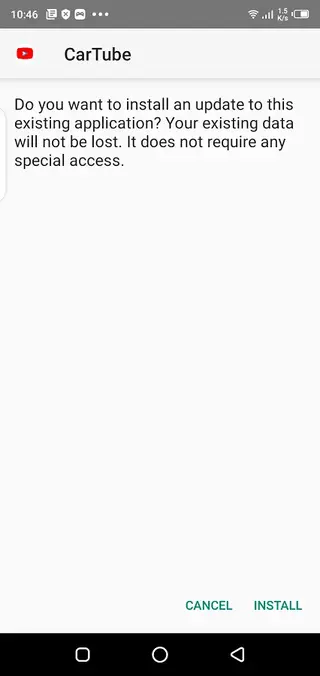
When the download finishes, open your phone’s Downloads folder and tap the APK file.
If prompted, enable installation from unknown sources for your browser or file manager.
Confirm the installation and wait until CarTube is installed on your device.
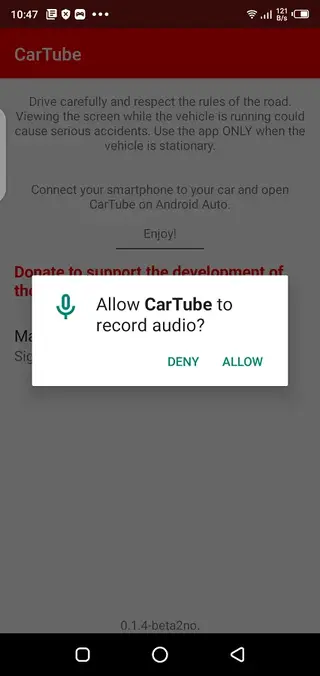
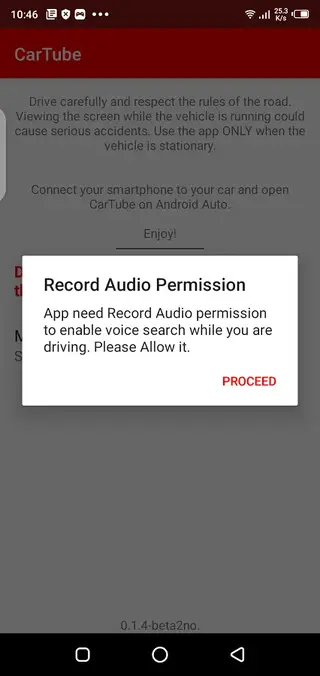
Open the app once, sign in if needed, then connect your phone to your car and launch Android Auto to see CarTube in the car menu.
After installation, you can return to this page anytime to download the same version again if you need to reinstall it.
Features
YouTube-style access on Android Auto
Watch and control YouTube-like content directly from your car’s Android Auto head unit using your connected Android phone.
Account-based recommendations
Sign in with your email and password to access personalized feeds, subscriptions, history, and channel recommendations.
Built-in smart video player
Use the integrated CarTube player with smooth playback controls optimized for in-car displays without needing an external player app.
Adaptive and manual quality control
Let the app automatically adjust streaming quality to your connection or manually choose resolution for better clarity or data savings.
Background audio playback
Continue listening to audio from videos while interacting with other Android Auto functions, useful for music and talk content.
Works on slower connections
Streams can adapt to weaker mobile networks so you can still play content on long trips with limited coverage.
Simple car-friendly interface
Navigate content using a clean layout designed for quick access to home, search, and subscriptions from the car screen.
Free to download and use
Install and use the core app features at no purchase cost by downloading the APK directly from our website.
Screenshots

Android Auto compatibility and setup
CarTube is designed for phones running Android 8.0 and above that support Android Auto. After installing the APK on your device, you simply connect the phone to your car using USB or wireless Android Auto, depending on what your head unit supports.
When Android Auto starts on the car screen, CarTube should appear in the list of compatible apps. From there, you can open it, browse content, and start playback using touch controls or steering wheel buttons if your car hardware offers that integration.
Playback experience and controls
The CarTube playback experience focuses on delivering smooth streaming with minimal extra options that could clutter the interface. Core controls such as play, pause, seek, previous, and next are easy to reach, and the bottom bar lets you adjust playback quickly without leaving the playing screen.
Video quality can switch automatically if your mobile data signal changes. For users who want more control, manual quality options let you balance visual clarity against data usage, which is useful on long trips or limited data plans.
Tips for safer and responsible use
Although CarTube makes it technically possible to play videos on your car’s screen, it is important to use it responsibly. Drivers should avoid watching on-screen visuals while the vehicle is moving and leave interactive tasks like search and browsing to passengers.
For a safer experience, focus on audio-oriented content such as music playlists, podcasts, interviews, or long-form talk shows. Use steering wheel or voice controls where available so you do not constantly interact with the display.
FAQs
Pros
- Adds YouTube-style playback support to Android Auto
- Simple, car-friendly interface with integrated player
- Free to download and install from our website
- Supports adaptive video quality on varying networks
- Background audio playback is available for long drives
Cons
- Not available on the official Google Play Store
- Video playback in cars can be distracting if misused
- May not be compatible with every Android Auto head unit
- Performance and stability can vary by device and version
Conclusion
CarTube offers an easy way to bring YouTube-style video and audio playback into your Android Auto setup. By downloading the APK directly from our website, installing it on an Android 8.0 or higher device, and connecting to your car, you can unlock a simple player and personalized content feed for road trips and daily travel, while still staying aware of safe usage inside the vehicle.




Comments
No approved comments yet.