

Cerberus
Cerberus is a dedicated anti-theft and device protection app that helps you locate, lock, and remotely control your Android phone or tablet if it goes missing. It focuses on powerful tracking and remote commands instead of typical antivirus features.
With a single account, you can manage multiple devices, trigger alarms, capture photos of intruders, and wipe sensitive data when needed. You can download the official Cerberus APK directly from our website and start securing your Android in a few minutes.
The app works through a web dashboard and SMS commands, giving you flexible ways to react if your phone is lost or stolen. It is designed for users who want more control over their device security, location history, and remote backup options.
Rate this app
App details
- App name
- Cerberus
- Category
- Tools
- Version
- v1.3.4_play
- Size
- 12.52 MB
- Requirements
- 4.4 and Above
- Package name
- com.ssurebrec
- Publisher
- CERBERUS
- Price
- Free
- Mod
- No
- Downloads
- 75,718
- Rating
- 4.8 / 5
- Rating count
- 23,851
- Play Store
- Yes
- Requires root
- No
- Offline support
- No
- Contains ads
- No
- In-app purchases
- Yes
- Updated
- May 15, 2026
- Age rating
- Rated for 3+
Table of contents
What is Cerberus APK
Cerberus APK is an Android anti-theft and device control application that helps you protect your phone or tablet when it is lost or stolen. After a simple registration with your email address, you can manage your device from the Cerberus web console or through predefined SMS commands.
The app offers tools to track real-time location, view location history, lock the screen, show custom messages, trigger a loud alarm, and wipe data remotely. It also includes features like automatic photo capture when someone enters a wrong PIN and remote video or audio recording depending on device support.
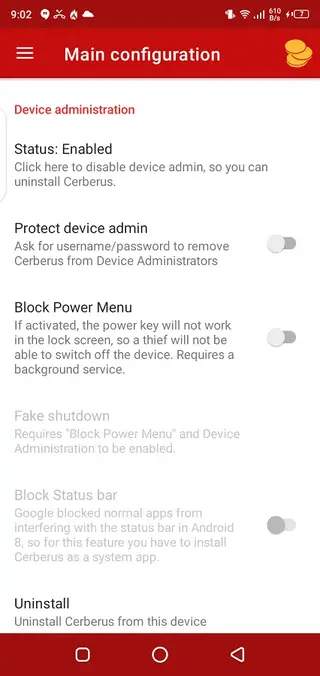
Cerberus focuses on giving you direct, practical control over your device. You can enable options such as blocking the power menu, protecting the device administrator status, or hiding the app icon to make removal harder for thieves.
We have more security Apps, which provide additional services for the users. So, if you are willing to get access to more similar features, then try Hotspot Shield Free VPN Proxy and FoxFi Key. Both of these are quite popular and amazing applications of all time.
Why download Cerberus for Android
People download Cerberus because they want a stronger layer of protection than the default tools on their phones. The app combines location tracking, remote commands, and backup options in one place, making it easier to respond quickly when a device disappears.
Once configured, Cerberus can help you find your phone on a map, see where it has been, lock it with a new password, or erase personal data from internal storage and the SD card. It can also send alerts and capture photos so you can better understand who is using your device.
For users who carry important data, work documents, or private photos on their phones, Cerberus adds peace of mind. You know you can sign in to your account from another device and take action immediately, even if the missing phone is on silent or the thief tries to tamper with basic settings.
How Cerberus is useful
Cerberus is useful because it turns your Android device into a manageable asset rather than a risk. If you misplace your phone at home, you can trigger a loud alarm. If you leave it in a taxi, you can track its last known position and contact the driver with more confidence.
In more serious cases, such as theft, Cerberus helps you secure your accounts by locking the device, changing unlock credentials, and wiping sensitive files. The app can block the status bar and power menu on supported devices, which makes it harder for someone to power off or reset the phone quickly.
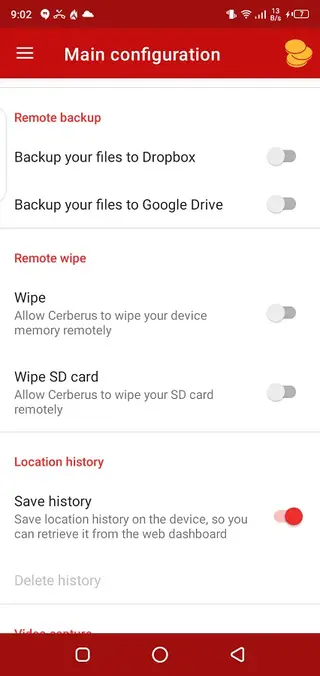
The remote backup option that connects to services such as Dropbox or Google Drive can also reduce the damage of losing a device. Important photos, messages, or other files can be uploaded before you perform a remote wipe, so you do not lose everything during the recovery process.
How to download and install Cerberus APK
You can download the official Cerberus APK file directly from our website without searching on other platforms. We list the available versions so you can pick the one that suits your device.
Follow these steps to download and install:
Scroll to the download section on this page and choose the Cerberus version you want.
Tap the download button for the selected file and wait for the APK to finish downloading to your device.
Open your phone settings and enable installation from unknown sources or allow your browser to install apps, if prompted.
Locate the downloaded Cerberus APK in your notifications or file manager and tap it to start installation.
Follow the on-screen prompts to complete setup, then open Cerberus and create or sign in to your account.
Grant the requested permissions and configure anti-theft options such as device admin, location, and camera access.
Features
Advanced anti-theft protection
Track, lock, and control your Android device remotely when it is lost or stolen using the web dashboard or SMS commands.
Device administration controls
Protect the device admin status, block the power menu, block the status bar, and make it harder to uninstall the app on supported devices.
Remote data wipe
Erase data from internal storage and SD card remotely to protect sensitive information if recovery seems unlikely.
Remote backup to cloud
Back up selected data from your Android device to services like Dropbox or Google Drive before performing a wipe.
Location tracking and history
View current location and review historical location points to retrace where the device has been over time.
Automatic photo and video capture
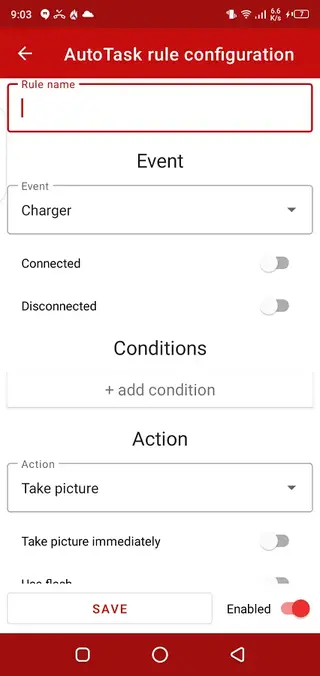
Capture photos or videos using the front or rear camera when someone tries to unlock the device or when you send a remote command.
SMS alert system
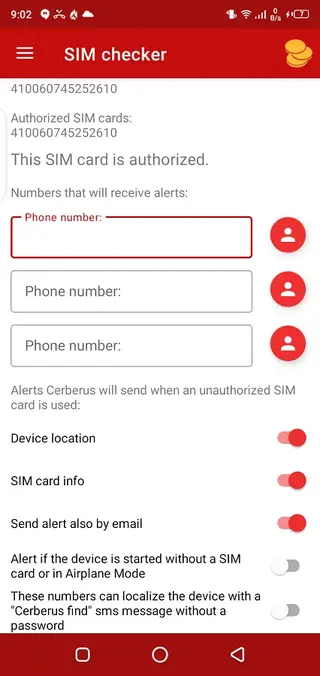
Control the device with SMS commands and receive alerts or information by text when certain events occur.
Multi-device account support
Manage multiple phones and tablets under a single Cerberus account from the online control panel.
Screenshots
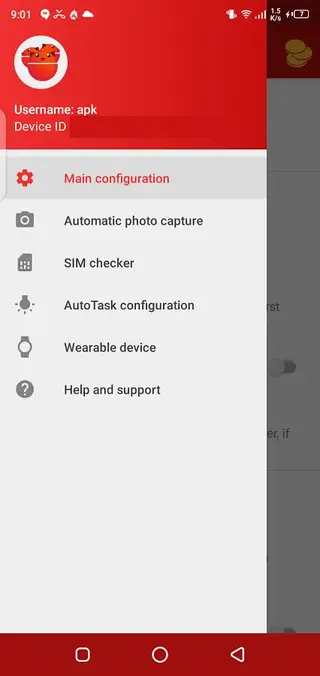
Account setup and first-time configuration
After installing Cerberus, you need to create an account or sign in with an existing one. This account links your phone to the Cerberus web panel, where you can see all registered devices and send remote commands.
During the first setup, you should:
Enable device administrator access so Cerberus can lock, wipe, and control key settings.
Grant location permissions for accurate GPS and network-based tracking.
Allow camera and microphone access if you want to capture photos, videos, or audio remotely.
Configure security options such as blocking the power menu or status bar when the device is locked, depending on compatibility.
Spending a few minutes on this initial configuration makes the app far more effective if your phone is ever lost or stolen.
Using the Cerberus web dashboard
The Cerberus web dashboard is the main control center for your devices. After signing in with your account, you can select any registered device and send commands directly from your browser.
Common actions include:
Requesting the current location or enabling continuous tracking.
Locking the device with a new password and displaying a custom message.
Triggering a loud alarm, even if the phone is on silent mode.
Taking photos from the front or rear camera to see who is using the device.
Starting a remote backup before wiping all user data.
The interface is designed to be straightforward so that you can act quickly during stressful situations such as loss or theft.
Privacy and permissions considerations
Cerberus needs powerful permissions to deliver its anti-theft features. These include device admin rights, location access, camera, microphone, and storage access. Before granting them, review the options and decide which functions you want to enable.
You should secure your Cerberus account with a strong password and, where available, additional verification options. Keep your login details private and avoid sharing them with others, as anyone with access to your account can issue remote commands to your devices.
It is also important to use Cerberus only on devices you own or manage with proper consent. Respecting local laws and privacy regulations helps ensure you use the app in a responsible and legal way.
FAQs
Pros
- Strong anti-theft tools with remote control capabilities
- Location tracking and detailed location history support
- Remote backup and wipe features for sensitive data
- Device admin protections make removal more difficult
- Automatic photo and video capture of unauthorized users
Cons
- Requires internet or SMS connectivity for most remote actions
- Some features may not work on all Android versions or brands
- Configuration can feel complex for new users
- Service relies on external servers and an active account
Conclusion
Cerberus offers a focused set of anti-theft and remote control tools that go beyond basic Android features. If you want better options to track, secure, and, when necessary, wipe a lost device, you can download the official Cerberus APK from our website and set up protection in advance.




Comments
No approved comments yet.