

FoxFi Key
FoxFi Key is a license app that unlocks the full version of FoxFi and PdaNet+ so you can share your mobile data connection through WiFi, USB, or Bluetooth tethering. It is designed for users whose carriers restrict or block native hotspot features.
With this key installed, compatible Android phones can turn into portable hotspots without rooting. You can connect laptops, tablets, and other devices to your phone’s data plan and avoid paying for separate hotspot add‑ons.
You can download the official FoxFi Key APK directly from our website and install it on your Android device to activate the premium tethering features in the main app.
Rate this app
App details
- App name
- FoxFi Key
- Category
- Tools
- Version
- v5.32
- Size
- 282.72 MB
- Requirements
- 2.2 and Above
- Package name
- com.foxfi.key
- Publisher
- FoxFi Software
- Price
- Free
- Mod
- No
- Downloads
- 2,586,561
- Rating
- 3.9 / 5
- Rating count
- 84,562
- Play Store
- Yes
- Requires root
- No
- Offline support
- No
- Contains ads
- No
- In-app purchases
- Yes
- Updated
- May 22, 2026
- Age rating
- Rated for 3+
Table of contents
What is FoxFi Key
FoxFi Key is a paid license application for Android that unlocks the full functionality of the FoxFi and PdaNet+ tethering apps. On its own it does not provide tethering, but once installed it removes most limitations and trial restrictions in the main app and activates advanced hotspot options.
The FoxFi and PdaNet+ suite is built to help users share their mobile data connection when the built-in hotspot feature is blocked, limited, or metered by the carrier. With FoxFi Key, supported devices can create a secured WiFi hotspot or use USB and Bluetooth tethering so other devices can browse the internet through the phone’s data plan.
The app focuses on simple setup and does not require root access. You install FoxFi or PdaNet+, install FoxFi Key, and then control all hotspot and tethering options from the main app interface.
Why download FoxFi Key APK
Many mobile plans either charge extra for hotspot use or restrict tethering on certain devices. FoxFi Key offers a way to enable sharing on many supported phones without modifying the system or rooting the device.
By downloading the FoxFi Key APK from our website, you can unlock the full version of FoxFi and PdaNet+ on compatible Android phones. This lets you connect laptops, tablets, game consoles, and other WiFi-capable devices to your mobile data connection with WPA2 password protection.
For users who travel frequently, work remotely, or need backup internet access, having a reliable tethering solution in your pocket can make a clear difference in productivity and convenience.
How FoxFi Key is useful
FoxFi Key is useful for anyone who needs flexible internet access but does not want to pay for multiple data plans. Instead of buying separate plans for phones, laptops, and tablets, you can share a single mobile data connection across all of them when your device and carrier allow it.
The unlocked features support multiple connection modes, including WiFi hotspot, USB tethering, and Bluetooth tethering, which helps in different situations. For example, you can use USB tethering for a more stable connection on a laptop, or WiFi hotspot to connect several devices at once.
The key also removes speed and time limits present in the free version of the tethering app, and it works without requiring root. That combination of flexibility, security options, and ease of use makes FoxFi Key a practical tool for regular users and mobile professionals.
Mobile users who are interested in securing their connectivity. The internet is always full of risk. Then we recommend those to install these tools to secure connectivity such as Hotspot Shield Free VPN Proxy and Argo VPN. These VPNs are completely free to install and use.
How to download and install FoxFi Key APK
You can get the official FoxFi Key APK directly from our website and install it manually on your Android device. Follow these basic steps:
Download the FoxFi Key APK file from the download button provided on this page.
On your Android phone, open Settings and enable installation from unknown sources or allow your browser or file manager to install unknown apps.
Open your file manager, find the downloaded FoxFi Key APK, and tap it to start installation.
Complete the installation process by confirming the prompts.
Install or open FoxFi or PdaNet+ and make sure it detects FoxFi Key so the full version features are unlocked.
After activation, configure your preferred hotspot or tethering mode within the main app and start sharing your mobile data connection.
Features
Full version unlock for FoxFi and PdaNet+
Activates the premium features of FoxFi and PdaNet+ and removes most trial or free-version limits on compatible devices.
WiFi hotspot support on many devices
Allows supported phones to broadcast a WiFi hotspot so other devices can share the phone's mobile data plan.
No root required
Provides tethering and hotspot features without requiring root access, helping keep the device closer to stock security conditions.
WPA2 password protection
Lets users secure their hotspot with WPA2 encryption and a custom password to control who can connect.
USB tethering mode
Supports using a USB cable to share the phone's internet connection with a computer for a more stable link.
Bluetooth tethering option
Offers Bluetooth tethering as an alternative for devices that cannot connect by WiFi or USB.
Hide or mask tether usage in some cases
Includes options in the main app that may help reduce how clearly tethering traffic appears to certain networks, depending on conditions.
Multiple device connections
Allows several devices, such as laptops, tablets, and consoles, to use the shared connection at the same time within hardware limits.
Screenshots
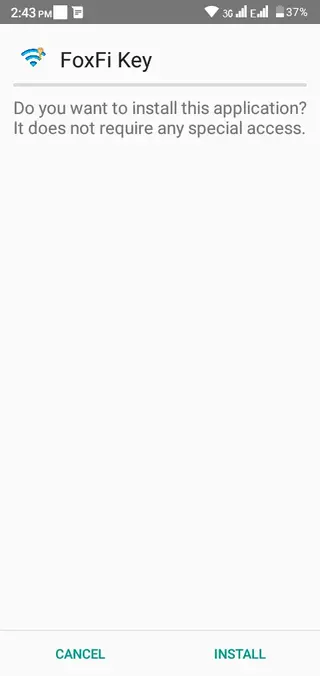

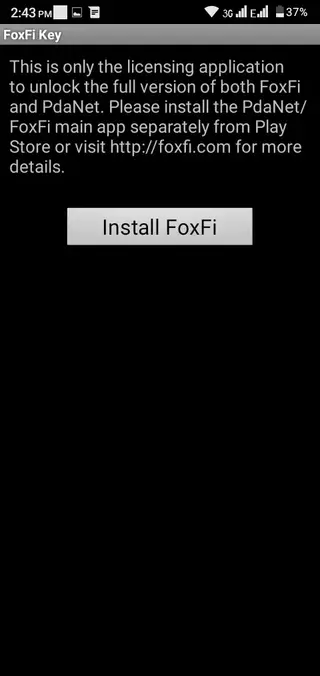
Device and carrier compatibility
FoxFi Key and the associated tethering apps rely on specific implementations in Android and on how each carrier handles hotspot traffic. Older Android versions and certain phone models often provide broader support, while some newer systems and network configurations may introduce limits.
Before relying on the app for critical work, it is a good idea to test basic hotspot and tethering functions with your existing data plan. You can try WiFi, USB, and Bluetooth modes to see which option works best on your device.
Security and responsible usage
FoxFi Key supports WPA2 password protection for WiFi hotspot connections. You should always create a strong, unique password and avoid leaving your network open. Only share the password with people you trust and turn off the hotspot when you are not using it.
Keep in mind that all traffic still goes through your mobile carrier, so your usual data limits and fair use policies apply. Monitor your data usage and avoid activities that could exceed your allowance or violate your plan terms.
Tips for better tethering performance
To get more stable performance when using FoxFi and PdaNet+ with FoxFi Key, place your phone where it receives strong mobile signal. Poor signal will directly affect hotspot speed and reliability.
For laptops or desktop computers, consider using USB tethering when possible, as it often delivers a more consistent connection than WiFi. Limiting the number of connected devices and closing background downloads can also improve overall speed for important tasks.
FAQs
Pros
- Unlocks full FoxFi and PdaNet+ features with a small key app
- Does not require root access on compatible devices
- Supports WiFi, USB, and Bluetooth tethering modes
- Offers WPA2 password protection for hotspot connections
- Helps avoid paying for multiple separate data plans
Cons
- Carrier and device compatibility varies and is not guaranteed
- Some newer Android versions may have limited or reduced support
- Relies on the separate FoxFi or PdaNet+ app to function
- Performance and speed depend on network quality and phone hardware
Conclusion
FoxFi Key is a practical license app for users who want to unlock advanced tethering and hotspot features in FoxFi and PdaNet+ without rooting their Android phone. If your device and carrier are compatible, downloading the APK from our website gives you a flexible way to share your mobile data connection across multiple devices with simple setup and security options.




Comments
Алексей
Работает но выключается. Тел. Хуавей.
Reyan Ahmad
reinstall the app and try again please.