
Chikii
Chikii is a cloud gaming app that lets you stream PC and console games directly on your Android phone or tablet. You connect to powerful remote computers and play titles that normally require high-end hardware.
With a simple touch control layout, multiplayer rooms, and community-driven game sharing, Chikii makes it possible to try popular games like GTA V or Naruto Storm series on mobile. You can download the official Chikii APK directly from our website and start playing in a few steps.
The app focuses on real-time game streaming, so you only need a compatible Android device and a stable internet connection. No expensive gaming PC or console is required, as all heavy processing runs on remote servers.
We are going to share more amazing features of this application with you. So, if you are going to use this application, then we recommend you to know a little bit before using this application. If you have any problem using this application, then you can contact us or even try Cloud Gaming Zone or Joyark Cloud Gaming.
Rate this app
App details
- App name
- Chikii
- Category
- Social
- Version
- v4.11.1
- Size
- 87.84 MB
- Requirements
- 5.0 and Above
- Package name
- com.dianyun.chikii
- Publisher
- Chikii game
- Price
- Free
- Mod
- No
- Downloads
- 5,918,280
- Rating
- 4.1 / 5
- Rating count
- 399,162
- Play Store
- Yes
- Requires root
- No
- Offline support
- No
- Contains ads
- Yes
- In-app purchases
- Yes
- Updated
- May 13, 2026
- Age rating
- Rated for 12+
Table of contents
What is Chikii APK?
Chikii APK is the Android version of the Chikii cloud gaming platform, developed by Chikii game. It connects your device to remote PCs and PlayStation-style setups so you can stream and play full PC and console games on mobile.
Instead of installing large games locally, Chikii runs them on cloud computers and sends live video to your phone while receiving your touch or controller input. This approach allows mid-range Android devices to run demanding titles that would normally need a dedicated gaming rig.
The app offers public game rooms, private sessions, and a social layer where players share their game libraries and play together. Once you create an account and join a room, you can start playing supported games using on-screen controls or compatible controllers.
Why download Chikii for Android?
Chikii is appealing for players who want to experience big-budget PC and console games without buying expensive hardware. By using cloud streaming, it turns an everyday Android phone into a portable gaming screen.
Downloading Chikii from our website gives you the official installation file, so you can install or update the app even when the Play Store is slow or unavailable. After installation, you can log in, browse rooms, and start playing games that your device would not normally handle.
The app also helps you discover new titles through its community rooms and recommendations. Whether you are testing a game before buying it elsewhere or just want casual sessions with friends, Chikii offers a flexible way to access high-end gaming content.
How Chikii is useful for mobile gamers
Chikii is useful because it removes the hardware barrier for modern gaming. A stable connection is usually enough to play visually demanding games, so users who cannot afford a gaming PC or console still get access to popular titles.
The touch control scheme is optimised for mobile, placing virtual buttons and joysticks around the screen, and many games support external controllers for better precision. Multiple server options and regions help reduce latency, making the experience smoother.
Chikii also offers a social experience. You can join community rooms, watch others play, queue for a turn, and cooperate with teammates. For players who travel often or share a PC at home, Chikii provides a convenient way to continue progress on mobile without being tied to a single device.
How to download and install Chikii APK
You can download the official Chikii APK file directly from our website and install it on your Android device. Follow these steps to get started:
Scroll to the download section on this page.
Tap the Chikii APK download button to start downloading the file to your device.
When the download finishes, open your file manager and locate the APK or XAPK file.
If this is your first manual install, enable installation from unknown sources in your Android settings when prompted.
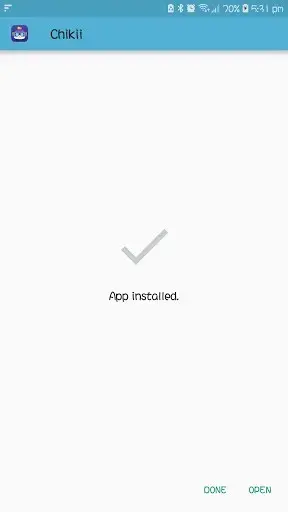
Tap the file, confirm the installation request, and wait for the process to complete.
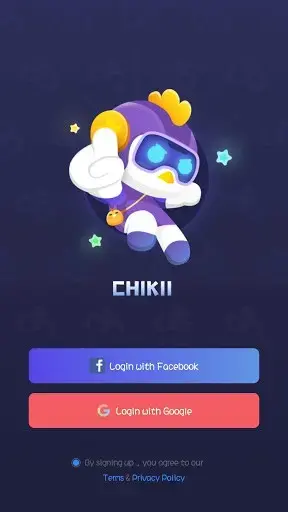
Open Chikii from your app drawer, sign in or create an account, and begin exploring available game rooms.
After installation, you can return to our website whenever a newer version is released and repeat these steps to update the app.
Features
Cloud streaming of PC and console games
Play selected PC and console-style titles on Android by streaming them from remote cloud computers instead of installing them locally.
Community game rooms
Join public and private rooms where hosts share their game sessions, allowing you to watch, queue, and play together.
Support for popular titles
Access well-known games such as open-world action, sports, fighting, and horror titles, depending on availability in the community.
Optimised touch controls
Use on-screen joysticks, buttons, and a virtual keyboard that are laid out for mobile comfort and quick access to key actions.
Multiple server options
Connect to different server regions to improve responsiveness and reduce input lag where possible.
High-quality video output
Stream games in high visual quality, depending on your connection speed and server load, for a more immersive experience.
Account and cloud profiles
Create an account to manage your sessions, preferences, and access to different rooms and games across devices.
Controller and accessory support
Use compatible gamepads or other input devices for better control in action-heavy and competitive games.
Screenshots
Device compatibility and system requirements
Chikii targets a wide range of Android phones and tablets. The app generally requires Android 5.0 or higher and enough free storage for the installation file. Because the games themselves run in the cloud, you do not need large amounts of internal storage for game data.
For the best results, use a device with a modern processor, adequate RAM, and a responsive touch screen. A strong Wi-Fi connection usually provides a better experience than mobile data, but 4G and 5G networks can also work well in areas with good coverage.
Tips for smoother cloud gaming in Chikii
To improve your cloud gaming experience in Chikii, there are a few practical steps you can take. First, stay as close as possible to your Wi-Fi router or use a reliable mobile network with strong signal strength. Avoid downloading large files or streaming other video content on the same connection while you play.
You can also adjust in-app streaming quality settings if available, choosing a lower resolution to reduce lag on slower connections. Using a compatible gamepad can make controls more precise, especially for fast-paced shooters or racing games. Finally, try different servers or rooms if you notice high latency, as alternative routes may offer better performance.
Safety and responsible use
When you use Chikii, always follow the terms of service of both the app and any games you access through it. Avoid sharing your account details with strangers and be cautious about linking external accounts where optional.
If younger players use the app, it is a good idea for parents or guardians to supervise their sessions and manage communication features. Cloud gaming can use considerable data, so keep an eye on mobile data limits if you are not connected to Wi-Fi.
FAQs
Pros
- Lets Android users stream demanding PC and console games without high-end hardware
- Provides community rooms and social features for shared gaming sessions
- Offers mobile-friendly touch controls and support for external controllers
- Available as an APK download from our website for easy manual installation
- Multiple servers and regions help improve latency and responsiveness
Cons
- Requires a fast and stable internet connection for smooth gameplay
- Game availability and room access can vary depending on community hosts and queues
- Free access may have limitations such as time, priority, or waiting periods
- Streaming quality can be affected by network congestion and distance from servers
Conclusion
Chikii brings cloud gaming to Android by streaming full PC and console games to your mobile device. If you have a stable connection and want to try demanding titles without investing in new hardware, you can download the official Chikii APK from our website and start exploring its game rooms and community features.




Comments
No approved comments yet.