

Joyark Cloud Gaming
Joyark Cloud Gaming is a mobile cloud platform that lets you stream and play PC and console games directly on your Android phone or tablet. You do not need powerful hardware, because the games run on remote servers.
With an active internet connection, you can launch supported titles within seconds, use on-screen controls or a connected gamepad, and continue your progress across devices. The official Joyark Cloud Gaming APK is available to download directly from our website for quick installation.
Whether you want to test high-end games, play for short sessions on the go, or explore new genres without large downloads, this app provides a simple way to access a wide catalog of cloud-hosted games from one place.
We have more similar apps available here, which you can also access and have fun spending your quality time. So, if you are willing to get more similar games, then you can try Mogul Cloud Game and Jojoy. Both of these are quite popular available apps.
Rate this app
App details
- App name
- Joyark Cloud Gaming
- Category
- Entertainment
- Version
- v1.8.3
- Size
- 75.15 MB
- Requirements
- 5.0 and Above
- Package name
- com.joyark.cloudgames.community
- Publisher
- JoyArk official
- Price
- Free
- Mod
- No
- Downloads
- 74,920
- Rating
- 4.8 / 5
- Rating count
- 21,957
- Play Store
- Yes
- Requires root
- No
- Offline support
- No
- Contains ads
- Yes
- In-app purchases
- Yes
- Updated
- May 15, 2026
- Age rating
- Rated for 3+
Table of contents
What is Joyark Cloud Gaming Android App
Joyark Cloud Gaming is an Android entertainment and gaming service that streams games from the cloud to your mobile device. Instead of installing huge game files and relying on expensive hardware, you connect to Joyark servers and play supported titles through real-time streaming.
The app focuses on providing access to games originally released for platforms such as Windows PC, Xbox and other consoles. You can browse the catalog, choose a title and start playing within the app while the heavy processing happens on remote machines.
Joyark offers a combination of free trial minutes, reward-based playtime and paid plans. This makes it suitable for users who want to quickly test games as well as for players who plan to use cloud gaming more regularly.
Why Download Joyark Cloud Gaming APK
Downloading the Joyark Cloud Gaming APK from our website gives you direct access to the official installer so you can start streaming games without a long setup. You do not have to search multiple stores or download large game files one by one.
The app centralizes cloud titles in a single interface, handles account login, session management and controller mapping for you. This makes it easier to focus on playing rather than configuring emulators or manually tweaking performance settings.
Because Joyark is built around remote servers, it can help users with mid-range or older phones experience games that would otherwise be too demanding for their hardware. If you have a stable and reasonably fast network, it can be a practical way to explore higher-end games on Android.
How Joyark Cloud Gaming Is Useful
Joyark Cloud Gaming is useful for players who want flexibility. You can play from almost anywhere without carrying a console or gaming laptop, as long as you have a compatible Android device and a reliable internet connection.
The service can reduce storage pressure on your phone because you do not need to install full game packages locally. It also lets you try games before committing to long downloads or hardware upgrades.
For users who do not own certain consoles or gaming PCs, Joyark can act as a bridge, offering access to selected titles from those ecosystems through cloud streaming. This can be especially practical for casual sessions, quick testing and playing on the go.
How to Download and Install Joyark Cloud Gaming APK
You can download the official Joyark Cloud Gaming APK file directly from our website and install it on your Android device in a few simple steps.
Follow these steps to get started:
Scroll to the download section on this page and tap the available Joyark Cloud Gaming APK link.
Confirm the download when your browser asks for permission to save the file.
On your Android device, open Settings and allow app installation from your browser or file manager source if requested.
Once the APK download finishes, open your file manager and tap the Joyark Cloud Gaming APK file.
Tap Install and wait for the installation to complete on your device.
Launch Joyark Cloud Gaming from your app drawer, create or sign in to your account and start exploring the cloud game catalog.
After installation, ensure you have a stable internet connection for smooth streaming and adjust in-app settings according to your network quality.
Features
Cloud-based game streaming
Play supported PC and console titles via remote servers instead of local hardware processing.
No high-end hardware required
Run demanding games on mid-range or older Android devices because the rendering happens in the cloud.
Centralized game catalog
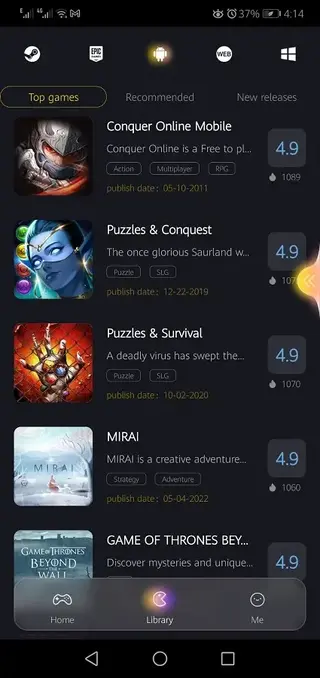
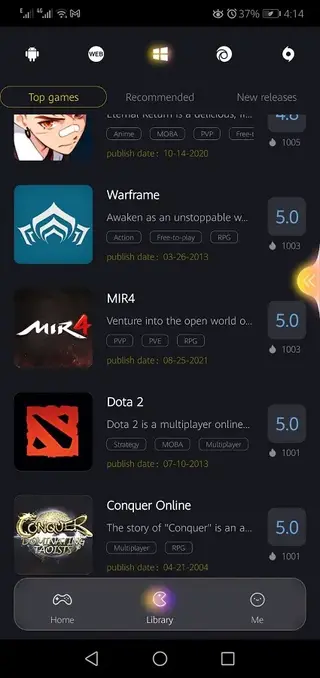
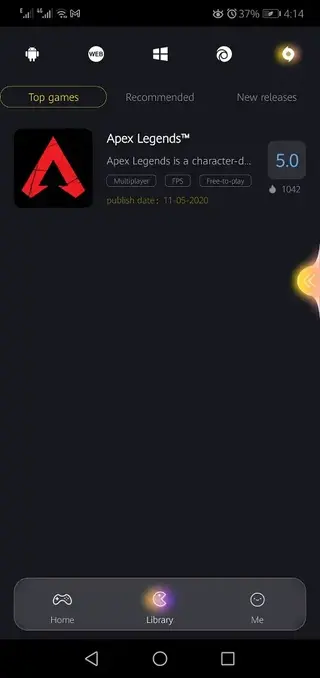
Browse and search a collection of cloud-supported games from within a single application.
Free and paid playtime options
Get limited free minutes, earn extra time by engaging with offers or ads, and extend sessions with paid plans.
On-screen and controller support
Use virtual touch controls or connect a compatible gamepad for a more console-like experience.
Account and progress sync
Log in with your account so your sessions and progress can stay connected across devices where supported.
Simple interface
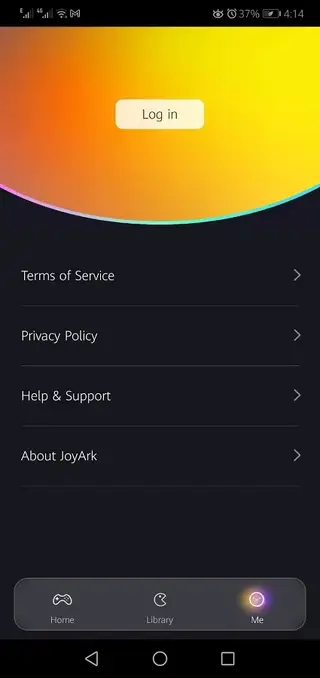
Navigate the game library, start sessions and manage your account through a clean, mobile-first UI.
Regular service updates
Benefit from ongoing service improvements, new titles and performance optimizations over time.
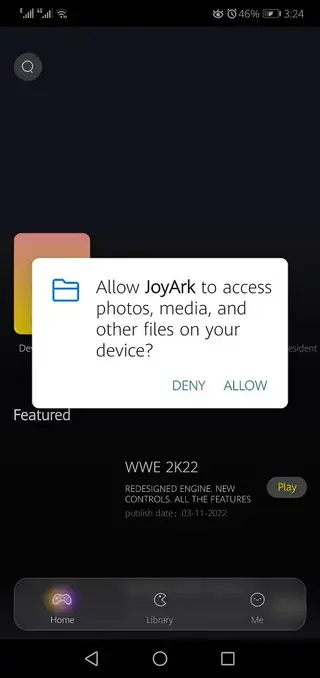
Screenshots
Network And Device Requirements
Because Joyark Cloud Gaming relies on real-time streaming, your network quality has a major impact on the experience. A stable broadband or high-speed mobile data connection is recommended to reduce lag and visual artifacts.
For best results, use a device running at least Android 5.0 or higher, with sufficient RAM and a responsive touchscreen. Connecting over Wi-Fi or a strong 4G or 5G signal can provide more consistent performance, especially for fast-paced action games.
Gameplay Experience And Controls
Once you launch a game through Joyark, the app streams visuals and audio from the remote server while sending your input back in real time. You can use the built-in on-screen controls or connect a compatible Bluetooth or USB controller for improved precision.
In many cases you can adjust quality and control settings to better match your network speed and personal preference. Lowering stream quality can help maintain smoother gameplay on slower connections.
Account, Minutes And Subscription Model
Joyark typically uses a mixed model that includes free minutes, ad-based rewards and paid playtime. New users often receive trial time to test the platform and confirm that their network can handle cloud streaming.
If you plan to use the service regularly, you can choose subscription or time-based options that provide longer uninterrupted sessions. Keep an eye on in-app information, since available plans, regions and promotions can change over time.
FAQs
Pros
- Lets users stream demanding PC and console games on mid-range Android devices
- Reduces local storage usage because games run from the cloud
- Simple interface that organizes cloud titles in one place
- Offers free trial minutes and reward-based playtime for new users
- Supports both touch controls and external game controllers
- No root access or complex technical configuration required
Cons
- Requires a stable, fast internet connection for smooth gameplay
- High data usage during long streaming sessions
- Game availability and catalog can vary over time and by region
- Free minutes are limited and extended play usually needs spending or tasks
- Possible input lag or quality drops on weaker networks
Conclusion
Joyark Cloud Gaming provides an accessible way to try and play higher-end PC and console-style games on Android through cloud streaming. If you have a reliable connection and want to experience more demanding titles without upgrading your hardware, downloading the official APK from our website is a straightforward way to get started.




Comments
No approved comments yet.