

Clash For Android
Clash For Android is a powerful rule-based network client that lets you control how apps connect to the internet on your phone. It works with Clash configuration files to route, filter, and manage traffic according to your own rules.
With this app, you can direct traffic through different proxies, restrict access to specific domains, and monitor real-time connections in one place. It is especially useful for users who care about privacy, network performance, and fine-grained control.
You can download the official Clash For Android APK directly from our website, install it on compatible Android devices, and start using your existing Clash configs or import new ones from local storage or URLs.
Rate this app
App details
- App name
- Clash For Android
- Category
- Tools
- Version
- v3.0.3
- Size
- 13.82 MB
- Requirements
- 5.0 and Above
- Package name
- com.github.kr328.clash
- Publisher
- Kr328
- Price
- Free
- Mod
- No
- Downloads
- 163,194
- Rating
- 4.7 / 5
- Rating count
- 7,481
- Play Store
- No
- Requires root
- No
- Offline support
- No
- Contains ads
- No
- In-app purchases
- No
- Updated
- May 11, 2026
- Age rating
- Rated for 3+
Table of contents
What is Clash For Android?
Clash For Android is an open-source Android client for the Clash networking engine. It acts as a rule-based proxy and traffic manager, allowing you to decide how different apps and domains use your network.
The app loads Clash configuration files from local storage or remote URLs. Based on those rules, it can route specific traffic through various proxy nodes, block unwanted domains, or send connections directly without proxy. This gives you granular control over privacy, speed, and access.
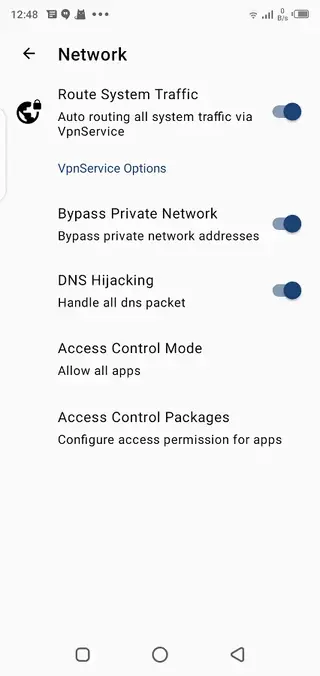
On Android, Clash For Android runs as a VPN service, so it can manage connections system-wide without requiring root access. You can see active connections, traffic statistics, and rule matches in real time, then adjust your configuration to match your needs.
Neverskip Parent Portal App and NetShare Pro are similar tools, which offer the same services for the users. So, if you want to try an alternative tool, then you should try it. Because these tools are also free to download and install.
Why download Clash For Android APK?
Downloading Clash For Android APK from our website lets you install the app quickly on any compatible Android device, even if you prefer using APK files instead of app stores. The APK makes it easy to keep a backup copy and manage updates manually.
Clash For Android is popular with advanced users who want to control which apps use which proxy, separate work and personal traffic, or block tracking domains at the network level. You can define your own rules or use community-made configurations that match your region and use case.
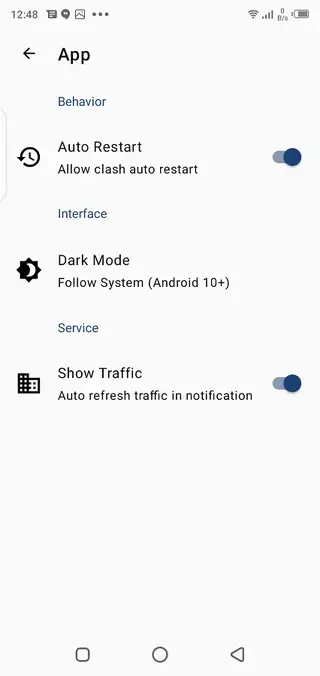
The app also provides a clean interface with dark mode support, connection logs, and traffic statistics. This combination of control and transparency makes it a practical tool for people who care about network security, flexibility, and customization.
How Clash For Android is useful?
Clash For Android is useful whenever you want more than a simple on/off VPN switch. Instead of sending everything through a single tunnel, you can decide exactly which domains or apps use a proxy and which go directly.
This helps in several real-world scenarios:
Privacy and control: Block trackers and unwanted domains at the network layer instead of relying only on browser extensions.
Selective routing: Send streaming or gaming traffic directly while routing sensitive traffic through encrypted proxies.
Access management: Limit access to specific websites on your home or office devices by using rules that block or redirect traffic.
Monitoring: View connection details and traffic usage to understand how apps behave on your network.
Because the app supports complex Clash rule sets, it scales from simple personal use to more advanced setups, making it a flexible tool for power users and technically inclined parents or administrators.
How to download and install Clash For Android APK?
You can get the Clash For Android APK directly from our website and install it on your device in a few simple steps.
Scroll to the download section on this page.
Tap the APK download button for Clash For Android.
Wait for the APK file to finish downloading to your device.
Open your phone settings and enable installation from unknown sources for your browser or file manager if needed.
Locate the downloaded APK in your Downloads folder and tap it.
Follow the on-screen prompts to complete the installation.
Open Clash For Android, grant the required VPN permission, and import your Clash configuration file or URL.
After installation, you can manage updates by returning to our website and downloading the latest available version when you want to upgrade.
Features
Rule-based network routing
Control how different apps and domains connect by using Clash rule sets with fine-grained policies.
System-wide VPN mode
Runs as an Android VPN service to manage traffic across the entire device without root access.
Import configuration from file or URL
Load Clash configuration files from local storage or remote URLs for quick setup and updates.
Domain and IP blocking
Use rules to block specific domains or IP ranges, helping to restrict access to unwanted sites.
Multiple proxy profiles
Configure and switch between different proxy nodes or groups based on your needs.
Real-time traffic statistics
View up-to-date traffic usage, connections, and rule matches for better insight and tuning.
Client and connection logs
Inspect detailed logs to debug configuration issues and understand routing behavior.
Dark mode interface
Use a dark theme that is easier on the eyes, especially for long configuration sessions.
Screenshots
Getting started with configuration files
To use Clash For Android effectively, you need at least one valid Clash configuration file. This file defines your proxies, proxy groups, and routing rules.
You can create a configuration manually if you are experienced, or you can use a configuration provided by a service that supports Clash. Save the file to your device or copy its URL.
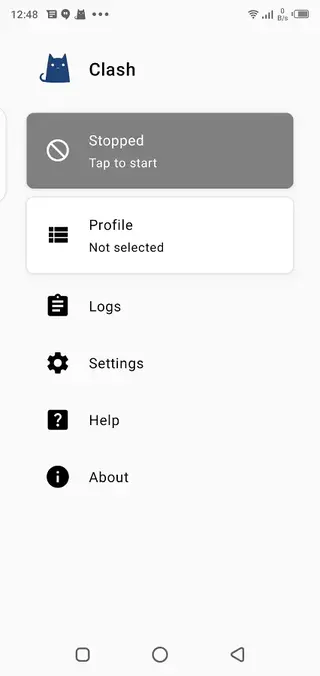
In Clash For Android, open the profile section and choose to import from storage or from a URL. After the profile loads successfully, you can enable it and start the VPN service to apply your rules.
Managing profiles and rules
Clash For Android allows you to maintain multiple profiles for different use cases, such as work, streaming, or general browsing. You can switch between them depending on your current needs.
Within each profile, you can adjust proxy groups and rule behavior. For example, you can direct streaming services through a specific proxy while keeping banking apps on a direct, unproxied route.
After changing your rules or proxies, restart the VPN service inside the app to ensure the new configuration takes effect.
Monitoring and troubleshooting
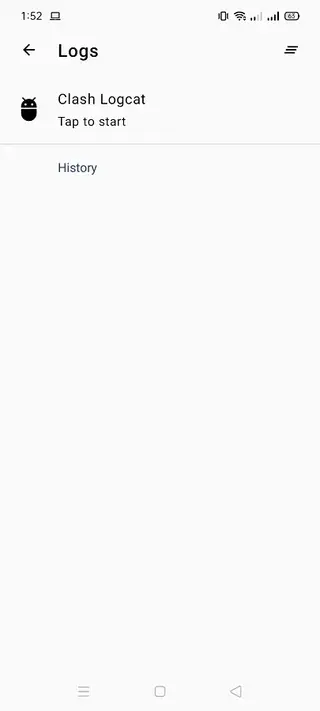
If some apps are not working as expected after enabling Clash For Android, use the built-in logs and traffic statistics to investigate. Check which rules match specific connections and adjust your configuration accordingly.
You can also temporarily disable the VPN service in the app to confirm whether an issue is related to the configuration or to another network problem.
Regularly reviewing logs and connection details helps keep your setup stable and aligned with how you actually use your device.
FAQs
Pros
- Open-source client for the Clash networking engine
- Does not require root access on compatible Android devices
- Highly flexible rule-based routing and blocking
- Supports importing configurations from local files and remote URLs
- Provides real-time traffic and connection statistics
- Clean interface with dark mode option
Cons
- Designed mainly for advanced users and may be complex for beginners
- Requires external Clash configuration files to work effectively
- Incorrect configuration can break connectivity for some apps
- Continuous VPN-based operation can increase battery usage
Conclusion
Clash For Android offers advanced, rule-based control over network traffic on Android devices. If you want more flexibility than a standard VPN, you can download the APK from our website, load your Clash configuration, and fine-tune how each app and domain uses your connection.




Comments
No approved comments yet.