
NetShare Pro
NetShare Pro is an Android hotspot sharing app that lets you turn your phone into a portable WiFi access point and share your mobile data with other devices. It focuses on simple setup and flexible control over connected devices.
With this tool you can connect laptops, tablets, or other phones to your main device, apply usage limits, and manage who can join your network. The app aims to reduce extra internet costs by helping you use a single data connection more efficiently.
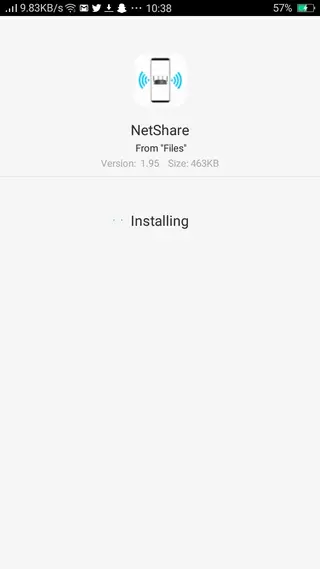
You can download the latest NetShare Pro APK directly from our website and install it on any compatible Android phone or tablet without complicated configuration steps.
Rate this app
App details
- App name
- NetShare Pro
- Category
- Communication
- Version
- v2.58
- Size
- 1.01 MB
- Requirements
- 4.0 and Above
- Package name
- kha.prog.mikrotik
- Publisher
- MIKROTIK
- Price
- Free
- Mod
- No
- Downloads
- 66,665
- Rating
- 4.0 / 5
- Rating count
- 3,642
- Play Store
- Yes
- Requires root
- No
- Offline support
- No
- Contains ads
- Yes
- In-app purchases
- Yes
- Updated
- May 29, 2026
- Age rating
- Rated for 16+
Table of contents
Features
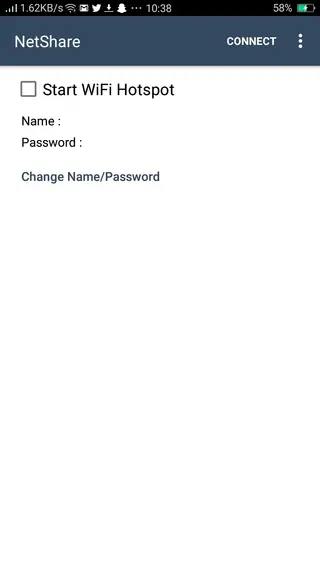
Portable WiFi hotspot sharing
Turn your Android phone into a hotspot and share mobile data with multiple devices over WiFi.
Connection management dashboard
View all connected devices in one place and manage who can access your hotspot.
Data usage tracking
Monitor how much data each connected device uses to avoid exceeding your mobile package.
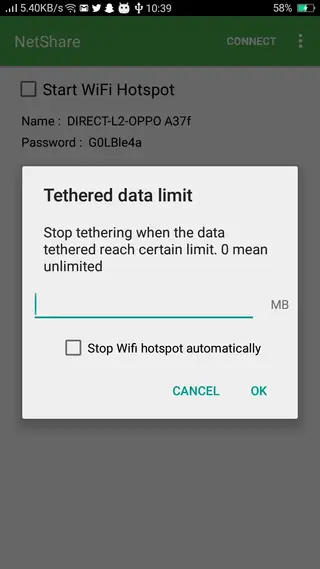
Custom data limits
Set usage limits for specific devices so the connection stops automatically when the limit is reached.
Password-protected network
Secure your hotspot with a custom password so only trusted users can connect.
Block unfamiliar devices
Remove or block devices you do not recognize to keep your network private.
Simple, user-friendly interface
Use a clean layout with clear buttons, making hotspot setup and control easy for any user.
Works with existing mobile data
Share the data plan you already have without needing extra routers or separate broadband lines.
Screenshots
Tips for Better Hotspot Performance
To get more stable performance when using NetShare Pro, keep the main device in an area with strong mobile signal and avoid heavy downloads on all connected devices at the same time. This reduces latency and keeps speed more consistent.
It is also helpful to:
Keep your phone charged or connected to power during long hotspot sessions.
Change your hotspot password regularly to prevent unknown connections.
Disconnect idle devices that no longer need internet to free up bandwidth.
Security Considerations When Sharing Your Hotspot
Whenever you share a hotspot, you should treat it like a small private network. Set a strong password, avoid open networks, and only allow people you trust to connect. NetShare Pro helps by letting you see which devices are online and remove them when necessary.
For additional safety, keep your Android system and apps updated and avoid sharing sensitive data over public environments unless you also use secure connections such as HTTPS and VPN services where appropriate.
FAQs
Pros
- Allows you to share one mobile data connection with multiple devices
- Provides device-level data usage tracking and basic control
- Simple interface that is easy to understand for new users
- Can help reduce internet costs by avoiding extra data plans
Cons
- Hotspot features depend on carrier and device limitations
- Continuous tethering can drain battery quickly
- Requires a stable mobile data signal to work well
Conclusion
NetShare Pro is a practical Android hotspot manager for users who rely on mobile data and want better control over how it is shared. If you often connect multiple devices on the go, downloading the APK from our Apkoll.com and trying its usage tracking and access control features can make your daily internet sharing more efficient and manageable.




Comments
No approved comments yet.