

Clouddy
Clouddy is an IPTV-focused video player for Android that lets you load your own channel playlists and watch live TV streams in a clean and simple interface.
The app does not include built-in channels. Instead, it works as a powerful player for M3U playlists and IPTV links, giving you more control over how you organize and watch your content.
You can download the official Clouddy APK directly from our website, install it on your phone or tablet, and start streaming your existing IPTV subscriptions in just a few steps.
We have more amazing applications available here, which you can easily play and enjoy. So, if you are willing to get more similar apps, then try Alfa TV Pro and LTScores. Both of these are quite popular available apps, which you can get and enjoy.
Rate this app
App details
- App name
- Clouddy
- Category
- Video Players & Editors
- Version
- v1.0.20
- Size
- 50.58 MB
- Requirements
- 6.0 and Above
- Package name
- player.clouddy.online
- Publisher
- ClouDDy Online
- Price
- Free
- Mod
- No
- Downloads
- 58,295
- Rating
- 4.7 / 5
- Rating count
- 21,489
- Play Store
- No
- Requires root
- No
- Offline support
- No
- Contains ads
- No
- In-app purchases
- No
- Updated
- May 14, 2026
- Age rating
- Rated for 3+
Table of contents
What is Clouddy APK
Clouddy APK is an Android video player and IPTV client that focuses on playing external TV channel playlists. It is designed for users who already have access to IPTV lists and want a lightweight player to organize and watch those streams on mobile devices.
The app works as a dedicated IPTV player. It does not provide channels or playlists by default, so you stay in control of what you watch. You simply sign up, log in, and add your own M3U playlists or IPTV links to start streaming.
Clouddy offers a straightforward interface, smart playback controls, and categorized sections that make it easier to browse channels, manage lists, and enjoy live TV or other streams on Android phones and tablets.
Why download Clouddy for Android
Clouddy is useful if you already use IPTV services and want a clean Android player instead of a bloated streaming app. It focuses on stability, simple navigation, and playlist control, so you can adjust channels to match your viewing habits.
Because it does not bundle any built-in content, the interface stays uncluttered and responsive. You add only the playlists you care about, remove what you do not need, and quickly switch between channels using familiar video controls.
Downloading Clouddy APK from our website lets you install the current version directly on your device, even if it is not available through mainstream app stores in your region.
How Clouddy is useful for IPTV users
Clouddy is particularly useful for users who like to manage their own IPTV playlists. Instead of relying on fixed channel lists, you can import M3U files, organize channels into categories, and create a viewing environment that matches your needs.
Smart playback controls help you handle long sessions of live TV, sports or news. The user-friendly layout makes it easier for less technical users to open streams without dealing with complex settings, while still giving experienced users enough flexibility to customize their lists.
If you frequently watch IPTV on Android, Clouddy can act as your main hub for streams, keeping all your playlists in one place and improving the overall viewing experience.
How to download and install Clouddy APK
You can get the official Clouddy APK directly from our website. Follow these steps to download and install it on your Android device:
Scroll to the download section on this page.
Tap the Clouddy APK download button to start downloading the file from our server.
Wait until the APK file finishes downloading on your device.
Open your phone settings and enable installation from unknown sources if it is disabled.
Locate the downloaded APK in your downloads folder and tap it.
Confirm the installation prompts and wait for the setup to complete.
Open Clouddy, create or log in to your account, and add your IPTV or M3U playlists.
After installation, you can launch the app anytime from your app drawer and manage your IPTV channels directly from Clouddy.
Features
Dedicated IPTV player
Focuses on playing user-supplied IPTV and M3U playlists rather than bundling built-in channels.
Account based access
Requires a simple registration and login so you can access your playlists and app features securely.
M3U playlist support
Lets you add, manage and update M3U lists so you can organize channels according to your preferences.
Smart playback controls
Offers intuitive player controls for pausing, resuming and navigating streams smoothly.
User friendly interface
Simple layout with clear menus and sections that makes it easy to find and play channels.
Well organized sections
Categorizes content and playlists so you can quickly browse and switch between different channel groups.
No built in ads reported
Old app descriptions indicate that it does not display advertising within the player interface.
No premium tiers mentioned
Core IPTV playback features are available without separate premium subscriptions mentioned in public info.
Screenshots
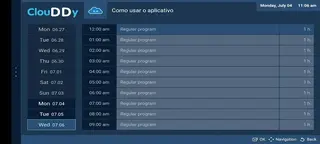
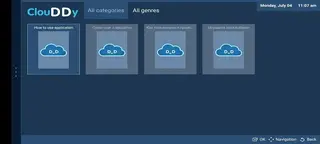


Account setup and first time configuration
When you first open Clouddy, the app asks you to register or log in. Registration usually requires only basic details such as an email address and password. After confirming your account, you can log in on the same device and access the player interface.
Once you are logged in, you can begin adding IPTV sources. This typically involves pasting M3U links or uploading playlist files. After adding a list, Clouddy organizes the channels into categories so you can browse and start streaming quickly.
Managing IPTV playlists in Clouddy
Clouddy is built around playlist management. You can add multiple M3U lists, remove outdated ones, and refresh playlists when your provider updates channels. This flexibility helps you keep only relevant content and avoid clutter.
Channels can often be organized into groups such as sports, movies, news or kids, depending on how your playlist is structured. This makes it easier to navigate, especially if you have hundreds of channels in a single list.
Streaming quality and device compatibility
The streaming quality in Clouddy depends mainly on the IPTV source, your internet connection and your device capabilities. The app acts as a player, so it attempts to handle the streams provided by your playlists as efficiently as possible.
Clouddy is made for Android phones and tablets with at least Android 4.2 or higher, according to older version information. On most modern devices, it should run smoothly as long as your network connection is stable enough for live streaming.
FAQs
Pros
- Lightweight IPTV player focused on user supplied playlists
- Supports M3U lists for flexible channel management
- Simple registration and login process
- Clean and user friendly interface for easy navigation
- No premium tiers mentioned for core playback features
- Old descriptions suggest no in app advertising
Cons
- Does not provide any built in TV channels or playlists
- Requires external IPTV or M3U sources to be useful
- May not be available or updated on official app stores
- Continuous internet connection is needed for streaming
- Playlist setup can be confusing for complete beginners
Conclusion
Clouddy is a practical IPTV player for Android users who already have their own playlists and want a clean, playlist driven streaming experience. You can download the official APK from our website, install it on your phone or tablet, and use it as a central hub to manage and watch IPTV channels through your existing lists.




Comments
No approved comments yet.