

Cricpk
Cricpk is a live TV and IPTV app focused on sports and cricket channels for Android devices. It lets you watch selected live matches and sports networks directly on your phone or tablet.
Android provides some of the best collections of services for users, which include communication, entertainment, and many more. So, today we are here for the sports cricket lovers, through which you can enjoy your free time on Android by installing Live Cricket TV and Jazz Cricket.
The app groups channels into simple categories such as sports, news, cartoons, and more, so you can quickly find something to watch. Streams usually load through the built-in player without needing any extra apps.
You can download the official Cricpk APK file directly from our website and install it manually on compatible Android devices running Android 5.0 or higher.
Rate this app
App details
- App name
- Cricpk
- Category
- Entertainment
- Version
- v2.4
- Size
- 9.52MB
- Requirements
- 5.0 and Up
- Package name
- com.kanhartube.cricpk
- Publisher
- KANHAR Tube
- Price
- Free
- Mod
- No
- Downloads
- 55,020
- Rating
- 4.5 / 5
- Rating count
- 26,000
- Play Store
- No
- Requires root
- No
- Offline support
- No
- Contains ads
- Yes
- In-app purchases
- No
- Updated
- May 14, 2026
- Age rating
- Rated for 3+
Table of contents
What is Cricpk APK
Cricpk APK is an Android entertainment and IPTV application that focuses mainly on live sports, especially cricket. It offers access to a collection of TV channels that stream matches, sports shows, and other television content inside a single app.
The app works as a live TV hub. Instead of searching for different streams, you get a list of available channels arranged by type. Sports channels are the main highlight, but there are also sections for news, cartoons, documentary content, and general entertainment.
Cricpk includes its own built-in video player, so you do not need to install a separate media player to watch channels. As long as your internet connection is stable, you can open a channel and start streaming inside the app interface.
This APK is not available on Google Play. To use it, you download the installation file from our website, enable unknown sources on your Android device, and install it manually like other sideloaded apps.
Why Download Cricpk for Android
Sports fans, especially cricket followers, often struggle to find working live streams when a major match starts. Cricpk aims to solve that by bringing a range of sports and cricket-focused channels into one lightweight Android app.
By downloading Cricpk from our website, you get direct access to the official APK file and can keep it on your device for upcoming series, leagues, and tournaments. When a live event is on, you simply open the app, pick a channel, and try the available streams.
The app also includes non-sports categories such as cartoons, news, and documentaries, which makes it useful beyond match days. If you want a simple IPTV-style experience without complex setup, Cricpk is designed to be quick to install and easy to navigate.
How Cricpk Is Useful for Users
Cricpk can be useful for users who want a simple way to watch live television channels on mobile without configuring playlists or external players. Everything is handled inside the app, from browsing channels to playing streams.
Cricket lovers benefit from the focus on sports channels, which may carry domestic and international matches depending on the broadcast schedule. When a major event is on, you can check multiple channels to see where it is being shown.
The app’s category system, search bar, and lightweight interface help you find channels faster, even on devices with modest hardware. Because it uses a built-in player, it also reduces the friction of switching between apps while watching live content.
How to Download and Install Cricpk APK
You can download the original Cricpk APK file directly from our website and install it manually on your Android device. Follow these steps to complete the process safely:
Tap the download button for Cricpk APK on this page to save the file to your device.
Wait until the APK file finishes downloading in your browser or download manager.
Open your device settings and enable installation from unknown sources if it is not already allowed.
Locate the downloaded APK file in your Downloads folder or file manager.
Tap the file, review the permissions, and confirm the installation prompt.
Once the installation completes, open Cricpk from your app drawer and start browsing channels.
Whenever a newer version becomes available, you can return to our website, download the updated APK, and install it over the existing app.
Features
Focused on live sports and cricket
The app highlights sports and cricket channels so fans can quickly find live matches and related shows.
IPTV-style channel list
Cricpk organizes available TV channels in a single list with categories, making it easy to browse what is on.
Multiple content categories
Beyond sports, the app offers sections such as cartoons, documentaries, news, and general entertainment.
Built-in video player
The application includes its own media player so users do not need any external playback app.
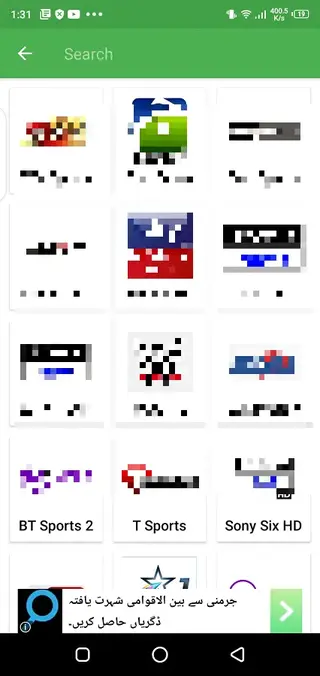
Search function for channels
A fast search tool helps you locate specific channels by name instead of scrolling through long lists.
Lightweight and simple UI
The interface is straightforward, with basic navigation that works on a wide range of Android devices.
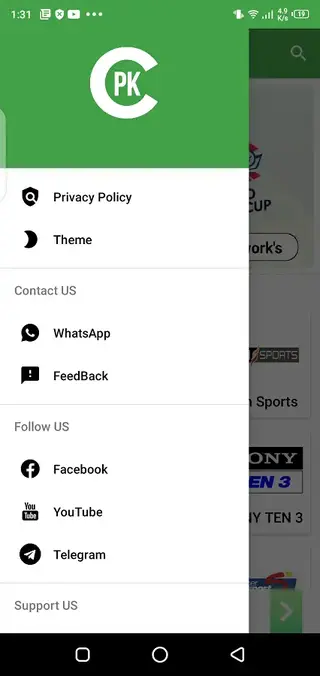
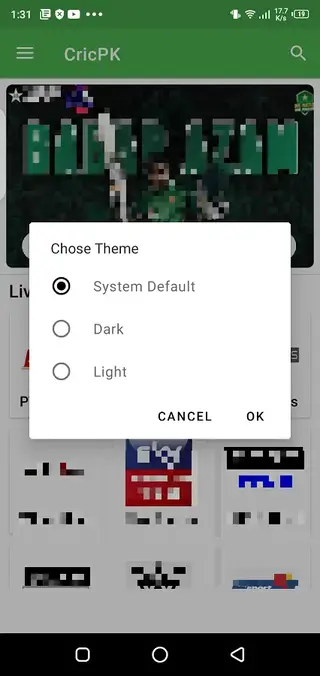
Theme customization options
Users can switch between different visual themes to adjust the look of the app to their preference.
Streaming optimized servers
The app is designed to connect to servers that aim to reduce buffering and improve streaming stability.
Screenshots
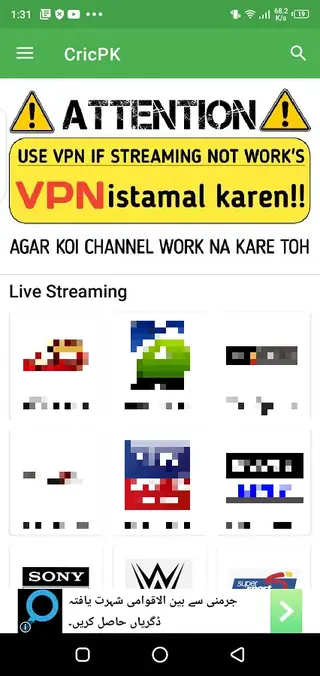
App Requirements and Compatibility
Cricpk is built for Android phones and tablets that run Android 5.0 or higher. The app is relatively small in size, so it can run on mid-range and some older devices, provided they have enough free storage and memory.
For a better viewing experience, it is recommended to use a stable Wi-Fi or high-speed mobile data connection. Because all content is streamed online, slow connections can lead to lag or buffering during live events.
Streaming Experience and Performance
Cricpk connects to online streams through its own servers and player interface. When a user selects a channel, the app attempts to open the live feed with minimal delay. Performance can depend on both your network quality and the current state of the stream source.
If a channel does not load correctly, users can try switching to another available sports or cricket channel within the app. Keeping the app updated with the latest version from our website can also help improve stability over time.
Safety and Legal Considerations
Cricpk aggregates live TV streams inside one Android application. Availability of channels and content may differ by region, and legal status can depend on local regulations and broadcast rights. Users should always respect the laws of their country while using any streaming application.
We provide the original APK file as shared by the developer, without adding modifications. Before installing, you can review the permissions requested by the app and decide whether you are comfortable proceeding on your device.
FAQs
Pros
- Focus on live sports and cricket channels for match streaming
- Simple IPTV layout with built-in video player
- Offers additional content categories like news, cartoons, and documentaries
- Lightweight app that runs on Android 5.0 and above
- Search function and categories make channels easier to find
Cons
- Requires a stable internet connection and does not work offline
- Not available on Google Play Store and must be sideloaded
- Live channel availability and streaming quality can vary over time
- May contain in-app advertising during navigation or playback
Conclusion
Cricpk offers a straightforward way to watch sports, especially cricket, along with other live TV channels on Android. If you want a lightweight IPTV-style app with a simple interface and built-in player, you can download the official Cricpk APK directly from our website and start exploring its channel lineup on your device.




Comments
No approved comments yet.