

dFAST
dFAST is an alternative Android app store that focuses on original and modified apps and games, including titles that may not appear on Google Play. It helps users discover trending content in one place with simple navigation and fast downloads.
With well-organized categories, filters and a built-in search engine, dFAST makes it easier to locate specific tools, entertainment apps or modded games. You can get the official APK file directly from our website and install it on compatible Android phones and tablets.
The app is designed for users who want wider access to Android content, from premium-style tools to popular games with extra features. Before installing, review how dFAST works, its main options and its pros and cons so you can decide whether it fits your needs.
We got more similar favorite apps, which you can also download on your Android and have fun with. So, you guys should try Ccplay and Myket. Both of these other apps provide quite similar services for the users, which you can access and have fun with.
Rate this app
App details
- App name
- dFAST
- Category
- Productivity
- Version
- v2.2.3
- Size
- 16.81 MB
- Requirements
- 7.0 and Above
- Package name
- com.hypertorrent.android
- Publisher
- Hyper Torrent
- Price
- Free
- Mod
- No
- Downloads
- 262,875
- Rating
- 4.5 / 5
- Rating count
- 3,352
- Play Store
- No
- Requires root
- No
- Offline support
- No
- Contains ads
- Yes
- In-app purchases
- No
- Updated
- May 18, 2026
- Age rating
- Rated for 3+
Table of contents
What is dFAST Android App Store
dFAST is a third-party Android app store that provides access to a large catalog of applications, games and tools, including both original releases and modified variants. It aims to work as an open app marketplace where users can explore content that might be region-locked, unavailable, or limited on traditional stores.
The app groups content into clear sections such as apps, games and paid-for-free items. Within these sections, users can find communication tools, social apps, entertainment titles, productivity utilities, and many popular Android games. Many entries highlight mod or unlocked features, which is why dFAST is often used by gamers looking for alternative builds of their favorite titles.
dFAST focuses on straightforward navigation, quick filtering and fast downloads, often supporting APK and large OBB or xAPK packages. Once installed, you can browse the catalog, check basic details for each item and then download the selected file to your device through the app.
Why Download dFAST APK from Our Website
Downloading dFAST APK from our website lets you get the latest available version directly, without searching multiple sources. You can store the installer on your device, share it between devices and reinstall it whenever needed.
Because dFAST is not listed on Google Play, installing the APK manually is the main way to use this app store. Having the file from our website gives you quick access to its catalog of original and modified apps and games, along with category browsing and fast search.
If you often run into country restrictions, missing titles or premium apps that are difficult to try, dFAST can be appealing. It gathers many such items into one interface, so you spend less time searching and more time testing the tools and games you are interested in.
How dFAST Can Be Useful for Android Users
dFAST can be useful for Android users who want a broader catalog than the default store. Its collections include apps from common categories such as business, communication, social, dating, education and entertainment, as well as many mobile games. This makes it convenient to explore different types of content from a single app.
The app is especially attractive for users who like modded games and adjusted versions of popular apps. With sections that focus on modified or paid-for-free content, it reduces the time spent tracking down specific builds scattered across the web.
Another practical aspect is the way dFAST structures its library. Content is divided into clear categories and sub-sections, supported by a fast search bar and filters on the main page. This structure helps you quickly jump to trending downloads, most-downloaded games with OBB files or new arrivals, which is useful if you regularly test or rotate apps on your device.
How to Download and Install dFAST APK
You can download the official dFAST APK file directly from our website and then install it manually on your Android device. Follow these steps to complete the process safely on most modern phones and tablets.
Scroll to the download area on this page and tap the dFAST APK download button.
Wait for the APK file to finish downloading to your device storage.
Open your device settings and enable installation from unknown sources for your browser or file manager.
Locate the downloaded APK in your Downloads folder using a file manager app.
Tap the dFAST APK file and confirm the installation prompt.
Wait until the installation completes, then open dFAST from your app drawer.
After launching the app, you can start browsing categories, searching for apps or games and managing your downloads directly inside dFAST.
Features
Large catalog of apps and games
Browse a wide collection of Android applications, tools and games in one store-like interface.
Original and modified versions
Find both stock releases and modded variants of selected apps and games.
Paid-style content listed for free
Explore a dedicated area that highlights apps and games that normally require payment on other stores.
Category-based browsing
Navigate through well-organized categories such as business, communication, social, entertainment and more.
Game-focused sections
Discover Android games, including official builds, mods and entries that work as companion or guide apps.
Fast in-app search
Use the built-in search bar to locate specific titles or keywords quickly across the entire library.
Main page filters
Apply quick filters on the home screen to jump to trending, popular or newly added apps and games.
Torrent-style download support
Some downloads use a torrent-like method designed to handle large APK and OBB files efficiently.
Screenshots
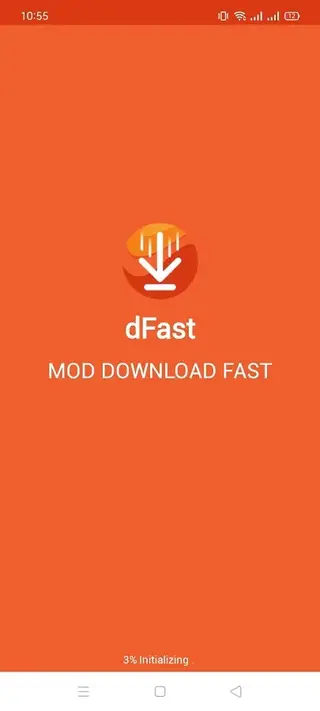
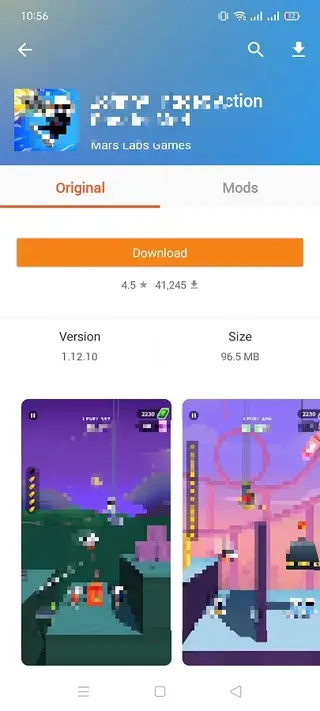
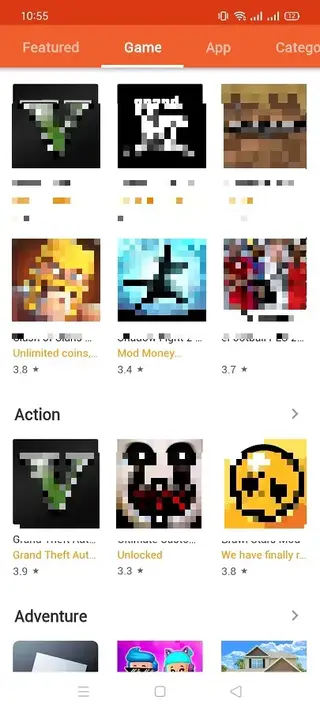
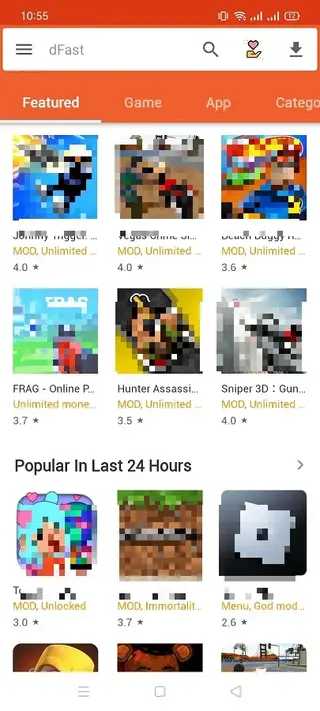
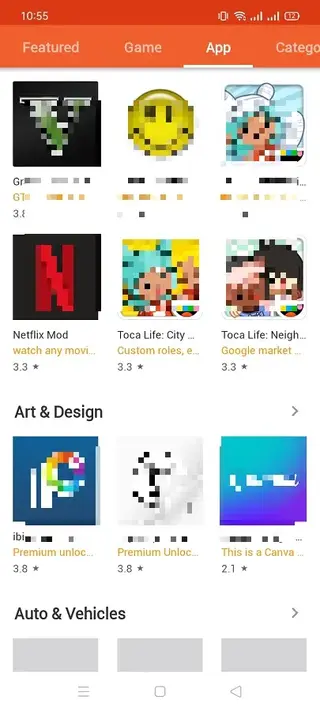
App Categories and Library Structure
dFAST organizes its library into several major sections so users can move through content quickly. The primary areas are apps, games and a highlighted paid-for-free zone, which showcases titles that normally require payment on other platforms.
Within the apps area, you will find categories such as business, productivity, communication, social, dating, education and entertainment. The games area focuses on popular Android titles, including action, strategy, sports, racing and casual games. Each listing typically includes a short description and a download option so you can act immediately.
The category system works together with filters and the search bar, allowing you to refine results by relevance or popularity. This structure is particularly helpful for users who frequently test new apps or who want to locate specific types of mods.
Search, Filters and Discovery Tools
Discovery is one of the main strengths of dFAST. The app includes a fast search engine that scans titles and keywords across its catalog, returning matches almost instantly. This is useful when you already know the name of the app or game you want.
On the main page, quick filters let you sort content by trends, downloads or other criteria, making it easier to identify what is currently popular among users. Combined with the paid-for-free and mod-focused sections, these tools allow you to move from broad exploration to targeted searches in a few taps.
Download Experience and File Types
dFAST is designed to handle both regular APK files and larger packages that include OBB or xAPK components. Some downloads use a torrent-style method that can make large game files more manageable, especially on stable connections.
Once you start a download from within the app, dFAST manages the progress and stores the file on your device. For titles that require extra data, the app typically fetches all components in one process, which reduces manual steps for the user.
Safety, Permissions and Responsible Use
Because dFAST offers modified and paid-style content, users should approach downloads thoughtfully. Always review permissions requested by any installed app, keep your Android system updated and consider using reputable security tools to monitor installed software.
It is also important to respect the terms of service of original developers and platforms. Some mods or patched builds may conflict with those terms. Before using such content, evaluate the potential legal, security and account-related implications based on your region and the services you use.
FAQs
Pros
- Wide catalog of apps, tools and games in one place
- Includes both original and modded versions of many titles
- Clear category structure with filters and search
- No mandatory sign-up required to start downloading
- Designed for fast downloads, including large APK and OBB files
- Helpful for bypassing some regional content limitations
Cons
- Not available on Google Play, must be installed manually
- Many listings focus on modified or paid-content variations
- Potential legal or policy issues around some modded apps and games
- May display in-app advertisements while browsing or downloading
- Online connection required to browse and download content
Conclusion
dFAST is a feature-rich Android app store alternative aimed at users who want easy access to both original and modified apps and games. You can download the official APK directly from our website, install it on a compatible device and explore its catalog using categories, filters and fast search. It is a powerful option for advanced users, though everyone should consider local laws and platform policies before using modded content.




Comments
No approved comments yet.