

Exambro
Exambro is a secure exam browser for Android that locks the device during computer-based tests. It helps schools and teachers run online exams with stricter control over what students can do on their phones or tablets.
With this app, students can only access approved test pages, while other apps, notifications, and navigation options are blocked. This reduces common cheating methods and keeps learners focused on completing their exams.
You can download the official Exambro APK directly from our website, install it on compatible Android devices, and use it as part of your digital examination setup.
Rate this app
App details
- App name
- Exambro
- Category
- Educational
- Version
- v10.14
- Size
- 8.82 MB
- Requirements
- 4.1 and Above
- Package name
- com.dekikurnia.exambro
- Publisher
- Gamada Dev
- Price
- Free
- Mod
- No
- Downloads
- 75,918
- Rating
- 4.7 / 5
- Rating count
- 23,185
- Play Store
- Yes
- Requires root
- No
- Offline support
- No
- Contains ads
- No
- In-app purchases
- No
- Updated
- May 15, 2026
- Age rating
- Rated for 3+
Table of contents
What is Exambro App?
Exambro is an Android application created as a secure browser for computer-based tests, widely used in Indonesian schools and training centers. It is designed to restrict student activity on the device during an exam so they can only access the test interface provided by the institution.
The app replaces a normal web browser with a locked environment. Once an exam session starts, students cannot minimize the app, open other applications, or switch to different browser tabs. This makes Exambro useful for institutions that rely on online tests but still want stronger supervision on mobile devices.
If you want to get more educational apps, then we have some of the best suggestions available here for you all. You guys can try La Calculadora De Alicia and Gauthmath, both of these are quite popular available apps, which you can also use for learning.
Exambro is developed by Gamada Dev and supports Android 4.1 and higher. The interface and language are primarily Indonesian, which fits its main user base in Indonesia.
Why download Exambro APK from our website
Downloading the Exambro APK directly from our website gives you quick access to the official installation file without having to search elsewhere. You can store the APK and deploy it on multiple school or lab devices when preparing for exam days.
Many institutions use shared Android phones or tablets for testing. Having the APK on hand allows IT staff or teachers to reinstall or update Exambro whenever needed, even if the Play Store is not available on certain devices.
By using the file provided on our site, you can match the required version across all devices and keep your exam environment consistent for every student.
How Exambro is useful for teachers and students
For teachers and exam administrators, Exambro reduces the complexity of supervising large groups during online tests. Instead of constantly checking whether students open messaging apps or browsers, the app blocks those actions at system level while the test is running.
Students benefit from a distraction-free interface focused on their questions and answers. When the device is locked into exam mode, attention naturally stays on completing the test, which can lead to a smoother, more organized exam experience.
Because Exambro runs on common Android phones and tablets, schools can implement computer-based testing without needing full desktop labs. This can make digital exams more accessible in areas where resources are limited but mobile devices are widely available.
How to download and install Exambro APK
You can get the Exambro APK file directly from our website and install it on your Android device. Follow these steps to start using it for exams.
Scroll to the download section on this page and tap the Exambro APK download button.
Wait for the APK file to finish downloading to your device.
Open your device settings and allow installation from unknown sources if prompted.
Locate the downloaded APK in your downloads folder and tap it to start installation.
Follow the on-screen prompts to complete the installation process.
Launch Exambro, configure the exam settings required by your school or teacher, and get the device ready for test sessions.
Once installed, you can copy the same APK file to other devices if you need to set up multiple phones or tablets for a larger exam group.
Features
Secure exam browser
Provides a locked exam environment so students can only access the designated test page or platform during the session.
Cheating prevention tools
Blocks access to other apps, system navigation, notifications, and multitasking to reduce common cheating methods.
Administrator control
Allows teachers or exam admins to configure exam links, access settings, and requirements before students join a test.
Focus mode for students
Keeps the screen on the exam interface only, helping students concentrate on answering questions without distractions.
Support for CBT platforms
Works as a front-end secure browser for compatible computer-based testing systems commonly used in Indonesia.
Simple and lightweight design
Runs on older Android versions and modest hardware, making it suitable for school-owned or shared devices.
Indonesian language interface
Uses Indonesian as the primary language, which matches most of its educational user base.
Free to download and use
Offers its core secure exam functions without a purchase price on supported Android devices.
Screenshots

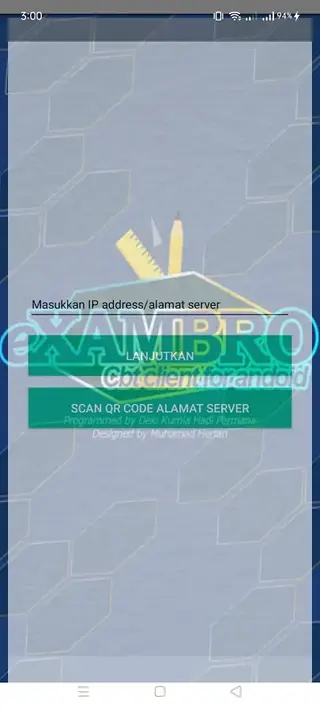

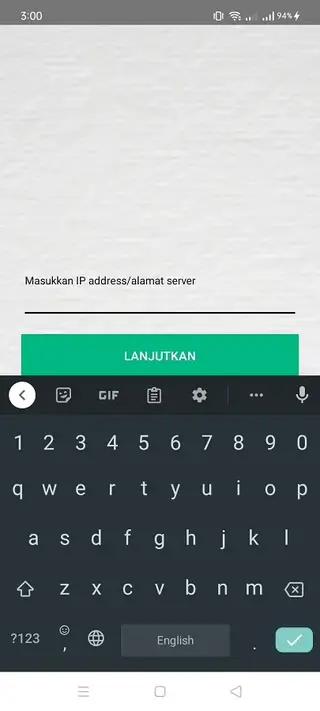
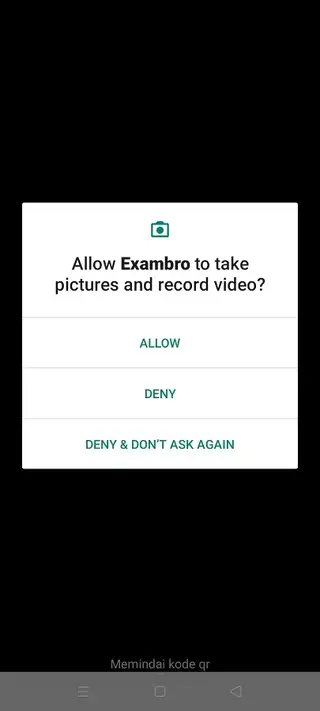
Device compatibility and requirements
Exambro is designed to run reliably on a wide range of Android devices, including entry-level phones and tablets that are common in schools. The version available here supports Android 4.1 and higher, which covers many older devices still used in classrooms and training centers.
For the best experience, it is recommended to use devices with a stable Wi-Fi connection, functional touchscreens, and sufficient battery capacity to last through an exam session. Institutions that run longer exams may want to keep chargers or power banks available in case devices need extra power.
Tips for using Exambro in classrooms and labs
To get the most from Exambro in a school or training environment, plan your exam setup in advance. Test your chosen exam platform or website inside Exambro on a few devices before exam day, making sure that all questions, images, and timers load as expected.
On the day of the exam, teachers or IT staff can prepare each device by connecting to Wi-Fi, opening Exambro, and loading the exam link or login page. Students can then be assigned to devices with everything already configured, reducing setup time and confusion.
After the exam, you can exit the secure environment as instructed by your institution and return the devices to normal use. Regularly updating the APK from our website helps keep all devices on the same version with consistent behavior.
FAQs
Pros
- Secure exam browser that locks students inside the test environment
- Helps reduce cheating by blocking other apps and navigation
- Free to download and use on compatible Android devices
- Works on older Android versions, useful for school labs and shared devices
- Simple interface that is easy for teachers and students to understand
- Designed primarily for Indonesian users and local exam platforms
Cons
- Interface and language focus mainly on Indonesian, which may limit global use
- Requires constant internet connection for most online exams
- Students cannot multitask or access study materials while the app is active
- Configuration may be challenging for schools without technical support
- Not ideal for casual learning because it is built mainly for controlled test sessions
Conclusion
Exambro is a focused tool for running secure computer-based exams on Android devices. If you need a locked browser for school or institutional testing, you can download the official Exambro APK from our website, install it on your devices, and use it as part of your digital exam workflow.




Comments
No approved comments yet.