

Exper TV
Exper TV is a Turkish IPTV and video streaming app that lets you watch live TV, series and other online channels directly on your Android phone or tablet. It focuses on providing an easy way to follow Turkish content in one place.
With a simple layout, built-in video player and multiple live TV categories, the app is designed for quick access to channels without complicated setup. You can get the official Exper TV APK directly from our website and start streaming in a few minutes.
The app targets users who want Turkish language menus and content, smooth playback on average connections and a free-to-use experience, making it suitable for casual viewing on mobile devices and Android TVs.
Rate this app
App details
- App name
- Exper TV
- Category
- Entertainment
- Version
- v3.0
- Size
- 11.11 MB
- Requirements
- 4.2 and Above
- Package name
- com.emre.expert
- Publisher
- EMRE
- Price
- Free
- Mod
- No
- Downloads
- 365,508
- Rating
- 4.4 / 5
- Rating count
- 6,584
- Play Store
- No
- Requires root
- No
- Offline support
- No
- Contains ads
- No
- In-app purchases
- No
- Updated
- May 14, 2026
- Age rating
- Rated for 12+
Table of contents
What is Exper TV APK?
Exper TV is an Android entertainment and IPTV streaming application developed by EMRE. It focuses on Turkish-language content and offers access to a wide range of live TV channels, web-based video streams and selected series.
The app combines IPTV-style channel lists with on-demand sections, so users can browse sports, news, movies, kids, and general entertainment channels side by side. Everything opens inside the built-in media player, which keeps navigation simple and avoids switching between external apps.
Exper TV is distributed as an APK package with the name com.emre.expert. It targets Android 4.2 and above, so it works on many older phones, tablets and Android TV boxes. The interface and content are primarily in Turkish, which makes it especially useful for native speakers or learners who want immersive content.
Why download Exper TV for Android?
People look for streaming apps that are easy to use and that bring many channels together without complex setup. Exper TV tries to solve this by offering a ready-made IPTV experience with Turkish menus and categories.
The app groups channels into clear sections such as sports, movies, general entertainment and kids, so you can jump straight to what you want to watch. You do not need to add your own IPTV lists or deal with long configuration steps.
Another reason to download Exper TV from our website is convenience. The official APK file is available here, so you can save it to your device, install it once and then keep streaming without signing up for extra services.
How is Exper TV useful?
Exper TV is useful for users who want a single Turkish-focused app for live channels and online video. Instead of switching between different websites or apps, you can open Exper TV and browse everything through one interface.
For families, the app can turn any Android device into a small TV. Sports fans get quick access to live sports channels, while others can follow serials, web series and general entertainment without complicated menus.
The app is also lightweight, which helps on older devices with limited storage or slower internet connections. Its own media player includes simple controls so you can adjust volume, seek through content and change viewing options without leaving the stream.
So, if you are familiar with the language, then we have more options for you. Try Cricpk and Stream India, both of these free platforms provide some of the best services for users.
How to download and install Exper TV APK
You can download the official Exper TV APK file directly from our website. Follow these steps to get it on your Android phone, tablet or TV box:
Scroll to the download area on this page and tap the Exper TV APK download button.
Wait for the APK file to finish downloading to your device.
On Android, open Settings > Security (or Apps & notifications > Special app access > Install unknown apps) and allow installs from your browser or file manager if needed.
Open your file manager, go to the Downloads folder and tap the Exper TV APK file.
Confirm the installation prompt and wait while Android installs the app.
Once installed, open Exper TV from your app drawer and start exploring the live channels and video sections.
If Android blocks the installation, check the unknown sources or install unknown apps permission again, then retry the last steps.
Features
Turkish IPTV focus
The app is built around Turkish language channels and menus, making it comfortable for Turkish speakers to navigate and watch content.
Live TV channel categories
Offers grouped IPTV channels such as sports, news, movies and entertainment so users can quickly find the type of content they want.
Films and web series section
Includes dedicated sections for films and web series, giving access to popular shows and recently released titles when available on the server.
Built-in video player
Streams open inside the built-in media player, which provides simple playback controls without requiring a separate video app.
Fast streaming servers
Uses optimized servers to provide smoother playback and reduce buffering, even on average or slightly slow connections.
Simple user interface
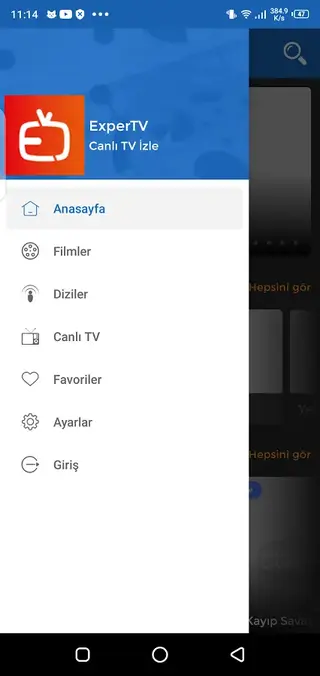
The layout is straightforward, with clear categories and channel lists that help new users start watching within minutes.
Web-based video content
Combines IPTV channels with web-based video streams so users can watch both live and on-demand content from one app.
High-quality picture
Supports high-quality video output when the source and connection allow, improving the overall viewing experience.
Screenshots

Live IPTV channels and categories
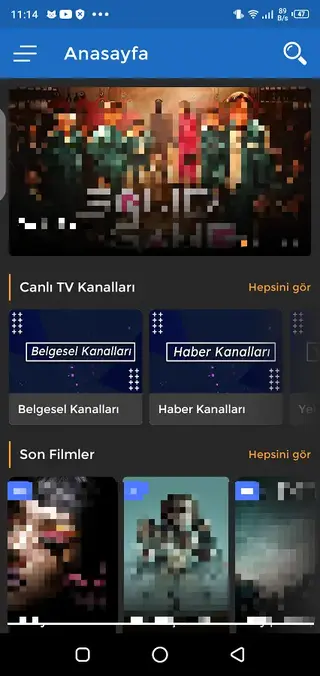
Exper TV focuses on delivering a large list of live IPTV channels. Users can browse through categories such as sports, news, movies, kids and general entertainment, instead of scrolling through one long list.
Each category opens a set of channels that are easy to switch between. This layout helps you find content faster and makes the app more comfortable for daily TV-style viewing.
Films, series and on-demand content
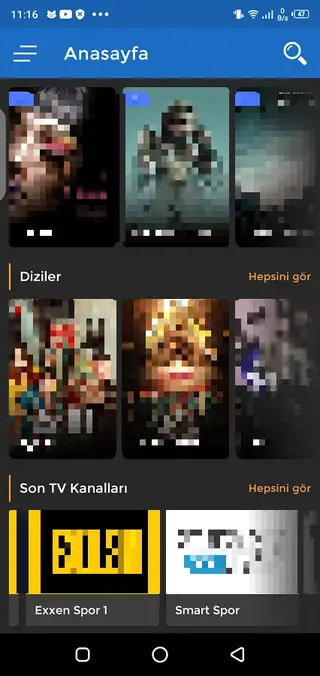
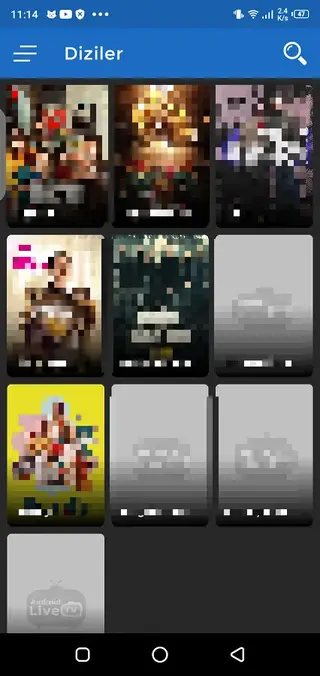
Beyond live channels, Exper TV also offers areas dedicated to films and web series. These sections aim to include popular and recent titles so users can watch episodes and movies at their own pace.
Content in these sections can change over time depending on server availability. When films or series are listed, you can open any title, stream episodes and continue where you left off using the built-in player.
Streaming performance and player controls
The app is designed to work reasonably well on typical home and mobile connections. Its servers aim to provide stable links that reduce buffering during live events or long episodes.
Inside the built-in player, users can pause, seek, adjust volume and change between streams with minimal delay. This reduces the need for external video apps and keeps everything inside one consistent interface.
Device compatibility and requirements
Exper TV targets Android 4.2 and higher, which covers many older smartphones, tablets and Android TV boxes. This makes it a flexible option if you want to repurpose an older device as a small TV screen.
For the best experience, it is recommended to use a stable internet connection and keep some free storage space available for smooth operation.
FAQs
Pros
- Focused on Turkish language content and interface
- Includes many IPTV channel categories in one app
- Built-in player keeps streaming simple for beginners
- Runs on older Android versions from 4.2 and above
- Lightweight installation suitable for low-storage devices
Cons
- Only supports the Turkish language, which limits use for other audiences
- Not available on Google Play Store, so updates must be installed manually via APK
- Content availability can depend on server status and may change over time
Conclusion
Exper TV is a straightforward IPTV and streaming app for Turkish-speaking users who want live channels and web-based video on Android. By downloading the APK directly from our website, you can install it quickly, browse multiple channel categories and use the built-in player to watch TV-style content on your phone, tablet or Android TV device.




Comments
No approved comments yet.