

F.TV
F.TV is an IPTV and VOD streaming app for Android that brings live TV channels, sports, and movies together in one simple interface. It is designed for users who want to watch TV directly on their phones or tablets.
With F.TV you can browse organized channel categories, request movies on demand, and watch live events using the built-in video player. The app focuses on easy navigation, quick search, and a TV-like experience on mobile.
You can download the latest F.TV APK file directly from our website and install it on any compatible Android device without needing root access.
Rate this app
App details
- App name
- F.TV
- Category
- Entertainment
- Version
- v1.0.3766
- Size
- 74.95 MB
- Requirements
- 5.0 and Above
- Package name
- com.tosmart.mobile_ftv
- Publisher
- FTV
- Price
- Free
- Mod
- No
- Downloads
- 105,735
- Rating
- 4.8 / 5
- Rating count
- 58,127
- Play Store
- No
- Requires root
- No
- Offline support
- No
- Contains ads
- Yes
- In-app purchases
- No
- Updated
- May 15, 2026
- Age rating
- Rated for 12+
Table of contents
What is F.TV APK
F.TV APK is an Android entertainment application that focuses on IPTV streaming and on-demand video. It provides access to a large range of live TV channels and video content that you can watch over an internet connection on your phone, tablet, or Android TV box.
The app organizes channels into clear sections such as sports, news, movies, documentaries, kids, music and more. It also includes a VOD (Video on Demand) area where you can watch selected movies and series and even request additional titles from within the app.
F.TV uses a built-in media player that is optimized for IPTV playback. This means you do not need an extra external player to start streaming. Once you log in and complete a quick registration, you can start browsing categories, searching for channels, and playing content directly.
Why download F.TV APK from our website
Downloading F.TV APK from our website gives you direct access to the latest available version of the app in a single click. You do not have to search multiple pages or deal with complex links, as the current APK file is already prepared for Android installation.
Our download section clearly shows the version name, Android requirement, and file information so you know what you are installing. Once you download the APK, you can keep it on your device for reinstalling or sharing across your own Android devices.
Because F.TV focuses on IPTV and VOD in one place, many users prefer to download the standalone APK instead of relying on app stores. Installing from our website also lets you update the app manually whenever a new version is added.
How F.TV is useful for everyday streaming
F.TV is useful for users who want a TV-like experience without being tied to a traditional television set. You can watch sports, news, movies, and kids channels wherever you have a stable internet connection, which is convenient while traveling or when you are away from home.
The app’s categorized layout makes it simple to find specific types of content. Sports fans can jump straight into live sports channels, parents can open children’s sections, and movie lovers can browse VOD collections. A search bar with filters helps you reach specific titles or channels more quickly.
Because F.TV uses a built-in player, you do not have to configure complicated playback settings. Basic controls such as play, pause, seek, and quality selection are available from the same screen, which helps new users start streaming with minimal setup.
If you want to download more similar apps, then we have some of the best suggestions provided here for you all. You guys can try Yasin TV and Listas IPTV, both of these are quite popular available apps Apk files. no need to waste money on cable networks anymore.
How to download and install F.TV APK
You can get the latest F.TV APK file directly from our website and install it manually on your Android device. Follow these simple steps to complete the process:
Scroll to the download area on this page and tap the available APK download button for F.TV.
Confirm the download in your browser and wait until the APK file is fully saved on your device.
Open your device settings, go to security or privacy and enable the option to allow installation from unknown sources if it is not already enabled.
Using a file manager or your browser downloads list, tap on the F.TV APK file to start the installer.
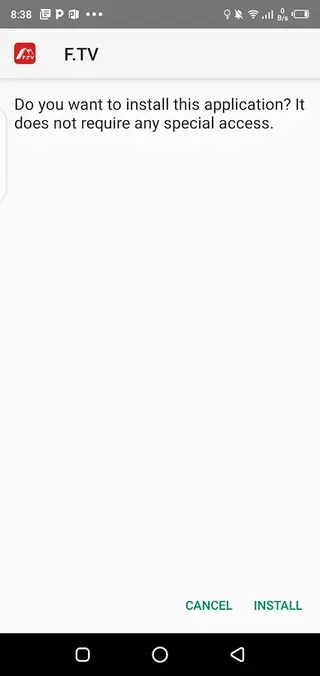
Review the on-screen prompts and tap Install, then wait for the installation to finish.
Once installed, open F.TV from your app drawer, complete any registration or login steps, and start browsing IPTV and VOD content.
After you have installed the app successfully, you can return to this page in the future to download newer versions when they become available.
Features
Extensive IPTV channel categories
F.TV includes many IPTV channel groups such as sports, news, movies, documentaries, music, kids and more so users can quickly find relevant live TV content.
Video on demand library
A dedicated VOD section lets users watch selected movies and shows on demand and submit simple requests for additional titles they want to see added.
Built-in IPTV media player
The app integrates its own media player that supports IPTV and standard video playback, removing the need to install separate external players.
Simple registration and login
Users can complete a basic registration process to unlock the full channel list and VOD features, then log in again easily on other Android devices.
Well-organized interface
Content is split into clear sections with a user-friendly layout that helps users switch between live TV categories, VOD, and other areas without confusion.
Search bar with filters
A search function with filtering options allows users to find specific channels, events, or movies faster within the large content library.
Live sports coverage
The sports section includes multiple sports-focused channels so users can follow football, cricket and other events whenever they are broadcast live.
High-definition streaming options
The app supports HD streams for many channels and videos, giving users clearer pictures and better viewing quality when their connection allows it.
Screenshots
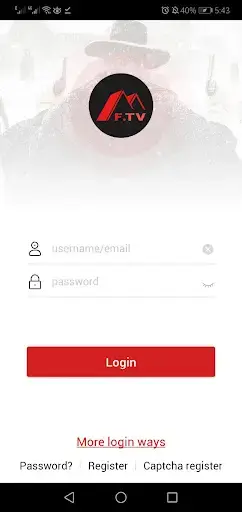
IPTV and channel categories in F.TV
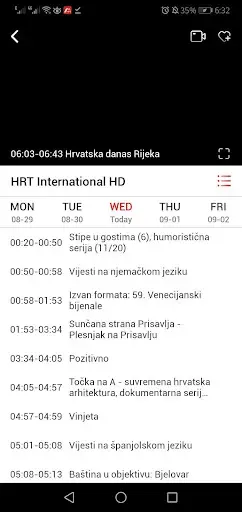
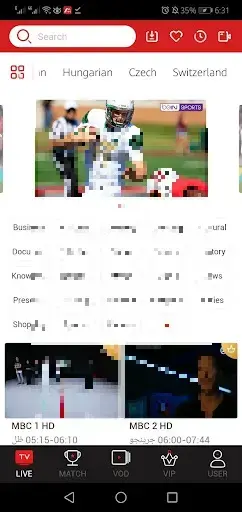
F.TV groups live TV channels into separate categories so you can move quickly between different types of content. Sections typically include sports, news, music, movies, documentaries, kids, and other themed groups. This structure makes it much easier to jump directly to the style of programming you want instead of scrolling through a long mixed list.
Within each category, channels are listed with clear names. You can select one to start streaming immediately through the built-in player, and then switch channels or categories without leaving the main interface.
Using the VOD section for movies and shows
The VOD section of F.TV focuses on movies, web shows, and other on-demand content. You can browse available titles, check basic details, and start playback with a single tap. The app also allows users to request additional titles if something specific is missing, making the catalog more responsive to viewer interests.
Because VOD uses the same internal media player, navigation is consistent with the live TV sections, which helps users get used to the controls quickly.
Streaming quality and playback controls
F.TV is designed to provide high-definition streams when your connection supports it. The internal player offers essential playback controls such as play and pause, seek, and quality adjustments where available. Users can experiment with lower quality settings if their connection is unstable, balancing picture clarity with smoother playback.
This flexibility helps the app remain usable on different network conditions, from home broadband to mobile data connections.
Device compatibility and basic requirements
F.TV is built for Android devices running Android 5.0 or higher. It can run on smartphones, tablets, and many Android TV boxes that support APK installation. No root access is required, and the installation process follows the standard APK install flow.
For the best experience, it is recommended to use a device with a stable internet connection and enough free storage to install updates when they become available.
FAQs
Pros
- Large selection of IPTV channel categories in one app
- Integrated VOD section for movies and shows on demand
- Built-in media player removes the need for external players
- Simple and organized interface is easy to learn
- Supports HD-quality streams for clearer viewing
- Search function and filters improve content discovery
Cons
- Requires a stable internet connection for all content
- Not available on the official Google Play Store
- Content availability may vary over time or by region
- May display advertising while browsing or streaming
Conclusion
F.TV APK offers a straightforward way to watch IPTV channels and on-demand videos on Android with a clean interface and built-in player. If you want a compact streaming app that focuses on live TV categories and VOD in one place, you can download the latest F.TV APK directly from our website and install it on any compatible device.




Comments
Rubby
Buenas tardes , me pide un código de activación, donde se puede conseguir gratis . Gracias