

Flash Warning
Flash Warning is a creative video and photo editor for Android that focuses on intense flash and warning-style visual effects. It helps you turn simple clips into eye-catching short videos that stand out on TikTok, Instagram, and other social platforms.
With a large library of filters, transformations, and the viral flash warning effect, the app gives you quick tools to record, edit, and share unique content. You can capture live footage with effects applied in real time or enhance existing photos and videos from your gallery.
The original APK file for Flash Warning is available to download directly from our website, so you can install the latest version on your Android phone or tablet and start creating immediately.
Rate this app
App details
- App name
- Flash Warning
- Category
- Photography
- Version
- v2.1.6
- Size
- 28.08 MB
- Requirements
- 5.0 and Above
- Package name
- com.falstad.megaphotofree
- Publisher
- FALSTAD
- Price
- Free
- Mod
- No
- Downloads
- 85,802
- Rating
- 4.7 / 5
- Rating count
- 36,901
- Play Store
- Yes
- Requires root
- No
- Offline support
- Yes
- Contains ads
- Yes
- In-app purchases
- No
- Updated
- May 20, 2026
- Age rating
- Rated for 7+
Table of contents
What is Flash Warning App?
Flash Warning is an Android video and picture editor designed around powerful flash-style effects and visual transitions. It is based on the Mega Photo engine by FALSTAD and offers a wide range of real-time filters that react to movement, light, and sound.
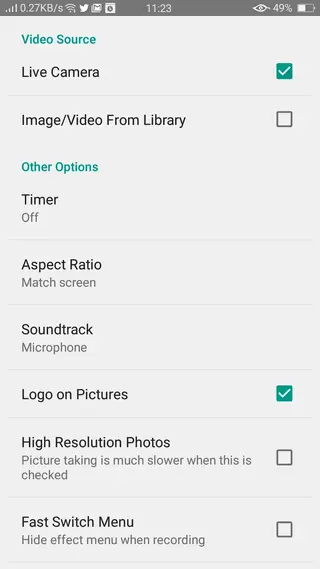
You can use the app to edit both photos and short videos. Either import media from your gallery or record directly inside the app while effects are active. This live editing approach makes it easy to create energetic, glitchy, and strobe-like clips that match the popular flash warning trend often seen on TikTok.
The interface is simple and section-based, so beginners can start quickly while still having enough depth for creative users. Most tools are available for free, and you can save your finished edits to your device and share them on any social network.
Why Download Flash Warning APK for Android?
Flash Warning is popular among short-form video creators who want fast, dramatic visuals without learning complex desktop software. The app focuses on real-time effects, so you can see how your video will look while you record.
Downloading the Flash Warning APK from our website lets you install the official Android build even if it is difficult to access from the Play Store on your device. Once installed, you get quick access to flash warning presets, transformations, and other creative filters tailored for vertical, social-friendly content.
Because the app saves all edited media directly to your gallery, you can easily upload the results to TikTok, Reels, YouTube Shorts, or any other platform where high-impact visuals help you reach more viewers and followers.
How Is Flash Warning Useful for Creators?
Flash Warning is useful for creators who want to increase engagement with minimal editing time. The built-in flash warning effect, zooms, distortions, and color shifts quickly turn ordinary footage into something intense and attention-grabbing.
Short video platforms reward content that hooks viewers in the first seconds. The app supports this by allowing live preview of effects and instant export in a few taps. You can also:
Combine multiple effects and transformations for unique styles.
Add music to match the rhythm of the flashing visuals.
Experiment with different presets until you find a look that fits your brand.
This combination of speed, creativity, and social sharing makes Flash Warning a practical choice for influencers, editors, and anyone who enjoys visual experimentation on Android.
You can even add music to your created film and make them more attractive. It is a simple and easy process for the users to gain the attention of others and increase popularity. You can also find the best collection of transformations in Nxxxa Ace Video Converter and Kinemaster Diamond.
How to Download and Install Flash Warning APK
You can download the latest Flash Warning APK directly from our website and install it on your Android device. Follow these steps to complete the process smoothly:
Scroll to the download section on this page.
Tap the download button for the Flash Warning APK file.
Wait until the file finishes downloading to your device.
Open your phone’s Settings and enable installation from unknown sources for your browser or file manager if needed.
Locate the downloaded APK in your Downloads folder using a file manager.
Tap the APK file and select Install when prompted.
After installation completes, open Flash Warning from your app drawer and grant camera, storage, and microphone permissions if requested.
Once installed, you can start recording and editing flash warning videos directly on your Android phone or tablet.
Features
Real-time video and photo effects
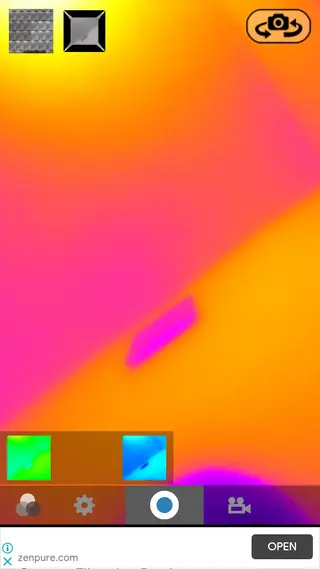
Apply filters while recording or preview them instantly on existing photos and clips for faster editing.
Signature flash warning effect
Use the popular flash warning style with rapid light bursts and contrast changes to create intense short videos.
Large collection of filters and transitions
Access hundreds of visual effects, distortions, and transformations to create unique looks for every project.
Support for photos and short videos
Edit both still images and video clips, so you can create posts, stories, and covers from one app.
Live editing camera mode
Record directly inside the app while effects are active, so the final result is visible before you hit save.
Simple and organized interface
Navigate through clear sections for effects, transformations, camera tools, and gallery output, suitable for beginners.
Social media sharing options
Save edited media to your device and share it on TikTok, Instagram, Facebook, and other platforms with a few taps.
Music and audio support
Attach background tracks to your edited videos so the flash effects can sync with the beat.
Screenshots

Tips for Creating Better Flash Warning Videos
Because flash-heavy videos can be very intense, it helps to plan your content before you start recording. Keep clips short, choose music that matches the rhythm of the flashes, and avoid overloading every second with multiple competing effects.
Use the live preview to test different presets before recording.
Combine subtle transformations with a strong flash effect instead of stacking too many complex filters.
Export and watch your video once before posting to check pacing and comfort for viewers.
These simple habits result in cleaner, more engaging content that still benefits from the dramatic style of the flash warning trend.
Device Compatibility and Performance
Flash Warning targets Android devices running version 3.0 or above, but it generally runs best on more recent hardware with a capable GPU and enough RAM. Because many of the visual effects are computed in real time, older or low-end phones might experience frame drops or slower previews.
For smoother performance, close other heavy apps before editing, reduce recording resolution if your device struggles, and test shorter clips rather than long continuous recordings.
FAQs
Pros
- Focused on trendy flash warning and high-impact visual effects
- Simple interface that is beginner-friendly yet creative
- Supports real-time editing while recording video
- Works with both photos and short video clips
- Saves media directly to gallery for easy social sharing
- APK file available for direct download from our website
Cons
- Contains in-app advertising during use
- Older minimum Android version may limit advanced optimizations
- No desktop version for cross-platform workflows
- Effect-heavy videos can be uncomfortable for sensitive viewers
Conclusion
Flash Warning is a focused Android editor for flash-heavy, high-energy visuals that fit perfectly into TikTok-style short videos. With live effects, simple controls, and direct APK download from our website, it offers an easy way to create bold clips and photos that stand out on social media without learning complex editing tools.




Comments
No approved comments yet.