
GlowCam
GlowCam is a lightweight selfie camera app that focuses on bright, glowing portraits with the help of AI beauty tools. It replaces your stock camera for selfies with a cleaner interface and dedicated enhancement features.
It is a great application for selfie lovers, content creators, and social media users. It delivers photography results that most low-end devices can’t capture with their built-in camera. The app has many similar functionalities to apps like Relens Camera and Butter Camera.
With real-time filters, skin retouching, and basic editing tools in one place, you can capture and refine photos without switching between multiple apps. GlowCam is designed for quick sharing on social platforms from almost any Android device.
You can download the latest GlowCam APK directly from our website and install it on your Android phone or tablet to start taking improved selfies within minutes.
Rate this app
App details
- App name
- GlowCam
- Category
- Photography
- Version
- v3.1.1
- Size
- 30.36 MB
- Requirements
- 5.0 and Above
- Package name
- com.lightcam.glowcamera
- Publisher
- GlowCam
- Price
- Free
- Mod
- No
- Downloads
- 81,947
- Rating
- 4.8 / 5
- Rating count
- 21,947
- Play Store
- Yes
- Requires root
- No
- Offline support
- Yes
- Contains ads
- Yes
- In-app purchases
- Yes
- Updated
- Jun 4, 2026
- Age rating
- Rated for 3+
Table of contents
What is GlowCam
GlowCam is a dedicated selfie and portrait camera app for Android that focuses on bright, polished photos using built-in AI enhancement. Instead of relying only on your phone’s default camera, it gives you a separate camera interface designed for faces, skin tones, and glowing light effects.
The app offers real-time beauty filters, adjustable effects, and an integrated editor so you can capture, refine, and save images in one flow. You can soften skin, brighten eyes, and fine-tune exposure before or after you press the shutter.
GlowCam suits selfie lovers, influencers, and everyday social media users who want better-looking photos from mid-range or older devices. It works on Android 5.0 and above, and you can install the official APK file directly from our website.
Why download GlowCam APK for Android
Downloading GlowCam APK on your device gives you a focused selfie camera with tools that many stock camera apps still lack. You get AI-powered face enhancement, glow-style filters, and background effects packed into a simple interface.
By installing the APK directly from our website, you always keep control over when to update and can use the same installer on both phones and tablets. This is helpful if the app is not readily available or visible in your region on standard app stores.
GlowCam also works offline once installed, so you can keep capturing and editing photos even without an internet connection. This makes it a practical choice when traveling, commuting, or saving mobile data.
How GlowCam is useful for everyday photos
GlowCam focuses on improving how people look in their photos, which makes it especially useful for selfies, portraits, and quick social updates. Instead of manually editing every image, you can rely on AI-powered filters that apply subtle retouching in real time.
For low-light environments, the Night Mode enhancement helps brighten and clarify faces so your photos remain usable even indoors or at night. Built-in tools like background blur and glow filters add a creative touch without needing a separate editor.
The app’s simple layout makes it approachable if you are new to editing, while the adjustable filter settings offer more control for users who like to fine-tune their images. Overall, GlowCam acts as a compact toolkit for capturing better selfies with less effort.
How to download and install GlowCam APK
You can get the official GlowCam APK file directly from our website and install it on your Android device in a few simple steps. Follow the instructions below to complete the setup.
Scroll to the download section on this page and tap the GlowCam APK download button.
Wait for the countdown to finish and allow the APK file to start downloading to your device.
When the download completes, open your file manager and locate the GlowCam APK in the Downloads folder.
Tap the file and, if required, enable installation from unknown sources in your Android settings.
Confirm the installation prompt and wait until GlowCam is installed on your phone or tablet.
Open GlowCam from your app drawer, grant the necessary camera and storage permissions, and start taking selfies.
Once installed, you can continue to use GlowCam and its main features offline, and you can always return to our website to download the latest available version.
Features
Real-time beauty enhancement
Smooths skin, brightens eyes, and lightly reshapes facial features while you preview your selfie so you see the effect before taking the shot.
Customizable glow filters
Offers a range of glow and light-based filters that you can tweak by adjusting brightness, contrast, saturation, and temperature for a preferred look.
Built-in photo editor
Includes core editing tools such as crop, rotate, background blur, and effect intensity sliders so you do not need a separate editing app.
Night Mode support
Improves selfies taken in low light by boosting exposure and clarity while trying to keep noise and overexposed highlights under control.
Background adjust options
Lets you modify the background with blur or replacement-style effects to highlight the subject and change the photo’s mood.
Lightweight camera app
Designed to run on a wide range of Android 5.0 and above devices, including many low-end phones and tablets, without heavy resource use.
Tablet-friendly layout
Works on Android tablets as well as phones so you can shoot and edit selfies and portraits on larger screens.
Offline functionality
Most core camera and editing features remain available without an internet connection once the app is installed.
Screenshots
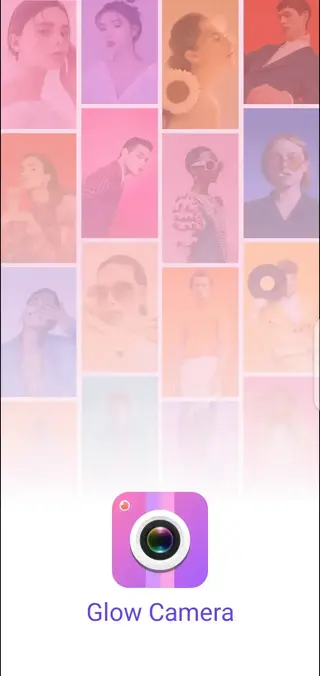
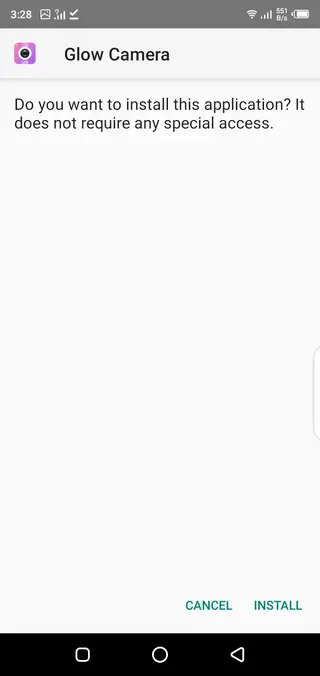
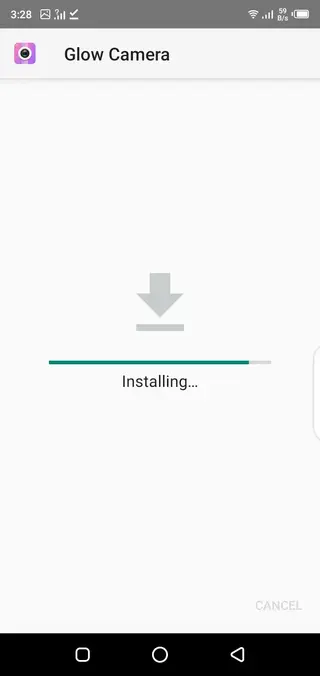
Tips for getting better selfies with GlowCam
To make the most of GlowCam, take a moment to experiment with its filters and beauty levels rather than using the default settings for every shot. Subtle adjustments usually look more natural and work better across different lighting conditions.
Try shooting near a window or light source and then combine that with the app’s glow filters for a balanced, bright portrait. You can also use background blur to reduce distractions behind you so the focus stays on your face.
If you often take photos at night, create a custom preset with slightly reduced beauty strength and higher brightness. This helps keep your selfies cleaner while taking advantage of the Night Mode enhancements.
Permissions and privacy considerations
GlowCam needs access to your camera to capture photos and to storage or media folders to save and edit those photos. On some devices, it may also request microphone access if it supports video recording features.
You can review and manage these permissions at any time from your Android system settings. If you prefer, you can limit access to features you do not use, such as microphone or location, while still keeping the core camera functions active.
Before installing or updating the app, it is a good idea to check the current permission list shown during installation so you understand what access is requested on your device.
FAQs
Pros
- Real-time beauty and glow filters optimized for selfies
- Includes built-in editing tools, so no separate editor is required
- Night Mode helps improve low-light selfie quality
- Works offline after installation, useful when traveling or saving data
- Supports both Android phones and tablets with Android 5.0 and above
- Lightweight design suitable for many low-end devices
Cons
- Likely contains in-app ads during usage
- Some advanced features may require in-app purchases or paid options
- Image quality still depends on the capabilities of the device camera
- Not all users may prefer AI beauty retouching effects
Conclusion
GlowCam is a focused selfie camera app that combines real-time beauty filters, glow-style effects, and simple editing tools in one place. If you want brighter portraits and smoother selfies without juggling multiple apps, downloading the official GlowCam APK from our website offers a straightforward way to upgrade your everyday photos on Android.




Comments
No approved comments yet.