

Hacker Tracker
Hacker Tracker is the official scheduling and planning app for DEF CON and several other security and hacker conferences. It helps you explore talks, villages, contests, and meetups in one organized place on your Android device.
With this app, you can browse events, check speaker details, and build a personal agenda so you never miss an important session. It is especially useful during large conventions where hundreds of activities run in parallel.
You can download the latest Hacker Tracker APK directly from our website and install it on compatible Android phones and tablets to prepare for upcoming security events.
Rate this app
App details
- App name
- Hacker Tracker
- Category
- Tools
- Version
- v7.2.6
- Size
- 16.39 MB
- Requirements
- 5.0 and Above
- Package name
- com.shortstack.hackertracker
- Publisher
- DEF CON Hacker Tracker Team
- Price
- Free
- Mod
- No
- Downloads
- 832,460
- Rating
- 4.6 / 5
- Rating count
- 101,432
- Play Store
- Yes
- Requires root
- No
- Offline support
- No
- Contains ads
- No
- In-app purchases
- No
- Updated
- May 8, 2026
- Age rating
- Rated for 7+
Table of contents
What is Hacker Tracker Android App
Hacker Tracker is an Android conference companion app created by the DEF CON Hacker Tracker Team. It focuses on hacker, cybersecurity, and infosec events, starting with DEF CON in Las Vegas and expanding to other conferences over time.
The app provides a structured way to follow large technical conventions. You can view the full schedule, filter sessions by track or location, read descriptions of talks and workshops, and see where and when each activity takes place.
Instead of manually checking paper schedules or scattered web pages, Hacker Tracker puts all key event data in a single interface optimized for mobile use during busy conference days.
Why download Hacker Tracker APK from our website
Installing Hacker Tracker on your device makes planning DEF CON and similar events much easier. The APK file available on our website lets you set up the app quickly, even if Google Play is not convenient for you.
Once installed, you can explore upcoming conferences, star your favorite talks, and check basic details about venues, tracks, and communities. During the event, you can rely on the app to keep your personal schedule organized.
Downloading the Hacker Tracker APK directly from our website also gives you flexibility to store the installer, share it between your own devices, and reinstall it whenever you prepare for the next security conference.
How Hacker Tracker is useful for conference visitors
Hacker Tracker is particularly helpful for visitors who want to get the most out of large hacker and security gatherings. DEF CON and similar events often run dozens of simultaneous tracks, villages, and contests, which can be overwhelming without a planning tool.
With the app you can quickly check what is happening at any given time, see which room you need to go to next, and discover side activities such as meetups, parties, or special interest groups. You can also review descriptions to decide which sessions match your interests before you walk across the venue.
We have some similar applications for the users, which also provide similar services. So, try I hack you and PLDT WiFi Hacker, these are also quite popular applications. You can visit our Website to get more similar apps and hacks.
This kind of overview saves time, reduces confusion, and helps you focus on learning, networking, and participating instead of constantly hunting for schedule information.
How to download and install Hacker Tracker APK
You can get the official Hacker Tracker APK file directly from our website and install it on your Android phone or tablet. Follow these steps to complete the process safely and smoothly:
Scroll to the download section on this page and tap the Hacker Tracker APK download button.
Wait for the APK or XAPK file to finish downloading on your device.
Open your device settings and allow installation from your browser or file manager if prompted.
Locate the downloaded file in your downloads folder and tap it to start the installation.
Follow the on-screen instructions to complete the install and add the app to your app drawer.
Open Hacker Tracker, grant the requested permissions, and select the conference data you want to load.
After installation, you can return to this page whenever you need to download the latest available version of Hacker Tracker for Android.
Features
Official DEF CON scheduling companion
Designed around DEF CON and related hacker and security conferences to centralize schedules and event data.
Full event schedule browser
View talks, workshops, villages, contests, and other activities with time and location details.
Personal agenda builder
Mark favorite sessions and quickly see a personalized list of what you plan to attend.
Category and track filters
Filter events by track, type, location, or day to focus only on the sessions that matter to you.
Search across events
Use the built-in search to find talks by title, speaker, tag, or keyword within the conference schedule.
Speaker and session details
Read summaries, speaker names, and other essential information before choosing a session.
User-friendly interface
Simple layouts and clear navigation that work well during busy, crowded conference days.
Contact and community info
Access basic contact and group information for certain communities and organizers when provided by the event.
Screenshots
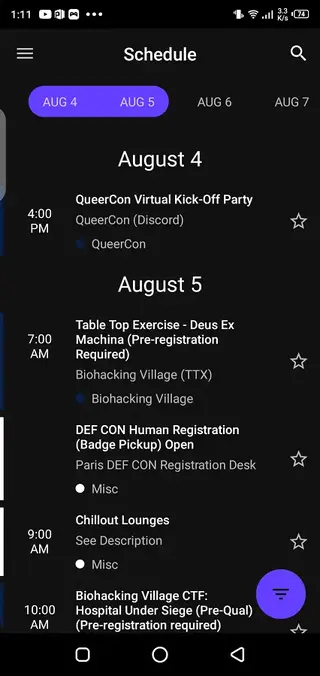
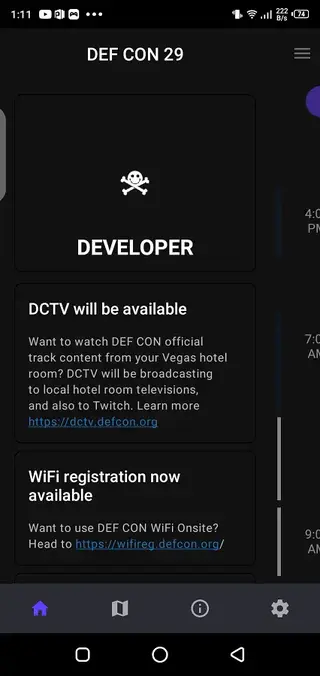
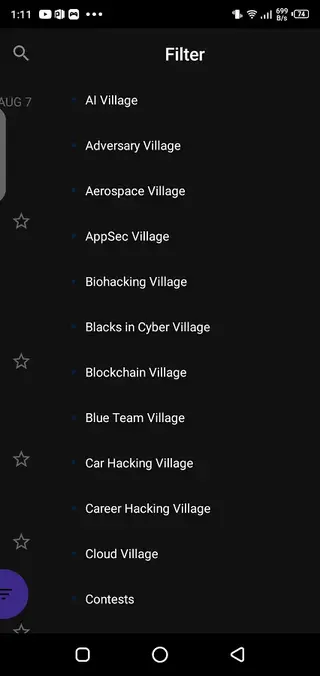
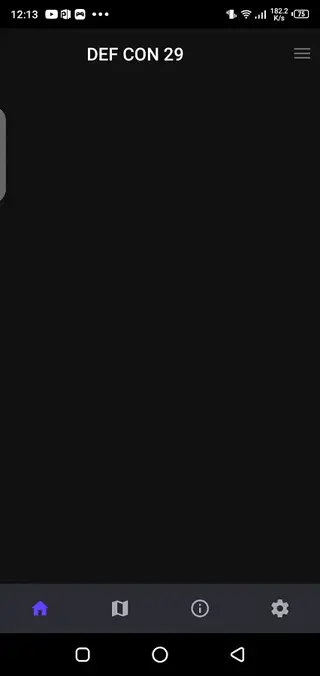
Conference planning and agenda management
Large hacker conferences can feel chaotic without a clear plan. Hacker Tracker gives you a structured view of what is happening each day and lets you mark specific events you want to attend. By building your own agenda, you can move between talks, villages, and contests with more confidence and less last-minute decision making.
The app layout makes it easy to check the current time slot and see the next items on your list. This is especially useful when events are spread across multiple hotels or buildings, where knowing your schedule in advance can save long walks and missed sessions.
Support for multiple hacker and security events
Although Hacker Tracker became popular as a DEF CON companion, it has gradually expanded to include additional security and hacker gatherings when event data is available. Within the app you can usually select from supported conferences, then download the specific schedule for that event.
This design allows regular conference visitors to keep one familiar tool on their device instead of learning a new app for every individual event. As new gatherings are added, you can simply switch to a different event list inside the same interface.
Tips for getting the most from Hacker Tracker
To make the best use of Hacker Tracker, start preparing a few days before the conference begins. Browse through all tracks, read the talk descriptions, and star anything that looks interesting. During the event, periodically refresh the schedule for any last-minute changes the organizers might publish.
It is also helpful to leave small time gaps between back-to-back sessions in different locations, especially at large venues like DEF CON. Using the app this way turns it into a practical planning assistant rather than just a digital version of the printed schedule.
FAQs
Pros
- Official-style planner for DEF CON and similar hacker conferences
- Clean interface that makes complex schedules easier to navigate
- Useful filters and search for managing many parallel sessions
- Personal agenda helps you avoid missing favorite talks
- Free to download and use on compatible Android devices
Cons
- Focused mainly on specific hacker and security events rather than all conferences
- Requires internet access to fetch or update the latest event data
- Features depend on conferences providing and updating their schedules
Conclusion
Hacker Tracker is a focused conference companion for DEF CON and related hacker events, giving you clear schedules, filters, and agenda tools. Download the APK from our website to prepare your visit, organize your time on-site, and keep track of the talks and activities that matter most to you.




Comments
No approved comments yet.