

HFonts
HFonts is a lightweight Android customization tool that lets you change system fonts, emojis, and supported languages in a few taps. It focuses on simple controls and quick visual changes without complicated system tweaks.
With this app you can give your phone a fresh look, make text easier to read, or match your interface to your style using different font styles and emoji packs. Most options work without root access, so you can personalize your device while keeping the default system intact.
You can download the official HFonts APK latest version directly from our website and install it on any compatible Android phone or tablet running Android 7.0 or higher.
Rate this app
App details
- App name
- HFonts
- Category
- Tools
- Version
- v4.1
- Size
- 5.34 MB
- Requirements
- 7.0 and Above
- Package name
- net.amjadroid.hfonts
- Publisher
- Amjad Al-zakwani
- Price
- Free
- Mod
- No
- Downloads
- 76,908
- Rating
- 4.6 / 5
- Rating count
- 27,093
- Play Store
- No
- Requires root
- No
- Offline support
- Yes
- Contains ads
- Yes
- In-app purchases
- No
- Updated
- May 15, 2026
- Age rating
- Rated for 7+
Table of contents
What is HFonts App?
HFonts is an Android application by Amjad Al-zakwani designed to customize how text and visual symbols appear on your device. It focuses on three main areas: system fonts, emojis, and supported display languages.
Instead of rooting your device or using complex tools, HFonts offers ready-made font styles and emoji sets that you can apply with guided steps. The app aims to make deeper visual customization accessible to everyday users, not just advanced Android enthusiasts.
Because it works on Android 7.0 and above, many modern devices can use it to refresh the look of menus, settings, and supported apps, depending on manufacturer restrictions.
We have more similar applications available for the users, through which you can make additional changes on your Mobile. So, if you are willing to make more changes, then try Almighty Volume Keys and Dafont. Both of these are quite popular available apps.
Why download HFonts APK from our website?
Downloading HFonts APK directly from our website gives you fast access to the official install file without extra steps or sign-ups. You can keep a copy of the installer, share it between your devices, and reinstall the app whenever needed.
Our download page provides the current version name, package name, and basic technical information so you know exactly what you are installing. Once the file is on your device, you can complete the installation through the standard Android process.
How HFonts is useful for Android users
HFonts helps users who want more control over how their phone looks and feels but do not want to modify system files manually. By switching fonts, you can improve readability or match the interface to your personal style. Emoji packs make messaging and social apps feel more current and expressive.
The language options are also helpful if you want to view supported content in an additional language or switch between languages quickly. For users who enjoy experimentation, HFonts offers a convenient way to try different visual setups without committing to complex themes or custom ROMs.
How to download and install HFonts APK
You can get the official HFonts APK file directly from our website and install it manually on your Android device. Follow these steps to complete the process safely and smoothly.
Scroll to the download section on this page and tap the HFonts APK download button.
Confirm the download in your browser and wait until the APK file finishes downloading.
Open your phone's file manager or tap the completed download notification.
If prompted, allow installation from this source in your Android security settings.
Tap the HFonts APK file and select Install to start the setup process.
When installation is complete, open HFonts from your app drawer and start customizing fonts, emojis, and languages.
If you update from an older version, install the new APK over the existing app so your basic settings remain intact where supported.
Features
Large selection of system fonts
The app offers a broad collection of font styles so you can switch from the default look to something cleaner, bolder, or more playful.
Updated emoji styles
HFonts includes emoji options that can refresh how emojis appear in supported apps, making chats feel more modern and expressive.
Language customization options
You can explore additional display languages supported by your device and adjust the language settings directly through the app interface.
No root required for main features
Most customization features are designed to work on standard Android devices without requiring root access.
Simple and minimal interface
The layout is straightforward, with clear sections for fonts, emojis, and languages so new users can navigate easily.
Free to use
HFonts is available as a free download and does not lock core customization features behind subscriptions or premium tiers.
Quick visual changes
You can apply or test new font and emoji setups in just a few steps, making it easy to experiment and revert if you change your mind.
Lightweight APK
The app size is small compared to many customization tools, so it is suitable for devices with limited storage.
Screenshots

Font customization experience
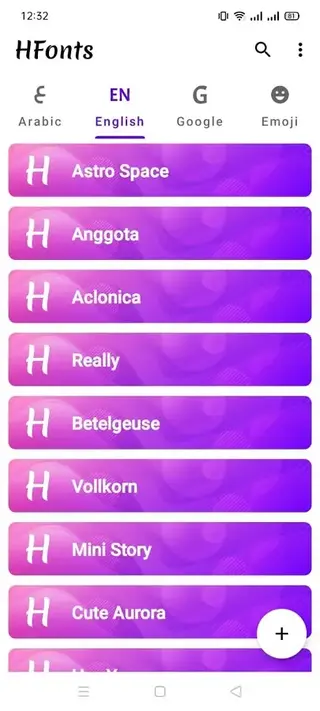
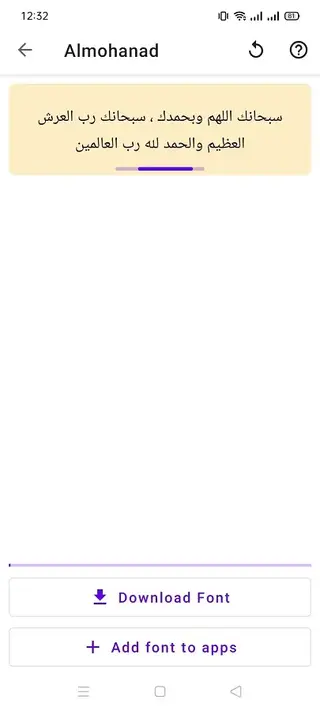
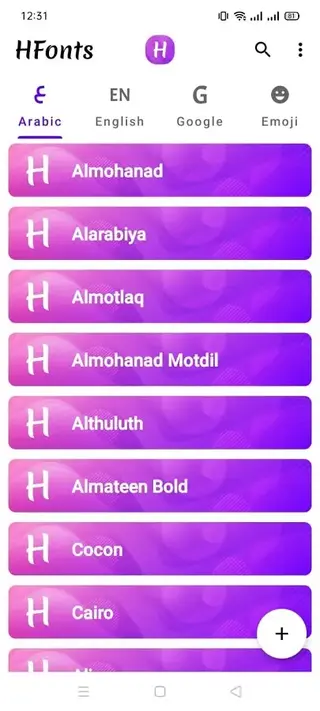
After installation, HFonts groups font options into a clear list so you can preview and switch styles quickly. Many users use it to move away from the default system font and choose something more readable for long-term use.
The effectiveness of each style can vary between devices, so it is best to test a few options and see how menus, notifications, and messaging apps look before settling on a favorite.
Emoji appearance and compatibility
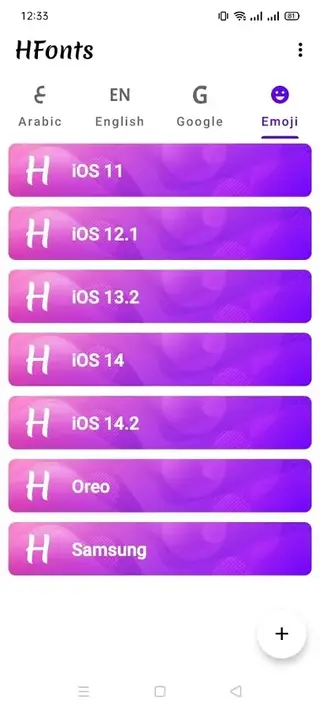
Emoji packs in HFonts aim to refresh how reactions and symbols look in chat apps and social platforms. The exact result depends on how each manufacturer and app handles emoji rendering, but in many cases users notice a more modern or different visual style.
If a specific app does not reflect the change, you can still use HFonts to adjust system-wide visuals where supported and combine it with other personalization options on your device.
Language and regional settings
HFonts can help surface additional language options that your device already supports. This is useful for bilingual users or anyone learning a new language who wants the interface to match their reading preference.
Before switching, it is a good idea to remember the original language path in your settings in case you want to revert, especially if you are testing a language you are not fully comfortable with yet.
Tips for safer customization
When changing fonts, emojis, or languages, make adjustments gradually and test your everyday apps after each change. If a particular style causes layout issues or text cut-offs, revert to a previous option from within HFonts.
Keeping a backup of important data and noting your preferred configuration helps you return to a comfortable setup quickly if you decide to experiment with new visual combinations later.
FAQs
Pros
- Offers a wide variety of fonts and emoji options in one place
- Works without root on most supported devices
- Clean, simple interface that is easy for beginners to understand
- Small app size that suits low and mid-range phones
- Free download with access to core customization features
Cons
- Actual behavior can vary depending on device brand and Android skin
- Some fonts or emoji changes may not apply inside every app
- Contains ads, which may distract some users
- No official Play Store listing at the time of writing for many regions
Conclusion
HFonts is a practical option for Android users who want to change fonts, emojis, and languages without complex system tweaks. You can download the official APK directly from our website, install it on any compatible device, and quickly adjust the visual style of your phone to better match your preferences.




Comments
No approved comments yet.