

IGames Mobile
IGames Mobile is an Android emulator-style app that lets you browse and play a selection of classic console-style games directly on your phone or tablet. It brings curated titles together in one simple launcher so you do not need a separate console.
The app focuses on providing ready-to-play games through its own catalog, along with options to run compatible files that you already have on your device. You can download the official IGames Mobile APK directly from our website and start exploring the library within minutes.
Designed mainly for Portuguese-speaking users, IGames Mobile still offers an intuitive layout that many players can navigate easily, even if they are new to this type of tool or do not speak the language fluently.
There are more emulators available for the users, which you can get on this website. So, if you are willing to try something new, then get Choox Sega and Mogul Cloud Game. These are also popular apps, which offer similar services.
Rate this app
App details
- App name
- IGames Mobile
- Category
- Entertainment
- Version
- v1.9.0
- Size
- 6.18 MB
- Requirements
- 4.1 and Above
- Package name
- com.tgamesandroid.incompativeis
- Publisher
- IGames BR
- Price
- Free
- Mod
- No
- Downloads
- 31,781
- Rating
- 4.2 / 5
- Rating count
- 9,871
- Play Store
- No
- Requires root
- No
- Offline support
- Yes
- Contains ads
- Yes
- In-app purchases
- No
- Updated
- May 11, 2026
- Age rating
- Rated for 3+
Table of contents
What is IGames Mobile for Android?
IGames Mobile is an Android application that works like a game launcher and console emulator in one place. It is developed by IGames BR and focuses on bringing popular console-style titles to mobile users through a built-in catalog. Instead of buying a dedicated console, you can install this app and enjoy supported games on your existing Android device.
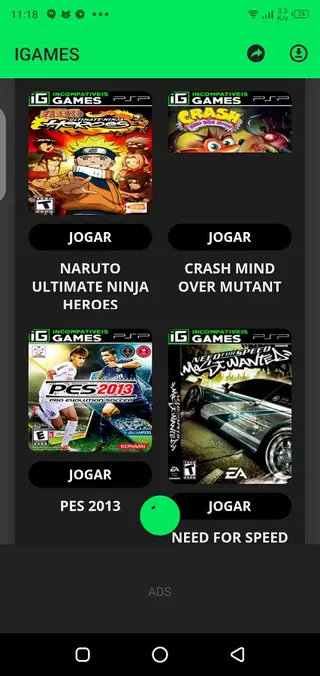
The app offers a curated list of games with cover images, basic details, and direct download options inside the interface. Once a game is installed, you can launch it from the same app and play using on-screen controls on your phone or tablet.
In addition to the catalog, IGames Mobile allows you to add certain compatible game files manually from your storage. This is useful if you already have files that the emulator can run and you want to manage them in a single place.
The interface and content are primarily in Portuguese, but the layout is straightforward, with clear sections for browsing, downloading, and launching games. That makes it approachable for many users who simply want a quick way to access console-like experiences on Android.
Why download IGames Mobile APK from our website?
Downloading the IGames Mobile APK from our website gives you direct access to the official installer of the listed version without searching through multiple sources. You can save the file to your device, keep a backup, and reinstall it whenever needed.
Once installed, the app offers a built-in collection of games that you can browse and install with just a few taps. You do not have to hunt for separate downloads for each title, because the catalog groups them inside a single interface.
IGames Mobile is also helpful for users with older or mid-range devices, as it is relatively lightweight and targets Android 4.1 and above. If you enjoy classic or console-style games and want them accessible in one launcher, this APK is a convenient option to keep on your phone.
How IGames Mobile can be useful for gamers?
IGames Mobile can be useful if you like console-style games but prefer to play on your phone instead of dedicated hardware. By gathering compatible titles in one application, it reduces the effort required to discover and try new games.
The manual file support helps users who already own compatible game files and want a simple way to organize and launch them. Instead of juggling multiple apps, you can centralize supported titles in a single environment.
The lightweight size and modest Android requirement also make it suitable for users with limited storage or older smartphones. Combined with a clean interface and visual game covers, IGames Mobile can serve as a compact gaming hub for both casual and more experienced players.
How to download and install IGames Mobile APK?
You can download the official IGames Mobile APK file directly from our website. Follow these steps to get it onto your Android device and start using the app.
Scroll to the download area on this page and tap the IGames Mobile APK download button.
Wait for your browser to finish downloading the APK file to your device.
Open your phone settings and enable installation from unknown sources for your browser or file manager if it is not already allowed.
Locate the downloaded APK in your Downloads folder or notification panel and tap it.
Review the installation prompt and tap Install to begin the setup.
Once the installation finishes, open IGames Mobile from your app drawer.
Browse the catalog, download a game, and start playing directly from the app interface.
Features
Built-in catalog of console-style games
Browse a curated list of supported games inside the app, complete with cover images and basic information.
One-tap downloads within the app
Download available games directly from the internal catalog and install them on your device with minimal steps.
Emulator-style gameplay experience
Play supported console-style titles on your Android phone or tablet using on-screen controls.
Manual file importing support
Add certain compatible game files from your device storage and launch them through the IGames Mobile interface.
User-friendly interface
Navigate games and sections easily thanks to simple menus, large icons, and clear visual categories.
Lightweight and suitable for older devices
The app is small in size and supports Android 4.1 and above, making it accessible for many devices.
Organized game categories
Explore games through structured sections and categories that help you find content faster.
Free to download and use
Install and use the app without paying an upfront fee for the listed version.
Screenshots
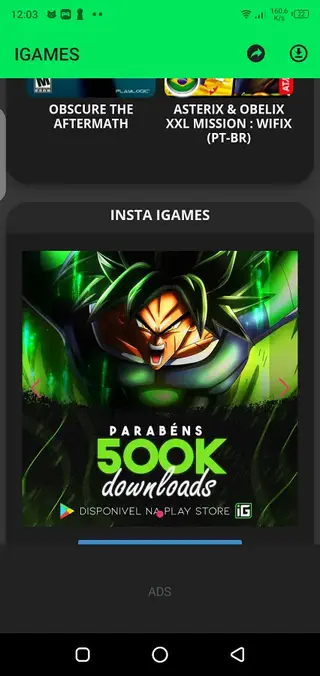
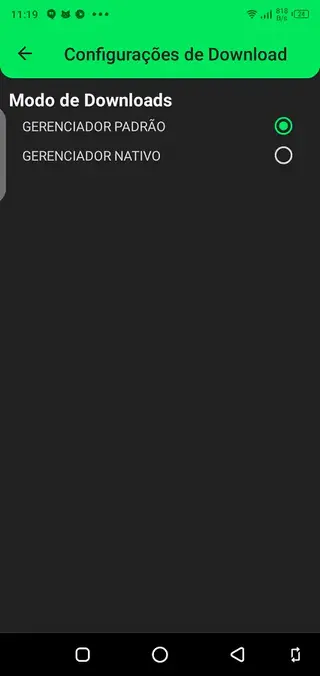

Gameplay and user experience
IGames Mobile focuses on giving a console-like experience through touch-based controls and a library of curated titles. After installing a game from the catalog, you can launch it from within the app and control it using on-screen buttons that mimic a traditional gamepad layout.
The layout generally prioritizes large game covers and simple menus instead of complex settings screens. This makes the app approachable even for users who have never configured an emulator before. However, because text is mostly in Portuguese, you may need a bit of trial and error if you do not speak the language.
Language and regional focus
The app is mainly targeted at Brazilian and Portuguese-speaking users. The menus, descriptions, and in-app text are primarily in Portuguese, which matches the developer’s region and audience.
Non-Portuguese speakers can still use IGames Mobile by relying on icons, cover art, and familiar layout patterns, but some written guidance and explanations may be harder to understand.
Device compatibility and performance tips
IGames Mobile supports Android 4.1 and above, so it can run on many older phones and tablets. For a smoother experience, it is helpful to keep some free storage space available for game downloads and to close heavy background apps before launching larger titles.
Performance can vary depending on your device’s hardware and the specific game you are playing. If a game feels slow, reducing other tasks on your phone and keeping the device cool can help maintain more stable performance.
FAQs
Pros
- Provides a built-in catalog of console-style games in one app
- Lets you add certain compatible game files manually from device storage
- Lightweight APK that supports Android 4.1 and above
- Simple interface with visual game covers and categories
- Free to download and use for the listed version
Cons
- Interface and content are primarily in Portuguese, which may be difficult for non-speakers
- Selection of games depends on the app’s catalog and may not include every popular console title
- Requires internet access to browse and download games from the catalog
- May show ads during use, which can interrupt gameplay or navigation
Conclusion
IGames Mobile offers a compact way to explore and play console-style games on Android through a built-in catalog and basic emulator-style features. If you want an easy launcher that gathers compatible titles in one place, you can download the official IGames Mobile APK from our website and see how well it fits your device and preferences.




Comments
No approved comments yet.